Unexpected shutdowns signal a safety circuit at work. Many amps and AV units cut output when they detect heat, shorted wiring, low impedance, or voltage faults. This feature aims to protect the speakers and the amp from permanent damage.
Start safely by powering down, unplugging the unit, and letting it cool for 10–15 minutes. Check for a red or flashing indicator that signals the protection state. Simple wiring faults or blocked vents often cause trips.
Next, confirm cables are seated, no speaker wires touch, and fuses look intact. Brief audio dropouts from HDMI handshakes differ from a true protection shutdown, which requires cooling or a reset. If the fault repeats, isolate each component of the audio system to find the weak link.
Understanding receiver protection mode and why it shuts down to prevent damage
An amplifier’s emergency brake will cut output instantly to guard internal parts and attached speakers.
The protect mode is a built-in safety feature in many receivers and amplifiers. It stops output when the unit’s sensors detect risky conditions. This helps avoid costly damage to the amplifier and to connected speakers.
What the safety circuit watches
The protection circuit monitors four key signals continuously:
- Temperature: overheating from blocked vents or heavy use.
- Current: sudden spikes that signal shorts or faults.
- Impedance: speaker loads that fall below rated ohms.
- Voltage: brownouts or surges from poor power.
Visible signs often include a red or flashing indicator light. Some trips are transient, caused by brief spikes. Repeated entries into protection mode point to persistent wiring, load, or ventilation issues that need correction before more use.
Immediate safety steps before troubleshooting your audio system
Act fast but stay calm. Immediately cut power and pull the plug to stop any ongoing electrical stress on the unit. This prevents further risk to the device and connected gear while you assess the issue.
Power down, disconnect speakers, and let the unit cool
Do not power cycle rapidly. After unplugging, remove all speakers to take load off the outputs. Give the chassis several minutes to cool, especially when the unit sat in a tight cabinet.
- Unplug from the wall to cut all power to the device.
- Disconnect speakers to isolate whether a speaker or wiring caused the fault.
- Wait a deliberate period before any testing to avoid adding thermal stress.
- Clear the area and prepare simple tools for a safe inspection after cool down.
| Check | Action | Expected result |
|---|---|---|
| Power cut | Unplug unit from outlet | No electrical flow; safe to inspect |
| Speaker load | Disconnect all speakers | Outputs unloaded; easier isolation |
| Cooling | Allow several minutes of rest time | Temperatures drop; less risk of damage |
| Visual | Inspect vents and wiring | Find dust or shorts to address |
Quick reset: the fastest way to see if it’s a transient issue
A quick reset can reveal whether the fault was a one-time glitch or a recurring hardware issue.
Turn the unit off, remove mains power, and wait 10–15 minutes. This pause lets thermal sensors and protection latches drop to safe levels before any test restart.
How to properly reset an amplifier or receiver and wait those critical seconds
Follow a full reset routine rather than rapid cycling. Unplug the power, keep the device idle, then reconnect after the wait.
- Perform a full reset by powering down, unplugging, and waiting at least 10–15 minutes to let thermal and latch circuits normalize.
- Use a dedicated reset button or manufacturer button sequence when available to restore factory control states.
- After reconnecting power, watch startup indicators and the protect light for any immediate re-entry to error mode.
- Keep volume very low on the first power-up to limit stress on the amp and speakers.
- If the unit stays stable for several seconds, add components back one at a time to isolate a repeating problem.
What to check first when the unit goes into protection
A methodical quick check of connectors and the front-panel indicator often points to a simple fix.
Start with basic visual and cable checks
Confirm every cable is fully seated: speaker outputs, inputs, and the mains plug. Loose wiring can mimic a serious fault.
Inspect speaker leads for stray strands touching between posts. Even one strand can short and trip the protection system.
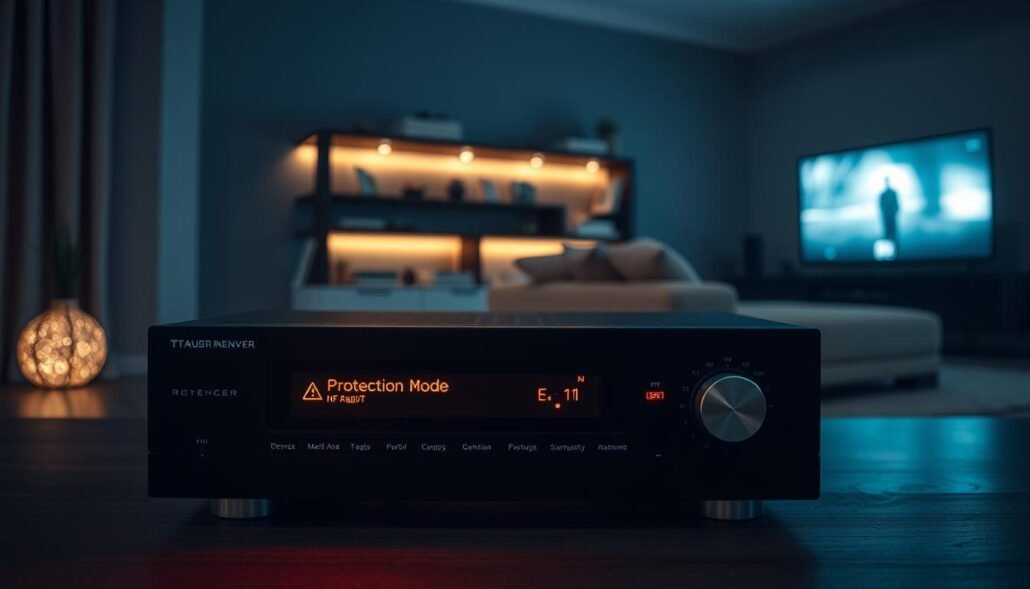
Reproduce the fault to narrow the cause
Note the front light status and record its color or blink pattern. That often distinguishes a thermal trip from a wiring fault.
- Test the same input at very low volume, then raise slowly to see if a threshold triggers the shutdown.
- Swap sources to find whether the problem follows one feed or appears across all inputs.
- Track the time from power-on when the unit goes protect mode; repeats after minutes usually mean heat buildup.
| Check | Action | Why it matters |
|---|---|---|
| Cables | Reseat and secure | Prevents false shorts and intermittent faults |
| Speaker posts | Trim stray strands | Avoids shorts that trigger protection |
| Front light | Note color/blink | Helps identify the type of issue |
Heat and ventilation: diagnosing overheating shutdowns
Amplifiers and AV gear produce heat that can build quickly in tight cabinets.
Overheating often causes the unit to cut output to avoid internal damage and protect connected speakers.
Clear airflow, dust removal, and ideal mounting surfaces
Keep several inches of clearance on all sides and above the chassis. Closed doors, shelves, or stacked components trap heat and raise internal temperatures.
Clean grills and heat sinks with gentle vacuuming or canned air to restore proper airflow. Dust blocks vents and reduces cooling efficiency.
Mounting on metal or other thermally conductive surfaces helps draw heat away. Avoid carpet or enclosed cubbies that hold warmth around the equipment.
When added cooling or relocation is necessary
If loud, bass-heavy playback runs hot, add quiet fans near exhaust vents to improve airflow. Even small fans can lower chassis temperature significantly during heavy use.
- Relocate the unit away from other heat sources to prevent combined-heat issues.
- Leave gaps between stacked devices or use shelves to keep each component cool.
- Monitor temperatures by touch or with an inexpensive thermometer near exhaust vents to verify improvement.
| Issue | Action | Expected result |
|---|---|---|
| Blocked vents | Clear dust and increase clearance | Lower operating temperature; fewer trips to protection |
| Poor mounting | Move to metal shelf or add thermal pad | Better heat transfer; longer component life |
| Extended heavy use | Add quiet fan or relocate unit | Improved airflow; stable sound during long sessions |
Wiring and grounding: the most common cause of protect trips
Begin with a careful walk-through of power, ground, and speaker lines to spot frays or corrosion.
Faulty wiring and poor ground connections often trigger trips. Power and ground must be secure and free of rust or paint. Make sure ground lugs contact clean, bare metal.
Inspect power, ground, and speaker wires for frays, shorts, and corrosion
Perform a visual and tactile inspection of every wire and connection point. Look for nicked insulation, crushed runs, or loose terminal screws.
- Examine speaker wires along their full route, including behind walls or under rugs.
- Re-terminate ends cleanly; use banana plugs to reduce stray strands and poor connections.
- Tug-test each connection lightly to confirm mechanical integrity and prevent heat build-up.
Proper ground to clean, bare metal and avoiding shared noisy grounds
Verify the ground is scraped to bare metal and tightened firmly. Corrosion or paint under a lug undermines conductivity.
Routing RCA and audio cables away from power for clean sound
Keep power and signal runs separate to reduce interference and false faults. Route RCA and other audio interconnects away from mains wiring.
Banana plugs and secure terminations to prevent stray strands
| Check | Action | Result |
|---|---|---|
| Terminals | Trim and use banana plugs | Secure, strand-free connections |
| Ground | Scrape paint; tighten lug | Stable chassis reference |
| Signal routing | Separate runs | Cleaner audio and fewer trips |
Speaker load and impedance mismatches that force protection
When multiple drivers share a channel, total impedance can fall to levels that trip the amp’s safeguards.
Impedance mismatches are one of the most common causes of a unit entering protect state. Two 4-ohm speakers wired in parallel create a 2-ohm load, which many amplifiers cannot drive safely.
Parallel vs. series wiring and how total ohms change
Parallel wiring lowers total impedance. This can drive the output stage hard and trigger a protection event.
Series wiring raises the total ohms and often restores a safe load for the amplifier. Choose series when multiple speakers connected to one channel push the load too low.
- Calculate total load carefully: parallel connections lower impedance and can exceed design limits.
- Many consumer receivers are rated for 6–8 ohms; parallel pairs can drop below that rating.
- When several speakers are wired to one channel, series wiring is a practical fix to raise total ohms.
Matching amp/receiver specs to speakers and subwoofers
Always verify an amplifier’s minimum impedance rating and keep the system at or above that value.
| Issue | Action | Result |
|---|---|---|
| Low net impedance | Rewire speakers in series or use higher-impedance models | Safe load; fewer trips to protect |
| Subwoofer DVC | Choose coil wiring that matches amp rating | Stable performance and safe current draw |
| Suspect speaker | Measure impedance or swap with known-good speaker | Identifies driver faults that mimic wiring problems |
Note: Impedance varies with frequency; the nominal rating is not the lowest dip. Document wiring topology so later changes do not accidentally push the system below safe limits and reintroduce trips.
Blown fuses, voltage drops, and unstable power causing shutdowns
A failing supply often shows itself as repeated blown fuses or fluctuating lights at start-up.
Blown fuses usually point to a short or surge on the mains or at the device level. Replace fuses only with the identical rating; never up-rate a fuse, as that defeats protection and risks serious damage to the electronics.
Voltage sag under load can trigger the unit’s protection and cause repeat trips. In vehicle systems, weak batteries or a failing alternator commonly cause drops during loud passages or startup bursts.
- Inspect both the main supply fuse and any device fuses; a blown fuse signals a deeper fault or short.
- Use exact replacement ratings only; up-rating endangers the electronics and voids safety.
- Monitor voltage during heavy demand to spot sag that points to undersized wiring or bad supply.
- Test battery health and alternator output in mobile installs; low charging causes instability.
- If fuses keep blowing, stop operation and trace for shorts before retrying.
- Consider a properly sized capacitor to help stabilize transient peaks alongside solid grounds.
| Check | Action | Result |
|---|---|---|
| Main fuse | Inspect and replace with identical rating | Restores correct protection; reveals underlying fault if it repeats |
| Charging | Test battery/alternator output | Identifies voltage sag that trips protection |
| Outlets | Check strips and cords for overload | Prevents intermittent power faults |
Power quality chains: UPS, servo stabilizers, and distribution strips
Multiple inline power devices sometimes cause timing conflicts that mimic hardware faults. Chaining a distribution strip, a servo stabilizer, and a UPS can add filters and switching delays. That extra impedance can destabilize sensitive audio equipment and trigger protection lights or error signals.
Why stacking power conditioners can degrade supply or switch too slowly
Each added layer increases the chance of a delayed response during a voltage dip or surge. Some conditioners switch too slowly and create brief brownouts at the device input. A modified-sine UPS can also introduce waveform distortion that stresses power supplies and creates audio artifacts.
Test each link: remove the strip, then the stabilizer, then the UPS
Diagnose with a stepwise removal to isolate the issue. Start by bypassing the distribution strip and powering the equipment directly from the wall. If instability remains, remove the stabilizer next, then the UPS last.
- Avoid stacking multiple power devices in series; it raises impedance and can worsen the problem.
- If using a true pure-sine UPS, a servo stabilizer is often redundant and may reduce response quality.
- Keep power cables and conditioners easy to reach so you can reconfigure during tests.
| Step | Action | Expected result |
|---|---|---|
| Strip bypass | Plug equipment directly to outlet | Remove strip faults; observe stability |
| Stabilizer out | Connect UPS or wall feed directly | Reveal slow-switching stabilizer issues |
| UPS removed | Run from wall only | Confirm UPS waveform or switching problem |
Use one high-quality power solution sized for your system to reduce complexity. Document each change and note any improvement to find the exact source of the instability.
Signal changes that trigger brief dropouts vs true protection
Short silences often result from digital handshakes or input swaps rather than a hardware fault. Many systems mute for a couple of seconds while HDMI devices renegotiate formats or when a TV goes to sleep.
Quick checks help tell a normal dropout from a real protect event. A genuine shutdown usually powers the unit down or shows a protect light and needs cooldown or reset. A transient mute recovers on its own without intervention.
- Expect brief mutes lasting seconds during HDMI negotiations, format changes, or a display powering down.
- Reseat HDMI and other input cables to prevent intermittent contacts that mimic dropouts.
- Confirm source devices do not enter sleep; adjust power settings on TVs, streamers, or consoles.
- If the symptom follows one input, swap cables and sources to isolate the path.
- Keep firmware current on sources and displays to reduce handshake failures.
| Symptom | Behavior | Action |
|---|---|---|
| Dropout | Seconds-long mute; auto-recover | Reseat cables; check sleep settings |
| Protect event | Unit powers off or shows protect light | Power down; allow cooldown; inspect wiring |
| Single input fault | Repeats only on one path | Swap source and cable to confirm |
Systematic isolation: finding the fault one component at a time
Start clean and controlled. Start with the system bare: power the receiver with outputs unloaded to check for internal faults at rest. If it stays stable, the issue likely lives in an external part rather than the electronics.
Run the receiver with no speakers, then add one channel at a time
Power on with no speakers attached and watch lights and fan behavior. Add one known-good speaker and cable to a single channel. Test at low volume and note any immediate trip or odd noise.
Repeat across channels to see whether a specific output or speaker triggers the protect response. This isolates a faulty speaker, wire, or output stage without extra variables.
Swap inputs and cables to rule out source and connection issues
Rotate sources and swap interconnects to determine if the behavior follows a cable or device. A recurring fault tied to one input points toward a bad connection or source, not the amplifier.
- Log each test step and result for clarity.
- If the unit trips with no external connections, suspect an internal fault and stop further use.
- Repair or replace the offending component before restoring full system operation.
| Test | Action | Indicator |
|---|---|---|
| No speakers | Power on with outputs unloaded | Stable = external fault; unstable = internal fault |
| Single channel | Add one speaker and cable; low volume | Trip indicates that speaker or output |
| Input swap | Swap sources and cables | Fault follows cable/device = connection issue |
| Full log | Record results for each combo | Speeds diagnosis and repair |
Preventive maintenance for years of reliable audio performance
A simple maintenance plan extends the life of audio equipment and avoids costly failures.
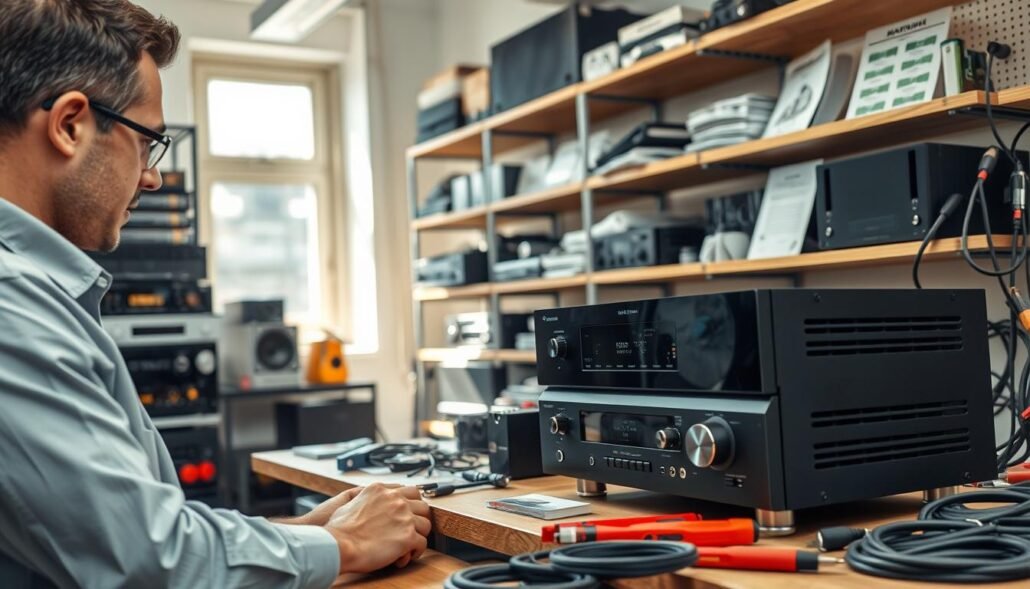
Regular inspections, clean contacts, and smart volume habits
Set a cadence for routine checks every few months. Look for loose terminals, frayed cables, and corrosion before they escalate.
Use contact cleaner on jacks and plugs to remove oxidation and improve signal transfer. Tighten binding posts and test connectors by light tugging.
Practice prudent volume control. Avoid extended high-volume sessions that raise chassis temperature and stress electronics. Short cooldown breaks reduce risk of heat-related trips to the protection light.
Component matching and thermal management for demanding sessions
Match amplifier and speaker capabilities so no component is underpowered or overdriven. Balanced components reduce distortion and the chance of shutdowns that lead to damage.
- Keep power delivery healthy: maintain batteries and power supplies and consider a capacitor for heavy transient loads.
- Improve airflow with spacing, vents, or quiet fans during long, loud sessions.
- Plan upgrades so components complement rather than bottleneck one another.
- When anomalies persist after checks, schedule professional service to prevent bigger issues.
| Check | Action | Benefit |
|---|---|---|
| Connections | Tighten terminals; clean contacts | Fewer shorts; stable signal |
| Power delivery | Test supplies; add capacitor if needed | Smoother peaks; reduced trips |
| Cooling | Improve ventilation; add fans | Lower chassis temps; longer life |
Routine care pays off. Regular maintenance protects your equipment, keeps audio consistent for years, and lowers the chance of costly service later.
Conclusion
View a protection trip as an alert to stop, cool, and inspect the system safely. Let the chassis rest, perform a proper reset, then test with outputs unloaded. Keep volume low when bringing components back online.
Work through the big five: ventilation, wiring and grounding, speaker load and impedance, fuses and voltage stability, and power-chain simplification. Remove extra power devices and test each link one at a time to rule out false faults.
Differentiate seconds-long input dropouts from a true protect event to avoid chasing the wrong problem. Isolate components by adding one known-good cable or speaker at a time. If the receiver enters protection with no external causes, arrange professional service to address likely internal faults.
Maintain the system with clean contacts and good airflow to prevent future issues. strong.