Choosing the right AV hub matters when you want even, powerful sound across many seats. This guide shows how power, channels, and room calibration work together to keep clarity without distortion.
We judge gear by real performance, setup ease, and long-term value. Expect notes on channels, watts per channel, preamp outputs, discrete subwoofer outputs, power amp stability, room EQ, phono sections, and 8K/HDMI support.
The unit in your home theater handles video switching, audio decoding and amplification, plus multiroom control. Those roles become critical in a large space where speaker placement and seating distance change how the system behaves.
Look for strong amplifier sections, room correction, and multiple sub outputs to keep bass tight at high volume. HDMI features like eARC and 8K inputs matter for future-proofing.
Later sections give quick model picks by room volume and channel goals, setup tips, and a buyer’s checklist so you can match sound quality and reliability to your budget and long-term needs.
Understanding the search intent: large-room power, coverage, and immersive sound
In big spaces, buyers want hardware that spreads immersive audio without strain or hotspots.
What shoppers actually look for: a unit that keeps impactful sound at distance, fills many seats evenly, and supports immersive formats such as Dolby Atmos.
Modern gear bundles streaming, Bluetooth, app control, and 4K switching. Still, practical specs matter most: honest watts per channel, clear channel mapping, and preamp outputs for future expansion.
Room EQ, discrete subwoofer outputs, and upmixers make distribution more consistent across wide or deep seating. Stable amplification and correct channel count prevent clipping when you push volume.
- Plan sources and HDMI input count alongside platform compatibility.
- Pick models with scalable architecture—preamp outs and flexible speaker mapping.
- Favor easy setup and calibration tools to speed from unboxing to great performance.
Ultimately, matching power and channels to room size turns a complex purchase into a clear path to quality sound and long-term system growth.
Room size, seating distance, and SPL: how much power per channel do you really need?
Big spaces demand honest power numbers so systems can reach and sustain listening levels without strain. Match continuous and peak SPL goals to seating distance to set a realistic watts per channel target.
Watts vs real multichannel demands: Many brands quote two-channels-driven figures. Audio Advice recommends trusting all-channels-driven specs (20 Hz–20 kHz) for true performance. Heavy power supplies and high-current designs give better dynamic headroom under load.
Speaker traits matter. Higher sensitivity and stable impedance cut required amplifier headroom. Low-sensitivity speakers need more amp power for the same SPL, especially during movie peaks.
- Budget extra power per channel to avoid clipping and limit distortion at high volume.
- Choose higher-sensitivity speakers or add external amplification via preamp outputs when seats sit far back.
- Look for robust rail voltage and cooling so the receiver sustains output across many channels during action scenes.
| Model | Published Spec | Rated W/ch (spec) | Spec Type |
|---|---|---|---|
| Denon AVR-S770H | 75 W/ch | 75 | 2 ch driven, 20 Hz–20 kHz |
| Denon AVR-X2800H | 95 W/ch | 95 | 2 ch driven |
| Onkyo TX-RZ50 | 120 W/ch | 120 | 2 ch driven |
Channels and layouts for a big room: 5.1.4, 7.1.4, and beyond
Channel count and speaker placement shape how film soundtracks wrap the listening area. Choosing the right layout affects vertical imaging, even coverage, and upgrade flexibility.
Why 9 channels are a practical baseline. A 9-channel unit handles 5.1.4 or 7.1.2 without external amplification. That covers most Atmos mixes and gives strong front and height staging in wider seating plans.
Stepping to 11 onboard channels unlocks full 7.1.4 coverage. Models like the Sony STR-AZ5000ES bring 11 channels built in, while the Marantz Cinema 50 offers nine amps plus 11.4 processing and four discrete sub outputs. The Onkyo TX-RZ50 pairs nine on-board amps with 11-channel processing via preamp outputs.
Height speakers vs upfiring modules
True in-ceiling height speakers give cleaner vertical precision and wider coverage. Upfiring modules are easier to install and work with lower ceilings, but they rely on reflections and can lose definition off-center.
Planning for external amps and preamp outputs
Use flexible outputs to grow the system. If you start with nine amps, preamp outputs let you add a two-channel amp later to reach 7.4.4 without replacing the core unit. Some models also allow amp assignment to repurpose onboard channels.
Placement priorities
- Front heights: place them forward of the main listening position for clearer overhead effects.
- Surround spread: widen side and rear surrounds to cover long seat rows and improve lateral imaging.
- Angles: follow format guides—keep height speakers symmetrical and aimed toward listening zones.
Start practical: begin with 5.1.4 or 7.1.4 for broad content support. Consider wireless surround options on select models to ease wiring in larger spaces, and plan conduit now to simplify future channel additions.
Dolby Atmos and DTS:X in large rooms: decoding, upmixing, and virtualization
Object-based formats place sounds as three-dimensional objects, giving clearer positioning across wide seating areas. Dolby Atmos and DTS:X let mixers place individual elements around and above listeners to create a more precise soundstage.
Upmixers expand legacy 5.1 mixes into height channels so non-immersive content feels more enveloping. Many 2025 models, including Denon AVR-S770H and AVR-X2800H, offer upscaling to dolby atmos dts:x and DTS Virtual:X to fill height zones.
Decoding, upmixing, and virtualization
- Decoding: native dolby atmos and DTS:X tracks deliver object metadata and precise placement across speakers.
- Upmixing: converts 5.1/2.0 to height channels to boost immersion when original files lack objects.
- Virtualization: modes like Dolby Atmos Height Virtualizer and DTS Virtual:X simulate height effects when ceiling speakers are impractical.
Real height speakers outperform virtualization in big spaces, especially off-axis. Virtual modes help when wiring or ceiling placement isn’t possible, but they can lose definition at side seats.
Choose gear with flexible modes and intuitive switching so the system adapts to movies, music, and family viewing. Calibrate carefully to translate format benefits into a cohesive bubble of sound across multiple listeners.
HDMI strategy for 8K, 4K/120, and multiple HDMI inputs
When you link many sources and displays, HDMI strategy decides if features like 4K/120 and full audio get through intact. Plan ports so streamers, disc players, and consoles all have direct, high-bandwidth paths.
Port counts matter. Models like the Onkyo TX-RZ50 include six 8K HDCP 2.3 HDMI inputs and two outputs (main with eARC). Denon’s AVR-S770H and AVR-X2800H provide three full 8K inputs plus eARC on the main output.
eARC vs ARC and routing tips
eARC passes uncompressed Dolby Atmos from TV apps and next-gen consoles. ARC can carry compressed Atmos and suffices for many TV apps, but eARC is the safer choice when you want full, lossless audio.
- For optimal gaming, connect consoles directly to the TV for 4K/120 video and send audio back to the receiver via eARC.
- Use dual HDMI outputs to feed a projector and TV or a second zone, but watch bandwidth limits when splitting signals.
- Buy certified high-bandwidth cables for long runs common in projector setups.
- Leave one spare high-bandwidth input for future gear and confirm firmware maturity for HDMI 2.1 features to avoid hiccups.
Practical note: receivers with clear labeling and on-screen input management cut setup errors. Verify the TV’s HDMI mode (4K/120, VRR) so features work as advertised.
Room calibration that scales: Audyssey, Dirac Live, ARC Genesis, and Sony DCAC
Accurate room tuning turns unpredictable acoustics into consistent, seat-to-seat clarity. In bigger spaces this matters more because timing, levels, and standing waves change across long listening rows.
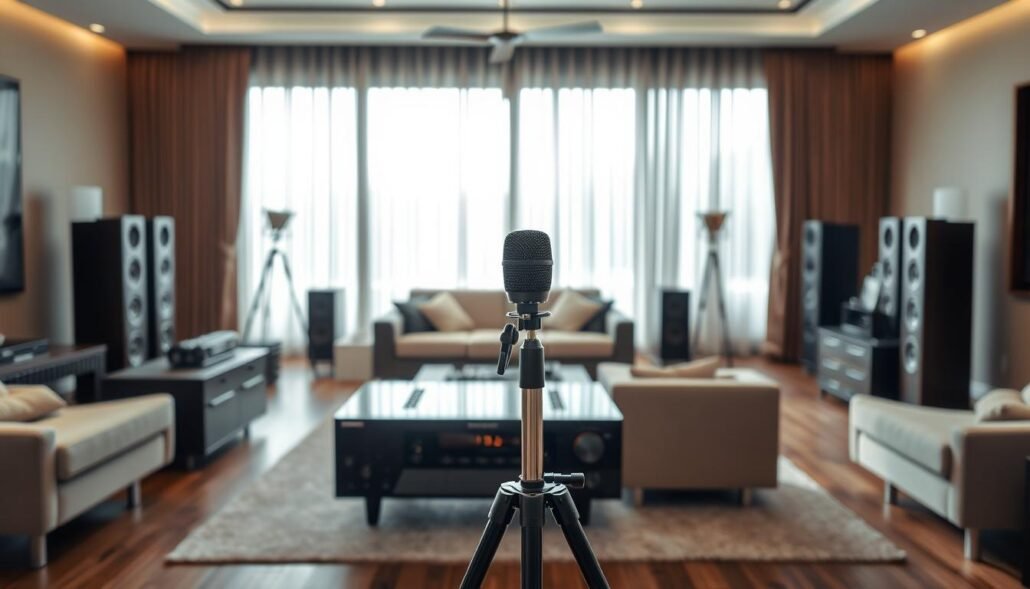
Advanced calibration aligns speaker levels, delay, and frequency response so the system retains detail and dynamics at higher volumes. Onkyo’s TX‑RZ50 ships with Dirac Live for fine filter resolution and optional calibrated microphone support.
How the main systems compare
- Dirac Live — high-resolution filters and multi-point measurements yield tight imaging and phase coherence.
- Audyssey MultiEQ / MultiEQ XT(XT32) — robust target-curve options and practical room corrections used in Denon and Marantz models.
- Anthem ARC Genesis — excels at smoothing tonal balance with detailed smoothing controls and high filter count.
Sony’s DCAC adds multi-point mapping that helps immersion and dialogue clarity in complex layouts. Marantz’s Cinema 50 gives four discrete subwoofer outputs and independent calibration to even out bass across seats.
| Calibration Tech | Notable Model | Key Strength |
|---|---|---|
| Dirac Live | Onkyo TX-RZ50 | High filter resolution; multi-point tuning; optional calibrated mic |
| Audyssey MultEQ XT/XT32 | Denon AVR-X2800H / AVR-S770H / Marantz Cinema 50 | Flexible target curves; reliable multi-position averaging |
| ARC Genesis | Anthem MRX 740 | Detailed smoothing and tonal control; strong bass handling |
Practical tips
- Measure multiple seating positions to favor family seating, not just a single sweet spot.
- Use calibrated microphones when supported for better Dirac results.
- Re-run calibration after moving furniture or changing speakers.
- Pair strong calibration with capable amplification to keep quality under high SPL.
Subwoofer strategy for large rooms: 2 to 4 subs and discrete outputs
Low frequencies behave unpredictably in wide spaces, so spreading bass sources helps smooth the response.
Use two to four subwoofers to flatten bass response and raise headroom without overdriving one unit. Audio Advice and real-world testing show multi-sub layouts reduce seat-to-seat variance and lower distortion during loud passages.
Choose receivers with discrete, independently calibrated outputs. Models like the Marantz Cinema 50 offer four truly separate sub outputs and per-sub calibration. Many units only provide dual outputs that share processing, which limits tuning precision.
- Place subs on opposite walls, at midpoints, or as a front-stage pair to even coverage.
- Match phase, delay, and level during calibration for a cohesive low-frequency field.
- Start with two subs and plan cable runs so you can add a third or fourth later.
Distributing bass duties reduces strain on drivers, improves tactile impact, and frees amplifier power to handle dynamic peaks. Even music gains from smoother low end, improving stereo imaging and overall system clarity. Verify that your receiver supports independent sub control to get the full benefit.
Music, movies, and gaming: balancing sound quality and performance
Different sources demand different strengths: some gear flatters stereo music while others hit harder during explosive movie scenes.
Stereo fidelity vs cinematic impact
Receivers tuned for music tend to emphasize imaging, midrange clarity, and low distortion. That makes vocals and instruments sound natural and placed.
Conversely, models with big power supplies and bold voicing push dynamic peaks and deep bass for immersive movie playback. The Yamaha RX-A4A leans toward that cinematic signature and adds a strong phono stage.
The Onkyo TX-NR6100 strikes a middle path: fine Atmos decoding, wide streaming support, and a phono input for vinyl fans who want both music and film strengths.
Gaming features that matter
Low latency and smooth frames are essential for serious gaming. Look for ALLM, VRR, and full 4K/120 passthrough to keep input lag low and motion clean.
Sony’s STR-AN1000 supports HDMI 2.1 features like 4K/120 and VRR, making it handy for console owners who need peak performance.
- Phono input: Yamaha and Onkyo include phono stages that benefit vinyl-focused users.
- HDMI bandwidth: firmware stability and full HDMI 2.1 lanes matter when pushing consoles at max settings.
- Streaming: native app support matters if daily music comes from services—check Chromecast, Spotify Connect, or AirPlay.
- Late-night use: Bluetooth transmit for headphones is practical for quiet sessions.
| Model | Standout strength | Notable feature |
|---|---|---|
| Onkyo TX-NR6100 | Balanced music and Atmos | 3 of 6 HDMI 8K, phono, broad streaming |
| Yamaha RX-A4A | Cinematic punch | 110 W/ch stereo, 7 HDMI, strong phono |
| Sony STR-AN1000 | Gaming-ready | HDMI 2.1, 4K/120, VRR, advanced calibration |
Practical tip: test both stereo and multichannel modes with familiar tracks and a favorite movie or game. Robust power and good room calibration improve sound quality across music, movie, and gaming uses. Prioritize the features that match how your home actually uses the system day-to-day.
Connectivity and control: streaming platforms, wireless options, and app control
Connectivity choices shape how people share music, switch inputs, and control audio across an entire home.
Look for native ecosystems—HEOS, Chromecast built-in, AirPlay, DTS Play-Fi, and Sonos—so multiroom playback stays seamless. The Onkyo TX-NR6100 supports Google Cast, DTS Play‑Fi, Spotify Connect, Sonos, AirPlay, and Bluetooth plus a phono input.
The TX‑RZ50 adds two‑way Bluetooth and deep voice assistant integration. Denon models offer HEOS and Bluetooth transmit for headphones. Sony’s STR‑AZ5000ES includes robust app-guided setup and wireless surround support.
Why it matters: app control speeds input selection, calibration tweaks, and daily use without digging for remotes. Voice access helps hands‑free playback and quick navigation.
- Wireless surrounds: simplify installs where running cable is hard.
- Two‑way Bluetooth: lets users send audio to headphones for quiet listening.
- Inputs: keep analog, digital, and network paths so sources stay flexible.
| Feature | Example | Benefit |
|---|---|---|
| Multiroom | HEOS / Chromecast | Shared playback across the home |
| Wireless surrounds | Sony STR-AZ5000ES | Less wiring in large installs |
| Two-way Bluetooth | Onkyo TX-RZ50 | Headphone transmit and receive |
Pick units with responsive apps and stable network options. Use Ethernet in big houses to avoid dropouts and choose gear that supports multiple ecosystems to reduce platform lock-in and keep the system useful for years.
Expandable systems: preamp outputs, power amp matrixing, and upgrade paths
Preamp outputs and flexible routing let you expand without replacing the core receiver. The Onkyo TX-RZ50, for example, includes preamp outputs for 11 channels so you can add an external amp and run 7.2.4. That approach raises capability while keeping the original unit.
Why external amplification helps: adding an outboard amp gives more power headroom, lowers distortion, and improves control of demanding speakers during dynamic peaks.
Power amp matrixing lets some models reassign onboard amps to different speaker positions. The Anthem MRX 740 offers this, while the Marantz Cinema 50 processes 11.4 with nine built-in amps and supports adding a two-channel amp to reach 7.4.4.
- Common upgrade: add a stereo amp to move from nine to eleven channels for extra heights or surrounds.
- Plan wiring runs and rack space now to simplify later installs.
- Use discrete sub outputs with scalable amplification to tame low-frequency variance across seats.
| Model | Expansion method | Processed channels | Notes |
|---|---|---|---|
| Onkyo TX-RZ50 | 11-channel preamp outputs | 11 | Add external amp to run 7.2.4 |
| Marantz Cinema 50 | 9 onboard amps + preouts | 11.4 processing | Use two-channel amp to enable 7.4.4 |
| Anthem MRX 740 | Preamp outs + amp matrixing | Up to 11 | Reassign internal amps during upgrades |
Confirm the number of processed channels versus those powered internally before buying. Pick gear with clear amp-assignment tools and on-screen guidance to make upgrades smooth. Smart expandability protects your initial investment and extends system life by letting you add features as needs grow.
Editor’s budget picks for large rooms: under $1,300
Good value hardware can anchor a spacious setup without breaking the bank—here are top picks under $1,300. These models balance usable power, modern hdmi inputs, and setup features that get you listening quickly.
Denon AVR-S770H
Why choose it: seven powered channels, eARC, and Audyssey MultiEQ simplify calibration in wider seating plans.
The unit supports 8K upscaling with three 8K-capable HDMI ports and adds Dolby Atmos Height Virtualizer and DTS Virtual:X for virtual heights when ceiling speakers aren’t an option.
Extras: Bluetooth transmit to headphones and PlayFi streaming make daily music and TV use easy. This model is a strong value at its price point.
Onkyo TX-NR6100
Why choose it: seven channels at 100 W each (per spec), lively Atmos/DTS:X decoding, and a broad streaming suite.
Six HDMI inputs include three 8K-capable ports, HDR10/Dolby Vision support, and Xbox Series X–friendly 4K/120 passthrough on supported inputs.
Extras: a phono input for vinyl fans and wide platform support—Google Cast, DTS Play‑Fi, Spotify Connect, Sonos, AirPlay—make it very flexible for home use.
- Practical note: power ratings are modest; pairing with efficient speakers and reasonable seating distance yields satisfying sound.
- Weigh platform streaming, inputs, and calibration when choosing between these two models.
- Both units deliver strong day-one usability and can anchor an affordable, expandable system.
Sweet spot performers for bigger layouts: $1,300-$2,000
These models balance usable watts, useful HDMI bandwidth, and calibration tools that scale in bigger setups.
Denon AVR-X2800H suits users who need flexible height speaker mapping and HEOS multiroom streaming at a fair price. It powers seven channels, offers Audyssey MultEQ XT, and includes three 8K-capable hdmi inputs. The unit supports high-res playback (192k/24-bit DACs, WAV, DSD) and adds Dolby Atmos Height Virtualizer and DTS Virtual:X to help with ceiling-less installs.
Onkyo TX-RZ50 leans into calibration and expansion. With nine onboard channels and Dirac Live, it nails imaging and seat-to-seat balance. Six 8K hdmi inputs and two outputs with eARC on the main make multisource homes simple. Two-way Bluetooth and voice-assistant support add daily convenience.
- Why pick Denon: flexible height mapping, strong music support, and good calibration tools at midrange price.
- Why pick Onkyo: nine amps, Dirac Live, 6x 8K hdmi, and easy upgrade paths to 11 channels via preouts.
| Model | Powered channels | Notable connectivity | Key strength |
|---|---|---|---|
| Denon AVR-X2800H | 7 | 3x 8K HDMI, eARC | Flexible height mapping; Audyssey MultEQ XT |
| Onkyo TX-RZ50 | 9 | 6x 8K HDMI, 2 outputs (eARC) | Dirac Live; expandable to 11 channels via preouts |
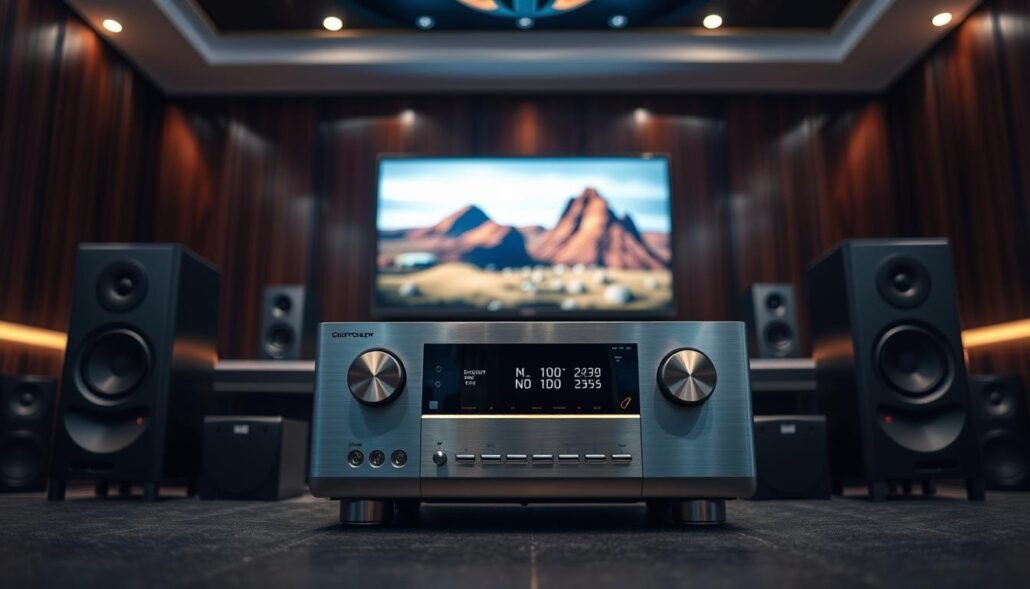
Premium 9-11 channel receivers that fill big rooms
If you plan to fill wide seating areas, pick cores with both abundant onboard amps and flexible outputs. These models balance built-in channels, bass routing, and calibration to keep sound coherent across many listeners.
Marantz Cinema 50
Why it stands out: nine onboard amps rated 110 W/ch (2-ch driven) with 11.4 processing and four discrete sub outputs. This setup tames bass variance and gives plenty of headroom without adding amps.
Extras: eARC, Audyssey MultEQ XT, optional Dirac Live, HEOS streaming, and a clean setup GUI make deployment fast and precise.
Sony STR-AZ5000ES
Why it stands out: eleven channels with 130 W/ch (2-ch driven), Sony DCAC multi-point mapping, and robust construction. Wireless surround options simplify layout in complex seating plans.
Sony’s detailed mapping and a long warranty add confidence for long-term installs.
Yamaha RX-A4A
Why it stands out: cinematic voicing and 110 W/ch stereo presence, seven HDMI ports, and a strong built-in phono stage for vinyl fans. Streaming music features are serviceable but not its main draw.
| Model | Onboard channels | Key strengths | Notable outputs |
|---|---|---|---|
| Marantz Cinema 50 | 9 | Warm, powerful sound; four discrete sub outputs; optional Dirac | 4 sub outs, eARC |
| Sony STR-AZ5000ES | 11 | DCAC mapping; heavy-duty build; wireless surrounds | Multi-zone outputs, eARC |
| Yamaha RX-A4A | 7 (stereo strong) | Cinematic punch; excellent phono stage; 7 HDMI | Preouts, eARC |
Choosing tip: prioritize on-board channels and discrete sub outputs when you aim for 7.1.4 coverage without immediate external amplification. Match calibration depth, build quality, and connectivity to your priorities—bass control, channel count, or streaming and phono support—to get the best long-term performance.
Best sounding amplifiers per dollar for spacious rooms
How an amp delivers current and control changes what you hear during complex movie peaks and layered music tracks.
Anthem MRX 740: ARC Genesis, high-current performance, upgrade-ready
Anthem’s MRX 740 stands out when sound quality is the priority. It ships with seven powered channels and a high-current design rated 140 W/ch (2-ch driven). That stout power delivery yields tighter dynamics and improved control of demanding speakers.
ARC Genesis calibration gives fine target shaping for both music and movie playback. The system’s flexible calibration tools let you dial tonal balance and overlap multiple seating positions with confidence.
- Expansion: preamp outputs for 11 channels and power amp matrixing make future upgrades simple.
- Performance: high-current topology reduces compression at real listening levels and keeps transients clean.
- Imaging: Anthem tuning sharpens stereo placement while preserving cinematic punch.
Pair the MRX 740 with efficient speakers or add an external amp when driving low-sensitivity units in very wide layouts. The chassis and parts focus on long-term quality, not just feature lists, making this model a smart core for enthusiasts who want modern connectivity plus upgrade paths.
Main Keyword Focus: Best receiver for a large room?
Start by mapping your seating zones, then pick models that cover those distances with even SPL.
Small-to-moderate large spaces: If seats sit closer and you use efficient speakers, seven-channel units often suffice. Consider the Denon AVR-S770H or Denon AVR-X2800H for value, easy setup, and solid calibration.
Very large spaces: When rows stretch far back, choose nine to eleven powered channels and extra sub outputs. The Onkyo TX-RZ50 suits 9-channel builds with Dirac and easy expansion. The Sony STR-AZ5000ES gives eleven onboard amps for day-one coverage.
Bass and tunability: For multi-sub control and deep tuning, the Marantz Cinema 50 offers 11.4 processing and four discrete sub outputs. If amplifier authority and ARC Genesis matter, pick the Anthem MRX 740 and add power via preouts as needed.
- Minimum immersive goal: 5.1.4; choose 7.1.4 for wider rows.
- Increase headroom with distance or low-sensitivity speakers.
- Verify processed channels vs powered channels to match your planned layout.
Setup tips for large rooms: speaker placement, height channels, and time alignment
Proper setup turns scattered gear into a cohesive soundstage that serves every seat. Start by mapping seating zones and marking cable runs so future expansion is simple. Use the receiver’s guided GUI on Denon or Marantz to walk through initial steps.
Placement matters: keep LCR speakers symmetric and toe-in them toward the main seating band to preserve dialogue clarity across multiple seats.
- Mount height speakers to format angle specs and favor direct sound over reflections for cleaner overhead effects.
- Measure and enter exact distances for every speaker so time alignment keeps pans cohesive along wide rows.
- Run multi-position measurements with Dirac Live, ARC Genesis, or Sony DCAC to tune for family seating, not just one sweet spot.
- After auto-calibration, verify sub crossover, phase, and level to ensure tight integration with mains and avoid bass holes.
- Check polarity, use matched stand heights, rename HDMI sources, and save calibration profiles for seasonal or gear changes.
Pro tip: follow on-screen 3D mapping prompts when available and consult a concise setup guide to avoid common errors and speed deployment in the home.
Common mistakes to avoid in big spaces
Many installations fail not from gear choice but from simple planning mistakes that grow with space.
Avoid underestimating power needs. Large spaces demand headroom. Trust specs that list continuous power across 20 Hz–20 kHz with all channels driven rather than two‑channel marketing numbers.
Don’t overcommit to channels without a wiring and placement plan. Extra channels mean little if speaker positions and cable runs are impractical.
Match HDMI inputs to sources. Count high-bandwidth inputs early so you don’t swap cables during events. Long HDMI runs need certified cables to avoid dropouts.
- Confirm dual subwoofer outputs are independent; independent calibration yields smoother bass across the seating field.
- Measure multiple seats—single-point calibration hides problems for side rows.
- Place height speakers per format guidelines; too close or too far forward ruins vertical imaging.
- Don’t pair very inefficient speakers with modest gear in long-throw setups without planning external amplification.
- Address room treatments and ventilation early—reflections dull clarity and cramped racks throttle sustained power delivery.
| Issue | Consequence | Quick fix |
|---|---|---|
| Understated power spec | Compression, distortion at high SPL | Choose all-channels-driven ratings or add external amp |
| Non-discrete sub outputs | Uneven bass across seats | Pick models with discrete subwoofer calibration or use separate DSP |
| Insufficient HDMI inputs | Frequent cable swaps; bandwidth limits | Map sources and reserve high-bandwidth ports; use certified cables |
Rapid buyer’s checklist: power, channels, HDMI, calibration, subs, connectivity
A short, focused checklist saves time and avoids costly mismatches between ambition and hardware capability.
Confirm channels and expansion: verify onboard channels vs processed channels and ensure preamp outputs exist if you plan to add amps later.
Check power specs: prefer all-channels-driven or honest watt ratings to ensure headroom. Bigger systems need sustained power more than marketing peak numbers.
- Count HDMI and inputs: ensure enough full-bandwidth ports for consoles, streamers, and two outputs if you run projector + TV.
- Prioritize eARC: it carries uncompressed formats from TV apps and next-gen consoles.
- Pick calibration wisely: choose Audyssey, Dirac Live, ARC Genesis, or DCAC with multi-position measurements and target-curve editing when possible.
- Subwoofer strategy: look for discrete, independently calibrated subwoofer outputs when you plan two to four subs.
- Evaluate connectivity: streaming platforms, voice assistants, two-way Bluetooth, and stable app control matter for daily use.
- Thermals and rack space: confirm ventilation and clearance so the unit sustains power during long sessions.
- Firmware and HDMI stability: prefer models with a track record of timely updates to protect HDMI 2.1 features.
- Match features to use: weigh music fidelity, cinematic punch, and gaming inputs to pick the system that fits real habits.
| Checklist item | Why it matters | Quick test |
|---|---|---|
| Channels (onboard vs processed) | Determines immediate coverage and upgrade path | Count powered amps and preouts on the spec sheet |
| Power (watt ratings) | Headroom for sustained SPL and low distortion | Prefer all-channels-driven specs or plan external amp |
| HDMI inputs & eARC | Ensures bandwidth for consoles and uncompressed audio | Map your sources; reserve 8K-capable ports for high-bandwidth gear |
Conclusion
Smart system design prioritizes headroom, sub placement, and scalable outputs to deliver uniform coverage across wide listening bands. Match power and channel count to seating distance, and give multi-sub calibration priority to smooth low end.
Shortlist models that fit your use case: Denon AVR-S770H or AVR-X2800H for value and flexible height mapping, Onkyo TX-RZ50 for Dirac Live and 9–11 channel growth, Marantz Cinema 50 for 11.4 processing and four discrete sub outs, Sony STR-AZ5000ES for robust eleven-channel power and DCAC, and Anthem MRX 740 when amplifier-first performance and ARC Genesis matter.
Confirm HDMI capacity, eARC, and everyday streaming/connectivity in the setup. Test setup workflows before buying and pick the receiver that delivers the consistent sound quality and long-term performance you need at home.
FAQ
How much wattage per channel do I need to fill a large space?
For big rooms, aim for amplifiers that deliver 80–150 watts RMS per channel into 8 ohms under real-world conditions. More important than peak numbers is headroom: choose gear that maintains clean power when multiple channels play loudly at once. Check speaker sensitivity and plan for all-channels-driven scenarios or add an external amp if you need sustained output across many channels.
Should I prioritize more channels or more power for immersive formats like Dolby Atmos and DTS:X?
Prioritize the channel configuration that matches your layout first (5.1.4, 7.1.4, or 9.1.6), then ensure adequate per-channel power. Large rooms benefit from both: enough channels for height and width, plus enough watts or external amplification so every speaker has headroom during dynamic peaks.
Are upfiring modules as effective as dedicated in-ceiling height speakers in a large room?
In-ceiling speakers provide more consistent height imaging in large spaces. Upfiring modules help when ceiling installation isn’t possible but their effectiveness drops in very high or acoustically live rooms. For true Atmos/DTS:X immersion in big rooms, prioritize in-ceiling or dedicated height speakers when possible.
How many subwoofers do I need to smooth bass in a big home theater?
Use two to four subwoofers spaced around the room to reduce nulls and deliver even bass. Multiple subs improve seat-to-seat consistency and lower required amp power per sub. Look for receivers or processors with discrete subwoofer outputs and independent level control for calibration.
Which room correction systems work best in large rooms?
Dirac Live, Anthem Room Correction (ARC Genesis/ARC), and Audyssey MultEQ XT/XT32 lead the pack for large spaces. Dirac and Anthem offer advanced time-domain correction and sub integration. Audyssey MultEQ XT/XT32 is widely available and effective if you deploy multiple measurement positions. Sony’s DCAC is solid on compatible models.
Do I need HDMI 2.1 / 8K support for a big-room setup?
HDMI 2.1 features like 4K/120Hz passthrough, 8K support, and eARC are useful for modern sources and gaming. eARC is essential for passing high-bitrate object-based audio from TV apps. If you use next-gen consoles or want future-proofing, choose a unit with multiple HDMI 2.1-capable inputs and reliable 8K/4K switching.
How important is speaker sensitivity and impedance in choosing an amp?
Speaker sensitivity and impedance determine how loud and efficiently a speaker will play with a given amp. High-sensitivity speakers (around 90 dB or higher) need less power. Low-impedance or difficult loads require amps with high current capability. Match amp specs to your speakers for stable performance and low distortion.
When should I plan to use external power amplifiers?
Add external amps when your main unit lacks enough powered channels, when you need more headroom for large layouts, or when driving low-impedance, power-hungry speakers. Many AV processors and higher-end receivers provide preamp outputs for easy integration with external amplification.
What calibration workflow yields the best multi-subwoofer integration?
Measure multiple sub locations, set relative levels, and use room correction that supports multi-sub optimization (Dirac Live, Anthem ARC, or Audyssey XT32). Physically position subs to minimize cancellations, then use time alignment and crossover tuning in the receiver or processor to achieve seamless integration with mains.
Which manufacturers offer models that perform well in larger spaces without exceeding
FAQ
How much wattage per channel do I need to fill a large space?
For big rooms, aim for amplifiers that deliver 80–150 watts RMS per channel into 8 ohms under real-world conditions. More important than peak numbers is headroom: choose gear that maintains clean power when multiple channels play loudly at once. Check speaker sensitivity and plan for all-channels-driven scenarios or add an external amp if you need sustained output across many channels.
Should I prioritize more channels or more power for immersive formats like Dolby Atmos and DTS:X?
Prioritize the channel configuration that matches your layout first (5.1.4, 7.1.4, or 9.1.6), then ensure adequate per-channel power. Large rooms benefit from both: enough channels for height and width, plus enough watts or external amplification so every speaker has headroom during dynamic peaks.
Are upfiring modules as effective as dedicated in-ceiling height speakers in a large room?
In-ceiling speakers provide more consistent height imaging in large spaces. Upfiring modules help when ceiling installation isn’t possible but their effectiveness drops in very high or acoustically live rooms. For true Atmos/DTS:X immersion in big rooms, prioritize in-ceiling or dedicated height speakers when possible.
How many subwoofers do I need to smooth bass in a big home theater?
Use two to four subwoofers spaced around the room to reduce nulls and deliver even bass. Multiple subs improve seat-to-seat consistency and lower required amp power per sub. Look for receivers or processors with discrete subwoofer outputs and independent level control for calibration.
Which room correction systems work best in large rooms?
Dirac Live, Anthem Room Correction (ARC Genesis/ARC), and Audyssey MultEQ XT/XT32 lead the pack for large spaces. Dirac and Anthem offer advanced time-domain correction and sub integration. Audyssey MultEQ XT/XT32 is widely available and effective if you deploy multiple measurement positions. Sony’s DCAC is solid on compatible models.
Do I need HDMI 2.1 / 8K support for a big-room setup?
HDMI 2.1 features like 4K/120Hz passthrough, 8K support, and eARC are useful for modern sources and gaming. eARC is essential for passing high-bitrate object-based audio from TV apps. If you use next-gen consoles or want future-proofing, choose a unit with multiple HDMI 2.1-capable inputs and reliable 8K/4K switching.
How important is speaker sensitivity and impedance in choosing an amp?
Speaker sensitivity and impedance determine how loud and efficiently a speaker will play with a given amp. High-sensitivity speakers (around 90 dB or higher) need less power. Low-impedance or difficult loads require amps with high current capability. Match amp specs to your speakers for stable performance and low distortion.
When should I plan to use external power amplifiers?
Add external amps when your main unit lacks enough powered channels, when you need more headroom for large layouts, or when driving low-impedance, power-hungry speakers. Many AV processors and higher-end receivers provide preamp outputs for easy integration with external amplification.
What calibration workflow yields the best multi-subwoofer integration?
Measure multiple sub locations, set relative levels, and use room correction that supports multi-sub optimization (Dirac Live, Anthem ARC, or Audyssey XT32). Physically position subs to minimize cancellations, then use time alignment and crossover tuning in the receiver or processor to achieve seamless integration with mains.
Which manufacturers offer models that perform well in larger spaces without exceeding $1,300?
Brands like Denon and Onkyo provide strong midrange options that balance power, features, and price. Look for models with solid power ratings, Audyssey or similar room correction, multiple HDMI inputs with eARC, and flexible speaker mapping to support 7.1 or 5.1.4 layouts.
How do I balance stereo music fidelity with cinematic impact in the same system?
Use two-channel amplification or a high-quality preamp output for dedicated stereo listening when fidelity is the priority. For movies, engage surround processing with calibrated crossover and subwoofer management. Some receivers offer separate stereo modes and A/B amp switching to optimize both use cases.
What gaming features should I check for in gear intended for large rooms?
Look for ALLM (Auto Low Latency Mode), VRR (Variable Refresh Rate), 4K/120Hz passthrough, and low-latency HDMI switching. These maintain responsiveness for consoles and PCs while preserving high-quality audio routing through the AVR or processor.
How many HDMI inputs and outputs are practical for complex setups?
Aim for at least four to six HDMI inputs and one dedicated HDMI output with eARC. Large systems with multiple sources (streamers, players, consoles) plus projectors and TVs benefit from extra inputs and multi-zone outputs. Ensure the unit supports the signal bandwidth you need on each input.
Can wireless streaming platforms reliably serve a big home theater?
Yes. Models with built-in Spotify Connect, AirPlay 2, Chromecast, TIDAL, and local UPnP streaming handle music well. For critical movie playback use wired connections for sources and networked sub/zone components to avoid dropouts and latency issues during high-demand sessions.
What common mistakes should I avoid when planning a big-room installation?
Avoid underpowering channels, relying solely on upfiring modules in very large or high-ceiling rooms, neglecting multiple subs, and skipping proper room correction. Also don’t overlook ventilation and amplifier cooling in tight AV racks, and be sure to plan cable runs and HDMI bandwidth ahead of purchases.
,300?
Brands like Denon and Onkyo provide strong midrange options that balance power, features, and price. Look for models with solid power ratings, Audyssey or similar room correction, multiple HDMI inputs with eARC, and flexible speaker mapping to support 7.1 or 5.1.4 layouts.
How do I balance stereo music fidelity with cinematic impact in the same system?
Use two-channel amplification or a high-quality preamp output for dedicated stereo listening when fidelity is the priority. For movies, engage surround processing with calibrated crossover and subwoofer management. Some receivers offer separate stereo modes and A/B amp switching to optimize both use cases.
What gaming features should I check for in gear intended for large rooms?
Look for ALLM (Auto Low Latency Mode), VRR (Variable Refresh Rate), 4K/120Hz passthrough, and low-latency HDMI switching. These maintain responsiveness for consoles and PCs while preserving high-quality audio routing through the AVR or processor.
How many HDMI inputs and outputs are practical for complex setups?
Aim for at least four to six HDMI inputs and one dedicated HDMI output with eARC. Large systems with multiple sources (streamers, players, consoles) plus projectors and TVs benefit from extra inputs and multi-zone outputs. Ensure the unit supports the signal bandwidth you need on each input.
Can wireless streaming platforms reliably serve a big home theater?
Yes. Models with built-in Spotify Connect, AirPlay 2, Chromecast, TIDAL, and local UPnP streaming handle music well. For critical movie playback use wired connections for sources and networked sub/zone components to avoid dropouts and latency issues during high-demand sessions.
What common mistakes should I avoid when planning a big-room installation?
Avoid underpowering channels, relying solely on upfiring modules in very large or high-ceiling rooms, neglecting multiple subs, and skipping proper room correction. Also don’t overlook ventilation and amplifier cooling in tight AV racks, and be sure to plan cable runs and HDMI bandwidth ahead of purchases.