Deciding where to spend your money means looking past sticker tags. This piece compares classic flagship gear with current mid-range units by weighing price, features, and long-term usefulness for a home theater system.
Think about total cost: gear prices have eased in 2025 while pro installation labor rose. That shift affects whether an older flagship with beefy amps offers more bang than a recent model with HDMI 2.1, eARC, and updated processing.
We’ll test real gear: Denon AVR-S760H and AVR-X3800H, Yamaha RX-V4A, Sony STR-AN1000, and the NAD T 778. Expect notes on power, connectivity, software support, and how each pairs with speakers for sound and performance.
Bottom line: the best choice depends on speaker sensitivity, room size, channel goals, and use—movies, music, or gaming. The guide ahead gives a clear decision framework and total cost of ownership to help you choose confidently.
2025 market reality: how pricing shifts change the “best value” receiver debate
A fresh pricing landscape in 2025 forces buyers to rethink where money matters most.
Core electronics have dropped in price while pro installation fees climbed sharply. In major U.S. metros, labor for home theater installs is up roughly 15–25%. At the same time, TVs and receivers are often 10–25% cheaper.
Lower display costs—65″ OLEDs around $1,200–$1,800 and entry laser projectors near $2,000–$2,500—shift how you allocate budget for your system. That freed money can go to better speakers or a newer receiver with modern features.
Equipment down, labor up: why installation costs matter more now
Higher labor can swallow marginal savings on gear. Easy setup and fewer service calls now save actual money over time. Mid-range units with solid HDMI 2.1 and stable software reduce troubleshooting and installer hours.
How OLED, laser projectors, and Atmos proliferation affect choices
Immersive audio features like Atmos are common in $400–$500 units. That means many home setups can get object-based surround without buying top-tier amps.
- Equipment price normalization helps mid-range system planning in practical ways.
- Premium labor in big cities bumps total cost estimates for custom installs.
- DIY buyers may favor simpler receivers that configure quickly and reliably.
| Category | Typical Price Range | Impact on Build |
|---|---|---|
| 65″ OLED | $1,200–$1,800 | Frees budget for speakers or newer receiver features |
| Entry laser projector | $2,000–$2,500 | Makes premium video more attainable in mid-range systems |
| Atmos-capable receiver | $400–$500 | Immersive surround at lower cost; reduces need for top-tier units |
Takeaway: weigh system-level price and long-term cost, not just the receiver sticker. In many 2025 builds, a current mid-range unit with modern technology will outperform an older high-end unit for the same money, especially after installation fees and ongoing service are counted.
What counts as an “older flagship” vs a “new mid-range” receiver?
Physical heft and I/O choices reveal whether a unit was built for big rooms or modern compatibility.
Classic top-tier units were built with large power supplies, thicker heatsinks, and more onboard channels. Think Denon AVR-4311 or Onkyo TX-NR5008: these had 9–11 channels and robust discrete amps for driving low-sensitivity speakers in larger rooms.
Defining features, channels, and amplification across generations
Current mid-range options, like the Denon AVR-S760H/S970H or Sony STR-AN1000, prioritize modern inputs. They offer HDMI 2.1, eARC, VRR, and native Atmos/DTS:X support, usually with 5–7 onboard channels and clean processing pipelines.
Amplification matters. Older units often deliver more headroom per channel thanks to beefier amp sections. That headroom improves control and perceived quality at higher volumes.
- Channels onboard: classic units often 9–11; modern mid-range usually 5–7 with some expandable pre-outs.
- Inputs and processing: new boards handle 4K/120 and improved eARC stability.
- Upgrade paths: both classes offer pre-outs for adding external amp power when needed.
| Characteristic | Classic top-tier | Current mid-range |
|---|---|---|
| Typical channels onboard | 9–11 | 5–7 (with expansion via pre-outs) |
| Amplification style | Discrete, higher headroom | Efficient integrated amps, lower reserve |
| Key inputs | Legacy I/O, fewer HDMI 2.1 ports | HDMI 2.1, eARC, VRR, 4K/120 |
| Best fit | Big rooms, low-sensitivity speakers | Gaming, modern TVs, compact systems |
Bottom line: match amp headroom and inputs to your speakers and room. If you need raw power, older designs may shine. If you need modern gaming and video features, current mid-range gear often delivers the connectivity you need.
Feature set face-off: surround formats, processing, and software support
Daily convenience now often hinges on streaming support and stable HDMI, not just amplifier heft.
Dolby Atmos, DTS:X, and height channel realities
Many current units deliver Dolby Atmos and DTS:X out of the box. The Denon AVR-S760H and S970H support both formats, while some legacy high-end gear may miss HDMI 2.1 needed for modern consoles.
Practical note: even a 5.1.2 layout improves immersion, but room geometry and speaker placement define real benefit more than raw processing specs.
Room correction, calibration, and ecosystem apps
Advanced processing like the Denon AVR-X3800H offers assignable pre-outs and flexible channel routing for external power. Yamaha RX-V4A pairs smoothly with MusicCast for wireless surrounds, and Integra DRX-3.3 integrates cleanly with Sonos for multiroom music.
Software support varies. Missing Chromecast or dated apps can erode daily value even if the sound is strong.
| Item | Strength | Typical trade-off |
|---|---|---|
| Atmos/DTS:X | Widespread in $400–$500 units | May lack HDMI 2.1 for 4K/120 |
| Processing & pre-outs | Denon AVR-X3800H: advanced routing | Better for adding amps or channels |
| App ecosystems | HEOS, MusicCast, Sonos | Daily convenience varies by platform |
Decision tip: prioritize the features and support you will use. If streaming and next-gen gaming matter, modern inputs and firm app support can outweigh extra amplifier weight. For cost context, check receiver cost estimates at receiver cost.
Power, amps, and speaker control: does older “flagship” amplification still win?
High-current amplification still changes how speakers behave in real rooms.
Why big amp sections remain compelling: classic designs use larger transformers and higher continuous power reserves. That extra power improves control over low-impedance speakers and pushes clean output at reference listening levels in larger rooms.
Extra watts matter when you use low-sensitivity speakers, sit far from the screen, or play dynamic movie tracks that need headroom. Stable current delivery across channels reduces compression and preserves transient detail for better overall performance.
Practical upgrade strategy: let the receiver handle surrounds and height channels, then add external amps for the front LCR. Focus separate amplification on those three channels where speaker loads and audible gains are largest.
Use RCA pre-outs to add power incrementally. Third-party tests show units like the Onkyo TX-NR5008 and Denon AVR-4311 can drive most speakers, and pairing external amp(s) via pre-outs yields strong gains without replacing the entire preamp section.
| Situation | Recommended approach | Benefit |
|---|---|---|
| Low-sensitivity speakers / big room | Add external amp to front LCR | More headroom, cleaner dynamics |
| Modest room / efficient speakers | Use modern mid-range receiver alone | Good performance, lower cost |
| Incremental upgrade path | Use receiver pre-outs | Spend amp budget where it matters most |
Final note: match amp capability to speaker impedance dips and plan for cabling and ventilation when adding amplification. For most users, a strong receiver with pre-outs gives the best cost-to-performance path unless you need a full pre/pro setup.
Video and HDMI: 8K, eARC, and high-frame-rate gaming support
If gaming and streaming matter, the HDMI pipeline often defines day-to-day usability.
Why HDMI 2.1 matters: multiple 4K/120 inputs and robust eARC simplify connections for PS5, Xbox, and modern TVs. The Denon AVR-X3800H offers 8K upscaling across six HDMI inputs and stable eARC paths, which reduces switching workarounds.
Latency, VRR, and practical gaming benefits
VRR and ALLM keep gameplay smooth and responsive. Marantz NR1711 packs HDMI 2.1 and VRR in a slim chassis, making it great for compact systems that need gaming support.
- Real-world check: confirm 4K/120 passthrough, Dolby Vision/HDR tone mapping, and eARC lip-sync stability for consoles and TVs.
- Count every source and cable run. Bandwidth bottlenecks show up when inputs lack full 2.1 lanes.
- Stable HDMI behavior often trumps marginal amp differences for gaming-first setups.
| Item | Key benefit | What to check |
|---|---|---|
| Denon AVR-X3800H | 8K upscaling, six HDMI inputs | eARC stability, multiple 4K/120 sources |
| Marantz NR1711 | HDMI 2.1 with VRR | Slim case, gaming-friendly passthrough |
| Sony STR-AN1000 | Clean interface and strong power | Check HDMI bandwidth for next-gen consoles |
Practical tip: pick the video and connectivity features you will actually use. Keeping pace with HDMI technology protects your system from near-term obsolescence and keeps day-to-day performance reliable.
Wireless and multiroom audio: HEOS vs MusicCast vs Sonos integration
If running rear cables is impractical, wireless surrounds can save both time and money.
Yamaha’s RX-V4A links with MusicCast 20/50 and Sub 100 for true wireless surround setups. That pairing simplifies speaker placement and reduces in-wall work in many living spaces.
Denon’s HEOS enables multiroom music but can feel clunky in daily use. Integra DRX-3.3 stands out for clean Sonos integration and stable multiroom control.
- When to pick wireless: apartments and living rooms where cable runs are impractical; saves roughly $300–$1,000 in wiring and labor.
- When to keep cables: dedicated theater rooms or demanding layouts that need lowest latency and rock-solid synchronization.
- Support to check: app stability, streaming service compatibility, and how ecosystems manage multiroom groups.
For many home users, wireless is an attractive option for casual music and tidy setup. Prioritize wired connections for immersive movie nights where reliability matters most.
Real-world examples from current models and prices
Below are concrete examples that show how price, power, and features line up in today’s market.
New mid-range standouts
Denon AVR-S760H (~$445) is a 7.2 unit with Atmos/DTS:X support and strong sound for the price.
The S970H (~$444) shares format support and adds music-focused tuning but omits Chromecast.
Sony STR-AN1000 (~$648) delivers 165W/8Ω, DSD playback, and a user-friendly interface for listeners who value power and ease.
Onkyo TX-NR696 (~$366) is budget-friendly with 7.2 channels, dual sub outputs, and whole-home zone options.
High-end perspective
Denon AVR-X3800H (~$1,649) offers 11.4 processing, six HDMI inputs with 8K upscaling, and assignable pre-outs for separates.
Yamaha RX-A6A (~$2,243) provides clean, precise sound and deep feature sets for demanding setups.
NAD T 778 (~$3,499) targets audiophiles with a premium interface and top-tier quality, though it lacks DTS:X.
| Unit | Price | Channels | Standout trait |
|---|---|---|---|
| Denon AVR-S760H | $445 | 7.2 | Atmos/DTS:X, strong sound |
| Sony STR-AN1000 | $648 | 7.2 | 165W, DSD, friendly UI |
| Denon AVR-X3800H | $1,649 | 11.4 | 8K upscaling, assignable pre-outs |
| NAD T 778 | $3,499 | 9.2 | Audiophile tuning, touchscreen |
Quick take: mid-range receiver options deliver most daily features and solid performance for typical living rooms. Higher-tier units add channels, robust pre-outs, and expanded video and input flexibility for larger systems and demanding speakers.
Are older “flagship” receivers a better value than new “mid-range” models?
Your priorities—sound muscle or current inputs—drive which path saves money and time.
Performance per dollar favors older heavy-duty designs when you need headroom and tight speaker control. Those units still shine with low-sensitivity speakers or larger rooms. If raw amplifier output is your top metric, the classic approach can deliver superior performance for the price.
Feature currency favors modern gear. HDMI 2.1, VRR, and stable eARC make daily use smoother for consoles and TVs. The Denon AVR-X3800H shows how future-proofing can reduce setup headaches, while the Denon AVR-S760H proves budget models now pack useful features.
How to decide
- Match the receiver to your speakers and room, not specs on paper.
- Count installation time and service: modern inputs can cut setup hours and visits.
- Consider a hybrid path: a current receiver plus an external amp for front channels blends both aims.
| Priority | Best route | Why it pays off |
|---|---|---|
| Power and control | Classic heavy amp | More headroom, cleaner dynamics with demanding speakers |
| Connectivity and gaming | Current mid-range | HDMI 2.1, VRR, eARC reduce daily friction and future-proof setup |
| Balanced approach | New receiver + external amp | Feature currency plus targeted performance gain |
Final thought: there is no universal winner. Choose based on real-room performance and which features you will use every day. That keeps your money working over time rather than paying for unused capabilities.
Total cost of ownership: purchase price, setup cost, and long-term maintenance
Think beyond the checkout: setup and upkeep shape how much a system really costs.
Break down TCO: combine the receiver purchase price with installation, calibration, and future maintenance to see true expense. In major U.S. metros, installers charge roughly 15–25% more for labor. Basic professional setup now runs about $500–$1,500 while mid-range installs hit $2,000–$5,000. Premium systems can top $5,000–$15,000+
Firmware, parts, and resale: newer technology often gets longer software support, which helps resale and reduces service calls. Depreciation usually drops 30–40% in year one, 15–20% in years two and three, then 10–15% annually after that.
Professional premiums vs DIY
DIY mounting and cable management can trim cost and save time if you are handy. Complex calibration and room treatment still benefit from pros to avoid trial-and-error expense.
| Item | Typical cost | Impact over years |
|---|---|---|
| Basic pro setup | $500–$1,500 | Fewer returns, faster reliable setup |
| Mid-range install | $2,000–$5,000 | Better calibration, lower long-term service cost |
| Depreciation (year 1) | 30–40% | Big early hit to resale price |
Money and time tip: document serials, firmware versions, and calibration files. That saves time on future service and helps keep cost down. For real-world receiver guidance and pricing context, see this best receivers guide.
Room, speakers, and channels: matching the receiver to your space
Start by mapping your listening area; room geometry shapes what the system will deliver.
Small apartments: a 5.1 or 5.1.2 layout usually fits living rooms and avoids overdriving the space. Entry Atmos setups show clear immersion gains in compact rooms and appear in many $400–$500 units.
Larger living rooms: move to 7.1 or 7.1.2 when seating distance increases and reflections change how sound fills the room. More channels help when you need wider coverage and smoother surround imaging.
Speaker choice matters as much as channel count. Efficient speakers pair well with modest receivers and keep performance high in small spaces. Reserve low-sensitivity, demanding speaker builds for rooms where extra power makes audible gains.
- Ceiling height, seating layout, and reflective surfaces shape achievable sound quality.
- Wireless surrounds via Yamaha MusicCast suit rentals and avoid costly in-wall wiring when labor rates are high.
- Fewer channels with better-class speakers often outperform many channels with weak drivers.
| Situation | Recommended channels | Why it helps |
|---|---|---|
| Apartment / small room | 5.1 or 5.1.2 | Immersion with minimal speakers; easier placement |
| Spacious living room | 7.1 or 7.1.2 | Wider soundstage and more even surround coverage |
| Rental / limited wiring | 5.1 + wireless surrounds | Less disruption; saves installation costs |
Use room correction to refine balance, but don’t rely on it to fix poor placement. Test seating positions and toe-in to extract the best performance from any receiver and speaker setup.
Gaming and video quality priorities: when a new mid-range model is the right choice
If your main use is next‑gen consoles and high‑frame‑rate PC gaming, connectivity should lead your buying decision.
Why connectivity matters: HDMI 2.1 with 4K/120 and VRR makes gameplay smoother and cuts input lag. The Denon AVR‑X3800H gives multiple HDMI inputs with 8K upscaling and eARC, while the Marantz NR1711 adds HDMI 2.1 and VRR in a compact package.
Multiple hdmi inputs mean you can hook consoles, a gaming PC, and streaming devices without swapping cables. That reduces handshakes and handshake failures that cause stutters or lost video.
Stable eARC and HDR pass‑through keep lip‑sync and color consistent between the TV and sound system. The Sony STR‑AN1000’s interface also gets praise for clear setup, which helps gamers who value simple, reliable support.
Practical checklist:
- Confirm multiple hdmi 2.1 inputs for simultaneous sources.
- Verify 4K/120 passthrough and VRR support for consoles.
- Use certified cables of the right length to avoid bandwidth loss.
- Prefer units with frequent firmware updates for long‑term compatibility.
| Priority | New connectivity option | Effect on performance |
|---|---|---|
| 4K/120 & VRR | HDMI 2.1 inputs | Lower latency, smoother gameplay |
| Multiple sources | Several full‑bandwidth hdmi ports | No source juggling; reliable switching |
| Audio/video sync | eARC & HDR pass‑through | Stable lip‑sync and correct HDR mapping |
Bottom line: in a gaming‑first world, the connectivity suite often delivers more perceptible gains than extra amplifier watts. Choose the receiver that matches your consoles and video sources, not the heaviest amp on the market.
Upgrade pathways: pre-outs, separates, and pre/pro considerations
Planning an upgrade lets you scale power without tossing your whole system.
Pre-outs are the critical upgrade path. They let you add external amp(s) to drive demanding speakers while keeping the receiver’s processing and inputs. Use RCA pre-outs for common separates and keep the receiver powering surrounds and heights during the transition.
Start with the receiver that offers solid processing and plenty of inputs. For most homeowners, a receiver with built-in amps plus pre-outs gives the best balance of cost and future flexibility. Processing in many Onkyo/Integra and Marantz pre/pro counterparts is essentially identical to their receiver siblings—the main difference is the absence of onboard amplification.
When separates or a pre/pro make sense
If you run self-powered studio monitors across every channel, need XLR distribution, or want a pure pre/pro rack with custom amplifiers, then choosing a pre/pro can be valid. Otherwise, add external amplifiers where they matter most: the front left, center, and right.
- Practical path: keep the receiver handling surrounds and heights; add an amp for the front LCR.
- Inputs and output planning: confirm enough inputs and line-level outputs for future sources and amps.
- Amplifier matching: check gain structure and impedance compatibility so speakers stay balanced and safe.
| Scenario | Recommended route | Why it fits |
|---|---|---|
| Demanding speakers / big room | Add external amp for front LCR | More headroom where it matters, preserves receiver processing |
| All channels active studio monitors | Consider pre/pro or direct powered setup | XLR routing and consistent amplification across channels |
| Budget-conscious upgrade | Buy receiver with pre-outs | Lower upfront cost; scale power over time |
Final note: evaluate rack space, ventilation, and power delivery before adding amplifiers. This staged strategy preserves investment in your receiver platform while letting you target power where it yields the biggest audible gains.
Budget tiers in 2025: where the value line typically falls
How much you spend in 2025 changes the role the receiver plays in your setup.
Budget systems sit in the $2,500–$5,000 total range. Entry receivers around $300–$600 now often include Atmos support. Pair them with a 65–75″ LED or an affordable projector for strong performance in small rooms.
Mid-range systems fall between $6,000–$12,500. Expect OLED or quality projectors, 5.1/7.1 layouts, and receivers in the $600–$1,200 band with multiple HDMI 2.1 inputs and room correction.
Premium systems start near $15,000 and can exceed $43,000. These builds use 7.1.4+ Atmos, laser projectors or 85″+ OLEDs, and receivers or separates costing $2,000+. They prioritize expansion, processing, and high-end amplification.
How price movement and installation affect where the line sits
Equipment prices are down roughly 15–25% since 2023 while installation costs rose 15–25%. That shifts money toward speakers and displays or toward newer technology that reduces installer time.
To get the most from your money, invest early in speakers and subwoofer quality. Make sure the receiver’s features match planned sources: stable HDMI and basic Atmos for entry, multiple HDMI 2.1 and pre-outs for mid-range, and separates or high-end processors for premium.
- Reevaluate choices yearly; technology and discounts change quickly.
- Match the tier to room size and listening goals rather than stretching the budget for minor gains.
- Leave headroom for cables, mounts, and acoustic treatment so the system is complete.
| Tier | Total budget | Receiver role | Priority spend |
|---|---|---|---|
| Budget | $2,500–$5,000 | Stable HDMI, basic Atmos | Speakers/display |
| Mid-range | $6,000–$12,500 | Multiple HDMI 2.1, room correction, pre-outs | OLED/projector, quality speakers |
| Premium | $15,000–$43,000+ | High-end processors or separates, expandability | Top speakers, subs, room treatment |
Common pitfalls: hidden costs, cable/HDMI mismatches, and overbuying channels
Small installation choices can add hundreds to total cost before you hear the first movie.
Hidden setup costs often include mounts, long cable runs, adapters, and professional calibration. Pro installers in major U.S. metros charge in bands that can push basic setup from several hundred to a few thousand dollars. Plan for that when you set the budget.
HDMI compatibility matters. For 4K/120 you need certified 48 Gbps hdmi cables and inputs that support full bandwidth. Confirm each input and cable before finalizing the rack to avoid time-consuming swaps.
- Don’t buy more channels than the room and speakers will use; unused channels inflate cost and complexity.
- Spring-clip terminals on budget gear complicate wiring versus binding posts; plan tools and speaker cable accordingly.
- Wireless surrounds cut wiring cost by roughly $300–$1,000, but check latency for movie use.
User-facing friction often comes from missing streaming features or clunky apps. Some units omit Chromecast or have slow interfaces that frustrate daily use.
| Issue | Impact | Quick fix |
|---|---|---|
| Firmware mismatch | Source dropouts, handshake failures | Update firmware before final setup |
| Unmapped inputs | Last-minute source conflicts | Map inputs to sources in advance |
| Unlabeled cabling | Longer service calls | Label cables and document settings |
Final tips: test each source for audio and video pass-through before closing walls or racks. Remember that speaker choice and placement influence results as much as any channel count or feature list. Spend time mapping inputs and labeling cables to save setup time and cost down the road.
Decision framework: a quick rubric by use case and budget
Start with how you use the system each day; that drives the right equipment path.
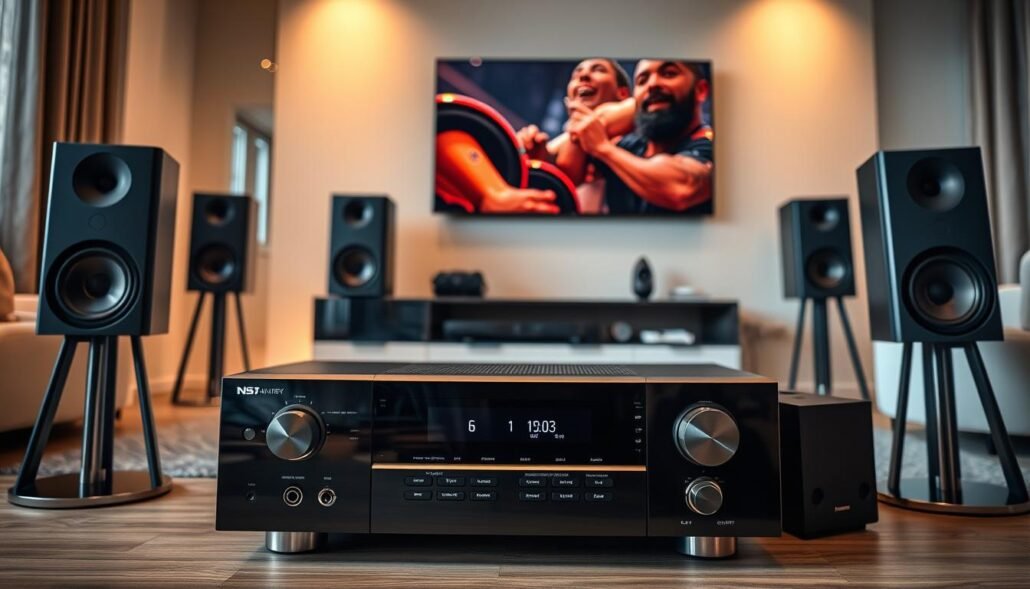
Music-first listener: If speakers are high quality, favor strong amplification or pick a receiver with pre-outs and add a dedicated amp for the LCR. Consider the Denon AVR-S760H with an external amp for improved sound and performance.
Movie-heavy user: In big rooms, prioritize headroom. Choose units with more power or add separates. The Denon AVR-X3800H’s assignable pre-outs make upgrades easier.
Gamer: Put connectivity first. Multiple HDMI 2.1 inputs, VRR, and stable eARC matter more than raw watts. New mid-range options that handle 4K/120 reduce daily friction.
Wireless-first household: Pick the ecosystem you’ll use—MusicCast, HEOS, or Sonos. Yamaha RX-V4A makes wireless surrounds simple while keeping acceptable sound and setup speed.
Quick selection table
| Use case | Recommended option | Why it fits |
|---|---|---|
| Music-first | External amp + pre-out receiver (Denon AVR-S760H) | Best sound with high-quality speakers; targeted performance gain |
| Movie-heavy | High-current unit or pre-outs + amp (Denon AVR-X3800H) | More headroom for dynamic scenes; cleaner dynamics |
| Gamer | Multi HDMI 2.1 receiver | Low latency, VRR, stable eARC for consoles |
| Wireless-first | MusicCast / HEOS / Sonos compatible (Yamaha RX-V4A) | Easy wireless surrounds, lower install cost |
Decision tip: list must-have inputs and future upgrades. If two options are close, pick the one that reduces daily complexity for the user and room setup.
Conclusion
Practical buyers now balance purchase price and setup cost against how the gear will perform in real rooms.
In short, classic designs still deliver muscle and control for demanding speakers, while modern options like the Denon AVR-S760H, AVR-X3800H, Yamaha RX-V4A, Sony STR-AN1000, and Onkyo TX-NR696 bring HDMI 2.1, VRR, and affordable Atmos to many households.
True value hinges on priorities: which sound and performance matter most to you, and how much price and installer time you will accept.
Practical route: pick a current receiver for connectivity, then add an external amp to the front LCR if you need extra power.
Revisit needs every few years; sound, usability, and lasting value should guide choices across years.
FAQ
What distinguishes a flagship receiver from a mid-range unit?
Flagship units typically offer higher channel counts, beefier amplification, advanced room correction, and more robust cooling and build. Mid-range models focus on current feature parity like HDMI 2.1 support, modern DSP for Atmos and DTS:X, and convenient streaming. The trade-off is older flagship hardware may deliver stronger raw power and build quality, while newer mid-range gear often wins on connectivity, firmware updates, and gaming features.
How should I weigh purchase price versus total cost of ownership?
Look beyond sticker price. Factor installation or calibration fees, potential need for updated HDMI cables, future firmware support, and resale value. A used higher-end unit can save money up front but may lack long-term HDMI or software support, which raises ownership costs if you upgrade video sources later.
Do older high-end amplifiers still drive modern speakers better?
Many older high-end amps deliver ample current for low-impedance or inefficient speakers, so they often perform well in large rooms. However, modern receivers include advanced DSP and efficient power management that can match perceived loudness with less wattage. If your speakers are demanding, prioritize headroom and stable damping factor over raw rated watts.
Are there feature gaps that make a new mid-range model preferable?
Yes. New mid-range models frequently include HDMI 2.1 features (VRR, 4K@120, eARC), up-to-date streaming services, and active firmware cadence. For gamers and owners of 8K/4K120 sources, the latest HDMI and latency optimizations can outweigh the sonic benefits of older hardware.
How important is room correction and calibration when choosing between old and new units?
Very important. Modern room correction (Dirac, Audyssey MultEQ XT32, Yamaha Parametric EQ) can dramatically improve sound and often levels the playing field. If an older flagship lacks an advanced correction suite or mobile app integration, you may lose real-world performance unless you invest in external correction or professional tuning.
Can I mix an older receiver with new external amplifiers or separates?
Yes. Using pre-outs to add modern external amps is a smart upgrade path. That lets you retain a well-built preamp/processor while gaining new amplification characteristics or multi-zone power. Ensure the older unit has the required pre-out configuration and compatible connectivity for your speakers and setup.
How does HDMI and video support affect long-term usability?
HDMI standards determine compatibility with new game consoles, streaming devices, and TVs. Older units without HDMI 2.1 or eARC may block features like 4K@120, HDR10+, or full audio return channel bandwidth. If you plan hardware upgrades, prioritize receivers with current video specs or be prepared to add an HDMI-capable switcher or upgrader later.
Is wireless multiroom and app ecosystem a decisive factor?
For many users, yes. HEOS, MusicCast, and Sonos integration provide ease of streaming and whole-home control. Older flagships may lack seamless support for current ecosystems or lose feature parity over time. If multiroom audio or voice control matters, choose gear with proven ecosystem support and active updates.
What role does power rating play versus real-world performance?
Published wattage is a baseline, but real-world performance depends on headroom, distortion at high output, and how the amp handles low impedance loads. Look for measured continuous power into 8 and 4 ohms, damping factor, and independent lab reviews rather than relying solely on spec sheets.
When is buying a used high-end unit a poor choice?
Avoid older gear when it lacks essential modern connectivity (HDMI bandwidth, eARC), shows history of overheating, has no parts or firmware support, or when the cost of repairs and upgrades erases savings. Also be cautious if you need guarantees—used units often have limited or no warranty.
How do installation and labor costs change the value equation today?
Installation rates have risen in many U.S. metros. Complex systems with many speakers, custom calibration, or dedicated wiring increase labor costs. A newer, simpler receiver with built-in setup guides may reduce installation time and save money compared with retrofitting an older flagship into a modern room.
For a primarily music-first system, which option is usually smarter?
Music-first listeners often prefer the amplifier quality and analog fidelity of higher-end older units, especially if paired with quality speakers and proper room treatment. But newer mid-range models with advanced streaming codecs and stable network playback can also satisfy most listeners without the maintenance of older gear.
How do gaming priorities change receiver choice?
Gamers should prioritize HDMI 2.1 features—VRR, low latency, 4K@120—plus reliable passthrough. A new mid-range unit that supports these specs often makes more sense than an older flagship without them, even if the older receiver offers superior amplification for movies and music.
What upgrade path makes sense if I buy a new mid-range receiver now?
Plan for modular upgrades: choose a receiver with pre-outs for future separates, solid network and streaming architecture, and extra HDMI headroom. That lets you add power amps, a dedicated processor, or a breakout HDMI switch later without replacing the entire system.
Are there examples of good mid-range models that offer strong value in 2025?
Models like the Denon AVR-S760H/AVR-S970H and Sony STR-AN1000 balance modern features, HDMI 2.1 compatibility, and solid room correction at approachable prices. These units often represent better long-term value for users focused on streaming, gaming, and video.
Which higher-end receivers remain competitive and worth seeking used?
Receivers such as the Denon AVR-X3800H, Yamaha RX-A6A, and NAD T 778 still offer robust amplification, advanced calibration, and premium build. They can be smart buys used if they meet your connectivity needs and have been maintained, but verify HDMI compatibility and firmware status first.
How should room size and speaker configuration influence my choice?
In small rooms or apartments, a competent mid-range receiver with efficient speakers often outperforms an oversized flagship. Larger rooms or systems with many channels and high-power speakers benefit from the headroom and thermal management of higher-end units.
What common pitfalls should I avoid when choosing between used high-end and new mid-range?
Avoid neglecting HDMI capabilities, underestimating setup costs, overbuying channels you won’t use, and skipping network or firmware checks on used gear. Also check that speaker impedance and power handling match the amplifier to prevent damage or poor performance.
How does resale value affect the buying decision?
Newer mid-range models often retain value due to current feature sets and warranty support, while older high-end units can depreciate faster if they lack modern connectivity. Factor potential resale into your budget if you plan to upgrade within a few years.
What’s a simple rubric for deciding which path to take?
Match choice to use case: music-first with legacy speakers favors higher-end amps; movie and gaming setups needing HDMI 2.1 favor new mid-range; balanced users should prioritize room correction, pre-outs for future separates, and proven firmware support. Budget, room size, and speaker demands round out the decision.