Short answer: Yes—intermittent or poor electrical contact can make an amp or receiver switch into protect mode to prevent damage.
Protective circuits watch temperature, current, impedance, and input volts. If a connection looks like a short or an unstable load, the unit shuts down output. That safeguard saves speakers and the amplifier from costly failure.
Common triggers include frayed speaker leads, loose banana plugs, worn spades, or binding posts that touch metal or nearby terminals. Quick dropouts can look like over-current events, prompting an immediate safety shutdown.
Expect troubleshooting to start with isolation. Power down, check terminations, tighten fittings, and test with one speaker at a time. Replace damaged strands and confirm correct fuse ratings—never upsized fuses.
Why this matters: Proper fixes restore normal mode and keep audio enjoyment long term. Later sections walk through step-by-step checks and safe recovery for your amp or receiver.
Understanding protection mode in receivers and amplifiers
Protect mode acts like an emergency brake that cuts output the instant harmful electrical conditions appear. It uses a dedicated protection circuit to watch temperature, current, impedance, and input voltage so components stay safe.
This safety state guards power transistors, power supply rails, and speaker drivers from shorts, thermal damage, or severe clipping. A red or flashing LED often signals protect mode, though some brands use different colors or labels—check your manual.
- Monitored parameters: current, impedance, voltage, and temperature.
- Common triggers: wiring faults, poor ground contact, blown fuses, tight mounting that causes overheating, and load mismatches.
- Response: the unit mutes output until the fault clears; bypassing this safeguard risks costly damage.
| Parameter | What it measures | Typical trigger |
|---|---|---|
| Current | Excess draw from low impedance | Shorted speaker terminals or parallel loads |
| Voltage | Supply stability at turn-on and during peaks | Low battery, spikes, or poor wiring |
| Temperature | Internal heat of power stages | Restricted airflow, tight mounting |
Good installation—clean grounds, correct fuse ratings, and matched speaker loads—reduces trips into protect mode. Start troubleshooting by isolating components so you can find and fix issues without guessing.
Can a loose wire cause the receiver to enter “Protection Mode”?
Short answer: Poor terminations and damaged leads often make protection circuits react instantly. The unit treats erratic contact as a fault and mutes output until it clears.
Why poor contact trips protection
Intermittent shorts or opens create current spikes or noise that an amp senses as dangerous. A frayed speaker lead touching chassis metal looks like a short circuit. Ground faults mimic low-voltage swings and can force the protection circuit to shut down to protect transistors and speakers.
Quick signs of a wiring-related issue
- Protect light at startup or after vibration.
- One channel only trips when a specific lead is connected.
- Unit clears protect when a speaker is unplugged.
- RCA jacks hum or change behavior when wiggled.
| Symptom | Likely cause | Fast fix |
|---|---|---|
| Immediate protect on power-up | Stray strand or bad ground | Power down, tighten posts, trim strands |
| Protect after bumping unit | Poor terminal seating | Reseat plugs, replace damaged terminals |
| Only with one speaker connected | Short in that speaker lead | Swap or re-terminate that lead |
Fast test: cut power, check all binding posts and grounds, re-seat inputs, then power on with low volume. If the amp boots normally, wiring was likely the issue.
Before you start: safety, context, and the tools you’ll need
Before you touch any connections, set up a well-lit workspace and confirm power is fully disconnected. This small step saves time and prevents damage while you inspect terminations and cables.
Resetting an amplifier often takes one simple step: power off, remove power lead, wait 10–15 minutes for caps to discharge, then restart. Many issues resolve after this hard reset if power and ground wiring are proper.
As a good rule, isolate the amp with only power, ground, and remote attached before adding speakers or inputs back in. That controlled sequence helps spot which element causes system faults.
- Unplug equipment; avoid shorting positive and negative at binding posts.
- Gather tools: digital multimeter, #2 Phillips, flat drivers, wire brush or sandpaper, zip ties, heat shrink, and contact cleaner.
- Label cables when disconnecting (left/right, front/rear, sub) to preserve polarity and channel routing.
| Quick check | Why it matters | Fast action |
|---|---|---|
| Ground point | Clean contact prevents noise and faults | Sand paint, tighten fastener |
| Fuses | Correct rating protects components | Replace with identical value |
| Ventilation | Heat causes trips and damage | Move off carpet; allow airflow |
Wiring and connection issues that commonly make amps enter protect mode
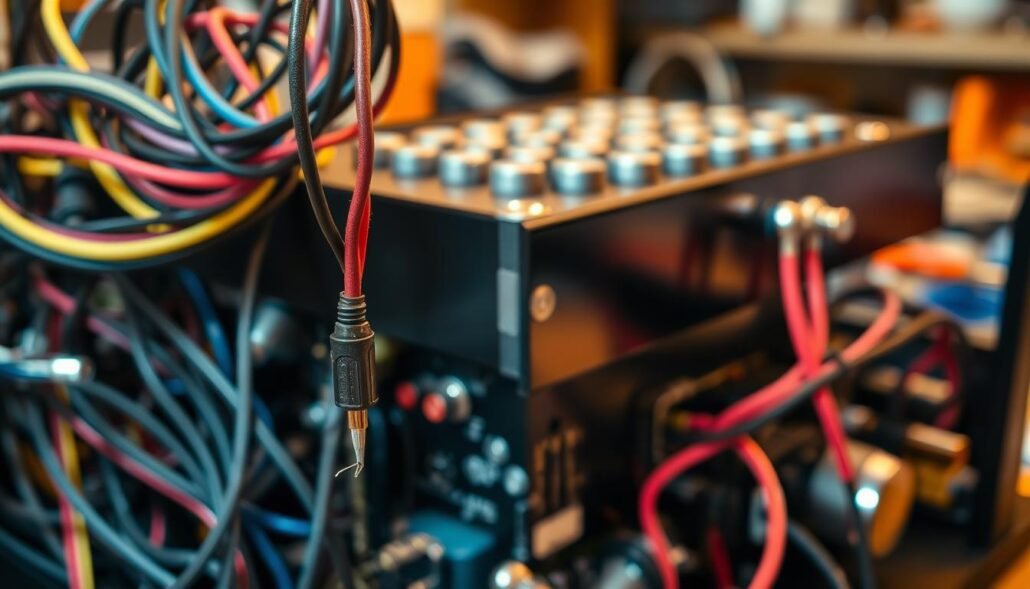
Bad terminations and corroded contacts often make an amp trip its safety circuit. Clean, solid metal contact at the chassis ground prevents noise and faults that force a protect mode shutdown.
Power and ground: keep metal clean and terminations tight
Use correct gauge power runs and scrape paint to bare metal at ground points. Tighten ring terminals so vibration cannot loosen the fastener.
Speaker wires: shorts, frays, polarity, and touching metal
Inspect speaker runs for stray strands, pinch points, and damaged insulation. Re-terminate oxidized ends and confirm polarity to avoid low-load or phase problems that trip protection.
RCA and head unit: isolate input faults and noise
Route RCA cables away from power bundles and cross them at right angles when needed. If protect clears with only power, ground, and remote connected, add head unit cables back one at a time to find the faulty connection.
Fuses and inline protection: ratings and repeated failure
Replace blown fuses with identical ratings only. Repeated fuse blows point to a short circuit or internal fault and require careful wiring inspection at battery, distribution block, and amp.
| Issue | Why it matters | Quick action |
|---|---|---|
| Dirty ground | Noise and intermittent faults | Sand to bare metal, retighten |
| Frayed speaker wires | Shorts at chassis or posts | Trim strands, re-terminate |
| RCA near power | Induced noise causes instability | Re-route, use shielded cables |
Speaker and impedance checks to prevent overload and shutdown
Start with simple measurements before reconnecting any drivers. Use a digital multimeter and test each speaker at its terminals with the speaker disconnected.
What to expect: a nominal 4-ohm driver usually reads about 3–3.6 ohms DC. An 8-ohm driver typically shows near 6–7 ohms. Readings far below those ranges suggest a shorted voice coil or damaged cable.
Test one speaker at a time. If the amp boots fine with all speakers off but trips when a specific speaker is attached, that speaker or its run likely has faults. Also check for continuity between each terminal and chassis ground; any continuity indicates a dangerous short.
Series, parallel, and matching loads
- Two 4-ohm speakers in parallel present ~2 ohms; that can overload many amps.
- Two 4-ohm speakers in series present ~8 ohms; that raises load and reduces current draw.
- Always confirm amplifier minimum per channel and when bridged before wiring multiple speakers.
| Configuration | Resulting impedance | When to use |
|---|---|---|
| Single 4-ohm | 4 ohms | Standard for many car amps |
| Two 4-ohm parallel | ≈2 ohms | Only if amp is stable at 2Ω |
| Two 4-ohm series | ≈8 ohms | Useful when amp prefers higher load |
Quick tips: keep test volume low, add drivers back methodically, and compare measured resistance with rated impedance. These steps help find wiring faults and prevent protect mode trips in your audio system.
Heat and power stability: two frequent triggers for protection mode
Thermal buildup and poor electrical stability commonly force an amp into its safeguard state. Heat and unstable supply often act together and trip safety circuits fast.
Overheating fixes
Keep clearance around heat sinks and avoid mounting on soft surfaces. Dust-clogged vents and tight racks raise internal temperature and invite thermal shutdowns.
Mounting an amplifier on bare metal helps bleed heat away. When airflow is limited, add a small fan aimed across fins. For long sessions, brief cooling breaks at lower volume reduce stress on components and lower trip risk.
Power management
Stable supply keeps voltage within safe limits during bass hits. Weak batteries or failing alternators let volts sag under load and can trigger protection mode.
- Verify charging health; weak car batteries or alternators need service.
- Use a suitable-value capacitor in demanding car audio builds to smooth peaks.
- Ensure grounds land on clean, bare metal; poor grounding raises resistance and heat.
| Trigger | Why it matters | Quick action |
|---|---|---|
| Overheating | Thermal cutoff or reduced reliability | Clean vents, add fan, improve mounting |
| Voltage sag | Instability during dynamic passages | Check battery/alternator, add capacitor |
| Poor ground | Erratic behavior and heat at terminals | Re-terminate on bare metal and tighten |
Tip for enthusiasts: for off-road or marine use, re-torque fasteners periodically and keep gear out of sealed boxes. Proper heat management and solid power make protect events rare.
Step-by-step troubleshooting flow to bring an amp out of protect mode
Begin with a hard reboot and only reconnect power, ground, and remote to verify a clean boot. Power off, remove AC or battery lead, then wait 10–15 minutes for internal caps to discharge before restarting.
Isolate components by adding devices back in order. First attach one speaker at a time. If protect returns when a speaker is connected, that speaker or speaker wires likely hold a fault.
Next connect RCA inputs from source gear. If protect reappears, swap cables or try a different source. Ground loops or noisy inputs often reveal themselves here.
- Check gains: high gain invites clipping, heat, and trips of the protection circuit.
- Measure voltage: check turn-on volts and sag under load; large dips point to battery, alternator, or wiring problems.
- Secure installs: fasten mounts and support runs so vibration cannot fatigue terminations.
If fuses blow repeatedly, stop and trace the fault rather than upsizing. Document each fix and finish with a full-system test at low volume.
For model-specific checks, see a focused guide like Yamaha troubleshooting guide for wiring and startup notes.
Conclusion
strong, A trip into protect mode signals that something in your audio chain—power, ground, or load—needs a careful check.
Protect mode stops output to guard amps and speakers from heat, shorts, voltage sag, or impedance mismatch. Follow a method: reset power, isolate power/ground/remote, then add speakers and inputs one at a time.
Fixes that end repeat trips are simple. Clean grounds on bare metal, use correct fuses, secure speaker terminations without stray strands, and keep vents clear for airflow. For car and home setups, verify voltage stability and impedance math before high-volume sessions.
After repairs, listen at low volume and raise levels stepwise. If protect stays off, the underlying problem is solved and your system is safe for long use.
FAQ
Can a loose connection trigger a receiver’s protection circuit?
Yes. An intermittent contact can create voltage spikes or short pulses that the protection circuit reads as a fault. That safety feature shuts down the amplifier to prevent damage to speakers, wiring, or internal components. Check tightness of power, ground, and speaker terminations first.
What does protection mode in receivers and amplifiers do?
Protection mode isolates outputs and mutes sound when the unit senses conditions like DC on the speaker output, overload, short, overheating, or supply-voltage problems. It preserves the amp and connected drivers until the fault clears.
Why can a poor connection trip the protection circuit?
Bad contacts raise resistance and create arcing, noise, or sudden current changes. Those irregularities look like shorts or DC offsets to the protection electronics, which then cut output to avoid permanent damage.
What quick signs point to wiring-related protect mode issues?
Symptoms include protection LED lit after power-up, intermittent audio cutting out under vibration, blown fuses, a burning-smell or warm terminals, and visible frays or bare conductors touching chassis metal.
What tools do I need to troubleshoot safely?
Grab a digital multimeter, insulated screwdrivers, quality wire strippers, crimpers, needle-nose pliers, electrical tape, and gloves. Work with power off when possible and remove the speaker load before diagnostics.
Which power and ground problems commonly force protect mode?
Loose battery or chassis ground, undersized gauge wire, corroded ring terminals, and poor chassis contacts cause voltage drops and noise. Ensure clean metal surfaces, correct wire gauge, and secure terminations.
How do speaker wires create protection trips?
Speaker leads that short to chassis, fray and touch each other, or reverse polarity under certain loads can trigger the safety circuit. Keep insulation intact, route wires away from sharp edges, and verify correct polarity.
Can RCA or head unit issues make an amp go into protect mode?
Yes. Faulty input wiring, noisy grounds, or a defective head unit can inject noise or DC onto inputs, confusing the amp’s protection. Isolate the amp by disconnecting RCA cables to see if the fault clears.
What should I check about fuses and inline protection?
Confirm fuse ratings match manufacturer specs and inspect for repeated blows. A blown fuse indicates a persistent short or overload. Replace only after finding and fixing the underlying wiring fault.
How can I test speakers for impedance problems at home?
Use a multimeter set to ohms to measure each speaker at the terminals. Readings near the nominal impedance (4Ω, 8Ω) indicate health; very low or near-zero suggests a short, while infinite shows an open voice coil.
Why must amp and speaker impedance match?
Mismatched impedance can overload the amplifier or force it to drive a dangerously low load. That raises current draw and heat, often invoking protect mode to stop damage.
When using multiple speakers, what wiring tips prevent low-load trips?
Calculate total impedance before wiring. Use series wiring to raise impedance or parallel only when the amp can handle the lower load. Keep wiring neat and use correct gauge for the combined load.
How does overheating lead to protection shutdowns?
Excessive heat stresses internal parts and raises resistance. Thermal sensors detect high temperature and engage protect mode. Improve ventilation, avoid enclosed mounts, and reduce prolonged high-volume use to help.
What power-stability steps stop repeated protect events?
Inspect battery and alternator performance, tighten power connections, install or check ground straps, and add a capacitor or voltage stabilizer if voltage drops at high demand. Stable supply prevents false trips.
What’s the step-by-step troubleshooting flow to fix protect mode?
Start by powering down, disconnecting speaker leads, and leaving only power, ground, and remote connected. Power up to see if protection remains. Reconnect speakers one at a time, then RCA inputs. Check gains, measure turn-on voltage, and secure vibration-prone mounts as you go.
When should I call a professional?
If protection persists after isolating wiring and loads, or if you find internal damage, overheating, or persistent DC on outputs, consult a certified installer or electronics shop. Brands like Pioneer, Sony, Kenwood, Alpine, and JBL have trained service centers that can safely diagnose internal faults.