This buyer’s guide helps US shoppers decide if the extra cost is worth it. We focus on what you watch, what devices you connect, and whether you pass signals through a receiver or soundbar.
Practical drivers are simple: movies and streaming mostly use 24–60 fps, while higher frame rates matter for fast gaming. New TVs from LG, Samsung, Sony, TCL, and Vizio often include hdmi 2.1 labels, yet some devices expose only select features.
Watch the chain: one older hdmi device or a long cable run can cap performance, even when the display advertises full capability. Cable type and length matter when you chase full 48 Gbps bandwidth.
We will translate specs into outcomes like picture smoothness, input lag, audio formats, and install reliability. Read on to spend money where it actually changes the viewing or gaming experience, and learn when this piece of tech is a must or just a premium add-on.
For deeper background on earlier hdmi rules, see HDMI 2.0 specifications.
What “mandatory” really means for a 2026 home theater setup
Think of “mandatory” as the minimum spec that delivers the experience you expect, not just the newest standard. This section frames decisions around clear performance targets: movie nights at 4K/60 versus gaming at 4K/120 or higher.
When a feature is required versus just nice to have
If your source can output beyond 4K/60—say a console or gaming PC that can do 4K/120—you need hdmi 2.1 to pass that signal end-to-end. Other features like VRR, ALLM, and eARC may also require full end-to-end support to work reliably.
For streaming boxes and Blu-ray players that stay at 4K/60, you usually don’t need hdmi 2.1. Those models deliver the same movie content with older cabling in most living-room setups.
How to avoid paying for specs you won’t use
Make a simple checklist: list your sources (streaming box, disc player, console, PC), note your display’s top capability, and map audio routing (TV-to-soundbar via ARC/eARC or receiver switching). Buy connectivity only when it unlocks a real, measurable benefit you will actually use.
- Prioritize: spend on panel quality and HDR first, then audio, then cables/ports.
- Watch for feature gating: some features need full end-to-end support; others work with existing gear.
- Skip checkbox upgrades: don’t pay for top-tier connectivity when your content and sources won’t use it.
HDMI 2.1 vs HDMI 2.0 in plain English: bandwidth, resolution, and refresh rate
Bandwidth is the single number that drives what your gear can show. Think of it like lane count on a highway: more lanes move more data without bottlenecks.
Key figures: hdmi 2.0 tops out at 18 Gbps, while hdmi 2.1 supports up to 48 Gbps. That jump is what enables higher resolution and faster refresh rates.
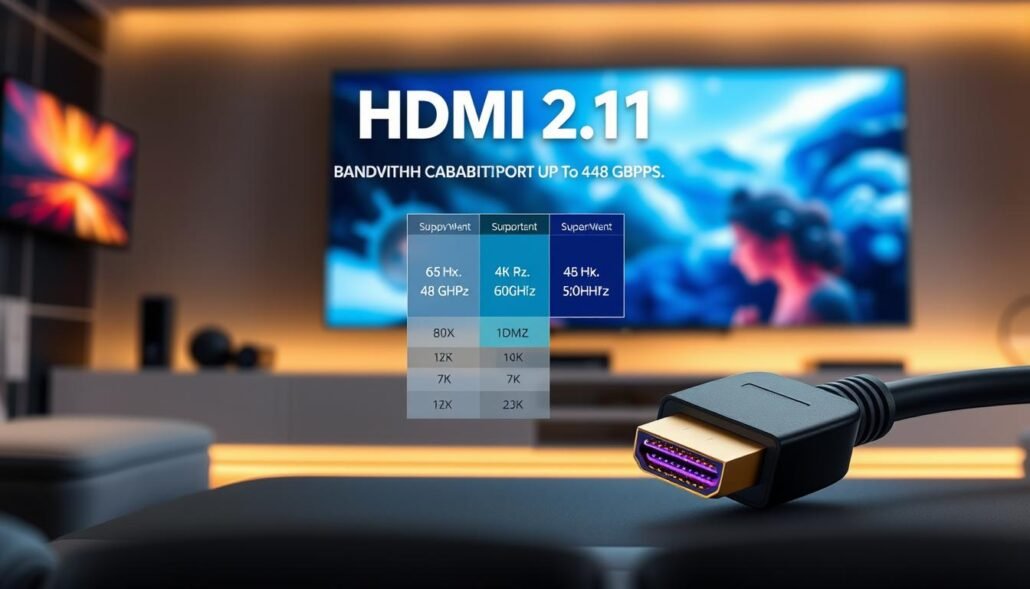
Practically, 4K/60 is the baseline for most streaming and movies. Moving to 4K/100–120 per second typically pushes buyers toward hdmi 2.1 because of the extra throughput needed.
Remember: the connector looks the same, but capability can differ. A source, receiver, cable, or display that only negotiates to hdmi 2.0 will limit performance.
- Check each link in your chain: source → switcher/receiver → display → cable.
- Verify actual modes (for example, 4K at 120 per second) rather than trusting labels alone.
| Spec | hdmi 2.0 | hdmi 2.1 |
|---|---|---|
| Max bandwidth | 18 Gbps | 48 Gbps |
| Common target | 4K at 60 | 4K at 100/120 and higher |
| Connector | Same physical plug | Same physical plug |
| Practical note | Good for movies/streaming | Needed for high-rate gaming and future proofing |
This foundation sets up the next section, which turns these facts into a clear buy-vs-stay decision based on how you watch and play.
Is HDMI 2.1 mandatory for a 2026 home theater?
Decide what you actually use day-to-day before paying for the latest connection standard.
Verdict: hdmi 2.1 is only required if your system goals include 4K at 120Hz gaming, exploring 8K, or enabling next-gen features you will actually use. For most movie and streaming setups, hdmi 2.0 delivers excellent picture and HDR performance without extra cost.
Buy hdmi 2.1 if:
- Your primary sources are modern consoles like PS5 or Xbox Series X and you plan on 4K 120Hz gaming.
- You care about very low input lag for competitive gaming and have a display that truly supports higher frame rates.
- You want headroom for future video formats or experimental 8K content and will avoid passing signals through older gear.
Stick with hdmi 2.0 if:
- Your viewing is mainly movies at 24 fps and streaming at 4K/60.
- You have no sources that output above 60 frames per second and don’t plan to buy them.
- Saving on cabling and ports lets you invest in panel quality and audio instead.
Why this matters: most real-world video today stays at 60 fps or below, so extra bandwidth rarely changes day-to-day viewing. Beware the weakest link: if a receiver or switch does not pass 4K/120, the whole chain falls back to older performance.
Shop smart: don’t buy by label alone. Check actual supported resolutions and refresh combinations on each port. That simple check beats marketing claims and keeps your build aligned with real needs.
Gaming is the biggest reason HDMI 2.1 matters in 2026
For most players, the single biggest payoff from newer connector features is smoother, lower-lag gameplay. Console owners see the clearest benefits because modern consoles rely on HDMI-style ports while many PCs use DisplayPort.
4K 120Hz for consoles: what PS5 and Xbox Series X can actually output
Both PS5 and Xbox Series X can run supported titles at up to 4K/120 fps in select modes. Many games offer a high-frame option that trades some visual detail for faster frame rates or uses dynamic upscaling.
VRR and ALLM: smoother gameplay, lower input lag, less tearing
VRR matches the display refresh to the console’s rendered frames. That cuts tearing and smooths frame-time dips so the game feels steadier.
ALLM tells the screen to switch into a low-latency mode automatically. That reduction in input lag matters in shooters and sports titles where quick reactions count.
PC gaming reality check: DisplayPort alternatives vs using HDMI on a GPU
Many gaming PCs and monitors favor DisplayPort 1.4 for high refresh and bandwidth. If your PC uses HDMI, older connection levels still hit targets like 4K/60 or high-refresh 1440p. But a single cable that serves both consoles and PC can simplify setup.
Quick Media Switching (QMS): reducing black-screen delays when switching frame rates
QMS cuts the brief black screen that can happen when content moves between frame rates—menus to gameplay or different video modes. It needs support on both the source and the display.
System reminder: if a receiver or switch sits between console and TV, it must also support the needed modes. A weak link will force lower rates and wipe out the benefits above.
Movies and streaming: do you need HDMI 2.1 for HDR video quality?
Cinematic picture quality comes mainly from the screen — peak brightness, tone mapping, and contrast — not solely from the connector label. If your goal is better movie nights, invest in display performance and accurate picture modes before chasing extra link bandwidth.
Dynamic HDR vs static HDR: scene-by-scene metadata and what it changes
Static HDR carries one set of color and brightness targets for an entire title. That works well, but it can clip details in mixed scenes.
Dynamic HDR sends scene-by-scene or frame-by-frame metadata so tone mapping adapts on the fly. That improves detail in very dark or very bright moments and keeps skin tones consistent across scenes.
Why most current streaming stays at 4K/60 (and what that implies)
Most streaming content and many movies deliver 4K at 60 fps or below. That means hdmi 2.0 already supports typical library content and dynamic formats such as Dolby Vision or HDR10+ can carry metadata over existing links.
Where extra link speed matters is when you push higher frame rates or higher resolution experiments like 8K. If your setup is movies-first, prioritize the display’s HDR handling and calibrated picture modes over upgrading ports. Next up: audio routing choices, where ARC versus eARC often drives real system upgrades.
Audio and home theater sound: eARC, Dolby Atmos, and receiver/soundbar decisions
Routing decisions—where devices plug in and how sound is sent back—shape your entire listening experience.
Most owners face the same problem: streaming sticks, game consoles, and players plug into the TV while audio must travel back to a soundbar or receiver. That return path—ARC or eARC—controls which formats actually reach your speakers.
ARC vs eARC: what enhanced audio return adds
ARC supports basic multichannel audio and stereo. eARC upgrades negotiation and carries high-bitrate formats, including dolby atmos object-based tracks. That matters if you own a premium soundbar or AVR that advertises immersive audio.
When your existing High Speed cable still works
Audio needs far less bandwidth than video. Many existing High Speed HDMI cables and short runs already pass eARC without swapping to new wire.
- Buy decision: choose eARC if you plan a dolby atmos soundbar or receiver-based surround system.
- Chain check: both TV and sound system must support eARC; otherwise you fall back to ARC behavior.
- Installation note: even with supported gear, poor cables or long runs can cause dropouts—next section covers cable length and quality.
Cables and installation: choosing the right HDMI cable length and “Ultra High Speed” certification
Cable selection and routing are the unsung setup choices that decide signal reliability. Pick the right cord to match the modes you actually use, and plan runs before you buy gear.
When Ultra High Speed matters: buy a certified Ultra High Speed cable when you plan to run higher-resolution or higher-refresh modes such as 4K at 120Hz from a console or gaming PC. For short runs in a living room, a certified cable is a safe long-term buy.
Cable length and signal quality
Full-bandwidth copper often becomes unreliable near 3 meters (about 10 feet) when carrying the highest rates. That limit affects in-wall routing and long connections between racks and displays.
Long runs and reliable alternatives
Use certified fiber-optic cable or quality extenders for longer distances. Those solutions keep full throughput over projector installs or long, rack-based runs without repeaters or signal collapse.
Spotting marketing confusion and verifying certification
Look for the Ultra High Speed certification label rather than vague version names on retail pages. Test 4K/120 plus HDR modes quickly within return windows and confirm each device input actually supports the target modes.
- Checklist: certification branding, reputable retailer, test modes in the return period, verify port capabilities.
- System note: cable, source output settings, and any AVR/switch must all support the same modes to avoid drops.
| Use case | Recommended cable | Typical max copper run |
|---|---|---|
| 4K/60 streaming | High Speed (short runs) | 10–15 ft |
| 4K/120 gaming | Ultra High Speed certified | ~10 ft reliable |
| Projector or long rack runs | Fiber-optic or extenders | 50+ ft |
Conclusion
The right connection only helps when every device can use it.,
Make one clear takeaway: hdmi 2.1 is essential if you want true 4K at 120Hz gaming or niche 8K use. For most movie and streaming setups, older links still deliver excellent results.
Check three triggers that force an upgrade: a modern console set to high frame rates, a display that actually supports those modes, and no weak link in the signal chain such as an older receiver.
Quick end-to-end checklist: list sources, confirm input specs on your display, verify pass-through on any AVR or soundbar, then buy certified cables only where needed.
Spend first on panel and sound quality, then add next-gen ports if they measurably improve play, latency, or audio return.
FAQ
Do I need HDMI 2.1 to get the best picture and sound in a new home theater?
No. For most movie streaming and Blu‑ray playback, existing 4K 60Hz sources and eARC support deliver excellent HDR and Dolby Atmos. High bandwidth features like 4K at 120Hz, advanced VRR, and full uncompressed object audio require newer specs. If you don’t plan to game at 120 frames per second or chase early 8K content, a 2.0-era setup still covers current film and streaming needs.
What does “mandatory” mean when planning a theater in 2026?
Mandatory means required to access a specific feature set — not to enjoy movies. It’s mandatory if you want guaranteed support for 4K120, ALLM, VRR, or full 48Gbps bandwidth in every device and cable. Otherwise, it’s optional: many users can skip the premium spec and still get great image, HDR, and Atmos playback.
When is the higher bandwidth truly required versus just a nice-to-have?
Required when your primary use is competitive or immersive gaming at 4K120, when you plan to adopt 8K sources, or when you need lossless multi‑channel audio over eARC with advanced codecs. It’s nice to have when you want future-proofing or easier compatibility across consoles and GPUs but don’t need the extra frames or resolution today.
How can I avoid paying for features I won’t use?
List your main sources first — streaming boxes, PS5, Xbox Series X, PC GPU, Blu‑ray player. If most run at 4K60, prioritize a quality AVR or TV with good HDR handling and eARC. Buy Ultra High Speed cables only where you’ll use 4K120 or high-bit-rate audio. That targets spend to the areas that matter.
What’s the practical difference between 18 Gbps and 48 Gbps bandwidth?
The larger figure enables higher resolutions and refresh rates (for example, 4K at 120 fps) and greater color/sample depths without heavy compression. The smaller figure comfortably handles 4K at 60 fps with HDR and multi‑channel audio. In short: 48Gbps unlocks gaming and future formats; 18Gbps covers today’s streaming and movies.
What does higher bandwidth enable in real use?
It allows smoother motion with 100/120 fps gameplay, higher chroma and bit depths for richer color, and uncompressed transport of high‑resolution audio in some setups. That matters most for fast gaming, some PC workflows, and any content that explicitly outputs above 60 frames per second.
Are newer cables and ports backward compatible?
Yes. Newer ports use the same connector and fall back to lower modes when paired with older devices or cables. You’ll still get a signal; you just won’t have access to the top bandwidth features unless every link in the chain supports them.
Should I buy modern ports if I’m building around current consoles?
Buy modern ports if you plan to use PS5 or Xbox Series X at their highest performance modes, or if you want seamless VRR and ALLM support. If you only watch films and stream 4K60 content, a 2.0-class system with good HDR and eARC will meet your needs and save cost.
Can I stick with older ports for movies and streaming?
Yes. Most streaming services and Blu‑ray titles run at 4K60, so older setups still deliver full HDR, Dolby Vision (when supported), and Atmos through eARC. The major tradeoffs are future content and high‑frame-rate gaming, not current movie quality.
Why does gaming push newer specs more than movies do?
Games can output at 4K120 and use VRR and ALLM to improve responsiveness and reduce tearing. Consoles and GPUs leverage higher refresh rates and low latency features that require the larger bandwidth and protocol updates. Movies rarely exceed 60 fps, so they don’t need those upgrades.
What do PS5 and Xbox Series X actually support today?
Both consoles can output up to 4K120 for supported games and pass VRR to compatible displays. Implementation can vary by title and TV/receiver support, so check manufacturer specs. For cinematic content, they usually play at 24/60 fps with HDR and Atmos metadata where available.
Do VRR and ALLM make a noticeable difference?
Yes for gamers. VRR smooths frame pacing and reduces tearing, while ALLM switches displays to low‑latency mode automatically. Casual movie watchers won’t notice these gaming‑centric perks.
Are there better alternatives for PC gaming than using the same port used by consoles?
Many gaming PCs and monitors use DisplayPort, which often offers higher bandwidth and more flexible multi‑monitor support than TV ports. If you primarily PC game, consider a monitor with DisplayPort or ensure your GPU’s HDMI implementation supports the features you want.
What is Quick Media Switching and why does it matter?
Quick Media Switching reduces the black screen delay when changing frame rates or sources. It’s handy when switching between 24fps films and 60/120Hz games or apps, making transitions smoother in a mixed‑use theater.
Does streaming video benefit from newer specs for HDR?
Streaming usually stays at 4K60, so gains are limited. Dynamic HDR formats like Dolby Vision or HDR10+ deliver scene‑by‑scene optimization, but that metadata travels within existing bandwidth needs. High refresh or uncompressed color depths are rare in streaming today.
What’s the difference between dynamic HDR and static HDR?
Static HDR, like HDR10, uses one set of metadata for the whole title. Dynamic HDR updates metadata per scene or frame, optimizing brightness and color continuously. The visual payoff is better tone mapping on compatible displays, not higher frame rates.
Does eARC require the latest ports to pass Dolby Atmos and lossless formats?
eARC enables full support for advanced object audio and high‑bit‑rate streams when both TV and receiver/soundbar implement it. You can get Atmos and lossless formats without the absolute top bandwidth, but eARC firmware and proper cabling matter.
Can my current High Speed cable handle eARC?
Many High Speed cables support eARC for compressed and some uncompressed audio, but compatibility depends on cable quality and length. If you encounter dropouts or limited audio formats, an Ultra High Speed or certified cable can resolve that.
When do I actually need an Ultra High Speed cable?
Use Ultra High Speed if you plan to run 4K120, 8K content, or uncompressed high‑bit‑rate HDR beyond what older cables support. For typical 4K60 setups and eARC audio, good quality High Speed cables often suffice.
How does cable length affect signal quality?
Full‑bandwidth copper cables tend to lose performance over longer runs; around three meters is a common practical limit for guaranteed full throughput. Longer runs can need thicker conductors, active repeaters, or fiber solutions to maintain signal integrity.
What are reliable options for long runs of high bandwidth signals?
Fiber‑optic HDMI and active extenders preserve full bandwidth over long distances. They avoid attenuation that plagues passive copper at high speeds. Choose certified solutions with manufacturer warranties for critical installs.
How can I spot misleading marketing about “HDMI 2.1” cables?
Look for Ultra High Speed certification and official test reports rather than vague claims. Some vendors label cables as “2.1 compatible” despite limited bandwidth. Certification logos and a guaranteed 48Gbps rating are the clearest proof.