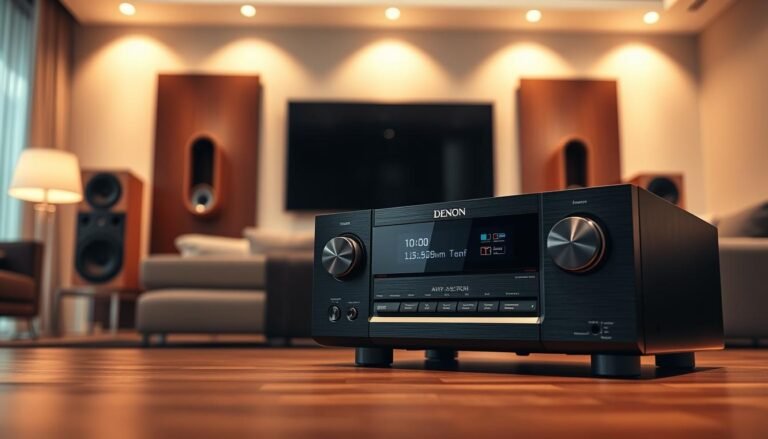
Modern A/V gear often runs warm during normal use. A receiver powers speakers, processes audio, and switches video sources, which creates a steady thermal load. That makes checking temperatures an important step for performance and longevity.
Warm to the touch is different from uncomfortably hot. The core question is whether the heat is stable and expected or rising and disruptive. If a unit shuts down, many devices include sensors that trigger protection long before damage occurs.
This guide previews practical fixes: vent clearance, placement changes, better airflow, and dust control. It also flags warning signs that point to a fault or need for repair or replacement. Note that leased satellite equipment may restrict opening a chassis, while owned components give more options.
Next: we explain why a receiver runs hot, then offer actionable cooling steps and safety tips to reduce shutdowns and protect your equipment.
Why receivers run hot in the first place
Heat from amplification stages and power supplies is normal in most home theater gear. A receiver converts electrical energy into sound and video processing, and that conversion produces waste heat. Short bursts of louder playback cause higher dissipation, which raises exterior temperatures briefly.
Normal warmth versus a real overheating problem
Normal warmth is steady and expected. A thermal problem appears when temperatures rise over time, distortion shows up, or the unit triggers thermal shutdowns.
Amplifier design and efficiency
Some models use Class A stages that run in an inefficient region by design. Those architectures produce a lot of waste energy as heat even when operating correctly.
Common real-world triggers
- Poor ventilation: tight cabinet placement or a rear panel pushed against the wall.
- Stacked components and blocked vents that trap warm air above the chassis.
- Dust buildup that insulates internal parts and reduces cooling performance of heat sinks.
Most complaints are resolved with better airflow and placement before any parts replacement is needed. The next section shows practical steps to improve ventilation.
Why does my receiver get so hot and how can I cool it? Practical cooling fixes you can do today
Simple fixes—space, elevation, and dust removal—often restore normal operating temperature fast.

Step-by-step vent check: make sure the top grille and side vents are not covered by décor, other components, or cables. Confirm the rear has at least a few inches of clearance so warm air can exhaust freely.
Why vent blockage matters: passive cooling relies on convection. When airflow is restricted, internal heat rises quickly and can trigger shutdowns or playback instability during long video sessions or loud movie nights.
- Cabinet guidance: move the unit into open air when possible. If it must stay inside a cabinet, add a rear opening or an active fan to create an airflow path.
- Under-chassis airflow: raise the equipment roughly one inch with rubber chair cups or small feet to allow cooler air under the chassis.
- Clutter and stacking: avoid placing consoles or boxes on the top. Keep spacing at the sides to reduce trapped heat.
Maintenance and safe shutdown: power down first, then use canned air to blow dust through vent holes. If the chassis feels uncomfortably warm, shut the unit off, unplug it, and let it rest for about 30 minutes before restarting.
What not to do: do not open leased satellite boxes, DVRs, or client equipment. Removing covers or altering rented gear may void service agreements and cause return issues.
When heat points to a hardware fault (and what to do next)
When exterior heat climbs and performance slips, treat the unit as potentially faulty. Persistent or new heat plus intermittent shutdowns or audible distortion suggests a problem beyond airflow. These signs mean a targeted check is needed.

Warning signs
- Audible distortion after warm-up or during heavy video sessions.
- Repeated sudden shutdowns or thermal protection trips.
- New, increasing heat on the top or sides compared with earlier use.
- Burning smells or visible scorching near vents.
Targeted troubleshooting
Advanced users only: focus on final amplification stages—large output transistors and their heat sinks. Use an electronic cooling spray to isolate a fault: when distortion appears, spray one transistor at a time while listening for the issue to vanish. This narrows the offending circuit.
Repair realities and systems age
Replacing power transistors requires heavy soldering heat that can lift PCB pads or delaminate runs. Newer receivers include sensors and automatic shutdowns; older systems may lack protection and risk lasting damage.
Decision help: weigh age, symptom severity, parts availability, and whether the problem returns after airflow fixes. If you lack experience, seek professional service to avoid making a minor fault much worse.
Conclusion
A few basic steps protect gear and keep performance steady.
Key takeaway: most overheating reports clear up after improving ventilation, clearing vents, avoiding stacked components, and preventing trapped warm air during long movie or video sessions.
Use this quick checklist after extended use: confirm vents are unobstructed, check that air can flow front-to-back, and reassess cabinet placement if surfaces feel excessive.
Safety first: if the chassis feels uncomfortably warm, power down, unplug, and let the unit cool before further checks.
If distortion or shutdowns continue after these fixes, treat the symptom as a possible hardware fault. Seek professional diagnosis or consider replacement rather than repeated use under thermal stress.
Preventive habits—regular dusting, proper spacing, and modest airflow aids—reduce thermal wear and help the system run reliably over the long term.
FAQ
What causes a home A/V unit to run hot?
Electronic amplifiers and DVRs produce heat as a natural byproduct of power conversion. High-wattage output, older Class A amplifier designs, continuous use, and heavy video decoding all raise internal temperatures. Limited airflow from tight cabinets or stacked boxes makes heat worse. Dust, blocked vents on the top, sides, or back, and poor placement near other heat sources also increase operating temperature.
How do I tell normal operating warmth from a true overheating problem?
Normal warmth feels hot but not painful to touch on the cabinet surface. Warning signs include noticeable audio distortion, frequent thermal shutdowns, burning smells, discolored plastic, or the unit getting much hotter over time. If performance drops or the system powers off unexpectedly, treat that as a fault and stop using the unit until it’s inspected.
Why do some amplifiers run hotter than others?
Design choices drive heat output. Class A and some Class A/B amplifiers waste more energy as heat for smoother audio. Higher power ratings and less efficient power supplies also increase heat. Modern receivers with Class D stages run much cooler by comparison due to higher efficiency.
Can cabinet placement make a big difference?
Yes. Enclosed AV cabinets trap heat, especially with multiple components inside. Moving the unit into open air or installing ventilation panels and a rear exhaust fan can lower temperatures significantly. If you keep the unit in a cabinet, ensure there’s clearance above and alongside the unit for airflow.
What quick steps improve airflow immediately?
Keep vents clear on the top, sides, and back. Remove stacked gear or leave at least several inches of space on all sides. Raise the unit slightly using small rubber feet or low-profile stands to allow air intake underneath. Use a small desk fan or dedicated cabinet fan to boost circulation when needed.
How often should I clean dust from vents and fans?
Inspect vents and fan intakes every three to six months, more often in dusty environments. Use compressed air in short bursts to clear dust from vent holes and fan blades. Power off and unplug the unit before cleaning to avoid damage. Regular cleaning restores cooling efficiency.
What should I do if the unit feels dangerously hot right now?
Turn off the unit and unplug it. Let it cool in open air for at least 15–30 minutes. Check vents for blockages and remove nearby heat sources. If the unit restarts and overheats again quickly, unplug it and arrange professional inspection to avoid further damage.
Any cautions for leased satellite units, client equipment, or DVRs?
Yes. Avoid opening or modifying leased boxes—this can void agreements. For client systems, document any recommended changes and get permission before moving or altering gear. For DVRs, follow provider guidance for placement and cleaning to prevent service issues.
When does excess heat indicate a hardware fault?
Persistent temperature rise despite good ventilation, new noise or distortion, and sudden shutdowns suggest internal faults like failing capacitors, worn thermal paste, or damaged power transistors. If cooling spray targeting amplifier stages temporarily improves performance, that points to a component issue requiring repair.
Is it safe to attempt internal repairs to fix thermal problems?
Internal repairs carry risks. Power supply and power transistor work can expose dangerous voltages and cause PCB damage if done incorrectly. Soldering near heat sinks and replacing components should be left to qualified technicians unless you have proper training and tools.
How have newer receivers improved thermal protection?
Modern units include thermal sensors, automatic shutdown, and smarter cooling management to prevent damage. These features reduce catastrophic failures but don’t replace basic airflow needs. If a newer model still overheats, it likely has an installation or ventilation problem rather than a missing safety feature.