Plainly put: the center carries most on-screen speech in a modern home theater. When voices fade, clarity drops even if the action sounds large.
Many viewers raise volume to hear voices and then find music or effects painfully loud. That mismatch often points to mix choices, receiver menus, or speaker placement rather than just a bad set of speakers.
This guide shows how factors stack: content mixing, wide dynamics, AV settings like Night Mode or Auto Volume, room acoustics, timbre mismatch, wiring, and hardware faults. Expect a stepwise flow: quick setting checks, verify placement and speaker matching, then rule out cabling or component failure.
Goal: balanced, anchored voices that sit with the picture without making the rest of the audio harsh or squashed. The tips target a typical US living room setup using an AV receiver or soundbar plus TV.
How the center channel affects dialogue in a home theater setup
A modern center can carry far more than plain speech, and that changes how voices land at home. Discrete formats since the Dolby Digital era let the middle speaker handle lower frequencies, music cues, and effects alongside on-screen speech. That raises the bar for its bandwidth and output.
What the center speaker carries in modern movie and TV mixes
Unlike older derived surround approaches, many contemporary mixes put full, discrete material in the middle. Actors, ambience, and even some impact hits may sit there. A small or underpowered speaker can struggle when asked to reproduce this wider content.
Why some movies and shows sound different on the same system
Mix choices vary by title and by years of production practice. One movie might compress voices and push them forward. Another keeps speech quiet and leaves room for huge peaks.
When dynamic range, not your speakers, is the culprit
Dynamic range often explains the frustration: home listening compresses less of the peak-to-quiet gap than theaters do. That cinematic intent makes you ride the volume control scene to scene.
- Tip: Identify whether the mix, receiver processing, or an underpowered speaker causes the issue before replacing gear.
- Fixes focus on clarity and balance across the front soundstage, not only boosting the middle in isolation.
Why is the center channel dialogue so quiet? Quick fixes in your receiver and TV settings
Small menu changes often restore clear speech faster than new hardware. Start with simple, no-cost tweaks in your AVR and TV and test with a talk-heavy scene.
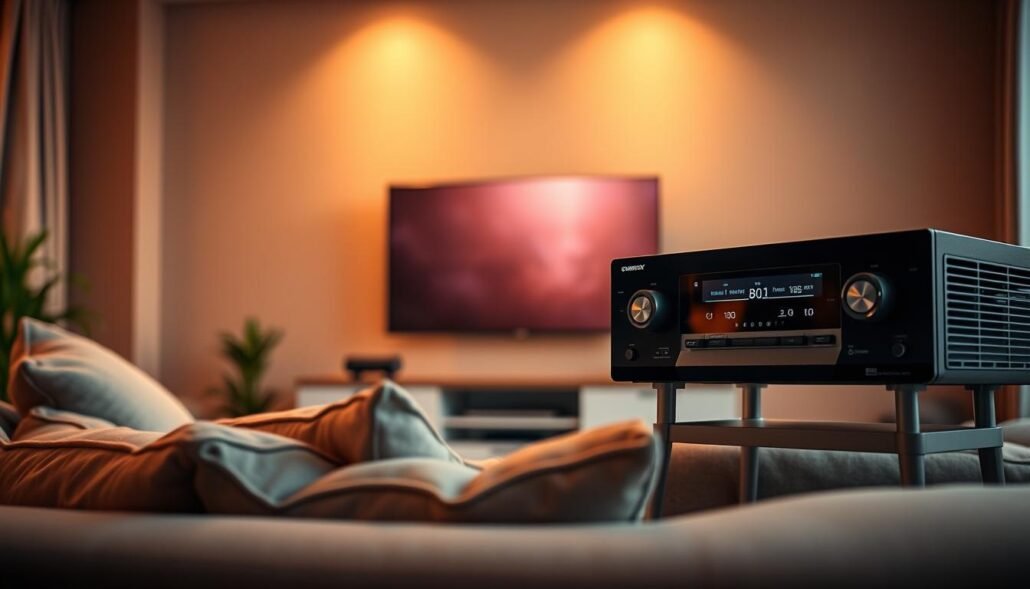
Raise the center channel level trim
Open the receiver speaker level menu and increase the center trim in small steps. Start at +2 dB, then replay familiar clips to check balance. Small increments matter — you want voices to blend with left and right, not jump out as a separate thing.
Rerun auto room calibration
Use the included setup microphone and run the receiver’s auto calibration. That updates distances, levels, and room correction filters after moves or firmware updates. Re-check the center level after calibration.
Check Dynamic Range Control and related features
Find DRC, Night Mode, or Auto Volume in receiver or TV menus. Enabling compression narrows loud-to-quiet gaps so dialogue stays audible at lower master volume. Note the trade-off: drama and peaks will lose impact.
Use TV sound modes and EQ
Try speech-focused modes on your TV or soundbar: Samsung Amplify, LG Clear Voice, or Sony Dialogue/Voice and Voice Zoom. For EQ, lightly boost the 2–3 kHz area inside the 1–4 kHz intelligibility band and reduce bass below ~80 Hz to avoid boom that masks consonants.
Confirm audio output format
Make sure the TV output matches your gear: use Bitstream/Auto when you want receivers to decode surround, or PCM for simple stereo or troubleshooting. After changes, test with a news or talk scene, then a dynamic movie to ensure no harshness and a better listening experience.
Placement, distance, and speaker matching issues that make voices hard to hear
Seating distance, shelving, and mixed-brand fronts can turn clear speech into muddled sound. Small placement mistakes create reflections that blur words. A vocal speaker tucked behind a TV lip or set low on a cabinet will lose high frequency detail.
Common placement faults and quick fixes
Avoid recessing the front baffle. Keep the speaker edge flush with a shelf and aim the tweeter toward ear height. Remove decor that blocks the grill.
Distance and seating limits
If you sit far from a small speaker, headroom drops and voices thin. Move the seat closer or test by placing a chair nearer the listening axis. Compare clarity before swapping gear.
Timbre match and bandwidth tips
Mixing brands or different lines makes vocal tone uneven. Match the center to your front speakers when possible. For example, tower mains with dual 6.5″ woofers pair best with a similarly capable center.
| Issue | Cause | Quick action |
|---|---|---|
| Recessed placement | Reflections, off-axis loss | Flush mount or move forward |
| Small center vs large mains | Bandwidth mismatch | Upgrade to similar driver area |
| Phantom center test | No dedicated speaker | Disable center, listen front L/R in main seat |
Connection problems and equipment failures to rule out
Start troubleshooting with a quick physical check to rule out simple wiring faults. Power down the receiver, then reseat the speaker wire at both ends. A loose connector often reduces output without any menu change.
Loose connectors, incorrect polarity, and oxidized strands
Make sure terminals are snug and free of dust. Wipe contacts with a microfiber cloth and retighten binding posts.
Confirm polarity by matching + to + and – to – at both ends. Reversed wiring can weaken imaging and reduce perceived solidity.
Inspect bare wire for discoloration or stray strands. Trim back to fresh copper or use banana plugs to improve contact and avoid shorts.
When a driver or internal fault is the real cause
If quiet output follows the speaker during a swap test, internal damage is likely. Swap the center wire to a known-good front speaker at low volume to isolate the issue.
Listen for rattles, buzzing at modest volume, or distortion during voices. Sudden drops in output compared with other speakers point to a failed driver, ruined crossover, or loose internal wiring.
- Order to check: wiring and terminals → receiver channel test → speaker swap → professional repair.
- Expectations: internal fixes often need parts and expertise; replacement can be the practical choice if faults are confirmed.
| Symptom | Likely cause | Quick action | Follow-up |
|---|---|---|---|
| Low output only on one speaker | Loose terminal or oxidized wire | Power down, reseat wire, clean contact | Repeat listening test |
| Thin or weak imaging | Polarity reversed | Confirm +/+, -/- at both ends | Swap channels to verify |
| Distortion or buzzing | Driver or crossover fault | Swap to known-good channel at low volume | Seek repair or replace speaker |
| Intermittent output drop | Frayed strands or loose connector | Trim wire and re-terminate tightly | Use banana plugs for secure fit |
Conclusion
,
A few targeted moves usually restore clear speech without buying new gear. First hour fixes: raise center channel trim slightly, rerun auto calibration, and confirm Night Mode or Auto Volume aligns with listening goals.
Use a dialogue sound mode on TV or soundbar and add light EQ in 1–4 kHz for clarity. Check output format so a receiver or TV decodes audio correctly (Bitstream/Auto vs PCM).
Remember physical limits: blocked placement, a small speaker at low height, or mismatched fronts often mask speech. If fronts are full range, test a phantom center for narrow seating.
Takeaway: change one setting at a time, use the same scene to compare, and stop when speech sounds natural. For receiver upgrades, see best AV receivers.
FAQ
Why might center speaker dialogue seem low compared with other channels?
Many mixes place voices in a narrow range that suffers when levels or EQ are off. Receiver trims, room calibration, and dynamic range compression can leave speech recessed. Start by checking the center level in your AVR menu, confirm the center speaker is set to “small” or “large” appropriately, and rerun any automatic room correction like Audyssey, Dirac, or Yamaha YPAO.
How does the center speaker’s role in movie and TV mixes affect intelligibility?
In modern soundtracks, the voice track often sits in the middle of the soundstage while effects live on left/right and surrounds. If those front speakers are louder or tonally different, the vocal layer can disappear. Match timbre between front left/right and the center and ensure crossover points line up to keep speech focused.
Why do some films sound quieter even on the same setup?
Different productions use varied mastering and dynamic range. Older films or streaming shows sometimes include heavy compression or low dialogue levels. Enable night mode or dynamic range control cautiously; these compress peaks but may also reduce punch, so test settings for each source.
Could dynamic range explain muffled voices rather than faulty gear?
Yes. Wide dynamic range preserves contrast but can make quiet dialogue hard to hear in a living room. Use AVR loudness controls, dialog normalization, or a dedicated “movie” EQ preset to bring midrange speech forward without cranking overall volume.
How can I quickly raise speech levels in my receiver or TV?
Increase the center channel trim in speaker settings, select a voice-enhancement or dialogue mode on the TV or soundbar, and try boosting 1–4 kHz with a parametric EQ. Also confirm the audio output format—set devices to PCM if downmixing issues arise.
Will rerunning auto calibration help restore dialogue balance?
Often. Auto mic systems measure distance, level, and room response. Running Audyssey, ARC, or similar routines can realign channel levels and time delays, which improves clarity. Place the calibration microphone at ear height where you normally sit.
What receiver settings commonly hide voices?
Look for Dynamic Range Control, Night Mode, or heavy bass management. Some receivers apply bass management that redirects midrange to subwoofers, muddying speech. Disable unnecessary bass boost and check crossover points to keep vocals in the center speaker.
How should I position the center speaker for best speech clarity?
Place it at ear level, directly under or above the screen, angled toward the listening position. Avoid stuffing it in a cabinet or behind glass. Maintain a clear path to the listener so high- and midrange frequencies aren’t obstructed.
Can seating distance and speaker size affect how loud voices sound?
Yes. Small centers may lack midrange authority for large rooms, and sitting too far can reduce perceived vocal level. For wide rooms, upgrade to a center with better midrange drivers or move the main seats closer to the central sweet spot.
Why does mixing speaker brands cause dialogue to disappear?
Different drivers color sound differently. If left/right speakers are brighter or more forward, the center can sound recessed. Match speaker timbre across the front three or choose a neutral center that blends with your mains.
What is a phantom center and when does it help?
A phantom center occurs when left and right full-range mains reproduce the vocal image without a physical center. This works if those speakers are full-range and matched. Disable the center channel temporarily to test whether the phantom image improves clarity.
Which connection issues can lower vocal output?
Loose binding posts, incorrect polarity, or frayed speaker wire increase resistance and phase errors, reducing midrange output. Tighten terminals, confirm red-to-red and black-to-black, and trim oxidized wire ends for a secure connection.
How can I tell if the center speaker has a driver or internal failure?
Listen for distortion, rattles, or complete dropouts on voice-heavy scenes. Swap the center with a left/right speaker or run a mono test tone. If problems follow the speaker, repair or replacement of the driver or crossover may be needed.