Quick answer: A unit designed to clean and stabilize electrical feed can lower everyday risks to sensitive AV gear. It adds EMI/RFI filtering, surge suppression, and sometimes voltage regulation to reduce glitches and stress on electronics.
What protection looks like: suppression of spikes, handling modest voltage swings, and cutting line noise that causes clicks, dropouts, or hum. Receivers are vulnerable because they mix amplification, HDMI switching, digital processing, and network modules in one chassis.
When this matters most in US home setups: older wiring, shared circuits, frequent flicker, or audible hum suggest poor supply quality. Nominal household voltage is 120V, but real values swing within a service range; gear expects that tolerance, not a perfect number.
This guide will show what to buy, which specs matter, and how to plug gear correctly for best results. Expect better reliability for everyday events, not an absolute shield against extreme surges.
What “Protection” Means for an AV Receiver in a US Home
Receivers face three main electrical threats in typical US homes. Protection means reducing risk across overvoltage events (surge/spike), undervoltage events (brownouts/sags), and ongoing electrical noise on the line.
Common threats to receivers
Overvoltage events, such as a power surge, can punch through internal circuitry. Undervoltage or sags can force gear to reset or trigger safety shutdowns. Continuous noise can degrade audio and digital performance.
How “dirty power” shows up
Dirty power often appears as hum or buzz in speakers, intermittent dropouts, video artifacts, or freezing of menus and streaming. These symptoms point to EMI/RFI on the line or unstable supply to sensitive equipment.
Why nominal 120V isn’t always 120V
Utilities target roughly 114–126V in North America. When voltage falls outside that range, devices may malfunction or age faster. The right form of protection depends on whether surges, swings, or noise dominate in your home.
Does a power conditioner actually protect my receiver?
Basic line conditioning combines filtering, surge modules, and distribution to reduce stress on electronics. In practice, power conditioners improve incoming AC quality by removing EMI/RFI and, on some models, trimming voltage swings with AVR.
Where protection comes from
Surge suppression clamps many utility spikes and diverts them away from gear. Ongoing noise filtering removes hum and radio interference that cause clicks, buzz, or digital glitches.
What this does realistically
These units can limit cumulative stress that leads to premature failure and reduce visible or audible artifacts. Many also serve as central distribution for a rack, which tidies wiring and can improve grounding consistency.
What it will not fix
Direct lightning strikes, major utility faults, or dangerous household wiring faults can still cause serious damage. If you suspect a loose neutral or bad ground, call an electrician rather than relying on accessories.
- Use units matched to your issues and gear value.
- Consider a UPS or higher-rated surge protector for extra uptime and surge protection.
How Power Conditioners Work to Reduce Damage Risk
You can think of these devices as traffic controllers for AC: they clear interference, adjust levels, and shunt sudden hits away.
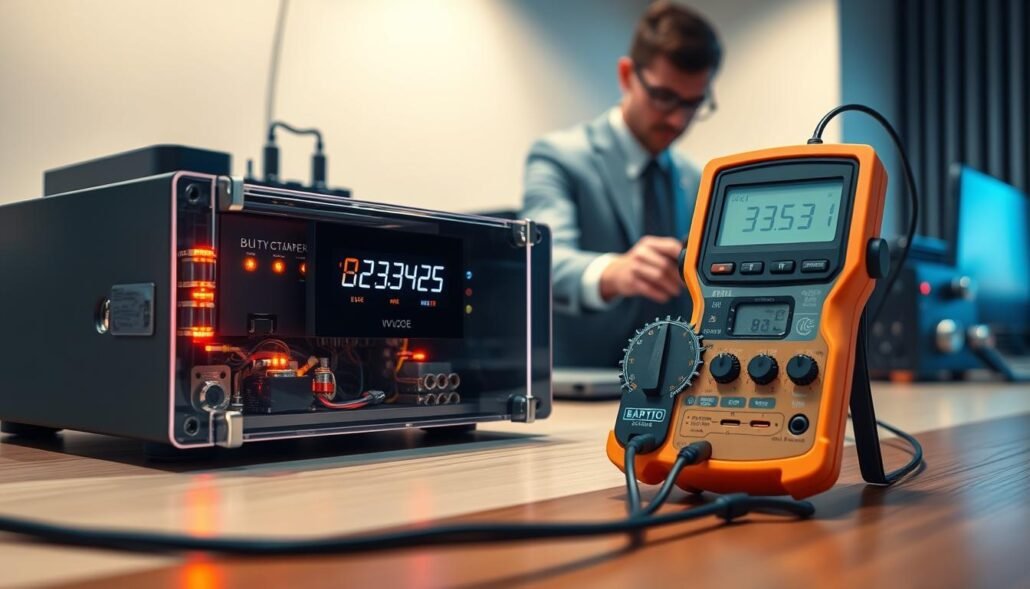
EMI/RFI noise filtering
Filtering uses capacitors and inductors to stop high-frequency radio frequency and electromagnetic noise from riding the line into audio circuits. This keeps small signals clean so you do not hear hum or buzz.
Common home sources include dimmers, fluorescent lights, cheap USB chargers, and nearby routers. By reducing interference on the power line, filtering improves both analog sound and digital reliability.
Automatic Voltage Regulation (AVR)
AVR uses buck and boost stages to trim high voltage down or raise low voltage up. That process helps keep output within an acceptable operating window so equipment runs without resetting.
Tap changes may make a gentle clicking sound; this is normal and shows the unit is regulating voltage rather than failing.
Spikes versus surges and fast suppression
Spikes last microseconds (often 1–30 µs); surges last longer. Both can stress power supplies and HDMI or digital logic.
Surge modules react in microseconds to clamp or divert excess energy away from connected gear. This rapid response reduces the chance of immediate damage and lowers cumulative stress.
- Noise filtering lowers audible artifacts and digital errors.
- Voltage regulation keeps operation steady during swing events.
- Surge suppression acts in microseconds to stop short hits.
| Mechanism | What it handles | Typical user effect |
|---|---|---|
| EMI/RFI filtering | High-frequency interference from household devices | Less hum, fewer clicks and dropouts |
| AVR (buck/boost) | High or low line voltage swings | Smoother operation, fewer resets; mild clicking |
| Surge suppression | Spikes and longer surges from faults or lightning residuals | Clamps excess energy in microseconds to reduce damage risk |
| Layered approach | Panel-level and point-of-use measures | Higher overall resilience than single-device protection |
Note: These systems lower risk but do not make equipment invincible. For serious wiring faults or lightning concerns, combine strategies and consult a licensed electrician.
Power Conditioner vs Surge Protector vs UPS with AVR
Match the device to the failure mode: spikes, noise, or outages determine the best solution.
Surge protector basics
Surge protector units clamp or divert brief overvoltage events. They are low-cost and work well when neighborhood power is stable.
If you see no hum, dropouts, or frequent resets, a surge protector gives solid surge protection for most equipment.
Conditioning strengths
Power conditioner devices add line noise filtering and often AVR to smooth voltage swings. That reduces audible hum and HDMI glitches for sensitive audio gear.
Conditioners also include surge modules on many models, so they both clean and guard your system.
UPS with AVR
UPS units with AVR supply battery runtime during short outages while regulating voltage. They help when brief blackouts cause resets or when graceful shutdown matters for source devices.
- Decision rule: Noise? Prioritize filtering. Resets? Prioritize AVR. Outages? Prioritize UPS.
- Use a surge protector for stable power and low cost.
- Pick conditioners when audio quality and line cleanliness matter.
| Device | Main role | Best for |
|---|---|---|
| Surge protector | Clamp/divert spikes | Basic defense for most equipment |
| Power conditioner | Filter + regulate + surge | High-fidelity audio and noisy circuits |
| UPS with AVR | Conditioning + battery runtime | Frequent short outages, graceful shutdown |
Power Problems That Most Often Affect Home Theater and Audio Gear
Many audio and video glitches start not in the receiver but in the wiring when other appliances cycle.
Appliance start/stop effects: Large motors like refrigerators, HVAC compressors, or a vacuum cleaner can cause brief voltage dips on a shared branch. A vacuum cleaner startup often pulls enough current to make lights dim and create a short sag that upsets sensitive digital circuits.
Common line noise sources: Dimmers, fluorescent ballasts, cheap switching supplies, and home solar inverters generate high-frequency interference. That line noise rides the wiring and can introduce clicks, hum, or digital faults into your audio chain.
Symptoms you’ll notice first
- Speaker hum or persistent buzz in one zone.
- Video flicker, HDMI handshake glitches, or brief freezes.
- Random resets or devices rebooting when HVAC or fridge cycles.
Often nothing seems to change in the gear; the issue is the power source being stressed by other loads. Problems are often intermittent, so check when appliances switch on or when lights dim. Filtration and AVR can reduce these events and lower long‑term stress on sensitive equipment.
Choosing the Right Power Conditioner for a Receiver and Home Theater Rack
Start by totaling the wattage of each component that will share the rack. If gear lists current instead of watts, convert with amps × 120V to estimate wattage for US systems.
Next, plan outlet count and layout. Count the receiver, streamer, display, Blu‑ray, switch, and any amps. Add ~20–30% headroom for future devices and startup inrush. Watch for wall‑warts and bulky bricks; rotated or spaced outlets avoid blocked plugs.
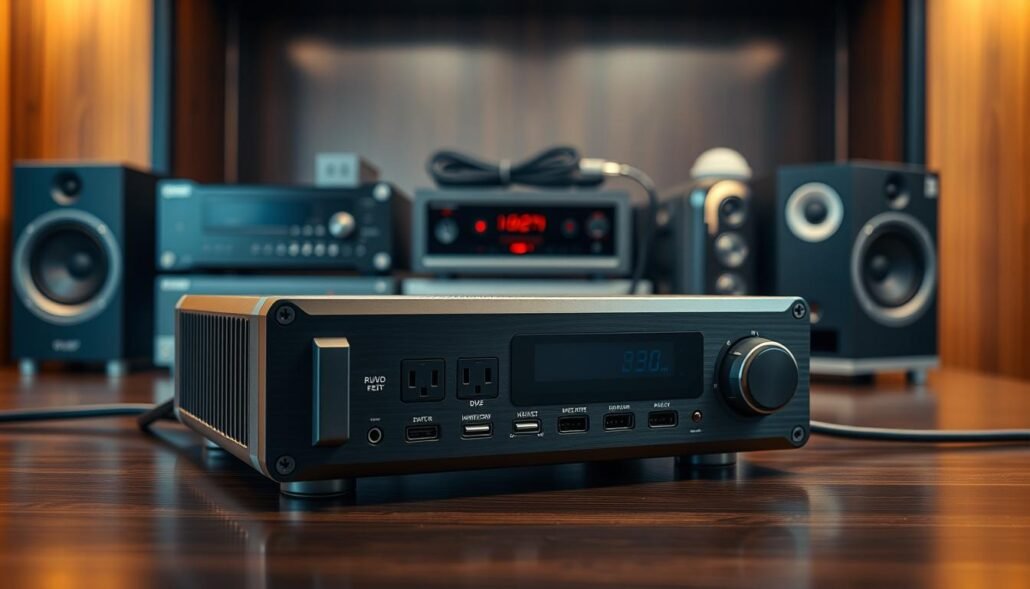
Form factor and placement
Choose rack‑mount (19-inch, 1U increments) for AV racks, tower units when space is tight behind consoles, or wall‑mounts to save floor space and reduce accidental disconnections.
Feature checklist
- Isolated outlet banks to separate analog and digital equipment and lower cross‑contamination.
- EMI/RFI filtering and AVR (buck/boost) for stable operation under line swings.
- Surge protection and monitoring LEDs for boost/trim status and wiring-fault detection.
- Sufficient outlets (NEMA 5‑15P spacing), circuit breakers, and clear labeling for the rack.
| Need | What to look for | Why it matters |
|---|---|---|
| Capacity | Sum watts; convert amps × 120V | Prevents overloads and tripped breakers |
| Outlet layout | Spaced or rotated outlets | Accommodates wall‑warts and big bricks |
| Monitoring | LEDs, meters, fault detect | Quick status checks and safety |
Specs That Actually Matter for Surge Protection and Noise Filtering
Pick specs that line up with real threats, not marketing claims, so your gear gets measurable defense.
Joule rating shows how much surge energy the unit can absorb. For sensitive or costly electronics, choose at least 1,000 joules. Higher joule numbers mean the device can take larger or more frequent surges before its suppression parts wear out.
Let-through voltage (UL 1449)
Let-through voltage is the remaining voltage that reaches equipment during a surge. UL 1449 lists common ratings such as 330V, 400V, 500V, and 600V. Lower ratings pass less excess voltage—330V is better than 600V for limiting damage to delicate circuits.
Line-noise filtering in dB
Noise filtering is measured in decibels. Higher dB suppression reduces audible hum and digital interference. Aim for clear dB specs rather than vague claims; stronger filtering helps cut EMI and RFI from dimmers, chargers, and wireless gear.
MOV quality
MOVs are the components that “take the hit” from spikes and surges. Good MOVs react in microseconds but degrade with repeated events. Units with higher-quality MOVs and thermal protection last longer and lower the chance of sudden failure.
- Ignore fluff: focus on joules, let-through voltage, dB, and MOV specs.
- Match risk to spec: storm-prone areas and older wiring justify higher joules and lower let-through numbers.
| Spec | What it means | Practical target |
|---|---|---|
| Joules | Surge energy absorption | 1,000+ for sensitive gear |
| Let-through (UL 1449) | Voltage passed during surge | Lower is better (330–400V ideal) |
| Noise filtering (dB) | EMI/RFI suppression | Higher dB = less hum/interference |
How to Use a Power Conditioner Correctly with a Receiver
Plan before you plug in. Map the devices in your setup to avoid sharing outlets with equipment that spikes or cycles. This simple step reduces sags and keeps sensitive audio and digital gear stable.
What to plug in: Place the receiver, TV or projector, streamer, disc player, and network switch on the conditioned outlet bank. Add powered accessories like DACs or preamps to the same bank when possible for neat distribution.
What not to plug in
Keep high-draw, cyclical loads off the unit. Space heaters, vacuum cleaners, and laser printers with fuser units can cause voltage sag. Put these on a separate circuit to avoid resets or instability.
Best practices for clean audio
Use isolated outlet banks to separate analog audio from noisy digital devices. That separation lowers crossover noise and helps filtering work effectively.
Placement and setup tips
Allow ventilation: do not bury the unit under cloth or in an airtight shelf. Leave space for airflow and avoid stacking hot equipment directly above it.
Label AC cords, route them away from signal cables, and add strain relief in the rack. Secure routing prevents accidental unplugging and reduces hum caused by nearby power wiring.
- Plug-in map: receiver, display, streamer, disc player, network gear, powered accessories.
- Avoid: space heaters, vacuums, laser printers, other large motors.
- Noise strategy: analog on isolated bank; noisy digital on separate bank.
- Test: connect receiver and sources, listen for reduced hum, watch for fewer resets or glitches.
| Task | Action | Why it matters |
|---|---|---|
| High-draw loads | Keep off conditioner / separate circuit | Prevents voltage sag and device resets |
| Outlet strategy | Analog on isolated bank; digital on another | Reduces crossover noise and improves filtering |
| Ventilation | Leave air gaps; do not enclose tightly | Extends equipment life and prevents thermal shutdowns |
| Cable management | Label, separate AC and signal, add strain relief | Prevents disconnects and lowers interference |
Operational note: Occasional AVR clicks during voltage shifts are normal. Frequent or loud clicks suggest unstable incoming power and merit electrician inspection.
Conclusion
In practice, a thoughtful setup that balances filtering, regulation, and surge capacity pays off.
A power conditioner can meaningfully reduce everyday risk by improving line quality, trimming voltage swings with AVR, and adding surge suppression. This is useful for cleaner sound, fewer HDMI glitches, and less random rebooting of sensitive equipment.
If your main worry is big spikes, a surge protector may be enough. For cleaner, steadier voltage and lower noise, choose a power conditioner or UPS with AVR for the best difference in stability and long‑term reliability.
Remember the practical specs: 1,000+ joules, low UL‑1449 let‑through, and real dB noise filtering. Check symptoms, map outlets, avoid high‑draw appliances on the same bank, and install with proper ventilation for the best outcomes.
FAQ
Does a power conditioner protect an AV receiver from everyday electrical threats?
A quality unit offers meaningful defense against common threats found in US homes: it suppresses spikes, filters EMI/RFI noise, and can trim modest voltage swings. That reduces hum, dropouts, and glitches that harm audio quality or cause resets. However, it won’t guarantee survival from direct lightning strikes or extreme utility failures.
What kinds of power issues most often affect receivers?
Typical problems include surges from nearby wiring faults, brownouts when heavy appliances start or stop, and line noise from dimmers, fluorescent lights, or inverters. These show up as speaker hum, HDMI glitches, video flicker, or random reboots of source devices.
How does line noise differ from a surge or spike?
Line noise is continuous high-frequency interference (EMI/RFI) that adds hiss or buzz and degrades digital signaling. Spikes and surges are brief overvoltage events—spikes happen in microseconds; surges last longer and carry more energy. Conditioners use filters for noise and suppression modules for spikes.
Can a conditioner regulate voltage like a UPS with AVR?
Some conditioners include Automatic Voltage Regulation (AVR) that “bucks” high peaks and “boosts” slight sags, helping sensitive gear when service drifts from nominal 120V. A true UPS adds battery backup, which protects against outages; AVR-only units lack ride-through capability.
Is a surge protector enough for home theater gear?
Basic surge protectors offer overvoltage defense but usually lack robust noise filtering and precise voltage regulation. For high-end receivers and source equipment, a conditioner with surge suppression plus filtering and isolated outlets gives better audio performance and system stability.
What protection limits should I watch for when buying?
Prioritize joule rating (1,000+ joules is a useful baseline), low let-through voltage per UL 1449, and clear specs for noise attenuation in dB. Also check MOV quality and whether the unit uses staged suppression or replaceable modules for long-term reliability.
Will a conditioner prevent damage from lightning strikes?
No. Direct or very close lightning strikes carry enormous energy that typically overwhelms consumer-grade suppressors. Whole-home surge arrestors installed at the electrical panel provide a better first line of defense for extreme events.
What should I plug into the conditioned outlets versus separate circuits?
Plug your receiver, preamp, DAC, streamer, and source devices into conditioned, isolated banks to reduce cross-noise. Avoid high-current appliances such as refrigerators, HVAC, or shop tools on the same conditioner to prevent voltage sag and nuisance tripping.
How many outlets and what layout is best for a rack-mounted system?
Choose a unit with enough outlets and isolated banks for analog and digital gear. Leave space between bulky power bricks, and prefer staggered or widely spaced sockets. Rack-mount form factors simplify installation and cable management in built-in AV racks.
How do I tell if line noise is the cause of poor sound or glitches?
Common signs include a low-frequency hum tied to power, intermittent dropouts, or digital errors that appear only when certain lights or appliances run. Temporary testing on a different circuit or using an inline conditioner often isolates the issue quickly.
Are replaceable suppression modules or MOVs worth the extra cost?
Yes. Replaceable modules let you restore full surge capacity after a major event without replacing the whole unit. High-quality MOVs and staged suppression design extend service life and maintain protective performance over time.
How should I position and ventilate a conditioner in a home theater rack?
Allow airflow around the unit, avoid stacking heat-generating gear directly on top, and keep cables tidy to reduce strain and accidental disconnections. Proper ventilation helps electronics and surge components live longer and perform reliably.
What role does wiring quality in my home play in protection?
Bad or loose wiring limits any device’s effectiveness. Ground faults, poor neutral connections, or undersized circuits can create persistent voltage problems. An electrician can verify service quality and recommend panel-level surge arrestors if needed.
When is a UPS with AVR preferable to a conditioner alone?
Choose a UPS with AVR if you need battery backup to prevent outages from interrupting receivers, streamers, or network sources. UPS units add runtime for orderly shutdowns and protect against both voltage anomalies and complete power loss.
How often should surge protection be tested or replaced?
Inspect indicator lights and any serviceable modules after known surge events. Many suppressors degrade with each large surge; consider replacement or module swaps every few years for reliable protection, or sooner after a major grid disturbance.