Quick overview: This intro defines choosing the point where main drivers hand bass to a subwoofer so overall response stays balanced and clean. Many modern AV receivers offer auto EQ that works well as a starting baseline. THX standard home theater uses 80 Hz in most cases.
This guide is for home theater and stereo listeners using an AV receiver, processor, DSP, or subwoofer controls. If you want tighter blending and steadier bass, this is for you. Expect a repeatable method rather than one universal answer.
The workflow is simple: identify system type, confirm speaker low-end limits, pick a practical starting point (often 80 Hz), align high-pass and low-pass filters, then fine-tune gain and phase. Listen and adjust until bass feels part of the front soundstage.
Success sounds like integrated low end, clear dialogue, and no obvious subwoofer location. This approach avoids common errors like leaving towers full-range, mismatched filters that cause gaps or overlaps, and chasing extra bass via crossover instead of level and placement.
What crossover settings do and why they matter for sound quality
A clear bass handoff between mains and subwoofer keeps mixes tight and dialogue clear.
The crossover divides the audio band so each driver plays what it can handle cleanly. An LPF sends deep bass to the subwoofer while an HPF protects the speaker by steering higher content to the mains.
Filters are not brick walls. They attenuate frequencies beyond the set point based on slope. For example, a -24 dB/octave slope at 80 Hz means content near 40 Hz is much quieter through the speaker.
Smooth blending means bass notes and kick drums seem to come from the front stage, not the sub’s corner. Vocals keep natural chest tone without sounding boomy. Explosions hit hard and remain clean.
| Slope | Typical Attenuation | Listening Result | Use Case |
|---|---|---|---|
| -12 dB/octave | Moderate roll-off | More overlap; can sound warm | Small rooms or tonal blending |
| -24 dB/octave | Steep roll-off | Tighter handoff; less boom | Precise home theater tuning |
| -48 dB/octave | Very steep | Sharp division; potential gap if misaligned | When drivers have tight low-end limits |
Why mismatched settings hurt sound quality: too low a crossover strains small speakers. Too high a point can make the sub easy to localize and color midbass. Aim for complementary LPF/HPF and then adjust level and phase for the smoothest response.
Before you set crossover frequency: identify your system and your speaker frequency range
Determine which component controls bass management so you won’t accidentally apply filters twice. In many setups the AV receiver is the “brain.” Other systems use a preamp/processor, standalone DSP, or the subwoofer’s own control.
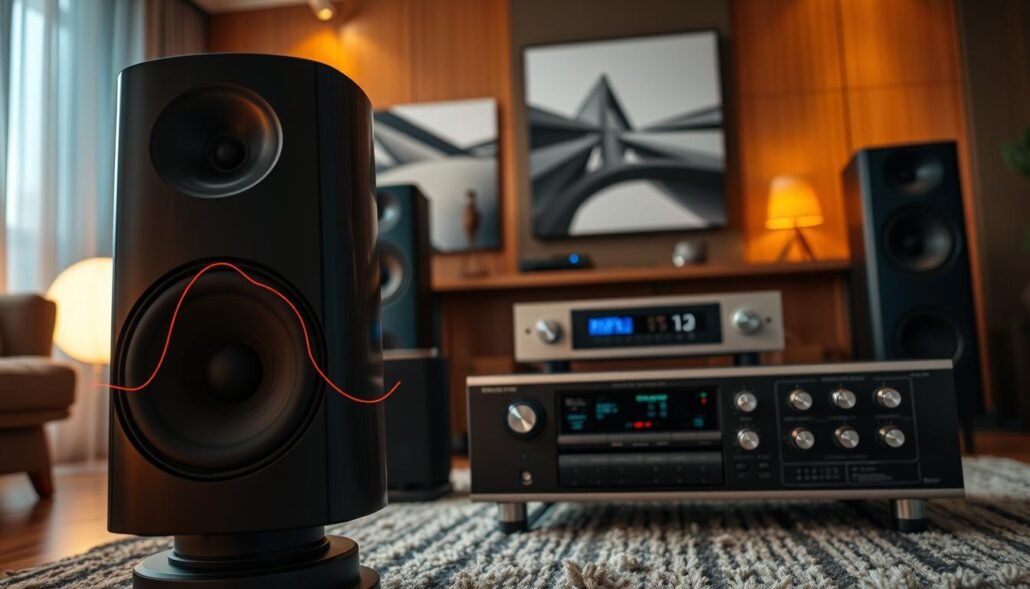
AV receiver bass management vs DSP, preamp/processor, and subwoofer controls
Most modern AV receivers include auto EQ that assigns crossover values based on speaker capability. If your receiver handles bass, use it as the primary control to avoid two separate filters causing weak midbass.
Passive vs active crossovers and what you can actually adjust
Passive networks inside many speaker cabinets split tweeter, mid, and woofer duties and are not adjustable. Active crossovers and DSP units let you change HPF/LPF slopes and points, giving more precise tuning between speakers and subwoofer.
Find your speaker’s lowest clean frequency and plan a crossover point about 10 Hz above it
Check manufacturer frequency range specs, then confirm by listening at moderate volume for distortion or strain. Use a planning rule-of-thumb: choose a crossover point roughly 10 Hz above the speaker’s lowest clean output to preserve headroom and reduce distortion.
Clean performance matters more than the lowest claimed number. Room gain and marketing specs can mislead, so aim for reliable response rather than chasing extremes.
Next: once you’ve identified which device will control bass and verified speaker limits, choosing and aligning HPF and LPF settings becomes straightforward.
How do I set the correct crossover frequency for my speakers?
Run the AVR’s auto-EQ first, then treat its suggested crossover values as a practical baseline. Modern receivers use speaker distance and response data to pick sensible crossover settings, so start there before making manual changes.
Set speakers to “Small” in bass management for most home theater setups. That routes demanding low bass to the subwoofer and frees mains from strain. This improves headroom and reduces distortion even with towers.
Use 80 Hz as a practical starting point if the receiver gives no clear guidance. Confirm that starting point matches the speaker’s low-end capability and does not push small drivers below their clean output.
Align HPF and LPF so there’s no audible gap or excessive overlap. Avoid stacking the AVR crossover with the sub’s internal filter; when the AVR manages bass, set the sub to LFE/Bypass. Then check with a bass sweep or familiar music.
- Run auto calibration.
- Review assigned crossover per channel and keep it unless you have a reason to change.
- Change one setting at a time, keep volume constant, re-check levels after each tweak.
Remember that some systems lock slopes or limits. In those cases, focus on consistent routing and level matching to smooth output and overall response.
Recommended crossover frequencies by speaker type
Different speaker types usually need different handoff points between mains and subwoofer.
Why 80 Hz is common: THX and many receivers use 80 Hz because it balances relieving most speakers of deep bass while keeping low notes non-localizable in typical home theater rooms.
Quick starting ranges
- On-wall / compact satellite: 150–200 Hz — protects tiny drivers from deep bass.
- Small center/surround/bookshelf: 100–120 Hz — useful when speakers lack deep extension.
- Mid-size center/surround/bookshelf: 80–100 Hz — a common compromise for dynamics and integration.
- Large bookshelf/center/surround: 60–80 Hz — keeps midbass on the mains in many rooms.
- Very large speakers: 40–60 Hz — use when drivers and room support deep output.
Tower speaker guidance
4–6″ woofers often pair well around 60 Hz. 8–10″ woofers can usually cross near 40 Hz or run wide if distortion stays low.
| Speaker Type | Suggested Range (Hz) | Reason |
|---|---|---|
| On-wall / Compact Satellite | 150–200 | Protects small drivers; reduces strain and distortion |
| Small Center / Bookshelf | 100–120 | Prevents midbass overload; improves clarity |
| Mid-size Fronts / Centers | 80–100 | Balances bass ownership and integration |
| Large Fronts / Centers | 60–80 | Maintains front-stage bass while keeping sub support |
Localization warning: raising the point too high can make bass seem to come from the subwoofer location. Use these ranges as starting points and fine-tune in the next section.
Fine-tuning crossover settings for a seamless transition between speakers and subwoofers
A smooth handoff comes from careful listening, small gains, and methodical testing with familiar tracks.
Start with a clear sequence: set a baseline crossover, calibrate levels, check for boom or dip, then adjust gain and phase before changing the filter point.
Adjust subwoofer volume and gain to fix a bass bump
If you hear a boost near the handoff, lower the subwoofer gain or trim slightly. Reduce volume in small steps and listen from your main seat.
Keep master volume steady while changing gain. That avoids confusing loudness with tonal changes.
Use phase control to reduce cancellation
Flip polarity (0/180) first. If a variable phase control exists, sweep it while playing steady bass near the handoff.
Choose the phase setting with the tightest, most solid bass at the listening position. That minimizes cancellations and improves overall performance.
Hide the subwoofer and test with real content
If the sub localizes, try lowering the crossover a bit or move the sub for better blend. Room modes often force a compromise that favors smoother response over strict numbers.
Test with familiar music and movie scenes across low, mid, and high frequencies. Use content you know well to judge speech clarity and impact.
Re-check levels after changes
After moving wiring, changing polarity, or swapping modes, re-run level checks. Change one variable at a time and document results.
| Step | Action | Reason |
|---|---|---|
| 1 | Baseline crossover & auto-cal | Establish a reliable starting point |
| 2 | Calibrate levels | Match output between mains and subwoofer |
| 3 | Adjust gain/volume | Remove bass bump without changing filter |
| 4 | Set phase/polarity | Reduce cancellations and tighten response |
| 5 | Fine-tune crossover settings | Only after levels and phase are correct |
Conclusion
,Conclude with a simple routine: trust auto-EQ, choose a practical crossover point (80 Hz is a solid baseline), then confirm blend by ear.
Tip: pick a crossover roughly 10 Hz above a speaker’s lowest clean output. That protects drivers and improves sound quality while keeping bass integrated with mains.
When things sound off, adjust sub volume and phase before changing filter settings. Re-check levels after each tweak and revisit this process over time as room placement or system gear changes.
Quick checklist: speakers set to Small in a home AV setup, sub on LFE or bypass when the AVR manages bass, and levels measured after adjustments. Aim for consistent bass, clear dialogue, and a cohesive soundstage in your room.
FAQ
What do crossover settings do and why do they matter for sound quality?
Crossover settings direct bass to the subwoofer and mid/high content to main speakers. Proper routing prevents distortion, protects small drivers, and creates a tight, even bass response. When set right, instruments and voices remain clear and the low end stays controlled instead of booming or disappearing.
How does a crossover split frequencies between speakers and a subwoofer?
A crossover uses high-pass filters to block low frequencies from satellites and low-pass filters to send only bass to the subwoofer. The selected crossover point defines which frequencies each driver handles, so both parts of the system reproduce contiguous ranges without gaps.
What are low-pass and high-pass filter basics I should know?
A low-pass lets frequencies below the chosen point pass to the sub, while a high-pass removes those lows from the main speakers. Filters have slopes — typically 12 dB/oct or 24 dB/oct — that determine how quickly frequencies are attenuated around the crossover point.
What do attenuation, roll-off, and crossover slope mean in real listening?
Roll-off describes how fast level drops past the cutoff. Steeper slopes (24 dB/oct) create sharper separation but can make blending harder; gentler slopes (12 dB/oct) allow smoother overlap. Attenuation affects level balance; mismatch between slope and levels can cause a bass bump or thin midbass.
What does a “smooth blending” sound like when the crossover is right?
Smooth blending feels seamless: bass is present but not localizable, midrange remains natural, and transients keep their impact. There’s no obvious gap or double-bass at the crossover — bass transitions from sub to speakers without phasey dips or boomy peaks.
How do I identify my system’s components and speaker frequency range before adjusting?
Note whether your system uses an AV receiver, pre/pro or DSP. Check speaker specs for frequency response and lowest usable frequency. That tells you whether a satellite needs a higher crossover or a tower can handle deeper bass.
What’s the difference between AV receiver bass management and external DSP or subwoofer controls?
AV receivers often offer automatic room correction and fixed crossover choices, while external DSP and subwoofer controls let you set exact points, slopes, and phase. Receivers are convenient; DSP gives more precise tuning when needed.
How do passive and active crossovers differ and what can I actually adjust?
Passive crossovers sit inside speakers and are fixed by hardware, so you can’t change the crossover point easily. Active crossovers (inside amps, processors, or powered subs) let you set crossover frequency, slope, and level, giving far more control.
How do I find a speaker’s lowest clean frequency and plan a crossover point?
Play test tones or music while lowering frequency until distortion or driver struggle appears. Choose a crossover roughly 10 Hz above that clean limit so the speaker isn’t strained. Use measurements or manufacturer specs when available.
Should I use receiver auto EQ and keep its suggested crossover results?
Auto EQ is a good starting point; it measures room interactions and sets levels and crossover points. Many systems sound best when you accept those results, then fine-tune by ear or with additional measurements.
Why set speakers to “Small” in most home theater setups?
“Small” routes low frequencies to the subwoofer via bass management. That protects smaller drivers from deep bass demands and usually produces cleaner, fuller low end when a subwoofer is used.
What is a practical starting crossover frequency and how do I confirm it matches speaker capability?
Start at the THX-recommended 80 Hz for typical setups. If speakers are compact or on-wall, raise to 100–150 Hz. If towers can reach deep cleanly, try 60 Hz or lower. Confirm by listening for distortion and by using test tones or RTA measurements.
How do I align high-pass and low-pass settings so there’s no gap or excessive overlap?
Match the receiver’s speaker high-pass to the subwoofer low-pass or pick points that overlap modestly (about 6–12 dB of overlap depending on slope). Avoid wide gaps between filters and check with music and measurement to ensure flat output through the crossover region.
Why is 80 Hz the most common crossover frequency in home theater?
80 Hz balances small speaker limits with room acoustics and is a THX standard. It keeps small speakers from handling deep bass while avoiding obvious localization of the sub, making it a safe, effective default.
What crossover range should I use for on-wall and compact satellite speakers?
Use 150–200 Hz for very small on-wall satellites and mini speakers. Those drivers typically cannot reproduce low bass cleanly, so a higher crossover ensures the sub handles the majority of bass energy.
What about small center, surround, and bookshelf speakers?
For small bookshelf and compact center or surround speakers, try 100–120 Hz. This protects the speaker and yields more consistent bass without pushing the sub to extreme levels.
What crossover points suit mid-size and large bookshelf or center speakers?
Mid-size bookshelf and center speakers usually do well at 80–100 Hz. Large bookshelf and some center speakers can go lower, around 60–80 Hz, depending on driver size and enclosure strength.
When can very large speakers or towers use 40–60 Hz crossover points?
Very large floorstanding towers with big woofers and strong cabinets often play clean down to 40–60 Hz. Use lower crossover points only if measurements and listening confirm clean, undistorted bass at those frequencies.
How do woofer size and design affect tower speaker crossover placement?
Towers with multiple woofers can extend bass further, allowing crossover points of 40–60 Hz. Single-woofer or small-woofer towers may need 60 Hz or higher. Check manufacturer specs and listen for strain near the chosen point.
How should I adjust subwoofer volume and gain to fix a “bass bump” at the crossover?
Reduce sub gain until the bump flattens, then increase main speaker level slightly if needed. Use measurement tools or sweep tones to identify the bump, then tweak sub trim and crossover until the response is smoother.
How does phase control help reduce cancellation and improve crossover performance?
Phase adjustment aligns timing between sub and mains. When phase is correct, wave peaks reinforce instead of canceling. Rotate phase or use delay settings while listening or measuring to find the setting that yields the fullest, most even bass.
How do I detect and prevent subwoofer localization?
Sub localization occurs when the sub’s crossover is too high or the sub is out of phase. Lower the crossover, adjust phase, reposition the sub, and walk the room while listening. Proper crossover and phase should make the sub’s location disappear.
What test material should I use to tune crossover settings?
Use familiar music with strong bass content, movie scenes with deep effects, and frequency sweep tones. Real program material reveals musical balance and localization, while sweeps and pink noise help spot dips or peaks objectively.
Why must levels be re-checked after changes to placement, wiring, or system mode?
Room placement and wiring changes alter acoustics and phase relationships. Switching modes (stereo, surround) changes filters and processing. Re-checking ensures the crossover still produces a smooth, balanced response.