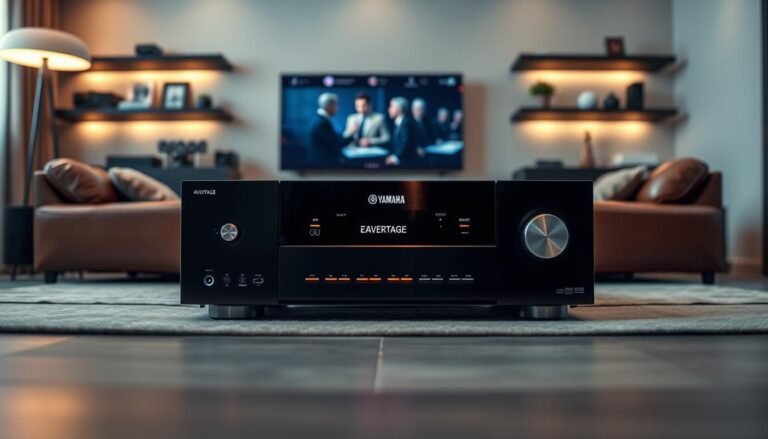
This brief preview explains what the upcoming review covers: design, connections, gaming and video features, setup, measured audio performance, and real-world sound for movies and music in a US home.
The unit is a midpriced 7.1-channel receiver that aims to modernize living-room AV with HDMI 2.1, 8K readiness, and Yamaha’s MusicCast ecosystem. It targets gamers, streamers, and budget-minded theater builders.
Expect a split between features and measured results: listeners often find the sound engaging, while lab tests show noise and distortion limits that matter to measurement-focused buyers. Key decision points include the HDMI 2.1 board version, channel limits, streaming trade-offs, and whether the DAC/amp measurements meet your standards.
Who should read this review? Anyone shopping for an AVR for a living room, a dedicated budget setup, or a gaming console/PC rig. This is a present-day buying guide that flags daily quirks and compares close competitors.
Overview of the Yamaha RX-V6A receiver for home theater
This mid-tier AVR mixes forward-facing HDMI features with a user-friendly music ecosystem, so it feels modern for living-room setups.
The yamaha rx-v6a sits near the center of the RX‑V family. It attracts attention in 2025 for updated styling, a future-looking HDMI spec, and MusicCast multiroom integration.
As a midpriced receiver, expect seven-channel support, Atmos and DTS:X decoding, multiple HDMI inputs, and built-in streaming. You usually won’t get full pre-outs, 9/11 flexible amplification, or class-leading bench numbers at this price.
- Best fit: living room users who want easy switching and streaming.
- Not ideal: dedicated home theater owners who need channel expansion and lab-grade tuning.
Features and measured audio performance diverge: rich format support and usability can coexist with modest DAC/amp bench figures. The TSR‑700 is often cited as an identical alternate model.
| Aspect | What to expect | Decision check |
|---|---|---|
| Channels | 7.x native with Atmos/DTS:X | Confirm 7.1 or 5.1.2 speaker plan |
| Video | HDMI 2.1 board options for 4K/120 | Verify board version before purchase |
| Streaming | AirPlay 2 and Spotify Connect supported | Check for Chromecast if needed |

Design, front panel, and daily usability
A rounded, glossy front gives this AVR a less industrial, more furniture-like presence on an open console. The curved plastic fascia looks “glass-like” and softens the typical black-box look. In a living room, that change helps the unit blend with shelving and TVs.
Display and fascia
The higher-resolution lcd shows more detail than older screens, but brightness and viewing angle matter. From off-center seats the display can dim, which makes some text hard to read compared with bright LED-style screens.
Front controls and workflow
The front panel has touch-sensitive keys and Scene shortcuts for quick input plus sound-mode combos. Scene buttons speed daily switching, though touch keys feel lighter than traditional buttons.
Volume feel, labeling, and remote
The large volume knob invites use, but reviewers note a faint stiffness or scratchy feel at low turns. In normal listening this rarely prevents smooth operation.
On-screen terms like “Straight,” “EXTRA SP1,” and “F.PRNS” can confuse when you move quickly through the menu. Take a moment during setup to map meanings so you avoid accidental changes.
The supplied remote control includes a dedicated Bluetooth key and Zone 2 switching. Watch which zone you control to avoid changing settings in the wrong room.
- Practical tip: Position the unit for a clear viewing angle to keep the lcd and screen text legible from your main couch.
| Feature | Behavior | User impact | Quick fix |
|---|---|---|---|
| Curved fascia | Glass-like look | Better living-room fit | Place on open shelf |
| LCD display | High-res but dim off-axis | Harder to read from side seats | Face unit toward main seating |
| Touch keys & Scene | Soft touch, presets | Faster switching, less tactile feedback | Use Scene presets for routine setups |
| Volume knob | Large, slightly stiff | Minor annoyance for some | Use remote/volume control app if preferred |
Connections and expandability: HDMI inputs, speakers, and outputs
The back panel packs more options than you’ll likely use on day one, so plan a wiring map before installation. This helps avoid crawling behind the rack when you add a console or projector.
Seven HDMI inputs and dual HDMI outputs: what you can plug in
This unit offers seven hdmi inputs, making it easy to attach an Apple TV or streamer, cable box, Blu‑ray, plus a PS5/Xbox/PC GPU without constant swapping.
- Common hookup: streamer, cable/satellite, Blu‑ray, game console, PC, media player, and one spare input.
- Dual outputs: use one output for a TV and the second for a projector or secondary display. Verify ARC/eARC behavior for your TV before finalizing connections.
HDMI 2.1/8K ports and console readiness
Three HDMI 2.1/8K-capable ports mean you can dedicate them to next‑gen consoles and high-end GPUs. Reserve these inputs for devices that need 4K/120Hz, VRR, or high bandwidth.
Speaker binding posts and wiring pitfalls
The speaker posts use an unusual order: front left right are not at the far left. This can cause swaps when wiring in low light.
Tip: label cables, take photos, and use a flashlight to avoid reversing the front left/right channels during setup.
Analog and digital inputs, plus pre-outs
Inputs include a phono (MM) for a turntable, optical and coax for legacy devices, front USB‑A for file playback, Ethernet, Wi‑Fi, and Bluetooth for streaming.
Only some channels provide pre-outs; Front Left/Right are available for adding an external amp. That limits expansion if you plan later to bi-amp or add multi-channel external amplification.
| Connection | Use case | Notes |
|---|---|---|
| Seven HDMI inputs | Multiple sources without switching | Three are HDMI 2.1/8K-capable |
| Dual HDMI outputs | TV + projector | Check ARC/eARC routing |
| Phono / optical / coax | Turntable / legacy CD player | Phono is MM; digital for older gear |
Power and speaker matching matter: choose speakers with compatible impedance and sensitivity so the amp section does not strain. Correct wiring of the front left and right channels is foundational before running calibration.
Video performance and gaming features in real-world setups
Modern consoles and GPUs demand reliable video handshakes, and this unit’s early HDMI issue means a quick verification step saves time and frustration.
4K/120Hz compatibility and the early bug
Early units shipped with a 4K/120 handshake bug that could show a black screen when a console or PC tried 4K/120. In early 2022 the manufacturer offered HDMI board replacements to restore full 4K/120 support for affected serial ranges.
How to verify in your setup
- Check model/serial guidance on support pages.
- On PS5/Xbox Series X toggle 4K/60 then 4K/120 in display settings.
- Working behavior: stable picture at 120Hz, no repeated reboots or blank screen.
HDR and gaming features that matter
Dolby Vision and HDR10 pass through cleanly when the chain (source → AVR → TV) is correct. HDR10+ may depend on firmware and TV support.
ALLM turns on game mode automatically. VRR reduces tearing. QMS speeds frame-rate switches. QFT trims transport latency. You mostly notice these in fast competitive play and stutter-heavy titles.
Upscaling limits and pitfall prevention
Upscaling applies mainly to 1080p sources. Leaving it on can sometimes cause intermittent black screens with UHD HDR material.
| Issue | Quick fix | When to use |
|---|---|---|
| Black screen at 4K/120 | Force 4K/60, update firmware, or request board check | During initial console tests |
| HDR passthrough oddities | Test direct-to-TV, then add AVR back in | Troubleshooting chain |
| Handshake lag | Use shorter HDMI cables, simplify chain | Quick switching between devices |
Audio formats, channels, and power specs that matter
Real-world channel limits matter more than marketing flexibility when building a home theater. Understanding how formats map to amplified outputs prevents wiring surprises and gives clearer expectations for sound and performance.
What 7.1 with Atmos and DTS:X actually supports
Dolby Atmos and DTS:X deliver object-based height cues, but on a 7.1 platform that means common usable layouts include 5.1.2 or 5.1.4 with virtualization when channels are limited.
You can run 5.1.2 (front, center, surrounds, two height channels). You cannot run a full 5.1.4 amplified setup if some amplifier outputs are assigned to Zone 2.
Amplified channels vs configuration limits
- Marketing vs real wiring: the receiver lists multiple channel modes, but amplified outputs are finite.
- Zone sharing: allocating a pair to Zone 2 removes those amps from the main theater channel count.
Power and impedance guidance
| Spec | What it means | Practical tip |
|---|---|---|
| Rated power | 7 × 100W into 8Ω (2ch driven) | Good for typical living rooms; higher SPL needs more headroom or efficient speakers. |
| Impedance | Menu has low-impedance options | Use 8Ω speakers for easiest match; enable low-impedance only if specs and manual allow. |
| Thermals | Continuous use raises heat | Provide ventilation to avoid protection trips. |
Tie power back to use: this level gives clear dialog at moderate volumes and decent headroom for action scenes. If your speakers are low sensitivity or you like extreme SPL, plan an external amp for more effortless sound. Measurement details and subjective listening impressions follow in later sections.
Setup, calibration, and control options
Begin by making solid physical connections; calibration and menu choices come next.
- Hook up speakers and sources, label each cable.
- Run YPAO with the supplied mic, then check levels and crossovers.
- Load favorite content to verify dialogue and bass, then save Scene buttons for daily use.
YPAO calibration basics
Place the mic at head height in your main listening spot. Run single or multi-position checks in a quiet room to smooth responses across seating.
YPAO sets distances, speaker sizes, levels, and applies EQ. You may still tweak sub level, crossover points, or center dialog afterward.
EQ choices and practical results
Natural softens highs for relaxed listening. Flat aims for measurement-like balance. Front adjusts timbre to match mains. Off minimizes processing for purists.
HDMI control, lip-sync, and app/voice
HDMI-CEC typically handles auto input switching and power sync. Proper lip-sync means audio stays in step with processed video, which matters with modern TVs.
Yamaha MusicCast app is the primary interface for streaming and multiroom music. Voice assistants cover basic control: volume, input, and track skip.
| Task | What YPAO adjusts | User action after |
|---|---|---|
| Calibration run | Distances, levels, EQ | Verify sub level and dialog |
| EQ selection | Timbre and tonal balance | Choose Natural/Flat/Front/Off |
| HDMI control | Power and input switching | Test lip-sync with movie clips |
Yamaha RX-V6A Review: measured audio performance and engineering notes
Measured performance separates the HDMI DAC/pre‑out behavior from the internal amplifier. Bench tests show where the signal chain adds noise or distortion and why that matters whether you use the internal amps or an external DAC.
DAC over HDMI and SINAD context
Over HDMI pre-outs (front left/right available) the true 2V rail needs volume past the on-screen max; at 0 dB output sits near 1.5V. The cleanest SINAD window is around -10.5 dB (~0.46V) where SINAD is ~90–93 dB.
Noise, early saturation, and volume behavior
Pushing louder lifts distortion quickly above that optimal point. In practice, set reference levels to avoid the early saturation zone to keep dialog and dynamics intact.
Coax, multitone, and dynamic range
Coax input reveals jitter artifacts and multitone testing shows elevated distortion. The unit struggles to fully clear 16-bit dynamic range at some levels, which matters even for many streamed tracks.
Pure Direct vs processed paths
Pure Direct analog-in measurements sit near the median of tested amps, because they skip extra ADC/DSP stages. Digital/DSP paths add DAC noise that stacks onto amplifier limits and raises measured distortion.
| Topic | Result | Practical note |
|---|---|---|
| Speakers set to Small | High‑freq wobble | Recheck with music after YPAO |
| 8Ω power | Meets/exceeds spec slightly | Good for typical living rooms |
| 4Ω behavior | Works, not officially rated | Stable but plan cooling |
Power delivery is solid and thermal stability held under stress with no shutdowns. For high SPL or low‑sensitivity speakers, an external amp remains a sensible example upgrade.
Real-world sound quality for movies, music, and streaming
In real-world listening the unit favors an engaging, lively sound that suits action films and upbeat music. That character helps dialog cut through without pushing volume uncomfortably high.
Home theater performance delivers stable surround imaging and clear center-channel intelligibility for streaming shows and big-action films. Atmos cues feel present in 5.1.2 setups, and effects move cleanly across the soundstage.
Bass management is tunable. Run YPAO as a baseline, then raise or lower sub level and tweak the crossover if explosions feel boomy or lack weight. Small changes often fix muddy midrange or overblown low end.
Music playback and Pure Direct
Pure Direct narrows processing and tightens stereo imaging. Use it for two-channel listening to hear better instrument separation and less listening fatigue during long sessions.
With processing off, tonal balance leans more natural and smooth. That makes acoustic music and vocal tracks more enjoyable and less tiring over time.
Streaming, MusicCast, and multiroom
The unit supports AirPlay 2, Spotify Connect, and Bluetooth for quick guest playback. Missing Chromecast built-in matters to some Android users who want native casting.
MusicCast acts as a multiroom system: group rooms, sync playback, or assign compatible wireless speakers as rear channels when running wires is impractical.
| Use case | What to expect | Practical tip |
|---|---|---|
| Movie dialogue | Clear at normal volumes | Check center level after YPAO |
| Music stereo | Wide imaging in Pure Direct | Disable extra DSP for critical listening |
| Streaming & multiroom | AirPlay 2 / Spotify / Bluetooth | Use MusicCast app to group rooms |
Bottom line: you get plenty of enjoyable sound and strong sound quality for both home theater and music. Final character depends on speaker pairing, room acoustics, and whether you favor DSP modes or a minimal setup. For a deeper comparison and alternatives see the alternate flagship guide.
Price, value, and comparisons to other receivers
Price trends shape whether a mid-tier AVR feels like a bargain or a stretch for buyers today.
Typical US pricing and what midpriced tier gives you
Expect retail around $600 historically, with sales dipping nearer $550 for the TSR‑700 equivalent. Street pricing swings matter: a $50–$100 shift changes perceived value quickly.
Midpriced receivers should include seven hdmi inputs, some HDMI 2.1 ports for gaming, Atmos/DTS:X decoding, and solid app control for streaming and music.
Model comparisons
vs Denon AVR‑S960: the unit here often has more hdmi inputs and a higher count of 2.1 ports. Denon leans toward a relaxed sound; this model tends to sound more lively and engaging.
vs Onkyo TX‑NR6100: Onkyo offers broader streaming platform coverage. Buyers who prioritize streaming features may prefer Onkyo; listeners favoring stereo and subjective performance often pick this receiver.
TSR‑700 equivalence: the TSR‑700 is effectively the same hardware in many regions. Verify port count, firmware/board revision, and retailer warranty before choosing the lower-priced model.
| Decision need | Best pick | Why |
|---|---|---|
| Maximum HDMI flexibility | Current model (seven hdmi inputs) | More 2.1 ports for consoles and GPUs |
| Streaming platform coverage | Onkyo TX‑NR6100 | Broader native streaming options |
| Stereo/music focus | This receiver | More energetic sound and engaging presentation |
| Lowest price for same hardware | TSR‑700 (when available) | Same board, often lower retail price |
Match your usage: heavy gamers should verify HDMI 2.1 behavior, while music-first buyers should weigh stereo tone and app ecosystem when judging value and performance.
Conclusion
Yamaha RX-V6A Review delivers a concise, practical verdict: it pairs modern HDMI flexibility and MusicCast features with an engaging, cinematic sound.
Who should buy: US households wanting a stylish receiver with Atmos/DTS:X support and multiple HDMI inputs. Check that the unit is 4K/120/HDMI 2.1-ready before you buy, especially for new or used stock.
Sound and performance balance: in real rooms the audio feels lively and fun, while lab measurements show early saturation and modest DAC/amp metrics that may matter to measurement-first buyers or those planning external amps.
Usability and value: the front panel and Scene workflow are handy, but menu abbreviations and the LCD/readability are everyday caveats. At a fair price (including TSR‑700 equivalents) it offers strong quality; at high retail, compare alternatives.
Quick checklist: number of HDMI sources; need for 4K/120; speaker layout (5.1.2 vs 5.1.4); streaming needs; tolerance for UI quirks.
FAQ
What are the key features and specs of the RX-V6A receiver?
The unit offers seven HDMI inputs, dual HDMI outputs, 7.1-channel processing with Dolby Atmos and DTS:X support, MusicCast streaming, and a redesigned front panel with a higher-resolution LCD. It includes phono, optical, coax, USB-A, Ethernet, and pre-outs for subwoofer and other expansion.
How many HDMI inputs does the receiver have and are they full HDMI 2.1?
It includes seven HDMI inputs and supports HDMI 2.1 features on selected ports for 4K/120Hz and certain 8K workflows. Some advanced features like VRR and ALLM depend on firmware and connected device compatibility.
Is the unit ready for modern gaming consoles like the PS5 and Xbox Series X?
Yes. With HDMI 2.1-capable ports and support for 4K/120Hz, the receiver is console-ready, but you should verify firmware updates and HDMI handshakes to ensure features like VRR and QMS work reliably.
How many channels can be amplified simultaneously and can it run a 5.1.4 Atmos setup?
The platform is a 7.1-channel amplifier. It can decode Atmos and DTS:X but cannot power a full 5.1.4 configuration natively; adding an external amp or using powered height speakers may be required for a 5.1.4 layout.
What is the measured power output and are there impedance considerations?
Rated power is typical for a midpriced AV receiver and performs well into 8-ohm loads. Output into 4-ohm speakers may reduce headroom and increase thermal load, so choose speakers with compatible sensitivity and impedance.
How does the calibration system (YPAO) perform and what are best practices?
YPAO provides multi-position measurements and room correction. Place the mic at the main listening position, run multi-point calibration, and check target EQ choices like Natural or Flat to match room acoustics and listening taste.
Does the receiver support advanced video pass-through like Dolby Vision and HDR10+?
It supports HDR formats commonly used in home theater, including Dolby Vision and HDR10. HDR10+ support may vary by region and firmware; check the latest release notes if this feature matters for your setup.
Are there known issues with 4K/120Hz or black-screen problems?
Early units experienced some 4K/120Hz handshaking bugs that were addressed with board and firmware updates in later production runs. If you see black screens with certain sources, update firmware and verify cable certification and TV compatibility.
What streaming and multiroom options are available?
The receiver supports MusicCast for multiroom, AirPlay 2, Spotify Connect, Bluetooth, and network streaming via Ethernet/Wi‑Fi. Voice control works with Alexa, Google Assistant, and basic Siri shortcuts when integrated through compatible devices.
How is the remote control and front-panel usability?
The remote layout is straightforward with dedicated Scene buttons and zone controls. The front panel has tactile and touch-sensitive keys plus a large volume knob; some users mention personal preference complaints about knob feel, but ergonomics are generally solid.
Can I use the analog inputs for a turntable and other legacy gear?
Yes. The receiver includes a phono input for turntables, plus multiple analog RCA line inputs and digital optical/coax connections for legacy sources.
What pre-out and subwoofer options exist for system expansion?
There are pre-outs for external amplification and at least one or two subwoofer outputs for SPL and bass-smoothing options. These outputs make adding an external amp or dual subwoofers straightforward.
How does the device handle lip-sync and HDMI control with modern TVs?
HDMI control and lip-sync work reliably with most modern TVs, but behavior can vary by TV model. If you encounter delay issues, use manual lip-sync adjustments in the menu or confirm CEC settings on your TV.
What audio quality can I expect for films and music playback?
For movies, expect clear dialog, wide surround imaging, and good bass management for its class. In stereo Pure Direct mode, music playback is detailed with low fatigue, though audiophiles may prefer an external DAC for critical listening.
How does the receiver compare to similarly priced models from Denon and Onkyo?
Compared to competitors, it often offers a higher HDMI input count and a neutral tonal balance. Differences include HDMI feature sets, streaming ecosystems, and user interface preferences — evaluate the exact HDMI/streaming needs before choosing.
What should I check before buying used or older production units?
Verify firmware level, confirm HDMI 2.1/4K/120Hz behavior, inspect for replaced boards or repairs, and test with your main sources and display to rule out handshake or black-screen issues.