Short version: Many shoppers see “10K” in ads and want clear answers. Experts say modern AV gear packs many features. Most buyers still focus on 4K, 8K, HDMI versions, and bandwidth before thinking about higher pixel counts.
This guide will help you compare real-world capabilities and avoid overspending on specs you cannot use yet. You will learn how HDMI handling, HDR formats, eARC, and input counts affect what a receiver can do for your setup.
We define the buyer problem, set realistic expectations, and show evaluation criteria like switching, room calibration, power, and streaming. Then we cover gaming and audio features and end with category picks so you can get best matches for your TV, console, and speakers.
What “10K support” really means for an AV receiver in the present
Product blurbs like “future-ready” are vague — a clear take on what those labels mean saves money and time. Most shoppers see a big number and assume full, native playback. That rarely matches reality.
Passthrough vs upscaling vs marketing language
Passthrough means the unit will switch and pass the incoming video to your TV unchanged, provided the hdmi link and HDCP match. Upscaling means the unit may boost a lower-resolution signal to a higher output, but it is not true native playback.
Why 4K and 8K show up on spec sheets
Retail experts note shoppers confuse “4K switching” terms and acronyms. Today, 4K is the baseline and 8K is the high-end checkbox. Claims about higher formats often signal compatibility rather than a practical feature.
How to read “switching” and HDMI standards in plain English
- Switching: how many sources you can plug in and route through one cable to your display.
- Check hdmi version and bandwidth before trusting marketing claims.
- Confirm HDR formats and input/output counts to judge real value.
| Claim type | What it usually means | Check these specs | Buyer takeaway |
|---|---|---|---|
| Native playback | Rare for current consumer units | Detailed spec sheet, chipset notes | Uncommon; verify before buying |
| Passthrough | Switch and forward unchanged | HDMI version, HDCP, bandwidth | Reliable if HDMI path matches |
| Upscaling | Convert lower to higher output | Processor claims, input limits | Useful, not the same as native |
Are there receivers that support 10K resolution?
Most modern AV buyers see big numbers and want a clear, practical answer before shopping.
Short answer: True standardized 10K playback is not a meaningful consumer category today. Most manufacturers emphasize 4K and 8K paths, HDMI advances, and bandwidth for gaming and HDR.
Top models advertise HDMI 2.1 features, 8K passthrough, eARC, and VRR. For example, Denon AVR-X3800H lists eARC and 8K upscaling on inputs. Marantz NR1711 highlights HDMI 2.1 and VRR for low-latency gaming.
- Future-proof means more HDMI 2.1 inputs, reliable switching, and HDR format coverage — not hypothetical ultra-high pixel workflows.
- Content ecosystem facts: streaming boxes, consoles, and discs mostly target 4K and sometimes 8K today.
- Pick gear by the sources you own and the TV or projector you plan to keep.
| Claim | What to expect | Buyer action |
|---|---|---|
| 8K passthrough | Widely available on current units | Check HDMI version and bandwidth |
| Upscaling | Device may increase output but not native playback | Trust demos, not ads |
| Big-format marketing | Often compatibility, not native decoding | Match to your sources and system |
Next we explain how HDMI switching, bandwidth, and HDR handling shape your viewing and listening experience.
How AV receivers handle video: HDMI switching, bandwidth, and HDR
Good video routing depends on how the unit handles inputs, output paths, and the HDMI bandwidth it offers.
HDMI switching turns a receiver into the central hub for your sources. Multiple devices plug in, and the receiver selects which feed goes to your display. This is essential when you have consoles, streamers, and a Blu‑ray player.
HDMI inputs and outputs: what to count before you buy
Count every device that needs an HDMI port today, then add one spare for future gear. Confirm the receiver lists enough HDMI inputs to match that total.
Decide if you need a single HDMI output or dual outputs for a TV plus a projector. Dual outputs ease multi-room setups and avoid constant cable swapping.
4K/HDR baseline support vs premium video features
Most units include baseline 4K and HDR passthrough for common streaming and cable sources. Premium models add high refresh rates, advanced HDR handling, and wider compatibility.
For example, Denon AVR-X3800H offers eARC and 8K upscaling across six HDMI inputs, but real-world benefit depends on your display and sources.
eARC and why it matters for TV apps and streaming playback
eARC returns full-quality audio from built‑in TV apps back to the receiver. If you use Netflix, Disney+, or other streaming apps on the TV, eARC preserves surround formats and high-bitrate sound for proper playback through your speakers.
Video handling is about standards matching: the TV, source, and receiver must align for reliable results.
| Feature | What to check | Buyer tip |
|---|---|---|
| HDMI inputs | Number of ports and version | Tally devices + 1 spare |
| HDMI outputs | Single or dual outputs | Choose dual for TV + projector |
| Bandwidth | Supports 4K/120, HDR formats | Match to console and display specs |
| eARC | Audio passthrough capability | Required for TV app surround playback |
Gaming and next-gen consoles: HDMI 2.1 and Variable Refresh Rate
For gamers, the most useful receiver features focus on keeping high frame rates and low lag between console and display.
HDMI 2.1 paths preserve high refresh rates and low latency for PS5 and Xbox Series X play. Look for ports that list 4K/120 and VRR explicitly. These are the specific items that keep gameplay smooth and responsive.
VRR and why it matters
Variable Refresh Rate reduces tearing and stutter when frame rates vary. Gamers notice smoother motion and fewer distracting artifacts during action scenes.
The Marantz NR1711 calls out VRR because it helps consoles maintain frame pacing via the receiver. If a unit lists VRR, it can be a key differentiator for gaming setups.
Routing guidance: receiver vs direct-to-TV
Connect the console to the receiver when you want single-cable convenience and centralized switching. This keeps input handling and audio control in one place.
Use direct-to-TV when the set offers better video bandwidth. Then send audio back to the receiver with eARC. This way avoids losing video features due to a weak link in the chain.
| Need | Best approach | Why it matters |
|---|---|---|
| Single-cable hub | Console → receiver → TV | Central switching and unified control |
| Max video bandwidth | Console → TV, audio via eARC | Preserves highest refresh rates and HDR handling |
| Simple setup | Direct connect | Fewer connections and less troubleshooting |
Connection best practices: use high-quality hdmi cables, verify each link supports the desired rates, and match receiver specs to your gaming priorities. Buy features you will use, not hype, and your system will deliver the play experience you expect.
Home cinema sound formats that matter more than resolution
Immersive audio choices change how a movie feels more than chasing ever-higher pixel counts. For most households, adding height cues and clearer staging delivers a bigger perceived upgrade than new video specs.

Dolby Atmos and DTS:X basics for a modern setup
Dolby Atmos and DTS:X are object-based audio formats. They place sounds as objects in three-dimensional space. This adds height and directional cues for a more realistic home cinema experience.
Why channel count changes the experience in a real room
Format decoding matters, but channel count is the true enabler. More channels let you add speakers for wider, fuller sound fields. Seating position, ceiling height, and speaker placement shape results far more than spec-sheet claims.
- Reframe the buy: prioritize immersive formats and speaker count over extreme video numbers.
- Compatibility: models like Denon AVR-S760H, Denon AVR-X3800H, and Integra DRX-3.3 offer both Atmos and DTS:X. NAD T 778 lacks DTS:X, limiting playback options.
- Real rooms: measure and plan speaker placement before adding channels.
| Format | Example models | Buyer note |
|---|---|---|
| Dolby Atmos | Denon AVR-X3800H, Integra DRX-3.3 | Best for height effects and object placement |
| DTS:X | Denon AVR-S760H, Integra DRX-3.3 | Offers flexible channel mapping; check compatibility |
| Limited | NAD T 778 | Missing DTS:X reduces format flexibility |
Bottom line: pick a unit and speaker count that match your room and the audio formats you will play. Channels and decoding make the loudspeaker field believable; pixels alone do not.
Sound quality and power: how to match a receiver to your speakers
Choosing the right amp starts with understanding how wattage specs translate to real-room performance.
Wattage ratings and what “two-channels driven” implies
Two-channels driven is a lab test. It shows power per channel when only two outputs are active. Real surround setups drive more channels at once, so peak numbers may fall when the whole system runs.
Read the fine print: Denon S760H lists ~75W/8Ω two-channels driven, while Denon X3800H shows ~105W/8Ω. These give a baseline, not the full story.
Bookshelf vs floorstanding and budget-unit limits
Bookshelf speakers are easier for an entry unit to drive. Towers demand more current and headroom. A budget unit like the Sony STR-DH590 can deliver good precision and detail with small speakers.
But pair the Sony with big floorstanders and you may hear thinner dynamics or strain under loud passages.
Precision, detail, and sound signatures
Sound signature matters as much as raw power. The Denon AVR-S760H is described as having a “muscular” presentation—strong mid-bass and impact for movies.
Conversely, some units aim for clinical precision and extra detail, which can favor critical listening but feel lean with bass-heavy speakers.
| Unit | Typical wattage (8Ω) | Buyer note |
|---|---|---|
| Denon AVR-S760H | 75W (two-ch) | Muscular, handles moderate towers well |
| Denon AVR-X3800H | 105W (two-ch) | More headroom for larger speakers |
| Sony STR-DH590 | Careful with towers | Precise detail; best with smaller speakers |
Practical tip: Bring speaker model numbers when shopping. Check recommended amplifier ranges and prioritize clean power and stable performance over headline wattage. Match impedance, sensitivity, and room size for the best sound quality.
Streaming, music, and network features buyers actually use
Streaming features often decide how seamless daily music playback will be in your home. Phone-to-receiver control, simple multi-room grouping, and reliable handoff from apps shape the user experience more than raw spec sheets.
Spotify Connect for easy music playback
Spotify Connect lets the Spotify app control the device while the receiver streams directly. That reduces dropouts and frees your phone for other tasks.
The Denon AVR-S760H includes Spotify Connect, making it a solid pick if you use Spotify daily.
Apple AirPlay 2 for iPhone-first households
Apple AirPlay 2 is ideal for iPhone users who want quick multi-room sharing and direct streaming from iOS apps. The Denon AVR-S970H lists AirPlay 2, which simplifies handoff and sync across rooms.
HEOS vs MusicCast vs Sonos ecosystems
Ecosystem choice affects expansion and day-to-day control.
- HEOS (Denon) offers broad service access but users sometimes find the HEOS app inconsistent.
- MusicCast (Yamaha) is dependable for multi-room setups and pairs well with Yamaha gear like the RX-V4A.
- Sonos integration (Integra) gives seamless whole-home control for users invested in Sonos products.
When a dedicated network streamer makes sense
If the receiver app feels weak or you demand audiophile-grade streaming features, add a dedicated streamer. A standalone unit provides a cleaner app, better DAC options, and a stable network client without replacing the amp.
| Feature | Practical benefit | Example |
|---|---|---|
| Phone control | Quick playback and handoff | Spotify Connect on Denon AVR-S760H |
| Multi-room | Grouped playback across zones | MusicCast with Yamaha RX-V4A |
| Ecosystem | Future expansion and app quality | Sonos integration via Integra DRX-3.3 |
Shopping tip: confirm the receiver supports the streaming services your household uses most, and factor app reliability into the decision. A smooth network experience matters every day.
Wireless surround and multi-room audio: what works reliably
Wireless speaker setups can free a living room from cable clutter while keeping strong audio performance. Real wireless surround means fewer speaker-wire runs and more flexible placement, but each speaker still needs power and a stable network link.
Yamaha’s RX-V4A is a clear example. Using MusicCast, it links MusicCast 20 or 50 surrounds and a Sub 100 for a simple, largely wireless system. This reduces installation time and keeps the room tidy.
Sonos integration and hybrid setups
The Integra DRX-3.3 acts as a bridge to the Sonos ecosystem. It lets you keep traditional AV features while joining Sonos multi-room control and products for easier whole-home playback.
- Why choose wireless: cleaner layout and good home audio coverage without running wire everywhere.
- Reliability factors: Wi‑Fi strength, router placement, interference, and firmware updates matter most.
- Buying checklist: confirm ecosystem compatibility, plan power outlets, and test with your streaming apps.
| Use case | Recommended product | Key note |
|---|---|---|
| Simpler surround | Yamaha RX-V4A + MusicCast speakers | Wireless surrounds + Sub 100 |
| Sonos multi-room | Integra DRX-3.3 | Clean Sonos control and integration |
| Stable multi-room | High-quality router & updated firmware | Streaming app behavior matters |
Tip: multi-room success depends as much on streaming app behavior and the network as it does on the product range you pick for your home audio system.
Budget and price point planning for the best possible value
Begin with a clear price target that balances the speakers you own, your room, and any gaming or streaming needs. List speaker count, room size, and whether you want height channels or multiple zones. This quick inventory sets a realistic price point before browsing models.
Entry-level receivers for a first home cinema setup
Entry-level gear gives enough channels for basic surround, simple HDMI switching, and solid baseline sound for a first system. Expect units under ~$400 to be mixed in value; some can be fine, while others cut corners on processing and connectivity.
Midrange sweet spot for features, sound, and connectivity
The midrange often delivers the best possible balance of HDMI features, room correction, streaming, and power without paying for extreme expansion. Prioritize models with reliable room calibration and current HDMI paths if you want long-term use.
High-end pricing and when you’re paying for channels and processing
High-end units cost more because they add channels, advanced DSP, flexible pre-outs, and upgrade paths for multi-zone systems. Buy a higher price only if you plan to expand speaker count or add external amplification later.
- Set a realistic price point by starting with speaker count and room size.
- Compare total system cost: receiver + speakers + sub + cables + amps.
- Consider a “buy once” approach if you expect to add Atmos or zones—spend a bit more now and get best long-term value.
| Tier | What it buys | Buyer tip |
|---|---|---|
| Entry | Basic surround, simple HDMI, tidy sound | Good for small rooms; watch power ratings |
| Midrange | Room correction, streaming, modern HDMI features | Sweet spot to get best features per dollar |
| High-end | More channels, advanced processing, pre-outs | Choose only if you will expand system later |
Next: the following sections map these budgets to specific models and tradeoffs, so you can match price to real needs and get best results from your setup.
Best overall pick for most people: Denon AVR-S760H
The Denon AVR-S760H hits a rare sweet spot: strong core performance without an inflated price.
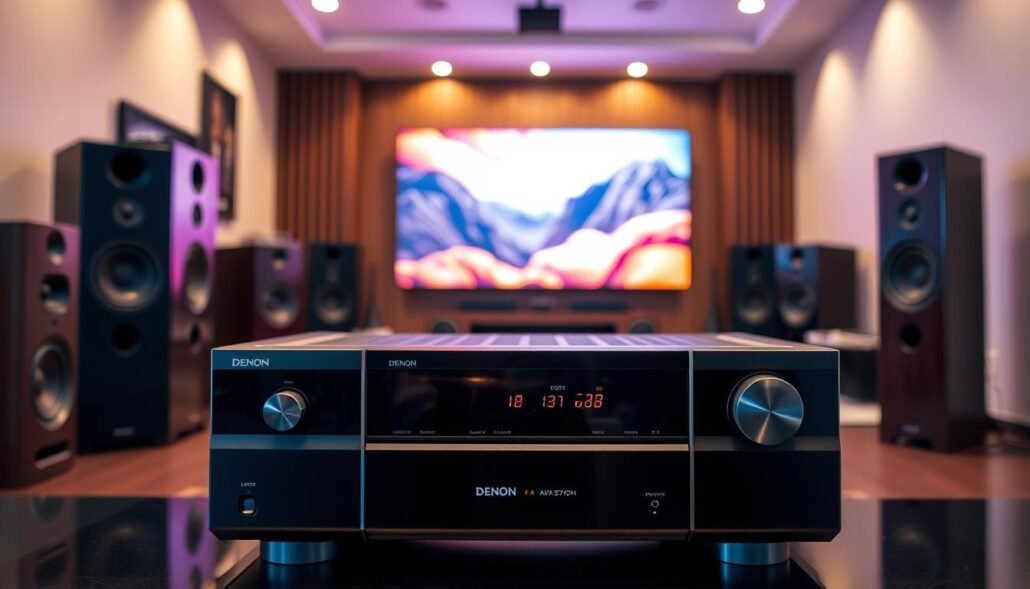
The unit offers 7.2 channels with Dolby Atmos and DTS:X, giving modern home theater formats full decoding. It lists roughly 75W/8Ω (two-channels driven), which is plenty for typical living rooms and mid-size speakers.
What you get: a muscular, engaging sound that works equally well for movies and daily music. Bluetooth and Spotify Connect make streaming fast and phone control simple.
Key features include solid surround decoding, reliable HDMI switching, and useful streaming tools at a friendly price point—often under ~$500. That blend makes this unit a top pick for most households.
Tradeoffs: it lacks Chromecast, and the HEOS app can feel clunky to some users. These limits matter if you rely on specific casting workflows or expect flawless app polish.
This receiver fits buyers who want one box for streaming, casual gaming, and immersive sound without overspending. Before you buy, confirm the HDMI input count matches your consoles, streaming boxes, and Blu‑ray player so the hub functions as you expect.
Best budget receiver: Sony STR-DH590
For budget buyers who want simple, reliable home theater without extras, the Sony STR-DH590 is a clear entry point.
Why pick it: the unit delivers straightforward 5.1 playback and clean HDMI switching while keeping the overall price low.
Who it fits
Good for small rooms and apartment setups. The STR-DH590 praises clear dialogue and crisp detail for movies and TV. Its 4K passthrough preserves your TV’s picture when switching sources.
Who should skip it
The receiver lists 145W/6Ω (two-channels driven), so large floorstanding speakers may lack headroom and impact. If you run power-hungry towers, expect softer dynamics and less bass slam.
- Ideal pairing: compact bookshelf or satellite speakers and a modest subwoofer.
- Check inputs: confirm available HDMI inputs for your console, streamer, and disc player before buying.
- Budget logic: spend less on the amp if you plan to stay with a 5.1 set and easy-to-drive speakers.
| Feature | Benefit | Buyer tip |
|---|---|---|
| 5.1 channels | Simple surround | Great for small rooms |
| 4K passthrough | Preserves TV image | Connect sources through the receiver |
| 145W/6Ω (two-ch) | Good for efficient speaker | Avoid large towers |
Best for Dolby Atmos enthusiasts and long-term upgrades: Denon AVR-X3800H
For serious Atmos setups, the Denon AVR-X3800H acts as a flexible system hub designed to grow with your room and speaker ambitions.
Channel flexibility, pre-outs, and building a bigger system over time
11.4 channels gives practical headroom for multiple height layers and dual sub integration. Installers can add height arrays without replacing the main unit.
The AVR-X3800H offers assignable pre-outs and a new surround processor. That makes it simple to add external amplification for more power and cleaner dynamics as your system expands.
What “8K upscaling on HDMI inputs” means in real-world use
All six HDMI inputs list 8K upscaling. In practice, this helps with switching and compatibility. It can scale a lower-res source to a higher output, but it does not create native ultra-high-pixel content.
eARC passes high-bitrate sound from TV apps back to the receiver. That keeps object audio formats intact and reduces extra cabling during upgrades.
- Why pay more: advanced processing and channel count let Atmos layouts sound fuller and more precise.
- Expansion value: pre-outs let you add amps later instead of buying a new receiver.
- Tradeoffs: larger footprint, higher price, and more setup work—but much greater long-term flexibility and power.
| Feature | Practical benefit | Buyer tip |
|---|---|---|
| Channels (11.4) | Supports multiple height layers and extra subs | Plan speaker layout before purchasing |
| Assignable pre-outs | Add external amps to increase power and headroom | Use for towers or bi-amped fronts |
| 8K upscaling (6 HDMI inputs) | Improves switching and compatibility with modern TVs | Don’t expect native higher-pixel creation |
| eARC | High-quality return audio from TV apps | Use single HDMI cable for video + lossless audio |
For buyers planning phased upgrades—more speakers, better subs, or dedicated amps—the AVR-X3800H is a long-term anchor. If you prefer plug-and-play simplicity, weigh the extra complexity and cost against the future gains before deciding.
For model comparisons and alternative picks, see our curated list of top options for different budgets and needs: best AV receiver picks.
Best for wireless surround: Yamaha RX-V4A with MusicCast
For rooms where layout and aesthetics win, wireless surrounds offer a practical route to cleaner placement and fewer compromises.
The Yamaha RX-V4A is a 5.2-channel unit delivering about 80W/6Ω (two-channels driven). Its real draw is MusicCast pairing with MusicCast 20, 50, and Sub 100 modules to create a largely wireless setup.
How wireless surround changes layout and design constraints
Wireless surrounds reduce speaker-wire runs and free up floor and wall choices. Open-concept living areas and rentals benefit most because you can move furniture without redoing cables.
What you give up compared to Atmos/DTS:X-focused models
Tradeoffs matter: the RX-V4A does not decode Dolby Atmos or DTS:X. You gain simpler installation and neat design, but lose some immersive format options and long-term expansion headroom.
- Practical sound: solid for everyday movies and TV.
- Connectivity: MusicCast simplifies pairing and multi-zone control.
- Design note: the unit looks sleek, though materials feel less premium than high-end models.
| Feature | What it means | Buyer tip |
|---|---|---|
| Channels | 5.2 | Good for compact home setups |
| Wireless pairing | MusicCast 20/50/Sub 100 | Minimizes wiring in the room |
| Immersive formats | No Atmos/DTS:X | Choose if layout beats max immersion |
Best for music-first buyers and audiophiles
A music-first buyer looks for warm tonal balance, low noise, and easy phone-based playback for everyday listening. Priorities include consistent sound quality at low volumes, natural midrange, and a simple app or streaming flow.
Denon AVR-S970H — warm, engaging playback with Apple AirPlay 2
The Denon AVR-S970H is a strong pick for listeners who want warm sound and simple streaming. It offers 7.2 channels, Dolby Atmos and DTS:X decoding, and about 90W/8Ω (two-ch driven).
Apple AirPlay 2 makes phone control and multi-room playback straightforward. Downsides: no Chromecast and an older on-screen interface.
NAD T 778 — premium sound and a modern interface
The NAD T 778 delivers a refined, high‑quality presentation with 9.2 channels and roughly 110W/8Ω (two-ch driven). Its touchscreen and clean UI appeal to daily users who value tactile control and top-end sonic detail.
Note: the unit omits DTS:X, which may limit playback of some audio formats from specific sources.
What to watch: format availability and real-world tradeoffs
- Confirm format needs: missing DTS:X on a premium unit can affect compatibility for some Blu‑ray or disc-based audio tracks.
- Choose Denon for warm music value and AirPlay convenience; pick NAD if premium sound and interface justify the extra cost.
- Remember: speaker choice and room treatment influence perceived audio quality as much as the receiver.
| Model | Channels | Key note |
|---|---|---|
| Denon AVR-S970H | 7.2 | Warm sound, Apple AirPlay 2, 90W/8Ω |
| NAD T 778 | 9.2 | Premium sound, touchscreen, 110W/8Ω; no DTS:X |
Setup and compatibility checklist to avoid costly mistakes
A short compatibility sweep prevents returns and keeps your system working from day one.
HDMI cable and connection planning for your inputs and outputs
Inventory every source and display. List each console, streamer, Blu‑ray box, and TV or projector. Match that total to the receiver’s hdmi inputs and outputs before you buy.
Choose cables rated for the bandwidth you need. For gaming features and high refresh rates, use cables specified for current hdmi standards to avoid lost features.
Room calibration, speaker layout, and subwoofer outputs
Use auto-calibration and place the mic where listeners sit. Proper placement fixes dialog clarity and bass integration faster than tweaking by ear.
Follow basic speaker rules for 5.1, 7.1, or Atmos: symmetry, equal distances, and toe-in for front channels improve imaging. Measure and mark positions before installation.
| Sub outputs | When useful | Result |
|---|---|---|
| Single | Small rooms, one seat cluster | Simple setup, less cost |
| Dual | Large rooms or wide seating | Smoother bass across seats |
| Placement | Corner vs center | Affects blend and room modes |
Control and usability: on-screen UI, apps, and day-to-day operation
Try the app and remote before committing. Some models have clunky apps or dated on-screen menus; these affect daily satisfaction more than extra features do.
Finally, do a last compatibility sweep: confirm your TV supports eARC if you rely on TV apps, and ensure each console or PC aligns with the receiver’s hdmi feature set.
Conclusion
, Practical system design centers on usable bandwidth, verified inputs and outputs, and how the unit handles everyday streaming and gaming.
True consumer 10K playback is not a meaningful buying standard today. Focus on HDMI 2.1 paths, reliable switching, and real format support for the sources you own to get better sound and audio performance.
By price and use case: pick the Denon AVR-S760H for best overall value, Sony STR-DH590 for budget simplicity, Denon AVR-X3800H for long-term upgrades, Yamaha RX-V4A for MusicCast wireless surrounds, Integra DRX-3.3 for Sonos integration, NAD T 778 for premium music, and Marantz NR1711 for gaming/VRR.
Remember the full chain matters: sources, hdmi cables, display, speakers, and room shape the final quality. Verify inputs, eARC outputs, app stability, and streaming playback before you buy so the system stays useful over time.
Final point: choose the unit that matches your home goals today and leaves a clear upgrade path for speakers and channels later.
FAQ
What does “10K support” actually mean for an AV receiver today?
“10K support” in marketing usually refers to a receiver’s claimed ability to pass or handle very high pixel counts, but in practical terms modern AV units focus on HDMI bandwidth and standards (like HDMI 2.1) rather than native 10K processing. Real-world compatibility depends on HDMI version, maximum bandwidth (48 Gbps for full HDMI 2.1), and whether the receiver can switch or pass through high frame-rate HDR signals without downscaling. Most manufacturers advertise future-ready bandwidth and compatibility rather than true 10K upscaling or decoding.
Is passthrough the same as upscaling or full processing?
No. Passthrough means the receiver passes the incoming video signal to the display unaltered. Upscaling means the receiver actively processes and increases image resolution before sending it to the TV. Many receivers offer passthrough for higher resolutions and frame rates while only a few perform native upscaling. Check spec sheets for explicit upscaling claims and look at HDMI switching bandwidth to understand limits.
Why do I see 4K and 8K listed more often on spec sheets?
4K and 8K are current industry standards with clearly defined HDMI and display support. Manufacturers certify products against these standards and the supporting HDMI feature set. Because 8K falls within the HDMI 2.1 spec, it’s a real, tested capability sellers can list. Claims beyond that are rare because display and source ecosystems haven’t standardized higher formats, and bandwidth requirements grow quickly.
How should I read “switching” and HDMI standards when shopping?
Look for specific terms: HDMI 2.1 (or 2.1a), 48 Gbps bandwidth, eARC, VRR, and fixed-frequency support (e.g., 4K120). “Switching” means how many inputs can carry the full bandwidth simultaneously and whether the receiver can change between sources without degrading signal. Read the fine print: some models limit full HDMI bandwidth to one input at a time or only support full features on selected HDMI ports.
Do any mainstream AV units truly support 10K playback or native 10K processing?
No mainstream AV models currently advertise native 10K playback or true 10K processing as a standard feature. Top receivers prioritize stable 8K passthrough, full HDMI 2.1 features, and robust audio decoding. If you need extreme future bandwidth, prioritize units with full 48 Gbps HDMI 2.1 switching and modular upgrade paths, but expect real-world use to remain 4K/8K for the foreseeable future.
What HDMI inputs and outputs should I count before buying?
Count total HDMI inputs for all your sources (game console, Blu‑ray, streamer) plus at least one ARC/eARC-capable output for your TV. If you use a high-end game console, ensure at least one input supports 4K120 and VRR. For future-proofing, prefer models that offer multiple full-bandwidth HDMI 2.1 ports instead of only a single full‑feature port.
How important is eARC for streaming apps and TV audio?
Very. eARC carries high-bitrate multichannel audio (Dolby Atmos, DTS:X, lossless formats) from TV apps and connected devices back to the receiver without compression. If you rely on smart TV apps or want the best audio from modern streaming devices, choose a receiver with robust eARC implementation.
Which HDMI features matter most for gaming?
For gaming, prioritize HDMI 2.1 features: Variable Refresh Rate (VRR), Auto Low Latency Mode (ALLM), and 4K at 120 Hz support. These reduce lag and improve motion smoothness. Confirm the receiver and the route (receiver-to-TV vs. direct-to-TV) both support the same gaming features to avoid losing VRR or 4K120 compatibility.
Should I route a PS5 or Xbox through the receiver or directly to the TV?
Route through the receiver if you want full audio formats (Atmos/DTS:X) and a single HDMI connection for all devices. Route direct to the TV if your receiver lacks necessary HDMI 2.1 features or if passthrough introduces latency. Many users combine approaches: run consoles through the TV when maximizing VRR/4K120 and use eARC to send audio to the receiver.
Which sound formats should I prioritize for home cinema?
Dolby Atmos and DTS:X provide immersive height channels and object-based mixing, so prioritize receivers that decode these formats if you build a modern home theater. Channel count and proper speaker placement influence the real-world experience more than headline format support.
How do wattage ratings translate to real-world speaker performance?
Wattage tells you potential power output but is often measured under specific test conditions (e.g., two channels driven). Higher continuous power helps drive large or low-sensitivity speakers cleanly at high volumes. Match receiver power to speaker sensitivity and room size to avoid clipping or distortion.
What network and streaming features are worth paying for?
Useful features include Spotify Connect for seamless mobile control, Apple AirPlay 2 for iPhone/iPad streaming, and a reliable app or UI. Ecosystem compatibility (HEOS, MusicCast, Sonos) matters if you want multi-room audio. If you prioritize pure music quality, a dedicated network streamer or preamp with high-rate DACs may be preferable.
When does a dedicated network streamer make sense?
Choose a dedicated streamer when you demand the best music quality, want advanced file support (high-res formats, MQA), or need a superior user interface and metadata handling. Streamers often pair better with audiophile preamps than full surround receivers for critical listening rooms.
Can I use wireless surrounds reliably?
Wireless surrounds work well with systems designed for them (e.g., Yamaha MusicCast, Sonos) and provide easier placement. Expect slightly higher latency and potential limitations in speaker matching and Atmos placement versus wired surrounds. For best timing and fidelity, wired connections remain preferred in critical setups.
How should I plan budget and price expectations?
Entry-level receivers provide basic surround and 4K passthrough at lower prices and suit small rooms. Midrange models balance power, features, and connectivity (good sweet spot). High-end units offer more channels, pre-outs, advanced room correction, and robust processing — you pay for expanded capability and refinement. Match features to real needs rather than buying top specs for future hypothetical use.
What should I check during setup to avoid mistakes?
Verify HDMI cable capability (48 Gbps for full HDMI 2.1), map inputs/outputs correctly, confirm eARC and gaming features work end-to-end, and run room calibration. Plan speaker layout, confirm subwoofer outputs (single vs dual) and ensure app/control interface meets daily usability needs.
Which mainstream receiver offers the best balance for most buyers?
Many buyers find Denon AVR-S760H offers strong sound, useful network features, and practical pricing. It provides modern connectivity and good audio decoding without tipping into high-end pricing. Consider tradeoffs like app polish and whether Chromecast built-in is a must for your ecosystem.
Which budget model is a sensible starting point?
Sony STR-DH590 suits buyers seeking simple surround, reliable detail, and 4K passthrough at a low price. It works well for smaller rooms and lighter speaker loads; skip it if you need heavy power or large speaker arrays.
For Dolby Atmos and long-term upgrades, what features matter most?
Look for flexible channel counts, pre-outs for external amplification, and robust HDMI 2.1 switching. Models like Denon AVR-X3800H illustrate how pre-outs and extra channels let you expand without replacing the core unit. “8K upscaling” claims help for legacy sources but won’t substitute for a quality display and correct cabling.
What should music-first buyers look for?
Prioritize warm, engaging sound signature, AirPlay 2 for iOS integration, high-quality DACs, and good network streaming support. Units such as Denon AVR-S970H and NAD T 778 focus on musicality and modern streaming features. Confirm format and codec support for your library and preferred services.
Any final tips on matching a receiver to speakers and room?
Match receiver power to speaker sensitivity and room size, choose speaker types (bookshelf vs floorstander) based on listening distance and bass needs, and trust room calibration systems to optimize performance. Focus on real listening conditions rather than headline specs to achieve the best sound quality for music and cinema.