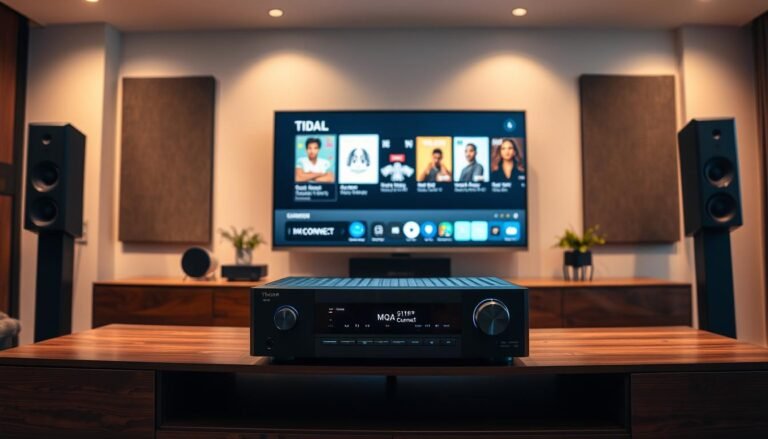
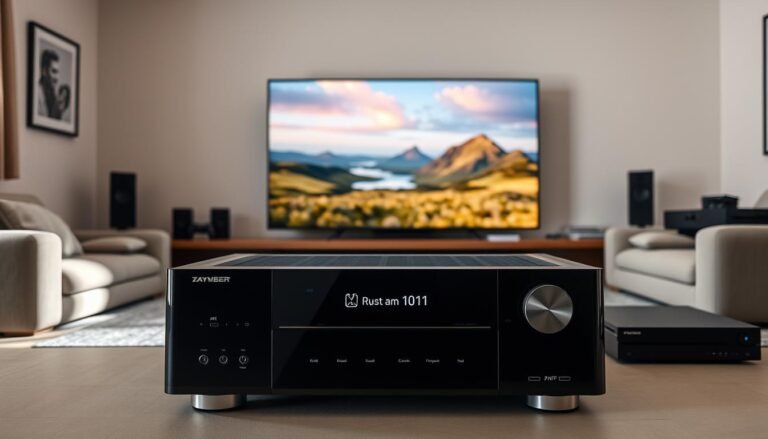
Quick answer: This guide explains whether a soundbar can be linked with an AV receiver and what “connected” actually means. Readers in the United States who already own an AV receiver will learn if adding a soundbar helps with TV dialogue or simpler listening.
Why this is confusing: Both devices often act as the hub of an entertainment setup. They are not usually designed to be chained as equals, so choices about inputs and outputs matter more than just matching ports.
This section previews what follows: what is possible, the best wiring order, and fallback plans when gear does not support a desired hookup. It also notes that TV-first wiring via ARC/eARC is the most reliable modern approach.
Expect practical tips on compatibility, common handshake issues, and simple troubleshooting for no sound, wrong input, or volume control problems when integrating a receiver, soundbar, and other AV components in one system.
Can you Connect a Soundbar to a Receiver? What’s Possible and What Isn’t
A quick reality check clears common myths about chaining two audio controllers.
What each unit is built for: A receiver handles many inputs and powers speakers. A soundbar is the single TV endpoint that simplifies setup.
Trying to make both act as hubs often causes conflict. Each device may expect to control inputs and volume. That leads to input selection fights and missing connections.

- Works most often: TV sends audio to the soundbar via HDMI ARC/eARC while the receiver sends video to the TV.
- Not usually possible: Feeding receiver audio into many premium soundbars as if they were passive speakers.
- Reality check — Sonos Arc: Some models (like the Arc) lack a general-purpose input. A Denon AVR user found the Arc cannot accept receiver radio as an input; the app-based workaround was suggested instead.
- Ports to know: HDMI inputs, HDMI ARC/eARC, optical (TOSLINK), and analog line-in (often absent on higher-end bars).
Bottom line: Model behavior matters. The cleanest, most compatible setup treats the TV as the switch when using ARC/eARC in your home system.
How to Connect a Soundbar to a Receiver Using the Best Available Method
Let the TV do the switching and use HDMI ARC/eARC to return sound to your external audio setup.
Recommended TV-first setup: Plug each streaming box, game console, or cable device into the TV HDMI inputs. Then use the TV’s HDMI ARC/eARC port to send audio back to the soundbar. This is the simplest way for most homes because the TV becomes the input manager and the ARC link handles audio return.
Connecting with HDMI ARC
Find the TV HDMI port labeled ARC or eARC. Use a compatible HDMI cable from that port to the bar’s ARC/eARC input.
Enable HDMI-CEC and ARC in the TV settings if audio does not route automatically. A known-good cable and the correct port solve most handshake problems.
When the receiver belongs in the chain
If you need extra HDMI switching, plug sources into the receiver and use its HDMI out to the TV. Only route TV audio to the soundbar when the bar will be the primary audio output.
Otherwise, the receiver plus passive speakers remains the main system and adding the bar becomes redundant.
Alternative wiring and streaming workarounds
No ARC? Use the TV’s optical output to the bar. Optical works but may limit formats and control options.
If the bar cannot accept receiver input for radio, use built-in streaming or the bar’s app services as a practical workaround.
- Decision flow: ARC/eARC available → TV-first.
- No ARC → optical.
- Want receiver-only listening → receiver + speakers.
- Need radio in the bar → use streaming services.
Troubleshooting Compatibility Issues with HDMI, ARC, and Device Handshakes
HDMI handshakes and EDID mismatches are the usual suspects when sound seems to vanish or behave oddly.
Common symptoms: no audio, intermittent audio, stereo-only output, input switching problems, and volume control that won’t sync between the TV and soundbar.
Older receiver or TV gear may advertise or expect HDMI 2.0 and HDCP 2.2. When one device reports newer capabilities and another cannot match them, video might pass while audio or control features fail.
What a handshake means: at startup devices exchange EDID and capability info. If any device passes incorrect data, the chain can limit audio formats or block remote control signals.
- EDID quirks can cause the TV remote to fail to power on or repeatedly prompt for inputs.
- More boxes in the chain raise the chance of control conflicts and false capability reports.
Isolation steps: first, plug the soundbar directly into the TV ARC/eARC port and test. Add the receiver or other device one at a time until the fault appears.
Fast backup plans: switch the TV audio output between ARC, optical, and internal speakers to see if routing or hardware is at fault. Try a different hdmi cable, confirm the ARC-labeled port on the TV, and check the bar’s HDMI jack.
When to simplify: reducing HDMI hops often fixes edge-case problems. Fewer links improves reliability if you mix a receiver, soundbar, and multiple sources in one system.

Conclusion
A neat, TV-first layout usually solves most mixed-hardware headaches.
Key takeaway, most systems allow a receiver and a soundbar to coexist, but the receiver rarely feeds the bar unless that bar accepts a true external input. Plan wiring before you buy to avoid surprises.
For day-to-day reliability, use the TV as the input switcher and send sound back via ARC or eARC. Some designs, like the Sonos Arc, intentionally skip AVR inputs, so compatibility matters.
If issues appear, simplify the chain, re-check ports and settings, and confirm formats and control features.
FAQ
Can a soundbar work with an AV receiver?
Yes — many setups let a soundbar and receiver coexist, but they usually don’t act as equal partners. Receivers manage multiple source inputs and surround speakers. Soundbars act as self-contained fronts. The practical solution is to let the TV route audio and use HDMI ARC/eARC or optical from the TV to the soundbar. That keeps control simple and avoids conflicts between two audio hubs.
Will all soundbar models accept audio from a receiver?
No. Some models, notably certain Sonos and Roku Streambar units, don’t provide a standard line-level input for a receiver. Those designs expect a direct TV connection or network streaming. Check the model’s rear-panel ports and the manual before planning a wired link from an AVR.
Which ports and terms should I know before wiring?
Look for HDMI ARC and eARC, HDMI inputs, optical (Toslink), and analog line-in. eARC supports higher-bandwidth formats like Dolby Atmos. HDMI ARC handles basic multichannel PCM and compressed formats. Older optical ports won’t carry Atmos and have bandwidth limits. Match the port capabilities to the audio you want.
What is the recommended setup for best compatibility?
The simplest, most reliable approach is a “TV-first” chain: connect sources (Blu-ray, game console, streaming box) to the TV, then run one HDMI ARC/eARC cable from the TV to the soundbar. This avoids routing multiple HDMI signals through the receiver and reduces handshake issues.
How do I set up HDMI ARC between TV and soundbar?
Plug an HDMI cable into the TV’s HDMI ARC or eARC port and into the soundbar’s matching HDMI port. Use a high-speed HDMI cable rated for eARC if needed. Then enable ARC/eARC and HDMI-CEC in the TV’s audio and control menus. Finally, set the TV audio output to external speakers or ARC.
When should the receiver be placed before the TV in the chain?
Use the receiver-first layout when you rely on the AVR for switching and surround processing. Route source HDMI cables into the receiver, then run the receiver’s HDMI output to the TV. If you still want sound from a soundbar, the TV must pass that audio back via ARC/eARC — a less common and sometimes troublesome arrangement.
What are alternatives if HDMI ARC isn’t available?
Use optical (Toslink) from the TV to the soundbar for stereo or compressed surround. Some soundbars accept analog RCA or 3.5mm line-in for basic audio. Network streaming (Spotify Connect, AirPlay, Chromecast) and built-in apps can also deliver sound directly to the bar without HDMI.
Can built-in streaming services replace AVR routing for some use cases?
Yes. If your goal is to play music or streaming radio through the soundbar, using the bar’s built-in apps or casting functions bypasses the receiver altogether. That often gives cleaner control and better connection reliability than chaining through multiple devices.
Why do HDMI handshakes sometimes prevent sound?
HDMI issues stem from mismatches in HDMI version, HDCP, or EDID data. Older HDMI 1.4 hardware may not support newer formats expected by modern soundbars or TVs, so audio may drop out or downmix unexpectedly. Using updated firmware and certified cables reduces handshake failures.
How do EDID and CEC affect remote control and power behavior?
EDID tells source devices what formats the display or soundbar supports; bad EDID can force downmixed audio. HDMI-CEC controls power and volume across devices, but different brands implement CEC differently. You may need to tweak TV or soundbar CEC settings to get consistent power and volume control.
What quick troubleshooting steps save time when audio fails?
Try these fast checks: use a known-good HDMI cable, switch the TV audio to external speakers, test other HDMI ports, update device firmware, and simplify the chain by connecting one source at a time. Swapping to the soundbar’s optical input can quickly show whether HDMI is the issue.
Do HDMI 2.0 and HDCP 2.2 requirements matter for streaming and 4K?
Yes. For 4K HDR and protected content, HDMI 2.0 or higher and HDCP 2.2 compliance matter. If the receiver or soundbar lacks these standards, video may pass while audio or protected streams fail. Confirm port specs when linking modern UHD sources.