Ready to simplify your living-room setup? This intro explains the core idea behind that question and helps you decide how you want your home entertainment to work day to day. Think of the unit as a central hub that accepts sources, routes video to your TV or projector, and sends audio to speakers.
This guide focuses on practical buying and setup in the present. You will learn why HDMI matters now — one cable carries high-quality video and audio and enables eARC and modern features. Expect clear advice on surround goals, room limits, and a TV-first streaming-heavy approach common in US living rooms.
What you’ll take away: how a single receiver can manage streamers, consoles, and Blu-ray players; who should pick a receiver versus a soundbar or stereo option; and which specs matter in 2025. The best choice depends on your room, your system, and planned upgrades — not just a spec sheet.
What an HDMI AV Receiver Is and Why It’s the Hub of a Home Theater
The control center in a theater system accepts inputs from devices, decodes audio, and routes output to speakers and screen.
AV receiver meaning in a modern home theater system
In plain terms: a receiver receives signals from your sources, processes surround formats, switches between inputs, and powers speakers. It centralizes switching, processing, and amplification so gear behaves as a single system.
How HDMI changes audio video connectivity compared to legacy cables
With HDMI you plug Apple TV, Roku, PlayStation, or a Blu‑ray player into the hub, then run one cable to your TV or projector. That single path carries both audio and video and supports higher‑bandwidth formats that optical or coax cannot.
Choosing the right unit starts by listing all your sources and devices. That prevents running out of inputs and ensures future upgrades fit.
| Function | Legacy Cables | Modern HDMI Workflow |
|---|---|---|
| Video wiring | Component/composite split across cables | Single HDMI out to TV/projector |
| Audio formats | Limited over optical/coax | High‑bandwidth Dolby/DTS support |
| Control | Manual switching, many remotes | Single‑cable device control and switching |
What an HDMI AV Receiver Actually Does Day to Day
A living-room hub simplifies daily playback by letting you switch sources with the remote instead of swapping cables.
Source switching made simple: multiple inputs let you move from a console to a streamer or disc player with a button press. No cable swapping, fewer remotes, and clear input labels on the display or app.
Signal routing: the unit sends video output to your TV or projector while directing sound to connected speakers. That keeps TV speakers out of serious movie or game sessions.
Amplification basics: modern receivers power several channels and manage which speaker gets which signal. A dedicated subwoofer output handles low bass for impact.
Surround decoding: today’s models decode formats like Dolby Atmos and DTS so effects map to the right channels and heights.
Everyday usability: guided on-screen setup, remote control, and auto-calibration speed installation. Always double-check levels, especially the subwoofer after auto-calibration.
What is an HDMI AV receiver and do I actually need one?
Deciding whether to add a multichannel hub comes down to how immersive you want movies and games to feel.
Who benefits: people seeking real surround sound, clearer dialog from a center channel, and stronger low end will notice the biggest change. Separate speakers plus a central unit outperform TV speakers for theater‑style impact.
You’ll likely benefit if you want real surround sound instead of TV audio
Immersion, not gear for gear’s sake. If you watch films with surround mixes or host movie nights, a multichannel setup makes effects move around the room and adds bass you can feel.
You may not need a receiver if you’re staying simple with stereo or a soundbar
For casual viewers who use built‑in streaming apps and prefer tidy setups, a quality soundbar or stereo system covers most needs with less fuss.
Quick self-check: room size, speakers, sources, and future upgrades
- Room: small rooms may not need many channels; large rooms benefit from more speakers.
- Speakers: decide how many you want now versus later.
- Sources: count consoles, streamers, and disc players you’ll connect.
- Future-proof: make sure the next device fits your port count and features.
| Decision Factor | When to Choose Receiver | When to Skip It |
|---|---|---|
| Immersion | Want true surround and height effects | Prefer compact stereo or single-bar sound |
| Simplicity | Willing to manage multiple speakers | Need minimal setup and fewer remotes |
| Expansion | Plan more sources or a new receiver later | Content is mostly stereo or TV app streaming |
Trigger points for buying a new receiver include adding multiple HDMI sources, stepping up to surround, or needing eARC and modern HDMI features. If most viewing is stereo or 5.1, better speakers may be the smarter upgrade than chasing advanced formats.
AV Receiver vs Soundbar vs Stereo Receiver for Your Living Room
Tradeoffs between neatness and immersion steer most buyers toward a soundbar, a two-channel system, or a multichannel setup with separate speakers.
Why separate speakers plus a receiver often outplay soundbars
Real placement matters. Properly placed left, right, and center speakers create convincing directionality that a single cabinet cannot match.
For theater-level immersion, multiple drivers across the room let effects move and anchor dialog to screen.
When a stereo receiver makes more sense
A two-channel path shines for music-first listeners, vinyl setups, or small rooms where surround channels add complexity but little benefit.
If you value stereo fidelity, a simple receiver with two great speakers gives better perceived quality than cheap multichannel gear.
- Paths: soundbar for simplicity; stereo receiver + two speakers for music; AV multichannel for true surround.
- Expectation: more than two channels are required for surround sound; two channels suit left/right listening.
- Practical: consider number of boxes and wiring tradeoffs against aesthetic and setup tolerance.
| Option | Best for | Setup complexity | Perceived quality driver |
|---|---|---|---|
| Soundbar | Small rooms, simple installs | Low | Bar design and processing |
| Stereo receiver + speakers | Music-first, vinyl fans | Medium | Speaker quality and placement |
| AV multichannel receiver + speakers | Home theater immersion | High | Number of channels and speaker layout |
Buyer’s tip: pick the path first, then shop receivers by HDMI, channels, and features that match your room and upgrade plans.
HDMI Inputs, Outputs, and Video Switching That Matter in 2025
A busy home theater lives or dies by how it handles HDMI connections and video routing.
Plan your ports. Start by listing every current source: cable box, streamer, Blu‑ray, PS5/Xbox, Switch, and PC. Then add one extra input to make sure you don’t run out later.
Key specs and routing
For reliable 4K playback look for HDMI 2.0a with HDCP 2.2. If 8K or gaming features like 4K/120Hz and VRR matter, favor HDMI 2.1. Outputs usually include the main HDMI out to a TV; some models offer a second output for a projector or extra display.
eARC and gaming workarounds
eARC lets a TV return high‑res audio to the hub so a TV‑first setup can still deliver Atmos. If your unit lacks HDMI 2.1, connect modern consoles directly to a TV that does 4K/120Hz and use eARC to send sound back.
- Switching convenience: keeps devices connected and avoids cable juggling.
- Copy protection: check HDCP support to prevent black‑screen problems.
- Buying tip: in 2025 HDMI capabilities often outrank tiny amp spec differences when choosing a new receiver.
Channels, Speaker Outputs, and Layout Planning for Surround Sound
Deciding how many channels to run starts with your seating layout and the room’s acoustics. One channel usually powers a single speaker, and the “.1” indicates a subwoofer channel. Plan with that simple rule so you buy the right number of amplified outputs for today and later.
Understanding channels versus speakers: 2.1, 5.1, 7.1, and beyond
2.1 gives basic punch with left and right plus a subwoofer. A 5.1 layout adds rear surrounds for true surround sound. 7.1 helps larger rooms or seating far from the back wall by adding extra side or rear speakers.
Dolby Atmos height options and when they matter
Dolby Atmos adds height cues that make rain and aircraft feel three-dimensional when content supports it. In small rooms, better front imaging and sub placement often beat adding heights.
Planning for dual subs and future outputs
Two subwoofers smooth bass across seats and reduce nulls. Choose a unit with spare outputs so you can add surrounds or height speakers over the years without replacing the whole system.
Want suggestions for models with flexible channel counts and good outputs? See the guide to the best receivers for most people to match layout plans to gear.
Power, Sound Quality, and Matching a Receiver to Your Speakers
Power numbers on paper can mislead more than they inform when comparing amps from different brands. A higher watt rating does not always equal louder or cleaner playback in your room.
Look for clean power specs instead of marketing watts. Good indicators are full‑bandwidth ratings (20Hz–20kHz) stated with a low THD figure and a tested power at 8 ohms. That shows usable output across the audio band.
Impedance matters. Most gear quotes power into 8 ohms. Match that to speaker specs to avoid overheating or instability. If your loudspeakers are 4 ohms, pick an amp that supports lower loads or use an external power stage.
- Headroom: needed for movie peaks so the system does not clip during explosions or orchestral crescendos.
- System approach: speakers, unit, and room shape perceived quality more than a single spec.
- Upgrade path: models with pre‑outs let you add a separate amplifier later for demanding speakers.
| Factor | What to check | Why it matters |
|---|---|---|
| Wattage spec | 20Hz–20kHz rating with THD% | Shows clean, full‑band power, not peak marketing watts |
| Impedance | Power quoted at 8 ohms; support for 4 ohms | Prevents strain and ensures stable operation with your speakers |
| Headroom | Reserve power for short peaks | Reduces distortion during dynamic movie moments |
| Features vs price | Ports, channels, pre‑outs | Pay for useful functionality, not just higher watt numbers |
Connectivity and Smart Features Worth Paying For
Built-in wireless tech changes how people send audio from phones to full speaker systems.
In a practical home setup, certain network features truly matter. Wi‑Fi streaming with services like Spotify and Tidal lets you play high-quality tracks without a separate streamer. Ecosystems such as HEOS or MusicCast add multiroom playback that stays simple for everyone in the house.
Wireless playback choices
Bluetooth pairs almost any device with minimal fuss but can reduce audio fidelity. AirPlay serves Apple users with near‑lossless CD quality over the local network. Chromecast built‑in can handle hi‑res audio up to 24bit/96kHz and works well for multiroom groups.
Convenience and control
App-based input switching, custom presets, and named inputs cut friction. A typical use case: someone opens Spotify on their phone and the unit powers on, selects the correct input, and starts playback automatically.
| Feature | Best for | Network need |
|---|---|---|
| Wi‑Fi streaming | High‑quality streaming, app control | Stable home Wi‑Fi or Ethernet |
| Bluetooth | Quick, universal pairing | No network required |
| AirPlay | Apple ecosystem, lossless on network | Reliable Wi‑Fi |
| Chromecast built‑in | Hi‑res, Android and Chrome users, multiroom | Strong Wi‑Fi or wired network |
Buy smart: pick features you will use weekly. Confirm the receiver supports your preferred services and voice assistants like Google Assistant or Alexa before buying.
Room Correction, Setup, and Placement Tips to Protect Performance
Protecting system performance means pairing smart room correction with sensible placement and cooling. Use auto‑calibration to map speaker positions, delays, and basic EQ. It removes many room problems fast.
Double‑check the subwoofer level. Auto tools often set bass too loud or too low. After calibration, confirm crossover and level by ear or with a simple SPL meter.
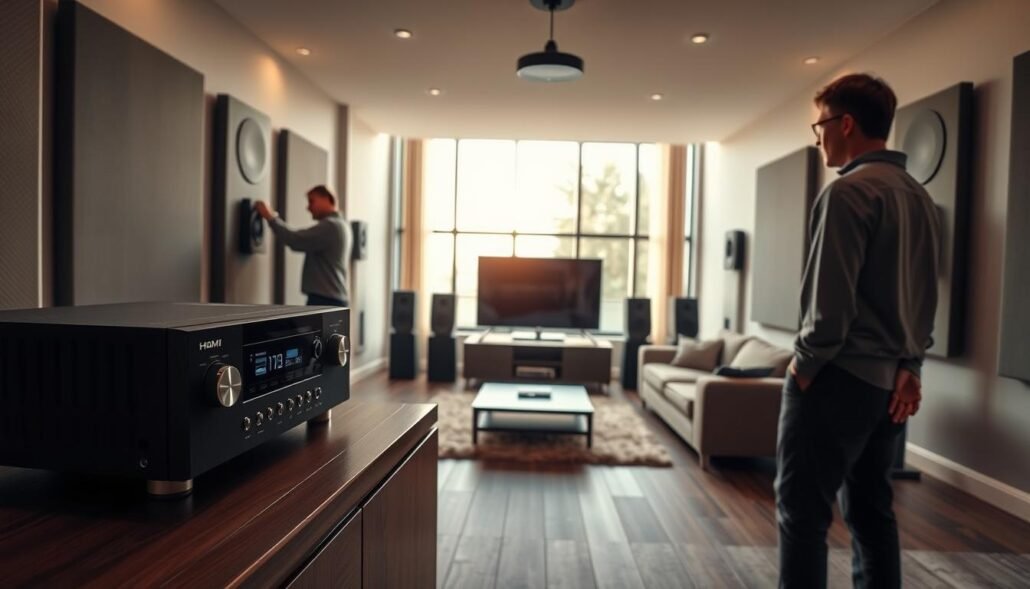
Simple verification workflow
- Confirm speaker sizes and distances the app reports.
- Play test tones and level‑match left, center, right, and subwoofer.
- Adjust sub crossover and phase until bass feels tight across seats.
Ventilation and placement
Receivers produce heat when driving power to speakers. Leave roughly 6 inches above the unit and avoid sealed cabinets. Good airflow helps the unit run cool and last for years.
| Area | Action | Why it matters |
|---|---|---|
| Room correction | Run auto‑cal, then tweak sub level | Fixes peaks/dips but may mis-set bass |
| Speaker placement | Small shifts can improve imaging | Furniture and open plans affect balance |
| Ventilation | 6″ above, clear front gaps | Prevents overheating and extends lifespan |
| Daily reliability | Label cables, secure connections | Simplifies troubleshooting and use |
Final tip: small room tweaks and a quick manual check after calibration often give the best, most reliable sound for everyday use. Make sure features you value are supported before final setup.
Conclusion
A smart central box organizes devices, routes video to your display, and lets you upgrade speakers without reworking the whole system.
In short: a receiver earns its place when you want true surround sound, a center channel for clear dialog, and a flexible home theater system that grows over time.
Prioritize enough HDMI inputs for your sources, the right number of channels for your speaker plan, and modern audio/video compatibility like eARC or Dolby Atmos for supported content.
Practical note: speaker choice, placement, and room setup shape perceived quality more than small model differences or extra power numbers.
Final test: stay with a soundbar or stereo and you likely don’t need a receiver; want immersive theater and expansion, and you probably do. Pick a model that fits budget, outputs, and features you will use.
FAQ
What role does an HDMI AV receiver play in a modern home theater?
A central hub for audio and video, it accepts multiple HDMI sources like Blu‑ray players, Apple TV, and game consoles, switches them without moving cables, routes video to your TV or projector, and sends multi‑channel audio to speakers and a subwoofer. It also decodes formats such as Dolby Atmos and DTS:X and provides power and room correction tools for better sound.
How does HDMI change connectivity compared with older cables?
HDMI carries both high‑res video and multi‑channel audio over one cable, replacing separate component video and analog audio runs. That simplifies setup, preserves signal quality for 4K/8K content, and enables features like eARC for high‑resolution audio return and CEC for basic device control.
Can a receiver switch between multiple HDMI sources?
Yes. Receivers act as HDMI switchers so you can connect Blu‑ray players, streaming boxes, consoles, and cable boxes to the unit and select sources via remote or app. This keeps your TV inputs free and reduces wear on TV ports.
Will a receiver send video to my TV while powering speakers?
Exactly. The receiver passes the selected HDMI video to the TV or projector while decoding and amplifying the audio for your connected speakers and subwoofer, keeping video and audio paths managed in one place.
Do receivers amplify sound for multiple speakers and a subwoofer?
Yes. Multichannel receivers provide built‑in amplification to drive front, center, surround, and height speakers plus one or more powered subwoofers. Some models let you bi‑amp or add external amplifiers if you need more power.
Which surround formats do modern receivers support?
Most mid‑range and high‑end receivers support Dolby Atmos, DTS:X, Dolby TrueHD, and other lossless formats. Check model specs for native Atmos object support and number of processed channels to match your planned speaker layout.
Are setup tools and room calibration included?
Yes. Many receivers include on‑screen setup menus and automatic room correction systems like Audyssey, Dirac Live (on some models), or vendor equivalents. These tools help balance speaker levels, distance, and bass, though manual tweaking is often useful for final subwoofer level.
Do I need a receiver if I only want TV audio or a simple stereo setup?
Not necessarily. If you use the TV’s built‑in speakers or a basic soundbar, a full multichannel receiver may be overkill. A stereo receiver or integrated amplifier can suffice for two‑channel listening. Choose based on sources, room size, and desire for surround immersion.
When will a receiver noticeably improve my listening experience?
If you want true surround sound for movies, object‑based formats like Atmos, or a flexible hub for multiple sources and a subwoofer, a receiver delivers clear benefits. Larger rooms and higher speaker counts make the improvement more obvious than in small spaces.
How should I self‑check whether to buy a receiver?
Consider room size, number and type of speakers you want, current and future sources, and whether you expect upgrades like height channels or dual subs. Also factor budget, whether you need HDMI switching, and if you want streaming, network, or gaming features.
How do receivers compare with soundbars and stereo amps?
A well‑matched speaker system driven by a receiver outperforms most soundbars for immersion and dynamic range. Soundbars are convenient and compact. Stereo receivers work best for two‑channel music lovers who don’t need surround processing or many HDMI inputs.
How many HDMI inputs should I plan for?
Aim for at least four to six inputs to cover Blu‑ray, streaming box, cable/satellite, two consoles, and a media PC. If you use a TV with pass‑through for smart apps, you might need fewer. Always leave room for future devices.
Which HDMI specs matter in 2025?
Look for HDMI 2.1 support if you want 4K/120Hz, 8K, VRR, and low‑latency gaming features. HDMI 2.0a still handles most 4K content. Also check HDCP 2.2/2.3 compatibility and whether the receiver supports eARC for high‑res audio return from a TV.
What is eARC and why should I care?
eARC (enhanced Audio Return Channel) sends high‑bitrate, lossless audio from your TV to the receiver over HDMI. It’s essential if you rely on TV apps (Roku TV, Samsung Tizen) or smart TV streaming and want Atmos or Dolby TrueHD to feed your home theater system without quality loss.
What gaming features should I check if I play on console or PC?
For the best experience, pick a receiver that supports 4K/120Hz passthrough, VRR, and low latency. If the model lacks full HDMI 2.1, you can sometimes connect consoles directly to the TV and use eARC for audio, but that may limit certain features.
How do channel counts translate to speaker layouts?
Channel counts indicate the number of powered outputs: 2.1 for stereo+sub, 5.1 for standard surround, 7.1 for additional surrounds, and configurations like 5.1.2 show two height channels for Atmos. Choose a receiver that supports your planned layout plus room for future expansion.
When do height speakers for Dolby Atmos help?
Height channels add vertical placement and object localization for cinematic effects. They help when room height and seating positions allow clear reflections or when ceiling/height speakers can be installed. In small rooms, simulated or upfiring speakers may work better.
Should I plan for dual subwoofers?
Dual subs even out low‑frequency response and reduce nulls in larger or asymmetrical rooms. If you want accurate bass and consistent seat‑to‑seat response, two subs often outperform a single larger unit.
What should I look for regarding power and speaker matching?
Don’t judge amps by peak watt claims. Look for continuous power ratings (RMS) at relevant impedance and reputable measurements. Match receiver output and speaker sensitivity/impedance—8‑ohm speakers pair easily with most receivers; low‑sensitivity or 4‑ohm loads may need more robust amplification.
Why might speakers matter more than the receiver for sound quality?
Speakers determine timbre, imaging, and bass response. A modest but well‑matched speaker set often yields a bigger perceived improvement than upgrading to a higher‑end receiver. Invest in good speakers first, then pick a receiver that complements them.
What network and streaming features are worth paying for?
Wi‑Fi, Ethernet, and support for services like Spotify, Tidal, and Apple Music add convenience. Multiroom standards (Chromecast, AirPlay 2) and robust app control improve usability. Choose features that match your streaming habits and ecosystem.
How do Bluetooth, AirPlay, and Chromecast compare for wireless audio?
Bluetooth is universal but lossy. AirPlay 2 offers better quality and Apple ecosystem integration. Chromecast delivers high‑quality streaming from many apps and multiroom capability. Pick based on device compatibility and audio fidelity needs.
Are voice control and app input switching useful?
Yes. Voice assistants (Alexa, Google Assistant) and manufacturer apps streamline input switching, volume control, and streaming. They’re especially handy in complex setups with many sources and zones.
What does room correction do and what should I check manually?
Automatic correction adjusts levels, delay, and EQ to compensate for room anomalies. Always double‑check subwoofer level, speaker placement distances, and crossover settings after correction. Manual fine‑tuning often improves results.
How important is ventilation and rack space for receiver longevity?
Very. Receivers generate heat under load. Allow clearance and airflow, avoid closed cabinets without ventilation, and ensure good cable management. Proper cooling extends life and preserves performance.
How much should I expect to spend for a future‑proof model?
Basic multichannel receivers start in the low hundreds; feature‑rich models supporting HDMI 2.1, Dirac Live, and many channels sit in the mid to high hundreds or over
FAQ
What role does an HDMI AV receiver play in a modern home theater?
A central hub for audio and video, it accepts multiple HDMI sources like Blu‑ray players, Apple TV, and game consoles, switches them without moving cables, routes video to your TV or projector, and sends multi‑channel audio to speakers and a subwoofer. It also decodes formats such as Dolby Atmos and DTS:X and provides power and room correction tools for better sound.
How does HDMI change connectivity compared with older cables?
HDMI carries both high‑res video and multi‑channel audio over one cable, replacing separate component video and analog audio runs. That simplifies setup, preserves signal quality for 4K/8K content, and enables features like eARC for high‑resolution audio return and CEC for basic device control.
Can a receiver switch between multiple HDMI sources?
Yes. Receivers act as HDMI switchers so you can connect Blu‑ray players, streaming boxes, consoles, and cable boxes to the unit and select sources via remote or app. This keeps your TV inputs free and reduces wear on TV ports.
Will a receiver send video to my TV while powering speakers?
Exactly. The receiver passes the selected HDMI video to the TV or projector while decoding and amplifying the audio for your connected speakers and subwoofer, keeping video and audio paths managed in one place.
Do receivers amplify sound for multiple speakers and a subwoofer?
Yes. Multichannel receivers provide built‑in amplification to drive front, center, surround, and height speakers plus one or more powered subwoofers. Some models let you bi‑amp or add external amplifiers if you need more power.
Which surround formats do modern receivers support?
Most mid‑range and high‑end receivers support Dolby Atmos, DTS:X, Dolby TrueHD, and other lossless formats. Check model specs for native Atmos object support and number of processed channels to match your planned speaker layout.
Are setup tools and room calibration included?
Yes. Many receivers include on‑screen setup menus and automatic room correction systems like Audyssey, Dirac Live (on some models), or vendor equivalents. These tools help balance speaker levels, distance, and bass, though manual tweaking is often useful for final subwoofer level.
Do I need a receiver if I only want TV audio or a simple stereo setup?
Not necessarily. If you use the TV’s built‑in speakers or a basic soundbar, a full multichannel receiver may be overkill. A stereo receiver or integrated amplifier can suffice for two‑channel listening. Choose based on sources, room size, and desire for surround immersion.
When will a receiver noticeably improve my listening experience?
If you want true surround sound for movies, object‑based formats like Atmos, or a flexible hub for multiple sources and a subwoofer, a receiver delivers clear benefits. Larger rooms and higher speaker counts make the improvement more obvious than in small spaces.
How should I self‑check whether to buy a receiver?
Consider room size, number and type of speakers you want, current and future sources, and whether you expect upgrades like height channels or dual subs. Also factor budget, whether you need HDMI switching, and if you want streaming, network, or gaming features.
How do receivers compare with soundbars and stereo amps?
A well‑matched speaker system driven by a receiver outperforms most soundbars for immersion and dynamic range. Soundbars are convenient and compact. Stereo receivers work best for two‑channel music lovers who don’t need surround processing or many HDMI inputs.
How many HDMI inputs should I plan for?
Aim for at least four to six inputs to cover Blu‑ray, streaming box, cable/satellite, two consoles, and a media PC. If you use a TV with pass‑through for smart apps, you might need fewer. Always leave room for future devices.
Which HDMI specs matter in 2025?
Look for HDMI 2.1 support if you want 4K/120Hz, 8K, VRR, and low‑latency gaming features. HDMI 2.0a still handles most 4K content. Also check HDCP 2.2/2.3 compatibility and whether the receiver supports eARC for high‑res audio return from a TV.
What is eARC and why should I care?
eARC (enhanced Audio Return Channel) sends high‑bitrate, lossless audio from your TV to the receiver over HDMI. It’s essential if you rely on TV apps (Roku TV, Samsung Tizen) or smart TV streaming and want Atmos or Dolby TrueHD to feed your home theater system without quality loss.
What gaming features should I check if I play on console or PC?
For the best experience, pick a receiver that supports 4K/120Hz passthrough, VRR, and low latency. If the model lacks full HDMI 2.1, you can sometimes connect consoles directly to the TV and use eARC for audio, but that may limit certain features.
How do channel counts translate to speaker layouts?
Channel counts indicate the number of powered outputs: 2.1 for stereo+sub, 5.1 for standard surround, 7.1 for additional surrounds, and configurations like 5.1.2 show two height channels for Atmos. Choose a receiver that supports your planned layout plus room for future expansion.
When do height speakers for Dolby Atmos help?
Height channels add vertical placement and object localization for cinematic effects. They help when room height and seating positions allow clear reflections or when ceiling/height speakers can be installed. In small rooms, simulated or upfiring speakers may work better.
Should I plan for dual subwoofers?
Dual subs even out low‑frequency response and reduce nulls in larger or asymmetrical rooms. If you want accurate bass and consistent seat‑to‑seat response, two subs often outperform a single larger unit.
What should I look for regarding power and speaker matching?
Don’t judge amps by peak watt claims. Look for continuous power ratings (RMS) at relevant impedance and reputable measurements. Match receiver output and speaker sensitivity/impedance—8‑ohm speakers pair easily with most receivers; low‑sensitivity or 4‑ohm loads may need more robust amplification.
Why might speakers matter more than the receiver for sound quality?
Speakers determine timbre, imaging, and bass response. A modest but well‑matched speaker set often yields a bigger perceived improvement than upgrading to a higher‑end receiver. Invest in good speakers first, then pick a receiver that complements them.
What network and streaming features are worth paying for?
Wi‑Fi, Ethernet, and support for services like Spotify, Tidal, and Apple Music add convenience. Multiroom standards (Chromecast, AirPlay 2) and robust app control improve usability. Choose features that match your streaming habits and ecosystem.
How do Bluetooth, AirPlay, and Chromecast compare for wireless audio?
Bluetooth is universal but lossy. AirPlay 2 offers better quality and Apple ecosystem integration. Chromecast delivers high‑quality streaming from many apps and multiroom capability. Pick based on device compatibility and audio fidelity needs.
Are voice control and app input switching useful?
Yes. Voice assistants (Alexa, Google Assistant) and manufacturer apps streamline input switching, volume control, and streaming. They’re especially handy in complex setups with many sources and zones.
What does room correction do and what should I check manually?
Automatic correction adjusts levels, delay, and EQ to compensate for room anomalies. Always double‑check subwoofer level, speaker placement distances, and crossover settings after correction. Manual fine‑tuning often improves results.
How important is ventilation and rack space for receiver longevity?
Very. Receivers generate heat under load. Allow clearance and airflow, avoid closed cabinets without ventilation, and ensure good cable management. Proper cooling extends life and preserves performance.
How much should I expect to spend for a future‑proof model?
Basic multichannel receivers start in the low hundreds; feature‑rich models supporting HDMI 2.1, Dirac Live, and many channels sit in the mid to high hundreds or over $1,000. Match features to needs—don’t pay for unused extras.
Can I use a receiver for multiroom audio?
Many receivers include zone outputs or multiroom streaming via network features. If you plan whole‑home audio, look for dedicated zone outputs, built‑in streaming services, or compatibility with systems like Sonos or Chromecast.
,000. Match features to needs—don’t pay for unused extras.
Can I use a receiver for multiroom audio?
Many receivers include zone outputs or multiroom streaming via network features. If you plan whole‑home audio, look for dedicated zone outputs, built‑in streaming services, or compatibility with systems like Sonos or Chromecast.