This introduction sets clear expectations for a typical receiver span. Many units are replaced near the ten-year mark not because they fail outright, but because new formats and features push owners to upgrade. Modern AVR designs use denser boards and lead-free solder, which can reduce serviceability over time.
Repair costs often tip the balance. In some cases a current replacement costs only slightly more than an estimated fix. Older gear can run far longer; a third-hand NAD 3020 amplifier kept running for 25+ years after a simple capacitor refresh.
This guide explains why systems age on a spectrum. We cover how build choices, internal layout, and feature pace shape sound quality and the point when owners consider new models. Expect practical advice on extending equipment life and recognizing when a swap makes more sense than a repair.
Understanding AV receiver lifespan at a glance
Feature drift and evolving formats tend to push users toward newer models well before parts fail.
Typical years of service vary by use and build. Many owners retire a receiver near the ten-year mark because new codec support, streaming features, and HDMI standards change user expectations.
Typical years of service you can expect
Expect a common window of service around seven to twelve years for many modern avr units when used normally. Good ventilation and moderate volume extend practical life.
Why replacement often happens before total failure
Manufacturing trends — denser boards and lead-free solder — make repairs harder. Small audio issues or declining quality add up until the replacement point seems more sensible than repair.
- Systems kept cool and cleaned show fewer issues over years.
- Older stereo gear can run decades after simple maintenance, like capacitor work.
- Often the motivation to upgrade is format support and convenience, not a sudden failure.
How long do AV receivers typically last?
Real-world reports place most home theater units in a seven-to-ten year service window. Many owners replace a unit for new features rather than outright failure. Proper care can push that span into the low teens.
Real-world ranges: 7–10 years common, longer with care
Expect a receiver to deliver around 7–10 years in typical households. Light use, good airflow, and stable power help preserve performance.
Why some models run 12+ years while others end early
Certain models use sturdier components and a conservative build that reduce thermal stress. Those design choices improve reliability and sustain sound quality past a decade.
- Typical lifespan: 7–10 years; careful users see low teens.
- Design matters: robust components and cooling extend practical yrs in service.
- Usage and maintenance: light duty, clean power, and small upkeep protect sensitive parts.
- User choices: many people swap a unit the year a desired feature appears, not when it fails.
The biggest factors that influence lifespan
Internal design choices and parts quality set the stage for how reliably a unit performs over years. Key components such as capacitors, heat sinks, and transistors define baseline durability. Better parts and conservative thermal design raise the odds that a receiver will run cleanly for many seasons.
Heat is the primary stressor. Tight racks or a small space trap warm air and raise temperatures for amps and power stages. Dust and humidity accelerate corrosion and insulate hot parts, creating hotspots that invite early failure.
- Component choice: quality capacitors and robust transistors reduce stress under load.
- Placement and airflow: keep clearance in the room and use open shelving or vented racks.
- Usage patterns: frequent high-volume sessions without rest increase internal heat and shorten service intervals.
- Load matching: hard-to-drive speakers or heavy multi-channel demands raise power draw and accelerate wear.
| Factor | What to watch | Practical fix |
|---|---|---|
| Components | Quality capacitors, transistors, heat sinks | Choose models with documented parts, or recap when aging |
| Heat & placement | Tight space, trapped warm air | Increase clearance, add ventilation or fans |
| Dust & humidity | Insulating dust, corroded contacts | Regular cleaning and dehumidifier in damp rooms |
| Usage & load | High power, long sessions, low-impedance speakers | Give cooldowns, match speaker impedance, reduce continuous clipping |
Example: a receiver in a closed cabinet with poor airflow and dusty fans faces much higher risk of failure than the same model in an open shelf. Small changes in placement and habits yield big gains in longevity. Click expand on simple checks and you can protect your system today.
AVR vs stereo amp: does one last longer?
A simple stereo amp often survives decades because it avoids the extra heat and complexity found in multi-feature units.
Feature density in modern receivers packs digital boards, HDMI stages, and network modules into one chassis. That adds thermal load and more components that can fail over time.
Feature density, heat, and complexity in modern AVRs
One chassis doing many tasks runs hotter. More heat stresses solder joints, capacitors, and chips. That can shorten useful years compared with simpler designs.
Why simpler stereo systems can run for decades
Stereo amps have fewer circuits and cleaner signal paths. Conservative build choices and quality parts keep them stable for long time spans.
- Thermal load: fewer digital boards means lower operating temps.
- Maintenance: stereo gear often needs only occasional capacitor service.
- Sound focus: simpler amps prioritize music quality and reliable components.
| Type | Complexity | Typical service issues | Practical choice |
|---|---|---|---|
| Stereo amp | Low | Capacitor aging, occasional recapping | Buy for long-term music quality |
| Receiver | High | HDMI board faults, heat-related failures | Choose for features; plan upgrades |
| Conservative build | Medium | Minor wear, better longevity | Best balance of features and durability |
Decide by priorities: pick a stereo if sound and durability top your list. Pick a receiver if features and convenience matter more. Use this view to plan upgrade time and budget, and click expand on maintenance steps when you need them.
Obsolescence vs failure: why many receivers get replaced around 10 years
When streaming codecs and display standards move forward, a still-working unit can suddenly seem obsolete.
Features evolve fast. New codecs, improved dac designs, and updated connectivity can make an older receiver feel limited even if it powers on fine.
Warranty status and spare-parts support shape repair decisions. If a unit is out of warranty and parts are scarce, repair quotes rise quickly.
Cost versus value
Repair estimates that approach the price of a new model usually push owners to replace. A recent example reported a repair cost only slightly below a current replacement, which made buying new the logical money move.
- Assess whether current systems meet your streaming and playback needs.
- Check firmware support and spare-part availability before committing to a repair.
- Plan upgrades proactively to avoid rushed, costly choices.
| Reason | Impact | Decision tip |
|---|---|---|
| New formats & DAC gains | Perceived quality gap | Replace for better source fidelity |
| Warranty & parts | Higher repair cost, longer downtime | Favor models with longer service histories |
| Repair vs new cost | Low cost gap favors replacement | Compare total money outlay including features |
Common early-life issues and what they signal
Early signs of trouble often show as odd distortion or audio that drops in and out. These symptoms can mean marginal parts, assembly faults, or poor ventilation. Spotting them early helps avoid greater damage.
Distortion, intermittent audio, shutdowns
Distortion or intermittent sound usually points to stressed output stages or dirty contacts. Overheat shutdowns and protection modes often mean the unit is running too hot or a component is failing.
Channel failures, HDMI board faults, power supply problems
A single channel dropping out isolates the fault to relays, output transistors, or wiring. HDMI board faults and power irregularities are common in dense designs and can cause broader failure in a receiver or avr.
- Test different sources and cables before assuming a major fault.
- Check speaker wiring and reduce load to see if noise or shutdowns stop.
- Monitor chassis temperature; persistent overheating needs service.
| Symptom | Likely cause | Quick action |
|---|---|---|
| Distortion | Output stage stress | Lower volume, swap source |
| Single channel drop | Relay/output fault | Swap speakers, check wiring |
| Random shutdown | Overheat/power issue | Improve ventilation, test temps |
Example: follow a simple diagnostic flow — source swap, speaker check, load reduction, temperature monitor — before calling a tech. Some users report fewer early issues from Yamaha, Rotel, and Outlaw lines, which suggests build and QC matter. Use these signals to correct setup choices and, if a symptom persists, click expand for service options.
Heat is the enemy: ventilation and space planning
Preventing hotspots starts with simple room and rack choices you can make today.
Dense electronics inside modern chassis generate steady heat. Tight cabinetry traps that warmth and speeds wear on boards and power stages. Give gear a chance to breathe.
Clearances, racks, and airflow tips for your room
Target at least 2–3 inches of clearance on each side and 4–6 inches above the receiver. Open-back racks and vented doors let hot air escape.
Avoid stacking multiple components directly on top of one another. Arrange components for front-to-back airflow and use an open shelf for any unit that runs warm.
Recognizing and fixing hotspots in your systems
Dust acts like a blanket on heat sinks and boards. Clean vents and fans regularly to keep amps and power stages cooler.
Check hotspots by touch or use an infrared thermometer to map warm zones. Then reroute cables, move the unit, or add a quiet fan to restore flow.
- Clearance targets: 2–6 inches around chassis.
- Rack choice: open-back or vented front doors.
- Room tip: avoid closed cabinets and allow front-to-back ventilation.
- Housekeeping: weekly dusting near intake areas reduces recirculation.
- Power balance: spread heavy loads across smaller systems to lower localized heat.
| Issue | Cause | Fix |
|---|---|---|
| Overheat shutdown | Tight space, trapped heat | Increase clearance, add fan |
| Hot spot on board | Dust build-up | Clean vents, use compressed air |
| Uneven cabinet temps | Poor component placement | Rearrange for flow, open-back rack |
Maintenance habits that add years to your AVR
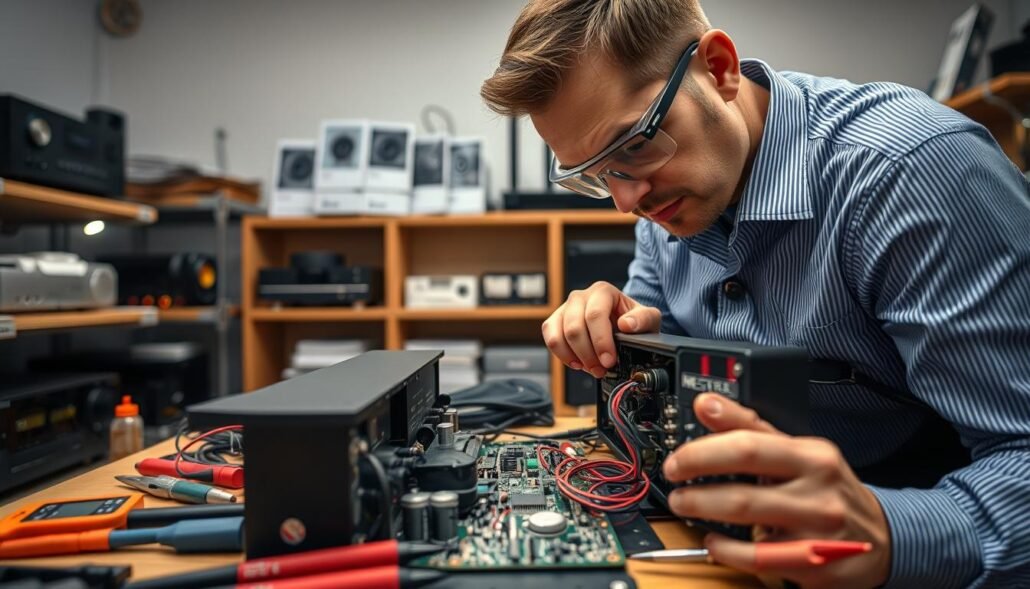
A steady maintenance routine keeps systems cooler and more reliable over years. Small, regular actions protect sensitive components and help preserve audio quality. Follow easy steps that fit into a simple day-to-day rhythm.
Safe cleaning to reduce dust buildup
Dust insulates heat sinks and clogs vents. Lightly brush or vacuum vent openings each week to stop buildup. Avoid spraying cleaners directly into the chassis.
Periodic inspections and connector care
Inspect cables and connectors every few months. Reseat interconnects to clear oxidized contacts that can cause noise or intermittent faults.
Keep a short log of any new noises or odd behavior. That record helps with warranty claims and troubleshooting later.
Power practices: standby vs off, surge protection, and daily use
Use a quality surge protector and consider staged power sequencing to limit inrush stress on power supplies. Let the unit cool after heavy sessions to avoid repeated heat cycles.
Balance convenience and longevity by choosing when to use standby versus a full off state. Follow manufacturer ventilation rules to avoid voiding warranty.
- Routine: light dusting and weekly vent checks.
- Inspection: reseat cables and check for loose connectors quarterly.
- Power: surge protection, cooldowns, and sensible off cycles.
| Task | Frequency | Benefit |
|---|---|---|
| Vent cleaning | Weekly | Reduces heat buildup and extends component life |
| Connector reseating | Quarterly | Prevents oxidation noise and intermittent audio |
| Surge protection & sequencing | Always | Protects power stage and preserves years of service |
Small habits add up: these checks are quick, noninvasive, and keep your receiver running well for more years without changing daily convenience. If you see recurring issues, click expand for deeper diagnostics or service options.
Speaker matching and system setup to prevent strain
Matching speakers to your receiver prevents unnecessary stress on output stages. Pick speakers whose impedance and sensitivity suit the amplifier. That simple choice cuts heat and lowers the chance of channel faults.
Impedance, sensitivity, and real-world amp power
Impedance tells you what load your amps will face. Lower-impedance speakers draw more current and can heat a receiver faster.
Sensitivity shows how loudly a speaker plays for each watt. Higher-sensitivity models need less power for the same sound, easing strain on the receiver.
Multi-channel loads, sub integration, and crossover settings
Running many channels at once raises aggregate power demand. Use realistic power figures, not peak specs, when planning full surround setups.
Integrate a subwoofer and set crossovers to move deep bass off the main channels. This improves sound and reduces thermal load on the amps.
- Calibrate levels to avoid clipping and thermal stress.
- Verify wiring and polarity to prevent false channel issues.
- Choose efficient speakers to lower receiver power demands.
| Setup area | Action | Benefit |
|---|---|---|
| Impedance match | Confirm speakers meet receiver specs | Reduces current draw and overheating risk |
| Sensitivity | Select higher-efficiency speakers when possible | Less amplifier power needed for same volume |
| Sub & crossover | Set crossover ~80–120 Hz and use sub integration | Shifts bass away from main amps; cleaner sound |
When to repair, recap, or replace
A clear symptom checklist helps choose between a simple recap, board-level repair, or buying new.
Component failures: capacitors, HDMI boards, and relays
Capacitors age and bulge, often causing hum, distortion, or a channel to drop. A visual check inside older units can reveal swelling or leakage.
HDMI board faults show as video loss, handshaking errors, or intermittent audio. Relays can stick and make click/no-sound problems when switching sources.
Recapping can extend life in analog-focused units where parts are available. For dense modern boards, board-level HDMI repair may be needed.
Cost, warranty status, and parts availability
Start by checking warranty status; covered service often makes repair the easy choice. If out of warranty, get a detailed quote that lists parts, labor, shipping, and downtime.
- Identify whether symptoms point to capacitors, an HDMI board, or relays before committing.
- Compare repair cost to a current receiver with the features you want.
- Prioritize shops that offer HDMI board-level service if that is the suspected failure.
- Document serials, symptoms, and prior work to speed diagnosis and reduce repeat visits.
| Issue | Signs | Typical fix |
|---|---|---|
| Capacitor aging | Hum, distortion, intermittent channel | Recap (parts & labor) |
| HDMI board fault | No video or audio, handshake errors | Board repair or replacement; skilled tech needed |
| Relay wear | Clicking, source dropouts | Relay cleaning or replacement |
| Cost vs replacement | Repair quote near new unit price | Replace with modern avr for features |
Quick decision tip: use a simple estimate worksheet—parts, labor, shipping, downtime—then compare that total to a new unit. For an example, factor in lost use and firmware gains. When repair cost nears the price of a new model, replacement often wins.
Click expand with your documented symptoms when you talk to service. That saves time and helps you get a fair, fast resolution.
Brands, models, and after-sales service considerations
Post-sale service often defines the real ownership experience more than specs do. When faults occur, prompt support and clear policies keep downtime short and costs reasonable.
Service reputation matters. Many people report attentive support from Outlaw and Rotel, while Yamaha is a solid example among mainstream receivers. Local dealers and authorized shops speed repairs and improve communication.
Service experiences: Outlaw, Rotel, Yamaha
Outlaw and Rotel get praise for hands-on help and reasonable turnarounds. Yamaha combines broad parts networks with manufacturer reach. Use these reputations when weighing brands, not just features.
Warranty terms and what they really cover
Warranties vary by brand and by region. Coverage is usually tied to correct installation and normal use. Exclusions often include wear items, heat or dust damage, and liquid ingress.
- Check whether the warranty is transferable to second owners.
- Keep proof of purchase and installation notes to speed claims.
- Ask what firmware or board updates are offered after warranty and any costs.
| Brand | Typical service strength | Warranty notes |
|---|---|---|
| Outlaw | Responsive, customer-focused support | Standard term; proof of purchase required |
| Rotel | Attentive tech support, fast local shops | Service networks in key regions; transferable options vary |
| Yamaha | Wide parts availability and authorized repair centers | Clear exclusions for misuse; firmware updates may be limited after years |
Buyers’ tip: factor brand service into the purchase. Good after-sales care can add practical value in years and save money when systems need work. Keep documentation organized so support calls go smoothly—this simple step often makes the biggest difference.
Budgeting: total cost of ownership over the years
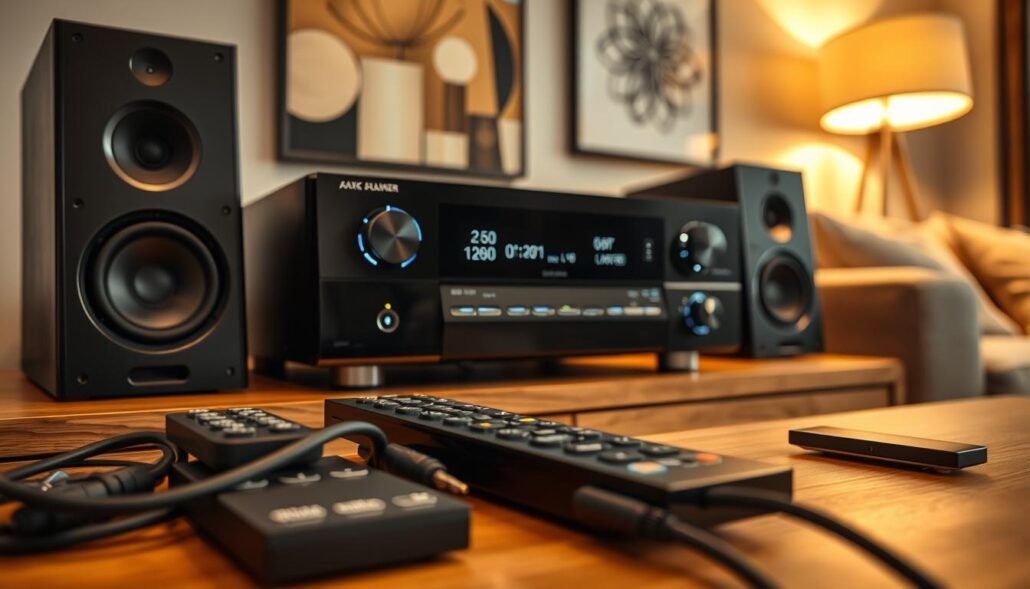
Balancing upfront quality against ongoing upkeep determines whether you pay more now or over several years. Plan a budget that factors in periodic upgrades, service, and small preventive purchases. This makes money decisions clearer when the time to replace or repair arrives.
Balancing features, build, and long-term value
Decide what matters most: a higher quality chassis may carry a greater initial cost but reduce repairs and extend useful years.
- Estimate how many years you expect to keep a unit and compare that to the money spent on a higher-grade model.
- Budget for accessories that protect value—surge protection and ventilation aids protect the receiver day after day.
- Set aside a small annual maintenance fund to handle minor fixes before they grow into larger cost events.
| Item | Typical outlay | Value over years |
|---|---|---|
| Higher build quality | Higher upfront money | Fewer repairs; longer service life |
| Accessories (surge/vent) | Low to moderate cost | Protects components; preserves resale |
| Annual maintenance fund | Small yearly set-aside | Prevents costly emergency repairs |
Practical tip: use a simple worksheet to compare total cost across models, include resale expectations, and value quality-of-life features when making a final choice.
Checklist: how to extend your receiver’s life starting today
A few quick actions each day can cut thermal stress and stop annoying dropouts. These small steps protect components, reduce service visits, and keep your system sounding better for more time.
Room, rack, and ventilation quick wins
Give space around the unit. Increase clearance at the back and top to let warm air escape.
Open the rack back or choose vented shelving. Even moving cables so vents stay clear lowers internal temperature.
Usage, calibration, and firmware best practices
Take time to set levels and crossovers so amps work efficiently. That reduces strain and prevents clipping-related faults.
Update firmware when available to fix bugs and improve compatibility. Use standby smartly and power down for long absences.
- Each day, confirm vents are unobstructed to keep the unit cool.
- Schedule regular dusting and connector checks to avoid intermittent sound issues.
- Keep the room cool during long sessions; a few degrees help operating headroom.
- Log maintenance and listening notes, then review them quarterly.
- Compare service versus replacement options and browse the best AV models when planning upgrades.
| Quick win | Why it matters | Action |
|---|---|---|
| Clear vents | Reduces heat | Daily check |
| Calibrate levels | Lowers amp load | One session, then quarterly |
| Firmware | Fixes bugs | Update when offered |
Conclusion
Conclusion
Simple steps—ventilation, load matching, and routine checks—make the biggest difference in gear uptime. A well-installed receiver or avr will often serve in the 7–10 years range, while a careful stereo setup can play music for decades with minor work.
Manage heat and dust, match speakers and channel load to amp ability, and keep firmware and warranty notes handy. Common problems like HDMI board faults, aged capacitors, or power issues are often avoidable or cost-effective to fix early.
When repair costs near replacement and new features matter, upgrading is reasonable. Pick brands with solid support—Outlaw, Rotel, and Yamaha are frequent examples—and focus on simple care to get the most sound quality from your systems for many years.
FAQ
How many years of service can I expect from a typical receiver?
Most well-built units run reliably for about seven to ten years with normal use. Carefully maintained models from brands like Yamaha or Marantz often reach 12 years or more. Lifespan depends on components, ventilation, and how hard the amplifier is driven.
What causes some models to fail earlier than others?
Early failures usually trace to heat stress, poor capacitors, overloaded channels, or dusty conditions. Complex AVRs with many features and HDMI boards also face higher failure risk than simple stereo amps because they generate more heat and have more potential points of failure.
Do stereo amps last longer than modern multi-channel AVRs?
Yes, simpler stereo amplifiers often outlive feature-heavy receivers. Fewer circuits and lower heat density reduce wear on parts. Vintage stereo gear from Rotel or Cambridge Audio still performs after decades when properly cared for.
How much does ventilation matter for longevity?
Ventilation is critical. Give units 2–4 inches of clearance on the sides and top, avoid stacking components, and use open racks when possible. Poor airflow raises internal temperatures, which accelerates capacitor aging and solder joint fatigue.
What common signs indicate a receiver is nearing failure?
Watch for distortion at moderate volumes, intermittent audio dropouts, channels that mute or click, and frequent trips into protection mode. HDMI issues and irregular power cycling also signal looming component problems.
Can routine maintenance extend service life?
Absolutely. Regular dusting, ensuring clean connector contacts, checking fan operation, and keeping firmware updated reduce stress on parts. Using a quality surge protector and avoiding persistent clipping at high volume are simple, effective steps.
When is repair or recapping worthwhile versus replacing the unit?
Repair makes sense if the unit has solid build quality, parts are available, and repair cost is under half the price of a comparable replacement. Recapping can restore performance for decades in models with good transformer and board layouts.
How do speaker matching and load affect receiver lifespan?
Driving low-impedance or inefficient speakers at high volumes forces the amplifier to work harder and heat up. Match speaker impedance and sensitivity to the receiver’s rated power, and use correct crossover settings to avoid overloading channels.
Are certain brands known for better longevity or service?
Brands with conservative designs and good service networks—examples include Yamaha, Denon, Marantz, and Rotel—tend to offer longer useful life and easier repairs. Warranty length and authorized service centers are helpful indicators.
How does obsolescence compare to mechanical failure as a reason to replace a receiver?
Many users replace gear around 10 years due to new formats (HDR, newer HDMI versions), streaming and DAC advances, or missing features rather than outright failure. Functional older receivers can still sound great, but compatibility is the usual driver for upgrades.
What daily power habits help preserve an amplifier?
Use a good surge protector or UPS, avoid frequent full-power on/off cycles, and prefer standby for short idle periods. Let the unit cool after heavy use before turning off to reduce thermal cycling stress on components.
What are typical repair issues technicians see most often?
The most common repairs involve blown capacitors, failing HDMI boards, relay wear, and heat-damaged solder joints. These issues are repairable if parts remain available and the chassis has solid basic components.
How should I plan room placement and rack setup to avoid hotspots?
Place receivers on open shelves with free airflow front and back, avoid enclosed cabinets without ventilation, and keep heat-producing components separated. If using a cabinet, add active cooling or vents to move hot air away from the unit.
Can firmware updates affect device longevity?
Firmware itself won’t change physical wear, but updates can improve thermal management, fix bugs that trigger heavy processing, and enhance compatibility—reducing stress from forced workarounds or repeated resets.
What quick checklist can I use to extend the life of my receiver today?
Keep vents clear, clean dust quarterly, use surge protection, match speakers properly, avoid constant maximum volume, update firmware, and consider professional servicing if you notice audio anomalies. Small habits yield big long-term benefits.