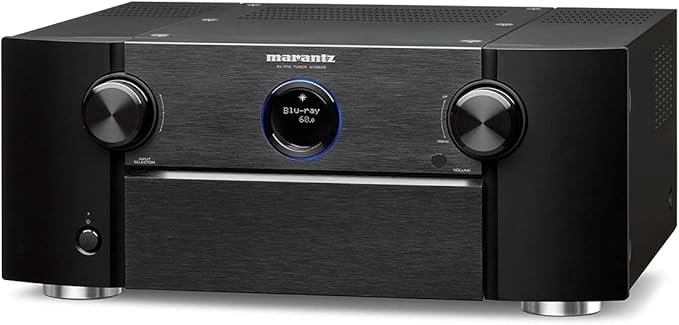
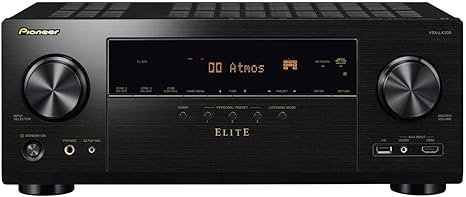
This introduction outlines what the review covers for US home theater buyers. We focus on core features, real-world performance, usability, and whether the price makes sense versus similarly priced receivers.
Where this model sits: The unit is the entry ES model with 7.2 channels and 8K pass-through. The ES line is known for a five-year parts-and-labor warranty and a “built like a tank” reputation.
We preview the scoring method: features, performance, value, and support. The goal is to help shoppers make a confident purchase decision, not just list specs.
Key 2026-era capabilities covered include HDMI 2.1 for 4K/120 gaming, 8K pass-through, modern HDR formats, and immersive audio formats. We also test Cinema Auto Calibration IX and 360 Spatial Sound Mapping to judge the sound field.
Finally, we set expectations: best for typical US living rooms, apartments, and mid-size theaters. If you need more channels or future growth, a higher model may suit you better. Main decision factors are speaker layout flexibility, ease of setup, streaming ecosystem, and long-term support.
Sony STR-AZ1000ES Review: Quick Verdict for Home Theater Buyers
This fast verdict summarizes features, performance, value, and support so you can decide quickly.
Should you buy it? If you want a modern 7.2-channel home receiver with HDMI 2.1 gaming support, strong calibration tools, and a five-year ES warranty, this model is a compelling pick at the typical street price of about $1,100–$1,300.
The practical meaning of “7.2-channel”: expect native setups like 5.1.2 Atmos or 5.2.0 with a dedicated sub. Channel count limits overhead and future expansion, so plan speaker layout before purchase.
- Top strengths: HDMI 2.1 features for 4K/120 and VRR, Sony calibration workflow, and long ES-series support.
- Value notes: Competitive features-per-dollar versus rivals, strong streaming compatibility, and easy setup for typical US living rooms and apartments.
- Watch-outs: Limited upgrade headroom for larger arrays and fewer pre-outs than higher-tier models.
Overall, this model balances performance and support well. It’s best for living-room theaters, renters who need clean installs, and buyers who value ecosystem features and reliability.
| Feature | This Model | Common Rival | Practical Takeaway |
|---|---|---|---|
| Channels | 7.2 (5.1.2 ready) | 7.2 or 9.2 options | Good for Atmos; limited for large expansions |
| HDMI / Gaming | HDMI 2.1, 4K/120, VRR | Varies by brand | Strong choice for gamers |
| Warranty & Support | 5-year ES parts & labor | Typically 1–3 years | Better long-term ownership value |
| Price Range | $1,100–$1,300 | Similar mid-tier receivers | Competitive feature-to-price ratio |
Core Specs and What You Get in the Box
Here’s a concise look at the hardware, ports, and in-box kit that matter for setup.
Must-know specs: This is a 7.2-channel receiver with flexible channel assignments, six HDMI inputs and two outputs, and two next-gen inputs rated for 8K/4K120. The package includes the calibration microphone and stand used for the auto-calibration workflow.
Channel and power flexibility: Channels six and seven can be reassigned as surround backs, height channels for Atmos, Zone 3 power, or used for bi-amping the front speaker pair. That lets a typical living-room system adapt without extra amplifiers.
Warranty, build, and practical limits
Long-term support: The ES five-year parts-and-labor warranty gives extended coverage for owners who keep AV gear for years. That matters for resale and peace of mind.
Chassis and durability: The thicker panels and frame-beam base concept reduce vibration and improve resilience for installed systems.
- Note on inputs: not every HDMI port carries next-gen bandwidth—plan which gaming console or 8K source uses the two high-bandwidth inputs.
- Box contents: calibration mic, mic stand, remote, power cord, basic docs.

| Item | Spec / Count | Practical takeaway |
|---|---|---|
| Channels | 7.2 | Supports 5.1.2 Atmos or 5.2.0 with subwoofer |
| HDMI | 6 in / 2 out (2 next-gen) | Reserve next-gen ports for 4K/120 or 8K sources |
| Warranty | 5 years | Longer coverage than most mid-tier models |
| In-box | Calibration mic + stand | Ready for auto-calibration workflow |
Audio Features That Matter for Movies, Music, and Immersive Sound
Immersive sound features now matter as much as screen resolution for home theaters. The receiver handles both Dolby Atmos and DTS:X, which are the two formats you’ll encounter most for object-based mixes. In a 7-channel chassis, expect practical layouts like 5.1.2 for overhead impact without extra amps.
360 Spatial Sound Mapping creates phantom speakers from measured positions. That expands the perceived sound field and can improve object placement across the room without adding drivers.
Phantom rear and height processing simulate rear surrounds when you can’t run wires. This helps when room shape or furniture limits speaker placement and still keeps enveloping sound.
Center speaker strategy matters for dialog anchoring. You can use a traditional center under the screen or, with compatible BRAVIA TVs, employ a TV-as-center option to tighten lip-sync and screen localization.
- Wireless expansion: compatible wireless surrounds (SA-RS3S, SA-RS5) and subs (SA-SW3, SA-SW5) ease installs in apartments.
- Trade-offs: wireless adds convenience but may require ecosystem integration and careful timbre matching to the main speakers.
| Feature | Practical Benefit | When to Use |
|---|---|---|
| Dolby Atmos / DTS:X | True object-based immersion | Movies, modern streaming, gaming |
| 360 Spatial Sound Mapping | Phantom speakers, wider sound field | Rooms with limited speaker count |
| Phantom rear mode | Simulates rear surrounds | Small living rooms or tight layouts |
| TV-as-center / center speaker | Improved dialog anchoring | Sports, dialogue-heavy films |
| Wireless surrounds & subs | Easy placement, no long runs | Apartments, living rooms |
Video and HDMI 2.1 Performance for 8K, 4K/120, and Gaming
If you care about gaming at 4K/120 or future 8K sources, port placement matters more than ever. This receiver provides six HDMI inputs and two outputs. Two of those inputs are full next‑gen ports that support 8K and 4K/120 devices. The remaining inputs handle standard 4K video and legacy sources.
Which ports do what
Assign your PS5, Xbox Series X, or high‑end PC to one of the two high‑bandwidth inputs to get 4K/120 or 8K passthrough. Keep streaming players and Blu‑ray on the regular 4K inputs to avoid bandwidth contention.
VRR, ALLM, and gaming benefits
Variable Refresh Rate (VRR) and Auto Low Latency Mode (ALLM) reduce stutter and input lag on compatible screens. That makes gameplay smoother and more responsive without extra setup.
HDR, eARC, and multi‑display notes
The unit supports Dolby Vision, HDR10, and HLG with HDCP 2.3 compliance. The main HDMI output includes eARC for full‑band audio return from TV apps. The secondary HDMI out can feed a Zone 2 screen or a projector, but it may mirror or have limited independent switching.
| Feature | Practical Tip | Expectation |
|---|---|---|
| hdmi 2.1 ports | Reserve for 4K/120 or 8K sources | Full bandwidth for gaming |
| eARC | Use for TV app audio return | Simpler switching |
| Second HDMI out | Best for Zone 2 or projector | Limited independent control |
Buying takeaway: Even if you only own one 4K/120 device now, the extra next‑gen input gives flexibility for future gear and avoids frequent cable swaps.
Setup Experience, Interface, and Cinema Auto Calibration
Getting the system to sing starts with the setup. The on-screen menus and web control walk you through options slowly and clearly. The interface gives many detailed choices so installers and enthusiasts can fine-tune speaker placement and room mapping without guessing.
Digital Cinema Auto Calibration IX and microphone workflow
Digital Cinema Auto Calibration IX uses the included stereo microphone with left and right “wings.” The system runs a two-pass measurement that captures two seating zones. That improves placement data for 3D mapping and object-based sound.
Manual setup controls that matter
You can enter speaker-to-seat distance, speaker-to-screen distance, speaker height from the floor, ear height, and ceiling height. These extra measurements let the digital cinema engine build more accurate time and level corrections for overhead and surrounds.
EQ choices and tuning options
EQ modes include Flat, Engineer, and Front Reference. Flat keeps neutrality, Engineer tightens tonal balance for mixed-brand speakers, and Front Reference favors front-stage accuracy. Use the mode that matches your speaker mix and listening goals.
Input grid and per-input tweaks
The interface uses an input grid for easy assignment. You can map video and audio independently, duplicate inputs for alternate audio setups, and simplify daily use for other household members.
Per-input tweaks include lip sync up to 300 ms and per-input subwoofer on/off with up to +10 dB boost. These adjustments fix common issues like delayed TV apps or weak movie bass without affecting music presets.
- Two saved configs: Store separate profiles for “movie night” and “late night” listening to switch instantly.
- Performance multiplier: Spend the extra time on calibration and manual entries — it noticeably improves immersion and dialog clarity.
| Setup Element | What it Does | Why it Helps |
|---|---|---|
| Digital cinema auto (microphone) | Stereo two-pass measurement | Better mapping for multiple seating positions |
| Manual room inputs | Distance, screen, ear, ceiling heights | Improves time alignment and overhead imaging |
| EQ modes | Flat / Engineer / Front Reference | Tonal balance for different speaker setups |
| Per-input tweaks | Lip sync up to 300 ms; sub +10 dB | Fixes delay and boosts movie bass selectively |
Real-World Listening Impressions and Sound Quality
Hearing the system in a typical living room reveals how it handles dialog, effects, and music. Start here: focus on dialog intelligibility, center imaging, surround cohesion, and bass control when judging performance.

Dialog clarity and center-channel imaging
With the center placed below the TV, voices were anchored and clear at normal listening levels. Proper distance and manual delay entries tighten lip-sync and improve vocal focus.
When the TV is mounted higher than ideal, the receiver’s center lift and spatial options help, but excessive lift can sound phasey for some listeners. Use small adjustments and re-run calibration for best results.
Immersion and object tracking
Object tracking in Atmos and DTS:X showed convincing overhead pans when speaker height and ceiling info were entered correctly. Calibration improved the pathing of moving effects across the room.
Spatial mapping expands the perceived field, making atmospherics wider. In tight rooms, phantom processing can be useful but may soften precise panning for critical listeners.
Two-channel music performance
As a stereo amp, the receiver delivers good separation and tight bass. Tonal warmth depends on your speaker pair and the chosen EQ mode.
Dynamic impact holds up at higher volumes, but expect the best clarity at moderate listening levels where the DSP is less aggressive.
Speaker integration and cohesion
The processing blends mismatched speakers well when crossovers and calibration are set correctly. Proper sub crossover and level matching are key to avoiding gaps or boominess.
Practical takeaway: this unit makes movies more immersive, keeps dialog clear in normal setups, and doubles as an enjoyable two-channel music performer. Use phantom modes only when wiring limits force compromises, and trust manual tweaks to avoid phase artifacts.
| Listening Element | Typical Result | Quick Fix |
|---|---|---|
| Dialog clarity | Strong with proper center placement | Adjust delay and rerun calibration |
| Object tracking | Good with accurate height data | Enter speaker heights and distances |
| Two-channel music | Clean separation, tight bass | Choose Flat or Engineer EQ |
| Phantom processing | Useful in tight rooms; may phase | Reduce intensity or disable if artifacts appear |
Streaming, Multiroom Audio, and Works with Sonos Integration
Most buyers want music to start with a tap and keep playing without input juggling. Daily ease matters: quick reconnects, clear source switching, and reliable play controls make a system feel finished.
Supported streaming methods
This unit supports Spotify Connect, AirPlay 2, Chromecast built‑in, Bluetooth, and Wi‑Fi. Spotify Connect and Chromecast are great when you control playback from phones and laptops.
AirPlay 2 is best for Apple‑centric homes and multiroom syncing. Bluetooth works for quick one‑off streams but lacks multiroom reliability.
What “Works with Sonos” enables
Works Sonos means the receiver can join a Sonos whole‑home setup for grouped playback and app control. For full app integration many buyers need a Sonos Port to bridge traditional line inputs to the Sonos ecosystem.
That Port adds cost but unlocks control inside the Sonos app and lets the receiver appear as a zone in Sonos groups.
Voice control and day‑to‑day options
Google Assistant compatibility gives basic voice commands, but expect limits compared with the AVR remote or TV remote for deep setup changes.
Practical tip: stream directly to the receiver when you want dedicated zone audio. Use a Sonos or AirPlay stream when you need whole‑home sync from a single app.
| Feature | Best for | Practical note |
|---|---|---|
| Spotify Connect | Phone and laptop control | Reliable, easy reconnect |
| AirPlay 2 | Apple‑centric homes | True multiroom sync |
| Chromecast built‑in | Mixed Android/Chrome users | Good app support and casting |
| Works Sonos | Sonos whole‑home setups | Often requires Sonos Port for full control |
Price, Alternatives, and Who Should Buy the STR-AZ1000ES
Street pricing and upgrade paths shape whether this unit is the right fit for your room and gear.
Price context: Expect a street price around $1,100–$1,300 in the US, with typical fluctuations from promos, custom-install channels, and retailer stock. Higher ES models list higher: roughly $1,700–$2,000 for the next model, $2,100–$2,600 for mid-high, and $3,300–$4,200 for the flagship.
How models compare: Stepping up adds channels, heavier amp sections, and more high-bandwidth HDMI inputs (four on higher models vs two here). That matters if you plan many 4K/120 sources or larger speaker arrays.
When to upgrade
Choose the 7.2 chassis if you want a clean 5.1.2 setup in a typical living room or apartment. Move to 9.2/11.2 options when you plan 5.1.4, multiple zones, or to power more speakers without external amps.
Limitations and system growth
This model lacks pre-out expansion and limits adding powered channels later. If future growth or multi‑amp power is likely, the higher models give more inputs and preamp outputs to avoid a full replacement.
| Buyer | Typical US room | Best option |
|---|---|---|
| Apartment / renter | Small living room | Buy this model |
| Enthusiast gamer | Medium living room with multiple consoles | Stretch to next model (more inputs) |
| Dedicated theater | Large room, 7+ speakers | Consider mid/high-tier models |
Conclusion
The Sony STR-AZ1000ES Review sums up as a warranty-backed mid‑tier receiver that pairs modern HDMI 2.1 gaming readiness with a strong room tuning toolkit.
Who it fits: Ideal for US living rooms that want clear dialog, immersive object audio, and reliable long-term support.
Key strengths are HDMI 2.1 with two high‑bandwidth ports for 8K/4K120 and VRR/ALLM, the Digital Cinema Auto Calibration IX workflow, and 360 spatial sound mapping for wider immersion.
Practical speaker guidance: a 7.2 chassis works best as 5.1.2 or 5.2.0. Wireless surrounds or subs are smart for renters; wired speakers still win for ultimate cohesion.
Decision checkpoints: confirm how many hdmi 2.1 sources you own, your desired speaker count now and later, and whether Sonos integration is a must.
If you value the ES five‑year warranty and the ecosystem features, this unit is a strong choice. If you need more expansion headroom, step up to a higher model.
Next step: plan your speaker layout, count sources, and pick the receiver that avoids costly upgrades in a few years.
FAQ
What channels and power does this 7.2-channel receiver offer for a typical home theater?
The unit provides flexible 7.2-channel amplification with assignable channels so you can drive a standard 5.1.2 Dolby Atmos setup or 7.1 two-channel surrounds. Power per channel varies with load and speaker impedance; expect solid performance for medium to large living rooms, but confirm speaker sensitivity and room size when matching amps to speakers.
How effective is the Cinema Auto Calibration for room correction?
Cinema auto calibration uses a supplied measurement microphone and Sony’s Digital Cinema Auto Calibration system to map speaker positions, levels, and room reflections. It produces useful baseline EQ and delay settings quickly, and the digital cinema tuning improves object-based sound staging. Audiophiles may still prefer manual fine-tuning, but most users get accurate dialog focus and balanced imaging out of the box.
Does the receiver support HDMI 2.1 features like 4K/120 and VRR for gaming?
It supports key HDMI 2.1-era features relevant to modern gaming and video: 4K/120 passthrough on designated inputs, VRR and ALLM support for reduced latency and smoother gameplay, and eARC for high-bitrate audio return to the processor. Check which HDMI ports are explicitly rated for 4K/120 or 8K to route consoles and PCs correctly.
What surround formats and immersive features are supported?
The receiver decodes major formats such as Dolby Atmos and DTS:X and includes 360 Spatial Sound Mapping to create virtual height and phantom channels. This helps craft wider, taller sound fields with fewer physical speakers and improves object tracking for overhead effects.
Can I use my TV as the center channel and still get clear dialog?
Yes — the processor allows setting a TV speaker as a center or using a dedicated center-channel speaker. The calibration and center-channel dialog controls help align delay and level so speech remains centered and intelligible. For best results, a dedicated center speaker typically delivers better clarity and power handling.
Is wireless surround and subwoofer support available, and does it work with Sony speakers?
The system supports wireless subwoofer options and proprietary wireless surround setups when paired with compatible speaker modules. It integrates smoothly with many Sony wireless and powered speaker models for simplified placement, though check compatibility lists for specific models before purchase.
How does it integrate with multiroom systems and streaming services?
You get native streaming support including Spotify Connect, Chromecast built-in, AirPlay 2, Bluetooth, and Wi‑Fi. Multiroom control works with platform apps and some third-party integrations. For Sonos ecosystems, “Works with Sonos” compatibility enables control and limited integration, but full feature parity may require additional Sonos gear.
Which voice assistants and control options are supported?
The unit supports common voice platforms via connected ecosystems and smart home integrations. Direct voice control availability depends on paired devices (smart speakers or phones) and platform apps; the receiver also offers IR remote control, on-screen menus, and mobile app setup for everyday use.
What HDR and video formats are supported for modern content?
Supported HDR formats include Dolby Vision, HDR10, and HLG. The video path handles high dynamic range and wide color gamut content when passed through an HDR-capable display. Confirm any format-specific passthrough limits per HDMI input if you use multiple HDR sources.
How granular are manual setup options like speaker distance, EQ, and lip sync?
Manual controls are comprehensive: you can set speaker distances, crossover points, per-channel levels, and subwoofer trim. Lip sync/delay adjustments are available per input for accurate A/V alignment. These tools let experienced users tailor the system beyond the automatic calibration.
What are real-world listening impressions for movies and two-channel music?
In movie playback, expect strong object-based immersion, accurate overhead tracking, and clear center imaging. For two-channel music, the receiver offers tight dynamics and good separation, though purist listeners may prefer a dedicated stereo amp. Overall, the tonal balance suits mixed usage between films and music.
How does this model compare price-wise and feature-wise to higher ES-series models?
It sits as a mid-tier ES offering strong core features and build quality. Higher-tier ES models add more channels, expanded I/O, higher power margins, and advanced processing. If you need future expandability or multi-zone outputs, stepping up to a larger ES model could make sense; otherwise this model delivers strong value.
Are there limitations to watch for when planning system growth?
Consider available pre-outs, number of HDMI inputs rated for latest bandwidth, and channel expansion options. If you plan to add more height speakers, separate amplifiers, or bi-amped towers, verify pre-out count and compatibility to avoid needing a new processor later.
What warranty and long-term support can owners expect?
ES-series gear typically includes robust warranty coverage and dealer support for long-term ownership. Warranty length and terms vary by region and retailer, so review the included documentation at purchase and register the unit to access extended support where available.