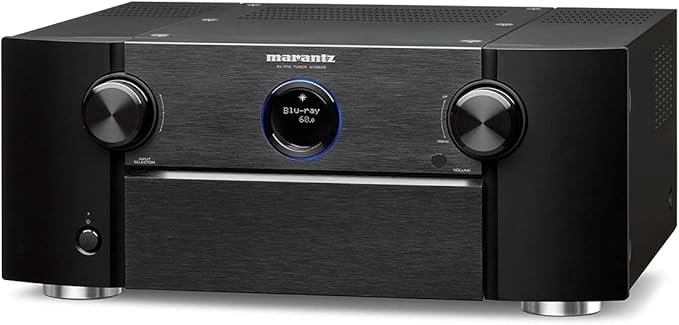
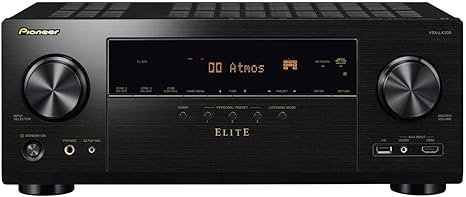
This compact receiver aims to bring 5.1 surround sound to budget home setups. It pairs clear dialogue and usable surround effects with a simple, no-frills design. The model focuses on core features rather than network streaming, making it a good fit for buyers who want value and reliable performance.
The unit supports modern hdr standards, including HDR10, HLG, and Dolby Vision, plus 4K/60p 4:4:4 passthrough. You get four hdmi inputs with HDCP 2.2 and one hdmi output with ARC. Its 5.1 layout, dual subwoofer outputs, and Dolby TrueHD/DTS-HD MA decoding cover common movie and TV player needs.
Setup stays straightforward. DCAC auto-calibration simplifies speaker setup, and the front panel gives quick access to Pure Direct, input, and volume. Bluetooth handles wireless audio while the USB port only supplies power, not file playback.
In short: this product balances sound and features at a focused price point. Expect solid everyday performance and easy setup for a basic home theater system.
Overview: What the Sony STR-DH590 Brings to a Budget Home Theater
This 5.1-channel receiver focuses on core performance, delivering reliable surround sound and modern video compatibility for a starter home theater system. It decodes Dolby TrueHD and DTS-HD MA while passing 4K/60p 4:4:4 video and supports HDR10, HLG, and Dolby Vision for today’s content.
The receiver includes four HDMI inputs with HDCP 2.2 and an ARC output for simple hookup to TVs and common sources. Bluetooth 4.2 covers wireless music playback, while the unit intentionally omits network streaming and casting to keep the price accessible.
Easy Setup and DCAC auto-calibration make speaker hookup and level matching easier for first-time installers. In small-to-mid rooms the model yields balanced dialogue and usable surround effects at moderate volumes.
- Strengths: HDR/video support, HDMI inputs, solid decoding formats.
- Trade-offs: No AirPlay/Chromecast or network features; USB only supplies power.
| Feature | What it offers | Impact for buyers | Best fit |
|---|---|---|---|
| Audio decoding | Dolby TrueHD, DTS‑HD MA | Clean multichannel sound for movies | Small home theaters |
| Video support | 4K/60p 4:4:4, HDR10/HLG/DV | Compatible with modern 4K sources | 4K TVs and players |
| Connectivity | 4× HDMI 2.0a (HDCP 2.2), ARC, Bluetooth | Plug-and-play for common devices | Users without streaming hubs |
| Setup | DCAC + Easy Setup | Faster calibration for non-experts | First-time builders |
Sony STR-DH590 Review
The sony str-dh590 receiver nails the basics: clear dialogue, reliable multichannel decoding, and fuss-free operation. Users praise the unit for delivering usable sound in small-to-mid rooms without complex setup.
Expect limits compared with pricier receivers that offer Audyssey or Dynamic Volume. The product can feel short on calibration tools and raw power for large rooms or reference-level listening.
- Good: clean 4K passthrough, core HD audio decoding, simple setup.
- Less ideal: basic room correction and lower headroom than step-up models.
| Area | This receiver | Step-up AVRs |
|---|---|---|
| Calibration | DCAC, manual tweaks | Advanced EQ (Audyssey/Dirac) |
| Power/headroom | Good for apartments | Stronger for large rooms |
| Everyday use | Clear dialogue, easy setup | Reference listening, more features |
Overall, the receiver offers solid value for the price. If you plan to expand speakers or want advanced music tuning, consider spending more to future-proof your home theater system.

Core Features and Specs at a Glance
Below are the key hardware and format details that determine its real-world performance. These specs show how the receiver handles movies, music, and modern video sources.
5.1-channel design, power, and decoding
The 5.1-channel system delivers a practical surround layout for entry home theaters. Rated at 145W per channel (6Ω, 1 kHz, 0.9% THD, 1 ch), the power gives enough headroom for efficient speakers in small-to-mid rooms.
High-definition audio decoding includes Dolby TrueHD, DTS‑HD MA and DSD support to cover common Blu-ray and compatible player content.
Dual subs and DCAC calibration
Two independent subwoofer outputs help even out bass across the room and reduce localization. DCAC auto-calibration measures distances and levels to speed initial setup and create a balanced baseline tune.
4K passthrough, HDR, and HDCP 2.2
The unit includes four hdmi inputs (HDMI 2.0a, HDCP 2.2) and one HDMI output with ARC. Full 4K/60p 4:4:4 passthrough plus HDR10, HLG, and Dolby Vision support keeps video compatibility broad for current players and streaming boxes.
- Legacy and wireless: Optical/coaxial and four stereo inputs add flexibility; Bluetooth 4.2 covers streaming.
- USB: Type-A supplies power for accessories but does not play media.
- Panel and display: Simple front panel access and a clear display aid everyday operation and quick source checks.
| Spec | Detail | Why it matters |
|---|---|---|
| Channels | 5.1 | Balanced surround for entry setups |
| Power | 145W/ch (6Ω) | Enough for small-to-mid rooms |
| HDMI | 4× inputs, 1× ARC output | Works with modern 4K sources and TVs |
| Extras | Dual subs, DCAC, HDR support | Better bass control and easy setup |
These features align with what most first-time builders need: solid audio formats, modern video support, and straightforward setup. The balance of specs and usability makes the receiver a practical choice for everyday home theater use.
Design and Build Quality: Slim Profile, Clean Front Panel
A slim, brushed-black design helps this receiver blend with modern AV setups. The compact chassis slips into tight racks and minimalist furniture with little fuss.
The front panel keeps controls simple. You get input and volume knobs, a headphone jack, and a mid-size LCD display that shows input, volume, and mode at a glance.
Direct access to Pure Direct sits beside buttons for speaker on/off, FM tuning, Bluetooth pairing, and sound modes. These physical controls let you change settings without diving into menus.
The rear layout is modest and clearly labeled for common sources. That clarity reduces setup confusion for first-time owners and speeds connections to speakers and players.
- Form: slim, compact unit that fits most AV racks.
- Controls: practical panel with quick Pure Direct access.
- Usability: clear display and labeled jacks simplify daily use.
- Build: lightweight but solid quality for living-room placement.
The overall product presentation favors ease and reliability over flash. For buyers who pair simple 5.1 speakers, the design stays visually quiet while delivering the core features that matter.
Connectivity and Ports: HDMI Inputs, Digital Audio, and More
Connectivity is straightforward and practical. The rear panel groups modern 4K connections with legacy jacks so users can add players and consoles without fuss.
Four HDMI 2.0a inputs and ARC output
The unit includes four hdmi inputs that handle 4K HDR devices. One hdmi output with ARC returns TV audio to the receiver for simpler routing.
Tip: Enable Enhanced mode on specific hdmi inputs to pass full 4:4:4 HDR signals from a 4K player or streamer.
Digital and analog options
Optical and coaxial digital audio inputs sit alongside four stereo analog inputs and an FM antenna jack. Two subwoofer outputs let you balance bass across the room.
USB power and Bluetooth streaming
The usb port supplies power only, so media must come from connected sources rather than a thumb drive. Bluetooth 4.2 offers quick pairing via a dedicated remote button and steady wireless playback for casual listening.
- Clear labeling: Inputs are named (e.g., Media Box, BD/DVD) to reduce selection errors.
- Rear layout: Organized jacks make adding sources and speakers easy during setup.
| Connection | Details | Why it matters |
|---|---|---|
| HDMI inputs | 4× HDMI 2.0a | Connect multiple 4K sources without swapping cables |
| HDMI output | 1× with ARC | Return TV audio and simplify TV integration |
| Digital audio | 1× optical, 1× coaxial | Compatibility with legacy players and consoles |
| Extras | 4× analog, 2× sub outs, FM, USB power | Flexible hookups and bass management for home systems |

Video and HDR Support: 4K/60p, Dolby Vision, HDR10, and HLG
When feeding a 4K Blu-ray player or streaming box, the receiver preserves color detail and dynamic range so HDR content looks right on your display.
Full 4K/60p 4:4:4 passthrough is supported, and the unit handles HDR10, HLG, and Dolby Vision for most modern video sources.
Enhanced mode and real-world pairing
To get full-bandwidth HDR you must enable Enhanced mode on the BD/DVD and Media Box hdmi inputs. This step unlocks 4:4:4 chroma and higher frame rates for UHD players and HDR TVs.
In practice, pairing with a 4K player is stable. Tone-mapping handshakes complete reliably and high-bitrate content keeps its detail and color gradation.
- Passthrough: 4K/60p 4:4:4 preserves fine detail and gradations in HDR content.
- Formats: HDR10, HLG, and Dolby Vision are supported for wide content compatibility.
- Tip: Use high-speed HDMI cables and verify Enhanced mode on the correct hdmi inputs to avoid bandwidth issues.
For verified compatibility with common UHD players, see UBP-X800M2 compatibility via this guide. Expect reliable video switching and no added processing that could raise latency — ideal for home theater use with casual Bluetooth sources and dedicated players.
Setup Experience: Speaker Connections and First-Time Installation
Initial setup focuses on practical connections and a guided on-screen calibration that walks you through each choice. The process balances speed and control so new owners can finish wiring and hear results quickly.
Five-way binding posts vs spring clips
The receiver uses five-way binding posts for the left and right front channels and spring clips for center and surround connections. This mix helps you use thicker speaker cable where it matters and simpler clips for the rest.
Tip: Use proper gauge wire for the binding posts and double-check polarity to avoid phase issues.
On-screen Easy Setup walkthrough
The on-screen Easy Setup guides you through language selection, mic connection, and DCAC calibration. DCAC measures levels and timing, then sets a balanced baseline for the system based on room acoustics.
- Fast and beginner-friendly: the automated flow gets you to testing tones and a movie in minutes.
- Fine-tune options: adjust speaker size, levels, and distance after auto-calibration for tighter integration.
- Practical checks: label cables, route neatly, and confirm spring clips are fully seated to avoid loose connections.
The overall experience reduces first-time anxiety and speeds the move from unboxing to watching. If you want deeper control, the setup menu exposes extra options to customize the audio profile beyond the defaults.
Room Calibration and Sound Modes: DCAC and Listening Profiles
Auto-calibration via DCAC gives a quick baseline for speaker levels and timing in typical living rooms. The mic-driven sweep measures distances and sets delay so channels sit together better during movies and music.
Sound modes include Stereo, Surround, DPL II Music, Enhancer, Hall, Jazz, and Night Mode. Use Stereo or Pure Direct for two-channel clarity; select DPL II Music or Enhancer when you want a wider soundstage.
When to use specific modes
- DCAC baseline: run it during initial setup to save time and improve cohesion.
- Pure Direct: disables extra processing for cleaner audio on critical listening sessions.
- Night Mode: compresses dynamics for late-night viewing without disturbing others.
The Options menu exposes quick access to mode choices and AV Sync adjustments. After auto-calibration, manual tweaks to speaker levels and sub crossover help dial in dialogue and bass to match your room and speakers.
Remote and On-Screen Interface: Simple Control, Clear Navigation
A compact remote and straightforward OSD make the receiver easy to use day to day. The remote groups source buttons at the top (including Bluetooth), sound-mode keys, central navigation, and volume for quick access.
Button layout and quick options
The front panel gives redundancy if the remote is misplaced. Input selection stays fast and predictable thanks to consistent labeling and a readable display.
On-screen structure and deeper controls
The OSD uses clear categories—Watch, Listen, Easy Setup, Sound Effects, and Speaker Settings—so tasks are obvious. The Options button exposes Pure Direct, Sound Field, Night Mode, Dual Mono, AV Sync, bass/treble, input assignment, and ARC settings.
- Predictable navigation: quick mode changes match content without complex menus.
- HDMI and input assignment: routing and labeling keep the system organized.
- Stable interface: the unit favors speed and reliability over flashy graphics.
The overall experience reduces friction for daily use and prevents accidental misconfiguration of video and audio settings.
Performance in Movies and TV: Dialogue Clarity and Surround Sound
For movie nights, this receiver keeps dialogue upfront while creating a believable surround field. The unit offers reliable performance for mixed content, from streamed series to Blu-ray discs.
Channel separation and imaging are clear in a 5.1 layout. Front, center, and surrounds stay distinct, which helps spatial accuracy and on-screen effects land where they should.
Late-night viewing benefits from Night Mode, which compresses dynamics so dialogue stays audible at low volumes. Use Pure Direct or Stereo for critical listening when you want less processing.
HDR playback and AV Sync
HDR and 4K video pass through the chain stably when hdmi inputs and player settings are correct. Handshakes rarely fail with proper cables and Enhanced mode enabled.
AV Sync tools let you correct lip-sync drift caused by some TVs or players. A few seconds of adjustment solves most timing mismatches for dialog and picture.
- Movies gain from good channel separation and realistic imaging.
- Dialogue clarity remains a standout, aided by sound modes for low-volume listening.
- Dual sub outputs improve bass distribution across seating positions.
- Bluetooth is okay for casual TV audio; wired sources give better cinematic quality.
| Aspect | What to expect | Practical tip | Impact |
|---|---|---|---|
| Dialogue | Clear, centered | Use Night Mode for late-night shows | Better intelligibility |
| Surround imaging | Accurate channel separation | Place surrounds at ear height | Immersive theater feel |
| HDR/video stability | Reliable passthrough | Enable Enhanced mode on hdmi inputs | Preserves detail and color |
| Bass management | Dual sub outs smooth response | Set crossovers per speaker | Even low-frequency impact |
Music Performance: Stereo, DPL II Music, and Enhancer Modes
For music listening, the receiver focuses on clear two-channel playback and a few tone-shaping options.
Two-channel stereo presents a clean, balanced sound with good dynamics for casual listening. Use Pure Direct when you want the least processing and the highest audio quality from a good player or CD transport.
DPL II Music can add spaciousness without over-coloring the mix. It widens the imaging for live or acoustic tracks while keeping center detail intact.
The Enhancer mode helps tame artifacts in compressed files and makes poor-sourced tracks sound fuller. Simple bass/treble adjustments let you tweak tonal balance for different speakers and rooms.
Power is sufficient for efficient bookshelf speakers and nearfield setups. Pairing a subwoofer brings fuller low end, but set crossover carefully to avoid muddying mids.
- Best use: Pure Direct for high-quality sources; Enhancer for low-bitrate files.
- Room tips: modest acoustic treatment improves clarity and imaging noticeably.
Overall, expect solid music performance for the price. Upgrading speakers, source player, or treating the room yields the biggest audible gains.
Bluetooth Audio and Everyday Use: Easy Pairing, Stable Playback
Pairing a phone or tablet takes seconds with the dedicated remote button, making wireless playback nearly effortless. Once paired, connections stay steady for typical background listening and quick music sharing.
Bluetooth 4.2 is convenient for guests and casual sessions, but it is not a substitute for high-resolution wired sources. Use wired inputs for critical music sessions to get the best fidelity.
- Quick pairing and stable links suit playlists, podcasts, and occasional streaming from phones.
- Everyday control is simple thanks to labeled input selection and clear mode/volume access.
- Bass can be dialed via tone controls when compressed tracks sound thin.
- Minimize interference by keeping devices close and avoiding crowded Wi‑Fi channels in apartments.
| Area | Bluetooth strength | When to use | Practical tip |
|---|---|---|---|
| Ease of setup | Seconds via remote | Guests and quick sharing | Press Pair then select device |
| Stability | Low dropouts | Background listening | Avoid walls and large obstacles |
| Sound quality | Good for podcasts/playlists | Casual music | Prefer wired inputs for high-res |
| Bass control | Tunable via tone menu | Thin compressed tracks | Adjust crossover or boost lows |
The overall experience favors simplicity and reliability. Turn on the system, hit the pair button, and play—perfect for easy use during everyday listening.
Limitations and Trade-Offs: No Network Streaming, Basic I/O Choices
This receiver focuses on core A/V duties and omits network and pro control options to stay affordable.
The trade-offs are straightforward: there is no AirPlay, Chromecast, or built-in streaming apps. That means popular services and local library playback require an external streamer or player.
The usb port only supplies power and does not play files. For high-resolution or file‑based content you must connect a dedicated player or streamer via digital audio or HDMI inputs.
- The lack of network support helps keep cost and complexity low, but it adds steps for streaming music and media.
- Control choices are basic — no IP or RS-232 — so whole-home integrators will find limited options.
- Inputs cover essentials, yet advanced I/O found on pricier models is absent.
Practical impact: the model’s power and DCAC calibration suit small-to-mid rooms. Larger spaces may need a step-up for extra headroom and deeper room EQ.
| Limitation | What it means | Who it affects |
|---|---|---|
| No network streaming | Requires external streamer for Spotify/TIDAL and apps | Users who want built-in services |
| USB power-only | Cannot play media from drives via the usb port | Owners who store content locally |
| No IP/RS-232 control | Limited integration with custom whole‑home systems | Installers and smart‑home pros |
| Basic I/O set | Essential HDMI and digital audio provided, no premium multi-room I/O | Users needing expansive connectivity |
Best Use Cases and Speaker Pairings: Getting the Most from This Receiver
Picking the right speakers and placement unlocks the best balance of clarity and bass in modest rooms. This receiver performs best as a one-room hub for a simple home theater or stereo-forward system.
Bookshelf speakers with a subwoofer are the ideal match in small to mid rooms. Efficient bookshelf speakers provide clear mids and treble while a powered sub adds depth without taxing the receiver’s power.
Bookshelf speakers with subwoofer in small to mid rooms
Use a bookshelf front left/right pair and add one capable sub. The dual sub outputs let you add a second sub to smooth bass across seating positions.
When to consider more channels or stronger amplification
If you want height channels, large floorstanders at loud levels, or a multi-room theater system, step up to a receiver with higher power and advanced room EQ. High-efficiency floorstanders can work but may push the amp near clipping in big rooms.
- Placement tip: avoid ceiling speakers for main L/R duty; in-wall or bookshelf units at ear height give better imaging.
- Power matching: choose speakers with sensitivity that fits the receiver’s power to preserve dynamics and avoid distortion.
- Setup pointers: set crossovers near 80Hz for small mains, trim sub levels for cohesion, and run DCAC or manual checks.
| Use case | Recommended speakers | Key benefit |
|---|---|---|
| Small living room | Bookshelf pair + 1 sub | Clear dialogue and tight bass without extra power |
| Two-row seating | Bookshelves + dual subs | Smoother low end across seats |
| Large room / loud playback | Step-up receiver + floorstanders | More power and EQ headroom |
Bottom line: match efficient speakers to the receiver, place mains at ear height, and use the dual sub outputs when you need flatter bass across a room. That approach gives balanced sound and the best performance from a compact 5.1 receiver.
Competitor Check: Denon AVR-S540BT, Yamaha RX-V385, and Onkyo TX-SR383
A quick comparison highlights which entry receivers add USB playback or extra HDMI ports. This helps pick a model that fits your room, source list, and budget.
Connectivity and USB playback differences
Denon and Yamaha both support Bluetooth, HDR10, HLG, and Dolby Vision, and each offers USB audio playback for direct file access.
The Denon model adds one extra HDMI input on top of the typical set, giving more flexibility with consoles and players. The Onkyo steps up to 7.2 channels but lacks Dolby Vision and object-based audio support.
Feature trade-offs vs price for entry-level buyers
Price often reflects extra I/O and USB file support more than core movie decoding. If you need file playback from a thumb drive, prioritize models with a working usb port for media.
- Denon/Yamaha: more inputs and USB playback for the same price band.
- Onkyo TX-SR383: higher channel count, fewer modern video features.
- This receiver: simple setup, clear labeling, and enough power for small rooms.
| Model | HDMI inputs | USB playback | Notable trade-off |
|---|---|---|---|
| Denon AVR-S540BT | Extra input (more than 4) | Yes | Good connectivity for price |
| Yamaha RX-V385 | 4 | Yes | Balanced feature set |
| Onkyo TX-SR383 | 4 (7.2-ch) | No | No Dolby Vision / no object audio |
| This model | 4 | No (power-only usb port) | Simple, solid for small rooms |
Value snapshot: choose by how you use inputs and speakers. If USB playback or an extra hdmi input matters, pay slightly more. If you want straightforward setup and adequate power for a small theater, the simpler model keeps cost and complexity down.
Price-to-Performance and Value for a Home Theater System
For budget-conscious buyers, this receiver delivers the core features that most living rooms actually use.
Price-to-performance is the main selling point: reliable 4K HDR passthrough, clear sound, and a simple setup at a modest price. It skips network streaming and USB media playback to keep cost down.
The product’s sound quality and stable video handling anchor dependable everyday use. Setup friendliness lowers the time and expense of dialing in a system for movies and music.
- Strength: core features and HDMI inputs cover common sources without bloat.
- Limit: spend more for advanced room EQ, extra power, or more channels.
- Best fit: first-time builders who value function and straightforward quality.
In short, the receiver offers excellent value if you prioritize essentials. If you need built-in apps, heavy power reserves, or advanced tuning, stepping up makes sense. Otherwise, this product hits the sweet spot for many home setups.
Pros and Cons
Here we list the main strengths and limits to help match the receiver to your room and habits.
Where this model excels for the money
Simple setup and DCAC calibration speed installation and get levels right without fuss.
Clear dialogue and usable surround sound make movies and TV easy to follow in small rooms.
- Reliable 4K HDR passthrough: stable video support for modern players and TVs.
- Dual subwoofer outputs: smoother bass across listening positions.
- Everyday convenience: dependable Bluetooth and a tidy remote for daily use.
Where stepping up a model makes sense
Limitations include no built-in network streaming or USB media playback and basic room EQ.
Power and inputs are modest, so larger rooms or multichannel expansions may expose headroom and connectivity limits.
- Advanced room correction (Audyssey/Dirac) improves low-end balance and tonal accuracy.
- More power and extra hdmi inputs unlock higher-volume playback and more source flexibility.
- Network features and better control integration benefit users who stream or want multi-room support.
| Aspect | Pros | When to upgrade |
|---|---|---|
| Setup & usability | Fast DCAC, clear UI | If you need advanced tuning or pro control |
| Connectivity | 4× HDMI inputs for core devices | More inputs or multi-room I/O |
| Sound & power | Good for small rooms; dual subs help | Raise power for large rooms or loud theater use |
Bottom line: This receiver delivers strong core features and balanced sound at a wallet-friendly price. Choose a higher-tier model only if you need advanced calibration, extra power, or built-in streaming and broader inputs.
Conclusion
If you want a no-nonsense foundation for a living-room theater system, this model covers the essentials without adding complexity.
The sony str-dh590 is a capable 5.1 receiver that delivers convincing surround sound for small-to-mid rooms. It offers HDR passthrough (HDR10/HLG and Dolby Vision), four hdmi inputs with HDCP 2.2, DCAC calibration, dual sub outputs, and Bluetooth 4.2.
Day-to-day sound and simple controls suit movies, TV, and casual music. Remember to enable Enhanced mode on compatible sources and players to unlock full-bandwidth HDR. The unit skips network streaming and USB media playback, so step up if you need built-in apps, more power, or advanced room EQ.
Bottom line: solid features, stable video support, and easy setup make this a reliable entry choice for a home theater system that focuses on core performance and practical value.
FAQ
Does the STR-DH590 support 4K and HDR formats like Dolby Vision?
Yes. The receiver offers 4K/60p passthrough and supports HDR10, HLG, and Dolby Vision when connected gear and cables are compatible. It also implements HDCP 2.2 on its HDMI inputs to handle protected 4K content.
How many HDMI inputs and outputs are available?
The unit includes four HDMI inputs and one HDMI output with ARC support. That makes it simple to connect a UHD Blu-ray player, streaming box, game console, and set-top box while sending audio back to a compatible TV via ARC.
Can I use Bluetooth to stream music from my phone?
Yes. Bluetooth 4.2 is built in for easy wireless streaming and quick pairing with phones or tablets. Expect good everyday convenience, though network streaming services and multiroom features are not supported.
Is there a USB port for playback of music files?
There is a front-panel USB port, but it has limited file support and is best used for basic USB audio or firmware updates. For full-featured media playback, a dedicated player or network streamer is a better choice.
How much power does the receiver deliver and is it loud enough for a medium living room?
The AVR is a 5.1-channel design with modest power per channel suitable for small to medium rooms. It delivers clean sound at typical listening levels; for very large rooms or demanding speakers, a more powerful amp may be preferable.
Does it have bass and treble controls or tone adjustments?
Yes. The front panel and on-screen menus provide bass and treble adjustments along with sound modes like Pure Direct, which bypasses tone circuitry for a cleaner signal when preferred.
What calibration options are included to optimize sound for my room?
The receiver features DCAC auto-calibration to set levels and timing for connected speakers. It helps simplify setup in common living-room layouts, though it’s not as advanced as proprietary room-correction systems found on higher-end models.
Can I connect two subwoofers independently?
The unit offers dual subwoofer outputs so you can connect two powered subs and place them for better bass balance in many rooms. Independent level control on each sub helps fine-tune low-frequency response.
Are speaker connections easy to use and reliable?
Speaker terminals are five-way binding posts, which accept banana plugs, spade lugs, or bare wire. They provide a secure, low-resistance connection and are more durable than spring-clip alternatives.
Does the receiver handle lip-sync and AV sync issues?
The AVR includes basic AV Sync controls to correct audio delay when required. HDR passthrough and video processing are stable in typical setups, but occasional adjustments may be necessary with certain displays or sources.
Is network streaming, AirPlay, or Chromecast built in?
No. This model lacks built-in network streaming and wireless ecosystem support such as AirPlay or Chromecast. Use Bluetooth or connect a streaming player for access to online services.
How easy is the initial setup for non-technical users?
Setup is straightforward thanks to an on-screen Easy Setup guide and clear front-panel controls. The remote and menu layout keep input selection and sound-mode switching simple for everyday use.
What sound modes are available for movies and music?
The receiver offers modes like Pure Direct, standard stereo, and Dolby Pro Logic II for movie-source decoding. Sound Field selections and night modes help tailor performance for late-night or immersive listening.
How does it perform for music compared to movies?
For music, stereo playback is clean and dynamic, with good midrange clarity. Surround formats and DPL II add spaciousness for movie soundtracks. Room acoustics and speaker choice affect bass and treble perception.
What are the main limitations of this receiver?
Limitations include the lack of network streaming, no advanced room correction, limited USB media playback, and modest power for very large rooms. It’s a budget-focused option that prioritizes core home-theater features over high-end extras.
Which speaker pairings work best with this receiver?
Bookshelf speakers with a powered subwoofer suit small to mid-size rooms well, delivering balanced sound without overtaxing the amplifier. Efficient floor-standers also pair nicely if you need more output but remain within the amp’s limits.
How does this model compare to similar entry-level receivers?
Compared with rivals like budget Denon, Yamaha, or Onkyo models, it offers competitive 4K/HDR support and solid connectivity. Trade-offs are mostly in network features and advanced processing, where some competitors provide streaming or enhanced USB playback.
Is the on-screen interface and remote practical for daily use?
Yes. The remote layout focuses on inputs, sound modes, and quick options, while the on-screen menus are clear and easy to navigate. Day-to-day control is simple for movie nights and music playback.