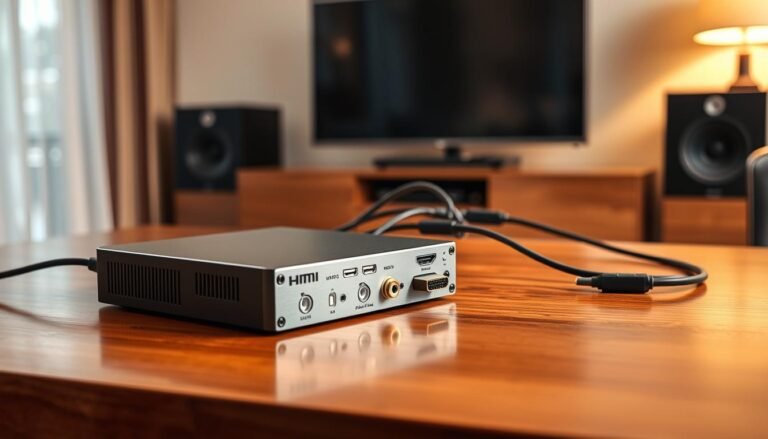
Think of a receiver as the traffic cop of your home theater. It routes video to your TV and sends audio to speakers, combining source switching, processing, power, and volume control in one box.
Fast pairing matters in 2025: quick guest playback and easy music handoff keep parties flowing, while the device still provides strong amplification and processing for real sound.
We focus on models near $1,700 or less that balance performance and value. Higher-priced units can add power, more channels, and finer setup options, but returns often shrink beyond that point.
Across this list you’ll find HDMI 2.1 for 8K/4K120, Dolby Atmos and DTS:X, and broad streaming support like AirPlay 2, Chromecast, Spotify Connect, and Sonos. Picks are judged on real-room setup, calibration tools, clear HDMI cabling, labeled inputs, and flexible speaker layouts.
We cover needs from best overall to power upgrades and gaming-ready models. Two-way bluetooth support also enables late-night headphone listening for shared homes. Expect a buyer’s guide, a checklist, and setup tips to match the right receiver to your speakers and room.
Why Choose an AV Receiver with Bluetooth for Your Home Theater
Your system’s hub handles HDMI inputs, sends video to the screen, and drives sound to every speaker. That simple role hides a lot of processing: the unit decodes surround formats, amplifies channels, and keeps audio and picture locked in time.
How a receiver routes audio video signals in your system
Source devices—game consoles, streamers, disc players, and cable boxes—connect to the unit’s HDMI inputs. It switches the selected source, forwards video to the display, decodes the audio formats, and powers the speakers for synced playback.
Bluetooth convenience vs. full network streaming
Bluetooth offers instant pairing from phones and tablets for quick music. Guests can play songs without accessing your Wi‑Fi, and playback still works if the network is down.
Network streaming (AirPlay 2, Chromecast, Spotify Connect, DTS Play‑Fi, Sonos) delivers higher fidelity, multiroom sync, and app-based control. Use Bluetooth for casual listening; switch to Wi‑Fi services when you want better sound, multiroom zones, or direct app control.
- Signal flow: sources → HDMI inputs → video out to TV → decoded audio → speakers.
- Quality trade-offs: Bluetooth can be lossy; network steaming can preserve more detail.
- Upgrade path: start simple for convenience, then add network features as needs grow.
Editor’s Criteria for This Product Roundup
We selected models priced around $1,700 or less to capture the best value before returns diminish and separates become more sensible. This price band typically delivers modern connectivity, useful room correction, and strong long-term value.
Price-to-performance sweet spot
Targeting this range keeps total system cost manageable while offering power and channels for most living rooms. Spending more usually adds raw watts and extra channels, but few users need that until they build separates.
Sound quality and real-world setup
We weight neutral tonality, dynamic headroom for movie peaks, and smooth surround imaging higher than gimmicks.
Good on-screen menus, reliable auto calibration, and clear input labels reduce setup friction and make upgrades easier later.
Features, room flexibility, and build
Essential features include HDMI 2.1 ports for 4K/120 and 8K pass-through on key connections, eARC support, and a solid streaming suite. Two-way wireless serves as a baseline convenience.
Receivers should power common speaker layouts and allow Atmos expansion without forcing external amps immediately. Sturdy chassis, cooling, and steady firmware updates extend product life and preserve value.
Understanding Channels, Power, and Watts per Channel
Deciding on channel count and amplifier power is the first step to a reliable home theater setup.
Conventional layouts are simple: a 5.1 system uses left/right, center, and two surrounds plus a self‑powered subwoofer. A 7.1 adds two extra channels for wider envelopment or a second zone.
Atmos notation like 5.1.2 or 5.2.4 tells you speaker roles. The first number is ear‑level speakers, the middle is subwoofers, and the last is height channels. Add the first and last numbers to estimate how many amplified channels you need.
Bass management matters: subs are usually powered, so the amplifier channels serve the main speakers while the unit still sets crossover and time alignment.
- Higher watts per channel help with peaks and inefficient speakers, but room size and seating distance also shape needs.
- Marketing power numbers can mislead; look for transparent ratings or independent measurements.
- Upgrade path: a 7‑channel unit can run 5.1.2 now and switch to 7.1 later by reassigning amps.
Match speaker sensitivity to your seating and desired levels to avoid strain during loud movie moments. That ensures the whole system delivers clear audio and true surround immersion.
HDMI 2.1, Inputs, and Next-Gen Video Support
Next-gen HDMI connections set the baseline for gaming and high-resolution playback. HDMI 2.1 raises bandwidth to handle up to 8K and enables 4K/120Hz gaming, smoother motion, and higher audio rates. Confirm which inputs actually support each feature before you buy.
8K, 4K/120Hz, VRR, ALLM, eARC, and quick media switching
Prioritize HDMI 2.1 for future-proof bandwidth and support for 8K and 4K/120 gaming. Advanced features improve responsiveness and picture quality.
- VRR reduces tearing and stutter for smoother action.
- ALLM triggers low-latency mode for the best gaming response.
- eARC sends high-bitrate Dolby TrueHD and Atmos back from the TV.
- QMS cuts the black-screen pause when sources switch frame rates.
How many HDMI ports you really need for gaming and streaming
For most homes, five HDMI inputs cover a streamer, console, disc player, cable/satellite box, and a spare. Power users may prefer six or more for future expansion.
Be cautious: some models list HDMI 2.1 but only certain ports carry full 4K/120 or 8K support. Verify which ports offer the game-friendly features you need.
Use certified Ultra High Speed HDMI cables for long runs and high-bandwidth formats. Also, plug the unit into your TV’s eARC port so built-in apps can send lossless audio back while the TV handles video. Firmware updates can add compatibility, but buy for current support if you need features now.
Streaming and Wireless Connectivity Beyond Bluetooth
Beyond quick pair-and-play, many models now provide native app-driven streaming for higher fidelity. Budget units may only offer short-range phone pairing, but step-up models include full network stacks that free your phone from acting as a playback bridge.
AirPlay 2, Chromecast, Spotify Connect, DTS Play‑Fi, and Sonos often appear as built-in options. These services let you control music directly from apps and keep the stream stable over your network.
Platform ecosystems and audio quality
If your home is Apple-centered, AirPlay 2 is seamless. Android users commonly prefer Chromecast. Multiroom households benefit from Play‑Fi or Sonos for synchronized zones.
Network streaming usually delivers higher audio fidelity than standard codecs, so you hear more detail on revealing speakers. For the best reliability, use a wired Ethernet link when streaming high-resolution tracks.
Two-way wireless for headphones
Select models support two-way wireless that can send TV sound to headphones. This is great for late-night viewing or accessibility without disturbing others.
- Native streaming benefits: control from apps, no phone tethering.
- Voice and multiroom: assistant tie-ins add hands-free control and grouping.
- App support: verify the companion app and firmware cover your favorite services.
Room Calibration and Tuning: Audyssey MultEQ vs. Dirac Live
Proper calibration lets your system overcome room quirks and reveal clearer music and movies. A microphone and software measure how your speakers interact with the room and then apply targeted correction to timing, level, and frequency response.
Why microphone-based calibration matters
Place the supplied mic at several listening points as the app prompts. Each position captures the room’s acoustic fingerprint so the algorithm can reduce peaks and fill nulls.
Multiple measurements ensure consistent sound across seats rather than tuning for a single sweet spot.
Audyssey tiers and Dirac modular upgrades
MultEQ provides basic correction; XT adds finer filters and resolution; XT32 delivers the most precise, musical result and more tuning options.
Dirac Live often ships as limited-band correction on some models. You can unlock full-range Dirac Live and Bass Control later to improve multi‑sub timing and smooth low-end response.
- Goal: smoother response across listening positions.
- Process: run multiple mic points, then review and limit correction ranges if needed.
- Tip: fine-tune crossover, sub levels, and target curves after auto runs.
Proper calibration can make modest speakers image better and tighten bass. For a practical example and setup guide, see our hands‑on review.
Best Overall Pick: Onkyo TX-NR6100
This pick balances power, modern video, and everyday streaming in one affordable unit.
Power and decoding: The Onkyo TX‑NR6100 delivers 7 x 100 watts per channel and supports Dolby Atmos and DTS:X for an expansive, detailed home cinema sound that also translates well to music.
Video and inputs: It offers six HDMI inputs; three pass 8K and the other three handle HDR10 and Dolby Vision. HDMI 2.1 features ensure smooth 4K/120Hz gaming on consoles like Xbox Series X.
Streaming and analog options: Built‑in Google Cast, DTS Play‑Fi, Spotify Connect, Sonos, AirPlay, and Bluetooth give flexible streaming from phones and apps. A dedicated phono input makes connecting a turntable simple.
| Feature | Spec | Benefit |
|---|---|---|
| Amplification | 7 x 100 watts per channel | Enough headroom for most living rooms |
| Formats | Dolby Atmos, DTS:X | Immersive 3D audio |
| HDMI | 6 inputs (3 x 8K) | Future‑ready video and HDR support |
| Streaming | Cast, Play‑Fi, Spotify, Sonos, AirPlay, Bluetooth | Multiple ways to play music and audio |
Usability: Intuitive menus and clear input labeling speed setup for first‑time owners. Overall, this pick is a strong value for buyers who want robust features without extra cost.
Step-Up Choice: Onkyo TX-RZ50 with Dirac Live
For users upgrading speakers or seeking more headroom, a step-up choice can transform system performance. The Onkyo TX-RZ50 brings higher power and extra connectivity to demanding setups.
The unit delivers 120 watts per channel and expands the HDMI bank to six 8K‑compatible ports, making it ideal for complex systems that need more hdmi inputs and hdmi 2.1 features.
Two-way wireless and smart control
This model supports two-way wireless streaming: you can cast audio into the unit and send sound out to headphones for private listening. It also links to Google Assistant and Amazon Alexa for easy voice control and quick source changes.
Dirac setup tips for rewarding sound
Dirac Live provides precision calibration that tightens bass, clears dialogue, and makes Dolby Atmos height channels more convincing. Use the Onkyo Controller app and the supplied microphone.
Take multiple measurements across seating positions and run sweeps in a quiet room. Small, repeated mic positions yield the most natural, enveloping result.
- Why choose it: more power and more 8K-ready inputs for future expansion.
- Performance delta: tighter bass, clearer centers, and richer height imaging when calibrated properly.
Cinematic Build and Phono Strength: Yamaha RX-A4A
If you prize build quality and cinematic punch, the RX‑A4A stands out in its class. Yamaha packs components tightly around a substantial transformer that inspires confidence in long-term reliability.
Beefy stereo performance
In two‑channel mode the unit delivers a beefy 110 watts per channel. That stereo muscle gives authoritative music playback and plenty of reserve for front speakers during big movie scenes.
Connectivity and inputs
The RX‑A4A includes seven HDMI ports to handle multiple sources without constant rewiring. This many inputs helps future expansion and keeps setup tidy.
Vinyl readiness and sonic character
The onboard phono preamp performs notably well in testing and often bests rivals. It reduces the need for an external preamp and simplifies analog setups.
The overall sound favors a bold, room‑filling presentation that flatters action films and dramas. It leans cinematic rather than ultra‑nuanced for network streaming, making it a home theater specialist.
| Aspect | Spec | Benefit |
|---|---|---|
| Build | Heavy transformer, neat internal layout | Thermal stability and long life |
| Power | 110 watts per (stereo) | Strong two‑channel drive and movie headroom |
| Connectivity | 7 HDMI ports | Multiple sources and easy expansion |
| Phono | Built‑in preamp | Good vinyl performance without extra gear |
Gaming Standout: Sony STR-AN1000
Designed around modern consoles, the STR‑AN1000 blends high-frame-rate video handling and spatial sound to suit fast-paced play. This 7.2‑channel unit supports Dolby Atmos and targets gamers who want clear effects and low latency.
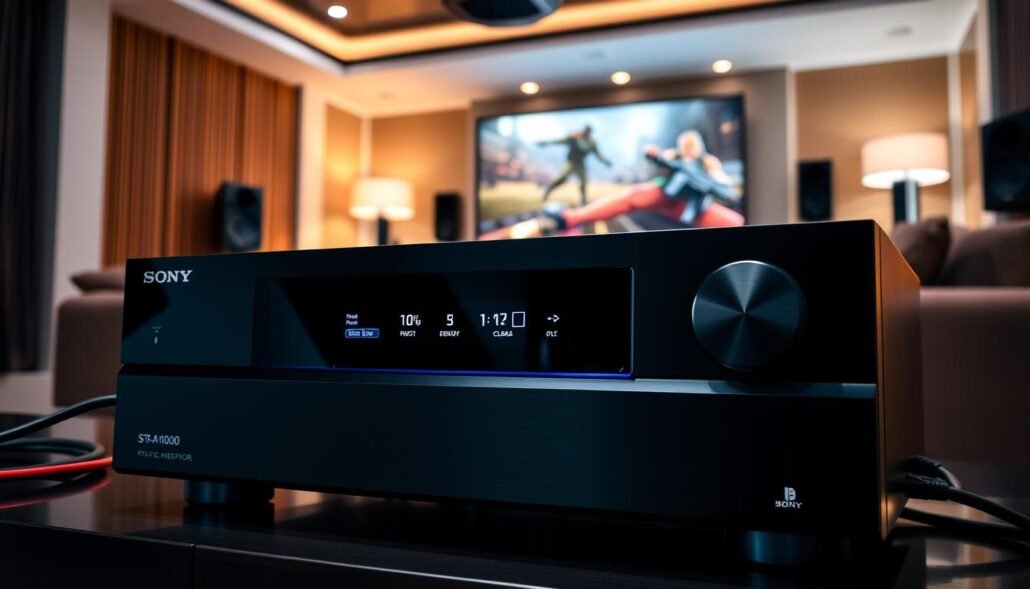
4K/120Hz, HDR support, and flexible HDMI routing
hdmi 2.1 features enable consistent 4K/120Hz pass‑through for current consoles. The unit offers six HDMI inputs, two that are 8K-capable, plus dual 8K outputs to future-proof your display chain.
Immersive audio and advanced calibration
Sony includes 360 Reality Audio and Dolby Atmos playback for games and movies, plus broad streaming support including Sonos. Digital Cinema Auto Calibration IX uses a stereo mic on a small stand to run multi‑position measurements and even set screen and speaker height.
- Why choose it: dependable 4K/120 performance and wide HDR compatibility (Dolby Vision, HDR10, HLG).
- Connectivity: six HDMI inputs and dual 8K outputs for flexible setups.
- Note: no dedicated phono input — vinyl users need an external phono stage.
In real rooms the STR‑AN1000 delivers punchy, coherent sound that keeps pace with intense gaming while preserving dialogue clarity in films and music.
Buying Guide: Matching Receivers, Speakers, and Rooms
A system that suits your room will outperform a more powerful setup in the wrong space. Start by measuring seat distance and noting room size. That simple step guides how much amplifier headroom you need and which speaker layout fits best.
Choosing the right amplifier power and speaker configuration
Match sensitivity to headroom. Low‑sensitivity speakers in large rooms need more power to avoid strain. Near‑field listening can use modest amps and still sound lively.
Multi-subwoofer outputs (.2 and beyond) for smoother bass
Many mid and higher-priced models include .2 sub outputs. Dual subs smooth in-room bass and reduce nulls across seats. When available, independent sub control or advanced bass management tightens impact and timing.
- Plan layouts: a 7‑channel unit can run 5.1.2 (two heights) or 7.1 (extra surrounds).
- Leave at least one spare HDMI input for future sources and simple expansion.
- Use pre‑outs or bi‑amp options to add external amplification later.
| Decision | What to check | Why it matters |
|---|---|---|
| Room size | Seating distance, room dimensions | Determines needed power and speaker placement |
| Speaker sensitivity | Matched to amp headroom | Prevents clipping and preserves sound clarity |
| Sub setup | .2 outputs or dual subs | Smoother, more even bass across seats |
| Expansion | Inputs and pre‑outs | Makes future upgrades painless |
Budget, Midrange, and Premium Tiers Explained
Budget, midrange, and premium options each solve different system needs — pick the level that matches your room and gear.
Budget tier: Around a $500 price point you typically get 5.1 channel designs. These units cover essential decoding, a practical number of HDMI ports, and basic room correction. They keep cost down by trading advanced calibration and extra channels.
Midrange sweet spot: Step up for 7 channels, broader HDMI 2.1 coverage, stronger auto calibration like Audyssey XT, and richer streaming features. This tier gives flexible expansion for Atmos or a small second zone.
Premium within the roundup: Near the top of our list you find more 8K‑ready inputs, higher power reserves, and advanced tuning such as Dirac Live. These justify the spend for larger rooms and low‑sensitivity speakers.
- When to step up: need extra channels, multi‑sub management, or more headroom.
- Watch diminishing returns: past about $1,700 many gains are subtle unless you move to separates.
- Practical tip: buy enough ports and options now to avoid near‑term upgrades.
| Tier | Typical price | Key benefit |
|---|---|---|
| Budget | $500 | Simple setup, 5.1 channel |
| Midrange | $700–$1,200 | 7 channels, extra features |
| Premium | $1,200–$1,700 | More power, advanced calibration |
Essential Features Checklist for an av receiver with bluetooth
Choosing the right unit starts with a clear checklist. Match connections, streaming services, and tuning tools to how you actually listen and watch.
HDMI inputs, eARC, streaming services, and control options
Verify HDMI coverage: count inputs, confirm which ports support 4K/120 or 8K, and make sure eARC is present for lossless TV app audio.
Confirm services: look for built‑in AirPlay 2, Chromecast, Spotify Connect, Sonos or Play‑Fi to simplify playback and multiroom setups.
Evaluate control: test the on‑screen UI, mobile app reliability, and voice assistant support for daily convenience.
Phono input, player compatibility, and calibration tools
Consider phono and analog inputs: a dedicated phono stage lets turntables play without extra gear. Extra analog ports help legacy components.
Assess calibration: pick models that offer Audyssey XT/XT32 or Dirac Live if your room needs correction or you plan multiple subs.
| Feature | What to check | Why it matters |
|---|---|---|
| HDMI inputs | Number and which ports support 4K/120 or 8K | Prevents swaps and ensures gaming/video features work |
| eARC | Presence and TV compatibility | Enables lossless audio from smart TV apps |
| Streaming services | AirPlay 2, Chromecast, Spotify, Sonos/Play‑Fi | Simplifies playback and multiroom control |
| Phono | Built‑in preamp or external needed | Makes vinyl easy to connect without extra gear |
| Calibration | Audyssey XT/XT32 or Dirac Live | Tames room issues and evens bass across seats |
Setup and Calibration Made Easy
Clean signal flow starts at the plug and ends at the speakers, not in the middle of a cable tangle. A tidy setup makes daily use simpler and reduces troubleshooting time.
Cabling HDMI and speaker connections for clean signal flow
Connect sources to the receiver’s HDMI inputs, then route a single HDMI output to the TV. Use the TV’s eARC port when available for the best audio from built‑in apps.
Label every cable and map inputs in the unit’s on‑screen menu so each source is easy to select. That saves time when swapping consoles or streamers.
For speaker wiring, maintain polarity and use secure terminations. Choose wire gauge based on run length to limit resistance on long runs.
Running room correction and fine-tuning surround modes
Place the calibration microphone at several seating positions. Multiple measurements improve results and yield a more even in‑room response.
- Set main speakers to small and choose sensible crossovers before running auto EQ.
- Adjust subwoofer phase and level first; then run the calibration sweep.
- Keep the room quiet and remove reflective obstacles during measurements.
After auto correction, verify channel levels and tweak crossover points. Try different surround modes and prefer ones that preserve native formats for movies.
Ongoing care: re‑run calibration when you move furniture, add a second sub, or change speakers. A quick recheck keeps audio consistent and reliable.
Where to Find Deals and Trusted Brands
Look beyond sticker price: availability, firmware status, and included accessories often change the real value of a purchase.
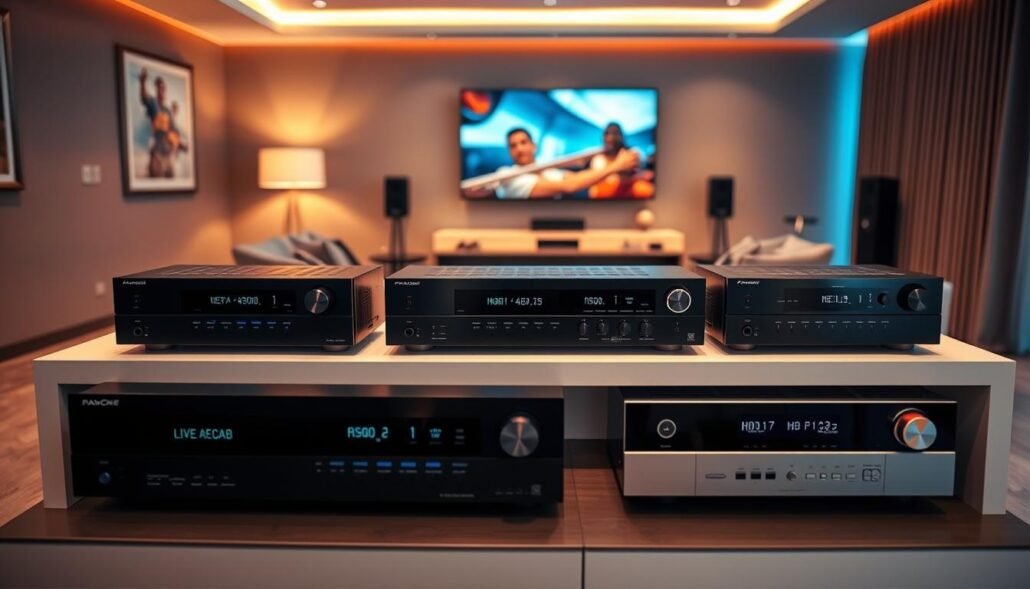
Popular U.S. retailers and authorized outlets
Buy from authorized U.S. retailers to keep full warranty coverage and get accurate stock info. Retailers often offer price matching and helpful tech support.
- Compare national chains and specialty audio dealers to see which has the best return policy, bundle options, and delivery windows.
- Verify model revisions and included accessories before checkout. Confirm the number of ports and the advertised feature set match the listing.
- Watch for seasonal sales, certified open-box stock, and factory-refurbished units sold by authorized outlets to save money while keeping protections.
Trusted brands like Onkyo, Yamaha, Sony, and Denon maintain steady firmware updates and wider ecosystem support. Use a short list of stores, compare price and stock, then make an informed choice on the best receivers for your needs.
Conclusion
The aim here: find units that deliver practical connectivity, honest wattage, and calibration that actually improves sound.
In short, this list helps you choose a receiver that balances modern ports, solid amplification, and easy tuning to lift your home theater and music playback.
Best overall pick: the Onkyo TX‑NR6100 gives broad features and value, while step‑up options add power, more inputs, and advanced room correction.
Before you buy, confirm HDMI 2.1 needs, prioritize enough inputs, pick a streaming platform that fits your household, and don’t skip calibration. Match the receiver’s capability to room size and speaker sensitivity for clear, fatigue‑free sound at real listening levels.
Confident choice: follow the guidance here and the top picks in our top picks to build a system that handles cinema nights, gaming, and daily music with ease.