Can I use an HDMI to Optical converter for older receivers? This guide answers that question clearly and helps you bridge classic gear with modern TVs. Many vintage amplifiers lack hdmi ports and can’t accept TV audio directly. That creates a simple but common problem when a new streamer or console sends sound only over hdmi.
The practical fix is an HDMI audio extractor that pulls audio out as optical, coax, or analog RCA. If your TV supports ARC, the extractor can take the TV’s return audio. Expect limits: some surround formats, like DTS, may not pass through.
Read on to learn which converter type to buy, which cables you need, and which TV settings stop the “no sound” error. The step-by-step connection tree will also cover troubleshooting so your vintage amp can live in a tidy home theater setup.
Can I use an HDMI to Optical converter for older receivers?
If your TV has an ARC-labeled HDMI port, a powered audio extractor can return TV app sound as optical or analog.
Best case: A modern TV with ARC plus a Roku, Apple TV, Fire TV, PlayStation, or Xbox sends clear audio back through an extractor. This setup gives stable audio output, predictable volume, and fewer format surprises when the TV is set to PCM stereo.
When it works best with a modern TV, streamer, or game console
Connect your streamer to the TV and enable ARC. The extractor grabs the return signal and sends optical or RCA to legacy gear. Many users find this the cleanest way to keep vintage amps in a modern setup.
Cases where you may need a different connection
- If the TV already has a built-in optical output, you may need only a DAC to feed analog RCA inputs.
- If the receiver has only analog RCA inputs, optical alone won’t work without a DAC or an extractor with analog out.
- A TV 3.5mm headphone jack is a simple way to get sound without any extra box.
| Scenario | Recommended path | Why it fits |
|---|---|---|
| TV with ARC + streamer | ARC extractor → optical/RCA | Stable audio, low fuss |
| TV with optical out | Optical → DAC → RCA | Simple, avoids extra ARC hardware |
| Only headphone jack | 3.5mm → RCA cable | Quick and cheap way to get sound |
What an HDMI to Optical Converter Actually Does for Your Audio Signal
These small boxes pull the sound from a digital feed and present it in formats older gear understands.
An audio extractor reads the incoming digital audio stream and delivers it as optical audio, coaxial, or analog RCA. The device re-encodes or passes through the audio signal as S/PDIF where supported.
How the signal is handled: the unit decodes the incoming digital audio signal, negotiates any handshake or ARC logic, then outputs a compatible feed for a receiver or DAC.
Extractor vs splitter
A splitter duplicates video and sends the same HDMI feed to multiple displays. An audio extractor instead isolates the audio track so you can feed it to legacy stereo gear.
Why many boxes need external power
Extractors often include a chipset that runs handshakes, ARC handling, and output stages. That circuitry needs a reliable power supply so the output stays stable.
- Buy tip: check for explicit ARC support if you plan to grab return audio from a TV.
- Expectations: if a receiver lacks a digital input, you will still need a DAC or analog output version of the extractor.
HDMI ARC, eARC, and Optical Audio: What Older Receivers Can and Can’t Use
ARC lets a TV send sound back over the same HDMI link that brings video in.
How ARC works: ARC enables two-way audio over one hdmi cable so the TV can return sound to an external device. This reduces extra wiring and often lets the TV remote control volume via CEC when both devices support it.
Why eARC matters: eARC raises bandwidth to carry lossless formats like Dolby TrueHD and high-res DTS variants. Many legacy extractors and older gear cannot negotiate eARC. If your TV defaults to eARC, set the hdmi port to ARC or force PCM audio to avoid silence.
Optical (TOSLINK) limits: Optical audio carries standard digital streams but lacks two-way CEC control. It cannot pass the highest-bandwidth formats, so many vintage units will only get PCM stereo or basic Dolby Digital/DTS, not Dolby Digital DTS-HD or TrueHD.
| Feature | ARC | eARC | Optical (TOSLINK) |
|---|---|---|---|
| Two-way audio | Yes | Yes | No |
| CEC control (TV remote) | Often | Often | No |
| High-bandwidth formats (lossless) | Limited | Yes | No |
| Best use with vintage gear | Use ARC with PCM output | May need TV fallback to ARC/PCM | Good for basic digital outputs |
Check Your Receiver Inputs Before You Buy Anything
Inspecting the back of the unit first prevents wasted purchases and headaches.
Finding usable audio input options
Start by looking for RCA jacks labeled AUX, CD, or DVD. These are typically valid line-level inputs and will accept TV audio with minimal fuss.
Line-level means the receiver expects an already-decoded analog signal that it can amplify. If you see those labels, you can feed audio from a DAC or extractor into that input.

When your receiver accepts only analog signals
If the only inputs are analog, a digital optical or coax output from a TV will not plug in directly. You will need a DAC to convert the digital feed into analog RCA before connecting to the stereo amplifier.
No AUX-type inputs at all?
For receivers without AUX/CD/DVD jacks, consider an RF modulator that turns RCA audio into a tunable RF channel. Use a 75Ω-to-300Ω adapter if the receiver has old antenna screw terminals.
- Quick checklist: confirm inputs, check labels, and don’t confuse video jacks with audio jacks.
- Shopping tip: once you know the receiver inputs, pick a converter output that matches and avoid returns.
| Receiver type | Needed output | Why |
|---|---|---|
| Has AUX/CD/DVD | Analog RCA | Line-level ready for stereo amplifier |
| Analog-only | DAC → RCA | Converts digital audio input to analog signal |
| No RCA | RF modulator | Creates tunable RF usable by antenna terminals |
Choose the Right Converter for Your Setup
Choose a unit that clearly lists ARC support and the exact audio outputs you need.
Look for explicit ARC support
If you plan to use a TV’s ARC-labeled HDMI port, the extractor must advertise ARC handling.
This avoids handshake failures and the dreaded silence when the TV sends return audio. Many boxes call themselves extractors but lack ARC logic, so read specs carefully.
Selecting the right audio outputs
Optical audio is ideal for feeding a DAC or a receiver with a TOSLINK input. RCA outputs are best for vintage amps that expect analog line-level signals.
Coaxial cable runs offer a robust digital alternative when optical routing is awkward or the path is tight.
Matching format support
Most older gear works best with PCM stereo. Dolby Digital and DTS passthrough only work when a downstream device can decode those formats.
If the chain can’t decode lossless or advanced surround, force PCM on the TV or the extractor to keep sound steady.
Avoiding “no sound” issues
- Confirm the unit explicitly states “ARC audio extractor” if you’ll use the ARC HDMI port.
- Verify the TV’s chosen audio output and that the extractor supports that format.
- Pick converters with clear labeling, reliable power, and a PCM/bitstream switch when available.
| Need | Best Output | Why |
|---|---|---|
| Vintage amplifier | RCA cables | Line-level analog ready for stereo |
| Digital chain with DAC | Optical audio | Clean digital feed for conversion |
| Tight cable runs | Coaxial cable | Durable and easy to route |
Setting expectations: most searches for “receiver hdmi” end with the discovery that older units lack HDMI ports. You’re not adding HDMI to the amp — you’re extracting audio into a format it already accepts.
What You’ll Need on Hand for a Clean Connection
Start by laying out every cable you’ll need before touching the TV or amp.
Minimum parts: one hdmi cable from the TV ARC port to the extractor, one optical or coaxial cable if you keep the path digital, and rca cables to feed the receiver input on your vintage amp.
Most extractors and DACs need external power. Plan for a nearby outlet so the unit runs reliably and so cords do not dangle behind furniture.
- hdmi cable: carries ARC negotiation and video routing between TV and extractor.
- Optical or coaxial cable: carries S/PDIF digital audio when you want a digital path.
- RCA cables: deliver analog stereo into AUX/CD/DVD style receiver inputs.
- Measure cable runs, label each end, and keep the power supply accessible.
- Handle optical cable carefully: don’t pinch or sharply bend it behind cabinets; tight bends can cause intermittent audio loss.
| Item | Role | Why it matters |
|---|---|---|
| hdmi cable | ARC link | Enables TV return audio and handshake |
| optical cable / coaxial cable | Digital feed | Clean S/PDIF path to DAC or receiver |
| rca cables | Analog input | Line-level audio into receiver input |
Tip: having every cable and the power supply ready prevents half-finished installs and most “no audio” troubleshooting sessions.
How to Connect an HDMI Audio Extractor to an Older Receiver
Make the HDMI ARC/eARC connection first, then handle the digital or analog outputs from the audio extractor.
- Plug a known-good HDMI cable into the TV’s ARC/eARC labeled hdmi port and into the extractor. Power the extractor and confirm its LED or power indicator is on.
- Enable ARC in the TV menu. Many sets require toggling ARC or eARC and switching audio output to the extractor before audio appears.
- Choose routing: run the extractor’s optical audio output straight to a receiver with TOSLINK, or send optical into a DAC if the amp accepts only analog RCA.
- If using a DAC or an extractor with RCA outs, connect those RCA leads into the receiver inputs labeled AUX, CD, or DVD.
- Select that input on the stereo amplifier and start with low volume on both TV and receiver to avoid loud surprises.
Quick checks: confirm extractor power, verify the TV recognizes ARC, and ensure the selected input matches where RCA are plugged in.
| Step | Action | Why it matters |
|---|---|---|
| 1 | Connect extractor to TV ARC/eARC hdmi port | Establishes return audio path and handshake |
| 2 | Route optical audio to receiver or DAC | Keeps digital signal intact or prepares it for conversion |
| 3 | Connect RCA to receiver input and select it | Feeds line-level analog audio into the amp |
TV Settings That Make or Break the Signal Output
Before you touch any cables, check the TV audio menu—settings often block the signal even when wiring is correct.
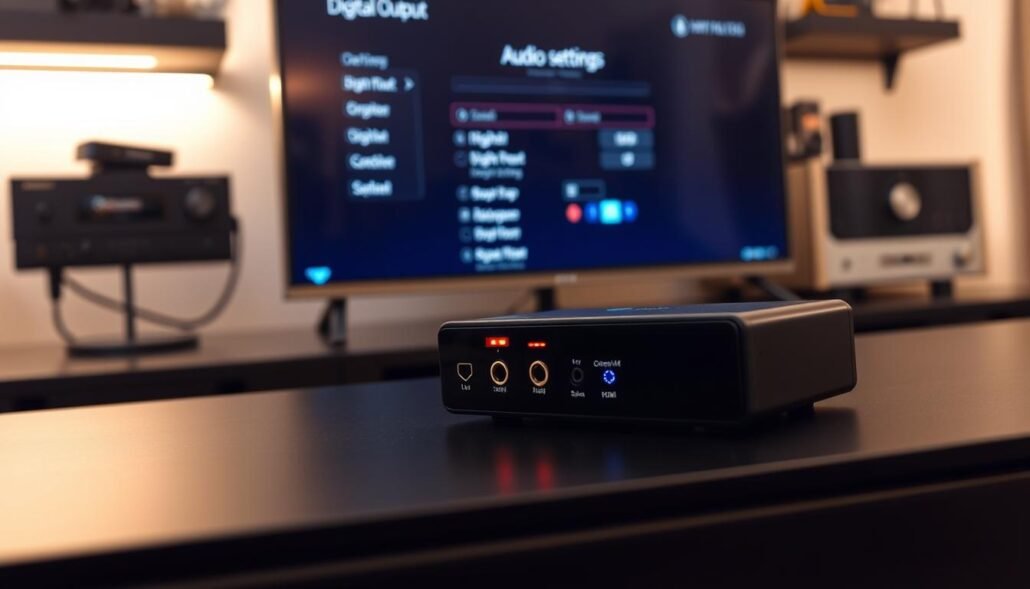
Enable ARC and pick the right audio output
Set the TV audio output to the HDMI ARC or external speaker path so the extractor actually receives the audio. Confirm the TV is sending audio out that port rather than keeping it internal.
Turn off TV speakers to avoid doubles and echo
Disable internal speakers so the receiver is the only source playing sound. Dual playback creates a distracting echo and makes sync issues worse.
Switch digital audio to PCM when Dolby Digital causes silence
If Dolby Digital makes the receiver go quiet, change the digital outputs to PCM stereo. Dolby Digital may work when downstream gear supports it, but PCM is the reliable fallback.
CEC and power/volume behavior
Enable CEC if you want the TV remote to control power and volume. If switching or odd volume jumps occur, disable CEC and control the amp directly.
Quick checklist and power-cycle
- Set audio output to ARC/external device and confirm the path.
- Turn off TV speakers to prevent overlapping sound.
- Force PCM if dolby digital causes silence.
- After changes, power-cycle the TV and extractor to refresh the HDMI handshake and stabilize the signal.
| Setting | Why | Action |
|---|---|---|
| Audio output | Routes sound | Select ARC/external |
| Digital outputs | Format compatibility | Choose PCM if needed |
| CEC | Remote control | Enable or disable by behavior |
Surround Sound Expectations With Older Receivers
Expect most modern TV apps to hand down a two-channel mix when you pull audio over optical or coax.
Set realistic expectations: vintage stereo amps deliver great stereo, not discrete 5.1 surround. Many TVs downmix multichannel tracks for optical audio outputs, so the feed becomes left/right only.
If your amp or extractor supports bitstream passthrough and the TV can send compressed formats, Dolby Digital or digital DTS may work and provide multichannel sound. Otherwise the TV will either downmix or fall back to PCM stereo.
Why downmixing happens
Optical audio has limited bandwidth and no two-way control. TVs often collapse 5.1 into stereo before sending it out to keep compatibility with older gear.
Pro Logic-style processing
If the receiver supports Dolby Pro Logic or Pro Logic II, it can derive a simulated surround field from stereo material. This gives a room-filling effect and better dialog anchoring, but it is not true discrete channels.
- Rule of thumb: stereo-only gear or extractors that lack bitstream will deliver PCM stereo.
- Choose the TV audio format deliberately — PCM for stable stereo, bitstream when your chain can decode Dolby Digital or DTS.
| Scenario | Likely result | Best action |
|---|---|---|
| TV sends bitstream, receiver decodes | Discrete surround may work | Keep bitstream enabled on TV |
| TV downmixes to 2‑channel | Stereo only | Use Pro Logic if available or accept stereo |
| Extractor/DAC is stereo-only | No surround, stable PCM | Force PCM on TV |
Common Problems and Fixes With HDMI-to-Optical Setups
Before blaming gear, check basic settings: input selection, extractor power, and TV audio mode.
No sound from the receiver
First, confirm the receiver is on the correct input and the extractor has power. Toggle ARC in the TV menu and select the matching output. If there is still no sound, power-cycle the TV, extractor, and receiver to refresh the handshake.
- Quick no sound checklist: correct input, extractor powered, ARC enabled.
- Swap in a known-good HDMI cable and reseat optical connectors until they click.
Audio lag or lip sync
Open the TV AV sync or audio delay setting and add or remove milliseconds until picture and sound align. Switching the TV output from bitstream to PCM often reduces processing delay and fixes sync problems.
Low volume or distorted audio
Set the TV output level to a stable nominal value, then raise the receiver volume slowly. This gain staging avoids clipping and keeps the signal clean. If distortion persists, check that the extractor output matches the receiver input.
Optical cable handling tips
Route the optical cable with gentle curves, avoid tight bends, and do not crush it behind furniture. A damaged fiber can cause intermittent signal loss that mimics loose connections.
| Problem | Fast fix | Why |
|---|---|---|
| No sound | Check input, power-cycle, replace cables | Handshake or loose cable |
| Lip sync | Adjust AV sync, use PCM | Processing delay |
| Low/distorted | Adjust TV level, lower gain | Clipping or mismatch |
Alternative Ways to Connect Modern Devices to a Vintage Amp
If ARC extraction is flaky, choose a simpler path and keep predictable stereo audio.
Use the TV’s optical output into an optical-to-analog DAC
Fallback hierarchy: when the ARC route fails, start with the TV’s digital optical output and feed it into a DAC. The DAC converts digital optical audio into analog RCA so your amplifier can amplify normally.
Headphone jack to RCA adapter
If the TV has a 3.5mm jack, a 3.5mm-to-RCA cable gives quick stereo sound without conversion hardware. This way is fast and reliable for casual video and music playback.
RF modulator for antenna-style inputs
For truly old receivers that lack AUX, use an RF modulator to turn RCA audio into a tunable RF channel. You may need a 75Ω-to-300Ω adapter for screw-terminal antenna inputs.
Bluetooth and Wi‑Fi streaming devices
Wireless streamers like Arylic units, Sonos Port, Echo Link, or legacy Chromecast Audio add modern convenience. They let you send audio directly to the amp or feed the TV while keeping remotes and inputs manageable.
| Situation | Best alternative | Why it works |
|---|---|---|
| ARC/extractor unreliable | Digital optical → DAC → RCA | Stable, simple digital‑analog conversion |
| Quick setup needed | 3.5mm → RCA cable | No digital conversion, plug-and-play |
| No RCA inputs | RF modulator + adapter | Creates tunable RF for antenna terminals |
| Wireless convenience | Bluet./Wi‑Fi streamers | Adds network audio and app control |
Conclusion
A reliable path from modern sources to vintage amps starts with matching outputs and formats.
Check inputs first. Confirm the receiver accepts the chosen output before buying gear. A wrong match wastes time and money.
For most setups, the ARC → audio extractor → DAC → analog chain with the TV set to PCM gives the steadiest audio and best sound. That arrangement reduces handshake glitches and keeps levels stable.
Common failure points are missing ARC support, incorrect TV output selection, CEC quirks, and mishandled optical cable. If ARC proves finicky, using the TV’s optical output or headphone jack often delivers a simpler connection that still sounds great.
Final tip: verify power, pick the right outputs, and keep cables neat for a reliable, long-lasting connection.
FAQ
Can I use an HDMI to Optical converter for older receivers?
Yes in many cases. An HDMI audio extractor converts a digital HDMI audio signal from a TV, streamer, or game console into a TOSLINK optical output that older receivers with optical inputs can accept. You’ll need an extractor that supports the audio formats your source sends and often a power supply. If the TV sends Dolby Digital or DTS over its HDMI ARC port the extractor must support ARC passthrough or you may need to connect the source directly to the extractor.
When does this solution work best with a modern TV, streamer, or game console?
It works best when the source device or TV can output Dolby Digital, PCM stereo, or DTS over HDMI and the extractor explicitly supports those formats. Use the TV’s ARC or eARC-labeled HDMI port if the extractor is ARC-capable. For game consoles and streamers, connect the device HDMI into the extractor first if your TV won’t pass full audio formats reliably.
What are cases where you may need a different connection than HDMI?
If your receiver only accepts analog RCA inputs or lacks optical/coaxial ports, you’ll need an HDMI-to-analog (DAC) device or an optical-to-analog converter. Also, if the TV locks audio to eARC high-bitrate formats the extractor may not handle it; then use a device that outputs PCM or switch the TV audio settings to downmix to stereo.
What does an HDMI audio extractor actually do for your audio signal?
An HDMI audio extractor pulls the audio stream from the HDMI signal and provides it on separate outputs like TOSLINK optical, digital coaxial, or RCA analog. It doesn’t alter video passed to the TV, but it may decode or pass through digital formats depending on the model. Many extractors also require external power to run their circuitry.
How does an HDMI audio extractor differ from a basic HDMI splitter?
A splitter duplicates the HDMI video/audio signal to multiple HDMI outputs. An extractor separates the audio and exposes it on other connectors (optical, coaxial, RCA). Use an extractor when you need a digital or analog audio feed for legacy gear that can’t accept HDMI directly.
Why do many converters still require a power supply to function?
Extractor boxes contain active electronics for decoding and routing digital audio, and the HDMI port alone may not supply enough consistent power. A dedicated power supply ensures stable operation and reduces issues like audio dropouts or failed format negotiation.
How does HDMI ARC send audio both directions over a single HDMI cable?
ARC (Audio Return Channel) lets the TV send audio back to an ARC-compatible receiver or soundbar over the same HDMI cable that carries video to the TV. That reduces cable clutter and lets the TV’s internal apps or connected devices route audio to legacy amplifiers when supported.
Why can eARC bandwidth be a mismatch for older gear?
eARC supports higher bitrate audio (lossless formats like Dolby TrueHD and advanced multichannel PCM) that older receivers and simple extractors cannot decode or pass. If the TV sends eARC-only formats, the extractor or receiver may get no sound unless the TV downmixes to PCM or Dolby Digital.
What are the limits of optical (TOSLINK) compared with ARC, including control features?
Optical supports PCM stereo and compressed multichannel Dolby Digital and DTS but not high-bitrate lossless formats or most object-based codecs. Optical also lacks HDMI CEC and ARC control features like volume sync and device power control, so you may lose some convenience functions.
How do I find usable audio input options like AUX, CD, or DVD (RCA inputs) on my receiver?
Inspect the rear panel for labeled RCA jacks such as AUX, CD, Tape, or DVD. Check the receiver’s manual to confirm which inputs accept line-level signals. These analog inputs accept a simple RCA feed from a DAC or TV headphone-to-RCA adapter if needed.
What if my receiver has only analog signal inputs?
Use an optical-to-analog DAC or an HDMI extractor with RCA outputs to convert the digital audio to line-level analog. Make sure the converter supports stereo PCM or, if you want simulated surround, that your receiver can process stereo into multi-channel via Pro Logic.
What should I do if my old receiver has no AUX inputs at all?
Options include buying an external DAC that feeds a modern powered speaker or using a Bluetooth receiver, Wi‑Fi streamer, or RF modulator. Another route is replacing the receiver with a basic modern AVR that includes optical or HDMI inputs.
How do I pick the right extractor if I plan to use the TV’s HDMI ARC port?
Look for explicit ARC support and ARC-compatible pass-through. Confirm the extractor lists ARC or eARC on the spec sheet and supports the audio formats your TV outputs. If uncertain, buy from reputable brands like AudioQuest, Monoprice, or FiiO and check user reviews.
How do I choose between optical, RCA cables, or coaxial cable outputs?
Use optical if the receiver has TOSLINK and you need a simple digital link for Dolby Digital or DTS. Use coaxial if the receiver supports it and you prefer a single RCA digital cable. Use RCA analog if your gear lacks digital inputs; that requires a digital-to-analog converter or an extractor with RCA outputs.
How important is matching format support like PCM stereo vs Dolby Digital DTS passthrough?
Very important. If the extractor or receiver doesn’t support the incoming format you’ll get silence or noise. Set the TV or source to output PCM stereo if the gear can’t handle Dolby Digital or DTS. For surround decoding, ensure your receiver explicitly supports the chosen format.
What causes “no sound” issues with digital outputs and how do I avoid them?
Common causes include unsupported audio formats, wrong TV output settings, incorrect input selection on the receiver, faulty cables, or ARC negotiation failures. Avoid issues by using quality cables, confirming formats, enabling ARC on the TV, and powering devices in the correct order.
What items should I have on hand for a clean connection?
Keep a good HDMI cable, a TOSLINK optical cable, a digital coax cable if needed, and RCA patch leads for analog connections. Also have the extractor’s power supply, the TV and receiver manuals, and possibly an optical-to-analog DAC if your receiver lacks digital inputs.
How do I connect an HDMI audio extractor to an older receiver?
Connect the source HDMI to the extractor input, run an HDMI cable from the extractor’s video output to the TV (or use the TV ARC port if supported), and connect the extractor’s optical or coaxial output to the receiver. If using analog, connect the extractor’s RCA outputs to the receiver’s AUX. Select the matching input and start with low volume.
Which TV settings commonly break or restore the audio output?
Enable ARC if using ARC, turn TV speakers off to avoid duplicate sound, set digital audio output to PCM if Dolby Digital causes silence, and toggle CEC if volume control behaves oddly. Also ensure any TV app audio settings aren’t forcing unusual codecs.
Why do many TVs downmix surround sound to stereo on optical outputs?
Optical bandwidth and format limits often force TVs to downmix multichannel streams to stereo PCM for compatibility. Some apps or services may only send Dolby Digital over optical, while object-based formats like Dolby Atmos won’t pass over TOSLINK.
When will Dolby Digital or DTS work and when won’t they with older receivers?
They will work if the TV or extractor outputs those compressed formats over optical or coax and the receiver supports them. They won’t work if the source uses bitstream formats not supported by the extractor, or if the TV downmixes or strips formats before sending audio out.
How can Pro Logic-style processing simulate surround from stereo?
Many vintage receivers include Dolby Pro Logic or similar decoders that extract ambient channels and center information from stereo signals, creating a multi-channel effect. This gives a surround-like experience when true discrete multichannel audio is unavailable.
What are common problems and fixes with HDMI-to-optical setups?
No sound: check input selection, ARC toggle, cables, and power. Audio lag: use TV AV sync adjustments and switch formats. Low volume or distortion: try PCM instead of bitstream and adjust gain on the extractor or receiver. Prevent optical failure by avoiding tight cable bends and keeping connectors clean.
What alternative ways exist to connect modern devices to a vintage amp?
Use the TV’s optical output with an optical-to-analog DAC, a headphone jack-to-RCA adapter if available, an RF modulator for antenna-style inputs, or Bluetooth/Wi‑Fi streaming devices like Chromecast Audio alternatives. Each has trade-offs in quality and latency.