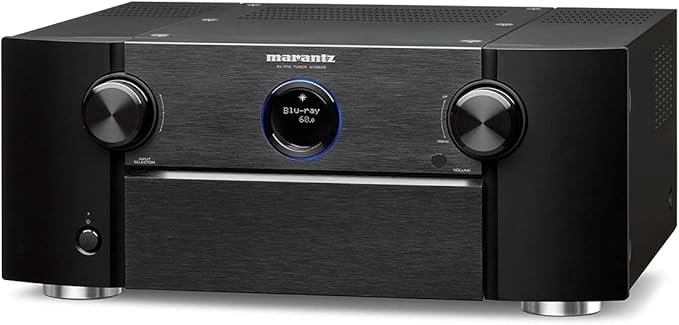
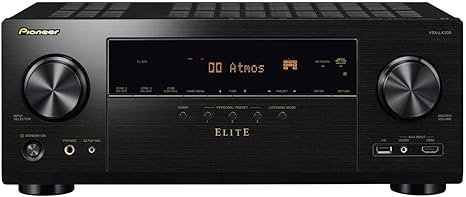
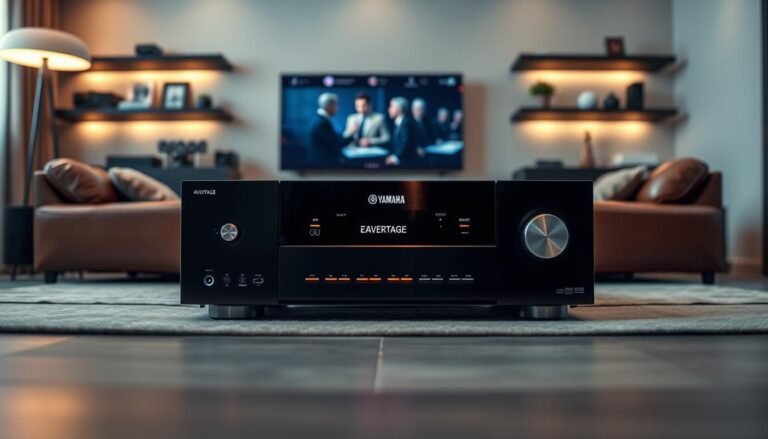
This compact receiver aims to be the heart of a modern home theater. It pairs a 7.2 layout with easy setup tools to deliver clear audio and reliable video handling for small to medium rooms.
The avr-s770h 7.2 chassis is rated at 75 watts per channel (stereo, 8 ohms), and that rating translates into solid day-to-day performance for movies and music. You get six hdmi inputs, three that are 8K-ready, plus eARC and pass-through for HDR10+ and Dolby Vision.
Immersive formats like Dolby Atmos and DTS:X are supported natively, and calibration is made approachable with a Setup Assistant and Audyssey MultEQ. Dual subwoofer outputs help smooth bass across the room, though independent sub calibration is not included at this price point.
HEOS streaming and multi-room integration turn the unit into a flexible product for both theater and whole-home audio. This intro previews coverage of design, amp behavior, speaker matching, gaming latency, and a comparison to the AVR-S970H so you can judge if this receiver fits your home and budget.
Denon AVR-S770H Review
This receiver targets small to medium rooms and balances modern video with simple setup and reliable audio. It pairs next‑gen pass‑through for 8K/60 and 4K/120 with an on‑screen Setup Assistant that guides you step by step.
Formats and support are broad: Dolby Atmos and DTS:X playback arrive ready, while eARC and HDR10+ pass‑through keep streaming and disc content compatible. That makes gaming consoles and Blu‑rays work without fiddling.
Sonic character is practical — clear dialog, stable imaging, and controlled dynamics. The receiver favors neutrality over warmth, so voices stay intelligible and effects stay tight in movies and TV.
- Front panel simplicity and a sensible rear layout make daily use painless.
- Audyssey MultEQ automates room correction for quick calibration.
- It serves as an affordable entry way to separates, with room to add components later.
Verdict: For many homes this product hits a strong mix of features, usability, and dependable surround performance. Purists may step up, but most users will find its balance ideal.
Who Should Consider This 7.2 Home Theater Receiver
For owners of apartments, living rooms, or bonus rooms, this 7.2 option matches moderate listening levels with clear dialog and reliable performance. It suits a typical family home that values simple setup and steady day-to-day use.
The 75W-per-channel rating and guided setup tools make it easy to get good surround sound in small-to-medium rooms. Assignable outputs let you prioritize a 5.1.2 height layout or switch to a 7.1 layout as your speaker plan evolves.
- Best for households focused on movies, sports, streaming series, and casual gaming rather than audiophile extremes.
- Pairs well with efficient speakers (86–90 dB) in modest room sizes for balanced audio without strain.
- Zone 2 can power a separate space when not all seven channels are in use, adding multi-room convenience.
| Use Case | Why It Fits | When to Step Up |
|---|---|---|
| Apartment / Small Living Room | Clean dialog, guided setup, compact power | Large room or low-sensitivity speakers |
| Family Entertainment | Stable reliability, easy controls, versatile layouts | Desire for reference-level volumes |
| Multi-room Starter | Zone 2 and assignable outputs add flexibility | Need for dedicated multi-zone amplification |
New buyers should plan cable routing and seating distance so the system blends into the space. For a concise comparison of nearby models and options, see this comparison guide.

Design and Build Quality
Clean, practical design guides the receiver’s exterior. The front panel keeps a readable display and essential controls in easy reach. That makes setup quick without feeling crowded.
Front panel, chassis, and cooling
The front layout places volume, input selection, and a simple menu in obvious spots. Small LEDs and a clear display help confirm settings at a glance.
The rear cluster is organized to reduce wiring errors. Clearly labeled speaker terminals and six hdmi inputs keep connections straightforward.
The chassis fits TV stands and standard AV racks. Its size and weight class suit most living room furniture, but leave a few inches of clearance for airflow.
- Amplifier topology: discrete high-current circuitry supports stable output across channels under load.
- Thermal design: smart airflow and heatsinking help maintain steady sound during long sessions.
- Practical tips: avoid stacking heat sources above the unit and allow clearance to prevent throttling.
| Feature | What It Means | Practical Benefit |
|---|---|---|
| Front controls | Readable display and tactile knobs | Faster setup and everyday ease |
| Rear I/O | Labeled speaker posts and 6 HDMI inputs | Less wiring mistakes and tidy installation |
| Chassis & cooling | Rack-friendly size and heatsinks | Reliable performance in a typical room |
Built for home use, the receiver balances solid construction with affordability. Thoughtful routing reduces cable strain and keeps limited space neat.
Power and Amplifier Performance: 75 Watts per Channel Explained
Seventy-five watts per channel translates into practical power for most living rooms and casual movie nights. That rating describes continuous output in stereo at 8 ohms and comes from discrete high-current amplifier stages rather than a single chip design.
Real-world speaker matching and room size
Match speakers that are easy to drive. With 75 watts per channel you get comfortable volume in small to mid-size rooms using speakers with average sensitivity (about 86–90 dB). Pick moderately efficient models to keep dynamics lively without pushing the amplifier hard.
Bass control and dynamic headroom
Dual sub outputs help spread low-frequency duties across two subs to smooth room modes. That lets the mains and center focus on midrange and dialog while subs handle the deepest notes.
Set sub gains carefully and start crossovers around 80 Hz. Smaller rooms or speakers with weaker low-end may need a higher crossover to avoid strain. Re-run room correction after moving furniture to keep bass tight.
- Discrete output stages = cleaner audio during busy scenes.
- Dynamic headroom helps with action peaks; avoid constant clipping by sensible level calibration.
- Higher master volumes in large rooms or with low-sensitivity speakers may require an amplifier upgrade.
| Aspect | What to Expect | Practical Tip |
|---|---|---|
| Watts per channel | 75W stereo (8Ω) continuous output | Good for small–mid rooms with average speakers |
| Amplifier design | Discrete high-current stages | Cleaner transient response vs chip amps |
| Bass handling | Dual sub outputs (not independent EQ) | Use two subs to smooth room modes; set crossover ~80 Hz |
| Headroom | Enough for movie peaks at normal listening levels | Calibrate levels; upgrade if you need reference volumes |
Surround Sound Formats and 3D Audio: Dolby Atmos, DTS:X, and More
Three-dimensional audio uses object-based tracks to place sounds precisely in space for deeper immersion.
Core format support includes Dolby Atmos and DTS:X, plus legacy lossless tracks such as Dolby TrueHD and DTS-HD Master Audio. The receiver auto-detects encoded streams from discs and many streaming services and selects the best playback path.
Virtual solutions like DTS Virtual:X and Dolby Atmos Virtualization recreate height cues when ceiling or height speakers aren’t possible. These modes widen the soundstage and add perceived elevation without extra speakers.
- How 3D formats work: Atmos and DTS:X create a hemisphere of sound beyond traditional 5.1 or 7.1 layouts, improving envelopment and directional effects.
- Upmixing: DTS Neural:X can expand older stereo or 5.1 content to use extra channels and height outputs for fuller immersion.
| Format | Typical Source | Best Use |
|---|---|---|
| Dolby Atmos | Blu-ray, streaming, some games | Object-based movies and demos for precise overhead effects |
| DTS:X | Disc and select streaming titles | Flexible bed-and-object rendering for films and TV |
| Dolby TrueHD / DTS-HD MA | Blu-ray audio tracks | Lossless sound for music and movie mixes |
| DTS Virtual:X / Dolby Virtualization | Stereo or surround playback without heights | Add perceived height when ceiling speakers are not possible |
Channel limits shape layout choices: expect to plan 5.1.2 or 7.1 formats to get the best 3D effect with available channels. Video pass-through compatibility keeps HDR video and audio in sync so lip‑sync and HDR playback remain stable.
Try blockbuster demos, Dolby Atmos test tracks, or recent game titles to hear the difference—these content types show off height cues, object movement, and immersive ambient detail best.

Flexible 7.2 Speaker Layouts and Height Speakers Options
Simple output assignment makes it easy to try height channels, rear surrounds, or a mix that fits your living space.
5.1.2 is the sweet spot for many rooms. Adding two height speakers unlocks dramatic Dolby Atmos effects without complex wiring. This layout gives clear overhead motion for rain, aircraft, and ambient cues while keeping a compact footprint.
Choosing between 5.1.2 and 7.1
Use 7.1 when you want broader lateral surround coverage for larger seating areas. Pick 5.1.2 when height cues matter more than extra rear channels for movie impact.
- Place front height speakers high on the front wall or use in-ceiling models when ceilings allow.
- Keep speaker angles near Dolby recommendations but adapt distances for furniture and room shape.
- Use assignable outputs on the avr-s770h 7.2 to swap channels without rewiring as you test layouts.
Mounting and cables: run speaker wire along baseboards or inside conduits and keep runs tidy to reduce trip hazards.
No wiring option? Dolby Atmos Virtualization recreates height cues for renters or tight rooms, lifting the home theater experience without ceiling installs.
HDMI Inputs, Video Support, and 8K/4K120 Gaming Features
A receiver’s HDMI suite decides how well your TV, console, and streamer will play together now and later.
The unit provides six HDMI inputs, with three ports rated for 8K bandwidth. Those 8K-ready inputs handle 8K/60 and 4K/120, which benefits high-frame-rate gaming and premium video sources.
eARC, HDR10+ and Dolby Vision
eARC on the HDMI output sends lossless audio back from smart TVs, simplifying wiring when you use TV apps. Pass-through for HDR10+ and Dolby Vision preserves dynamic tone mapping for vivid highlights and accurate color.
Low-latency gaming and cabling
4K/120 support reduces lag on compatible consoles and improves motion clarity in fast games. For reliable links, use certified Ultra High Speed HDMI cables and reserve the 8K-capable ports for next‑gen consoles and top-tier streamers.
Quick tip: label inputs and keep one 8K port free for future upgrades. Ensure your TV’s eARC setting is enabled to avoid handshake issues when routing audio back to the receiver.
| Feature | What It Does | Practical Advice |
|---|---|---|
| 6 HDMI inputs | Multiple sources at once | Label each input for easier control |
| 3 8K-capable ports | Supports 8K/60 and 4K/120 | Reserve for consoles and UHD players |
| eARC on HDMI output | Lossless TV audio return | Enable eARC on TV and receiver settings |
| HDR10+ & Dolby Vision | Dynamic HDR tone mapping | Use compatible source apps or players |
Setup Experience: Denon Setup Assistant and Audyssey Room Correction
Setup walks you through speaker wiring, network pairing, and input naming with clear on-screen graphics. The visual guide cuts errors and speeds the initial install so you can move to calibration quickly.
Step-by-step calibration with MultEQ
Audyssey MultEQ measures multiple mic positions to create matched distances and levels for all channels. The process automates EQ curves that tame room modes and smooth frequency response.
MultEQ also aligns timing for subs and height speakers so 3D audio imaging feels cohesive. Re-run the room correction after moving rugs, curtains, or furniture to preserve accurate results.
Tips for better mic placement and seating targets
Use a stable stand and place the microphone at ear height. Avoid holding the mic to prevent body reflections from coloring the measurement.
- Start at the primary listening spot, then measure adjacent seats to widen the optimized zone.
- Turn off fans and HVAC so background noise does not skew the correction data.
- After calibration, adjust crossovers or dialog level to taste without undoing the correction curve.
HEOS Streaming, Music Playback, and Everyday Use
HEOS turns multi-source streaming into a single, easy-to-control experience for the whole house. It links Spotify, Pandora, and Tidal under one app so sending music to other HEOS-enabled speakers is seamless.
Create playlists in the app, group rooms, and sync playback for parties without drops or lag. Saved groups and scenes make restarting a household playlist a one-tap task.
Expect clean audio for everyday listening. The receiver’s DAC and amplification deliver stable playback at comfortable volumes for background or focused listening.
Voice-assistant and app control speed common tasks like volume or source select. Quick-start and reliable CEC control also streamline TV and system power‑on for daily use.
- Network tip: use wired Ethernet or a strong Wi‑Fi band for steady streaming.
- Make it intuitive: name inputs, add favorites, and save HEOS scenes for family use.
| Feature | Benefit | Practical Tip |
|---|---|---|
| Streaming services | Unified control of sources | Log into services in HEOS app once |
| Room grouping | Synced music across the home | Save groups to recall quickly |
| Playback quality | Clean everyday audio | Use wired network where possible |
| Quick-start & CEC | Fast power-on and input switching | Enable CEC on TV and receiver |
Connectivity and I/O: Phono, Digital Inputs, and Dual Sub Outputs
Good connectivity ties all your sources together. The receiver includes a moving magnet phono input for turntables, one coaxial and two optical digital inputs for legacy players, and six hdmi inputs—three of which are 8K-capable.
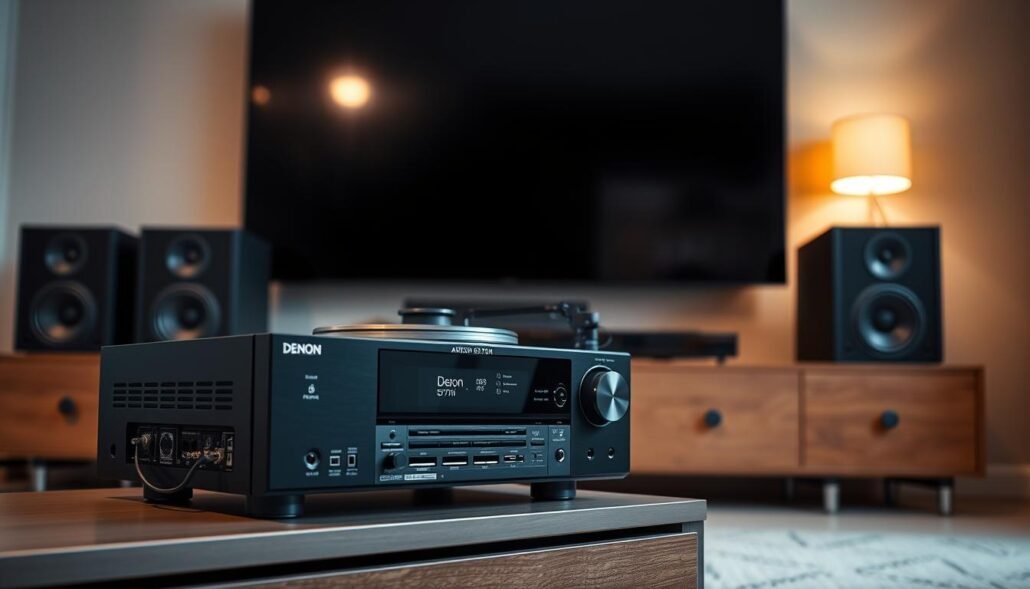
Dual subwoofer outputs let you place two subs to smooth bass across seats. They do not offer independent EQ, but using two outputs reduces room mode peaks and gives more even low-frequency coverage.
Use the HDMI output with eARC enabled to send lossless audio from TV apps back to the receiver without extra cables. That keeps streaming apps integrated and avoids repeated switching between sources.
- Speaker terminals are clearly labeled for flexible channel assignment in a 7.2 layout.
- Use quality RCA cables for the phono connection and a proper ground to minimize hum.
- Label inputs and customize names so daily source selection is intuitive for all users.
| Input / Output | What to Use | Practical Tip |
|---|---|---|
| Phono | Turntable (MM) | Use grounded, shielded RCA and enable phono input |
| Coaxial / Optical | Legacy CD / transport | Reserve for older digital sources to free HDMI ports |
| HDMI (6) & eARC | Consoles, streamers, TV | Keep 8K ports for high-bandwidth devices; enable eARC on TV |
Practical setup tip: keep speaker cable runs tidy and short where possible to preserve power delivery and aesthetics. This connectivity covers modern streamers and older disc players, making the system versatile for today and tomorrow.
Multi-Room Audio and Zone 2 Considerations
Running a second audio zone trades some surround channels for music in another part of the home. On many receivers that means you can enable Zone 2 only when not all seven powered channels are in use.
Common use cases include kitchen background music or patio tunes during gatherings. If your main room does not require a full 7.1 layout, freeing a channel for Zone 2 gives useful coverage elsewhere in the house.
HEOS complements physical Zone 2 by offering wireless multi-room streaming to compatible speakers. That lets you cover more space without pulling new speaker cable.
- Control workflows: play a movie on the main system while streaming different music to Zone 2 or HEOS groups from the app.
- Volume & source tips: set sensible max levels for Zone 2 and assign a dedicated source to avoid interrupting the main program.
- Wiring & impedance: plan speaker runs and keep impedance within the receiver’s specs for reliable secondary-zone operation.
| Scenario | Best Approach | Practical Tip |
|---|---|---|
| Kitchen or patio music | Zone 2 wired output | Use short runs and correct impedance for stable output |
| Multiple rooms without wiring | HEOS wireless grouping | Use wired Ethernet for the host receiver to reduce dropouts |
| Full 7.1 movie nights | Disable Zone 2 | Reserve all powered channels for immersive surround |
Test both Zone 2 and HEOS paths to see which fits your layout and lifestyle. A quick trial shows the easiest way to balance main-room immersion with convenient background audio throughout the home for a better everyday experience.
Performance Impressions: Movies, TV, and Music
Movie playback feels immediate. Dialog stays articulate and the center image remains stable even during complex scenes. Effects pan cleanly across the room for clear directional cues.
Dolby Atmos mixes in height and depth effectively when using a 5.1.2 layout. Overhead cues form a convincing bubble for blockbuster entertainment, adding both scale and subtle ambient detail.
TV use is straightforward. Quick start and reliable HDMI handshakes keep streaming and live content synced. Lip‑sync stays consistent across sources, so dialogue and picture stay aligned.
Music playback emphasizes a clean midrange and a coherent soundstage at everyday volumes. Dual sub outputs let the subs handle low end, which keeps mains tight and controlled during bass-heavy passages.
For gaming, 4K/120 support improves motion clarity and responsiveness on compatible consoles and displays. That extra headroom helps fast-paced titles feel more immediate.
Powerwise, the 75 watts per channel rating provides comfortable reference-like levels in smaller rooms and moderate volumes in medium rooms before the system strains. Proper speaker selection and calibration keep peaks composed and avoid clipping.
- Strength: balanced audio for movies and music with usable gaming features.
- Limit: very large rooms or low-efficiency speakers may need more power.
- Practical tip: match speakers of average sensitivity and run Audyssey to optimize performance.
Overall: a solid performance package that balances immersion and everyday ease for most home theater setups, delivering reliable sound and practical power for typical entertainment needs.
Denon AVR-S770H vs AVR-S970H: Which One Should You Buy?
For those weighing authority and I/O flexibility, the step-up model changes the equation. Both receivers share core features like six HDMI inputs (three 8K-capable), eARC, HDR10+, Dolby Vision, Audyssey MultEQ, and HEOS streaming. The decision comes down to raw power, extra connections, and chassis design.
Extra power, inputs, and dual monitor out on the AVR-S970H
Power and amp design: the higher model delivers 90 watts per channel versus 75 watts per channel in the base unit. A larger transformer, beefier output transistors, and bigger heatsinks give more headroom and authority. That translates to tighter dynamics and less strain with demanding speakers.
Connectivity and layout: the step-up adds two analog line inputs (four total) and a second monitor output for dual-display setups. For users who hook multiple sources or run two TVs, that extra I/O is practical.
Who should step up: pick the stronger model if you have a large home theater, low-sensitivity speakers, or plan to expand components. Stay with the base 7.2 model if budget and a compact 5.1.2 layout are your priorities — it covers the essentials with good sound and sensible design.
| Aspect | Base Model | Step-up Model |
|---|---|---|
| Watts per channel | 75 | 90 |
| Analog inputs | 2 line | 4 line |
| Second monitor out | No | Yes |
- Summary: choose the higher-power option for extra punch and I/O flexibility; choose the base 7.2 unit for cost-effective home theater performance.
Planning for the Future: Upgrade Paths and When to Step Up to X-Series
A long-term audio plan looks at preamp outputs, stronger power sections, and smarter room correction first. These elements let a system grow without throwing out the receiver.
Pre-outs let you add external amplifiers later. That extends the life of a receiver and lets you drive demanding speakers with more power when needed.
Higher-tier models in the X-Series add beefier power supplies and higher-current amplifier stages. Those upgrades improve dynamics, reduce clipping, and free up headroom in larger rooms or with low-efficiency speakers.
Room correction, subs, and channels
Advanced correction tiers provide tighter room correction and more flexible bass management. Some models offer individually calibrated sub outputs to smooth low end across seats.
- More channels and formats enable 9.x or greater layouts for larger spaces.
- Start with the base unit, then add an external amp or move to X-Series as needs grow.
- Choose high-quality sources and certified HDMI/analog cabling to avoid future bottlenecks.
| Upgrade Step | What It Adds | When to Do It |
|---|---|---|
| Add external amp via pre-outs | More clean power for front/surround speakers | When clipping occurs at desired volume |
| Move to X-Series | Stronger power supply, more channels, advanced correction | Large room or reference listening goals |
| Upgrade sources & cabling | Preserves audio quality and bandwidth | When adding 4K/120 sources or lossless audio |
Signs you’ve outgrown entry-level: consistent clipping, limited dynamics, or poor bass control at listening volumes. Match your roadmap to room size and seating distance to spend wisely.
Value for Money in the Present: Reliability, Features, and Longevity
Its combination of current video support and proven room correction makes it a long‑lasting buy. The product pairs 8K-capable HDMI, HDR formats, HEOS streaming, and Audyssey MultEQ at a price many owners keep for years.
For daily use, dependable sound and simple app control matter more than chasing marginal spec gains. Firmware updates and steady support help keep the unit compatible as new sources and displays arrive.
- Future-proofed I/O: 8K and HDR pass‑through reduce the need to upgrade soon.
- Streaming & app control: HEOS keeps music and multi-room control simple as habits change.
- Everyday reliability: steady sound and easy calibration deliver a consistent listening experience.
| Value Area | Why It Matters | Practical Benefit |
|---|---|---|
| Formats & connectivity | 8K, HDR, multiple HDMI | Works with new TVs and consoles longer |
| Room correction | Audyssey MultEQ included | Better sound in typical rooms with minimal tuning |
| Streaming & control | HEOS and app support | Easy multi-room streaming and daily convenience |
| Service & updates | Ongoing firmware and support | Extended product life and fewer surprises |
Bottom line: this receiver balances features, support, and reliable sound to deliver a satisfying ownership experience without overspend. For most families, that mix beats chasing incremental upgrades.
Conclusion
As a compact system hub, this receiver pairs broad format support with simple setup for steady day-to-day entertainment. It fits into a modern home theater and keeps common tasks easy with guided calibration and HEOS streaming.
The AVR-S770H is ideal for owners who want clear dialog and immersive effects without complexity. Listening notes: crisp midrange, convincing 5.1.2 height cues, and reliable audio for movies, TV, and casual music.
This product brings six HDMI inputs (three 8K-capable), eARC, and wide format support to back smooth playback. Choose efficient speakers, run Audyssey, and tune crossovers to get the most from seven channels in your system.
For future growth, weigh room size and volume needs to decide if stepping up to the S970H or X-Series makes sense. Overall verdict: a confident receiver choice for most households seeking an engaging, reliable experience.
FAQ
What is the rated watts per channel for this 7.2-channel receiver?
The unit is rated at 75 watts per channel into 8 ohms (usually specified as RMS). That rating applies when driving a single pair of channels at moderate listening levels; real-world output depends on speaker impedance, room acoustics, and dynamic peaks during movies or music.
Can it handle Dolby Atmos and other 3D audio formats?
Yes. It supports Dolby Atmos and DTS:X, enabling height-channel setups such as 5.1.2 or 7.1 configurations. These formats deliver object-based 3D audio when paired with height or overhead speakers.
How many HDMI inputs and outputs does it include, and does it support 8K?
The receiver includes six HDMI inputs and supports 8K sources on several HDMI ports, plus features like eARC, HDR10+, and Dolby Vision pass-through. It also provides low-latency passthrough suited for gaming at 4K/120Hz on compatible ports.
Is room correction included and how effective is it?
Yes, it ships with Audyssey MultEQ room correction. MultEQ measures multiple listening positions and applies EQ filters to improve tonal balance and timing in typical rooms. Proper mic placement during calibration yields the best results.
Will this receiver power my existing bookshelf or tower speakers?
It will work well with many bookshelf and tower speakers, especially those with 6–8 ohm nominal impedance and moderate sensitivity. For very inefficient speakers or very large rooms, a higher-current amplifier or external power amp may provide better headroom and bass control.
Can I connect two subwoofers and will they improve bass performance?
Yes, it offers dual subwoofer outputs. Using two subs helps smooth low-frequency response across the listening area and reduces room-induced peaks and nulls, improving bass uniformity and impact.
How does the receiver perform for gaming and next‑gen consoles?
It supports features that benefit gaming, such as low-latency passthrough, 4K/120Hz and some 8K support on designated HDMI inputs, and variable refresh rate compatibility depending on connected devices. This reduces input lag and preserves high frame-rate visuals.
Is multi-room audio or Zone 2 functionality available?
Yes, Zone 2 is supported for a secondary listening area, allowing independent audio in another room. Multi-room streaming via HEOS works for compatible services and apps, enabling synchronized or distinct playback across zones.
What connectivity options are available for analog and digital sources?
The receiver offers a phono input for turntables, multiple digital coaxial and optical inputs, USB front access for media playback, and network streaming via Wi‑Fi and Ethernet. There are also pre-outs for expanding with external amplification.
How easy is setup for someone new to AV receivers?
The setup assistant and on-screen menus walk users through speaker configuration, distances, and calibration. Audyssey MultEQ automates the EQ process. Follow the included mic placement guides and the step-by-step prompts for a smooth setup.
How much room size matters when matching speakers to this amplifier?
Room size strongly affects perceived loudness and bass. Small to medium rooms pair well with average-sensitivity speakers driven by this receiver. Larger rooms or listeners who demand high SPLs benefit from higher-powered amps or adding subwoofers to maintain headroom.
Can I use height speakers for Atmos without ceiling installations?
Yes. You can use upward-firing Atmos-enabled speakers or wall-mounted height modules to create a convincing overhead effect without ceiling-mounted drivers. Placement and speaker timbre matching help maintain a cohesive soundstage.
What formats and streaming services does the HEOS system support?
HEOS supports major streaming services (Spotify, Amazon Music, TIDAL, Apple AirPlay 2, and others depending on region) as well as local network playback and Bluetooth. Availability can vary with firmware and service agreements.
How does bass control and dynamic headroom perform for movies?
The receiver delivers solid bass for typical home theaters, especially when paired with one or two powered subwoofers. Dynamic headroom is adequate for most film soundtracks, though extremely dynamic scenes in large rooms may expose limitations compared with higher-current amplifiers.
What are the main differences versus the next model up for buyers choosing between options?
The higher model usually adds more power, extra HDMI inputs or outputs, improved audio processing, and sometimes additional features like more advanced room correction tiers or pre-outs. Buyers should compare power ratings, I/O count, and feature sets to match needs and budget.