This short guide lays out a safe, clear way for hooking active speakers into a home stereo system. Start by understanding that receiver speaker terminals output an amplified signal meant only for passive speaker loads.
Key action: use a line-level output such as pre-outs or tape/record outs so the powered speakers receive the correct low-voltage signal. You will need the right cables, a compatible receiver output, and a plan for slow volume testing.
This article previews simple, practical steps and notes when an interface or adapter is required for clean connection. Proper wire choices and tidy cable runs reduce noise and improve overall quality for music and movies. For a full setup walkthrough, see this setup guide.
- Do not feed amplified speaker outputs into active speaker inputs.
- Prefer line-level outputs and start tests with volume down.
- Choose correct cables and manage wire runs for best quality.
Before You Start: Powered vs. Passive Speakers and Receiver Outputs
Before you touch any cables, know the key differences between amplified and line-level outputs on your gear.
Powered speakers include built-in amplification and need a low-voltage line input. Passive speaker units need an external amp or receiver speaker output and use speaker-level wire.
Never use the red/black speaker terminals on a receiver for active monitors. Those terminals carry an amplified output that can overload and damage the input stage of powered speakers.
Line-level outputs and amplified outputs are different kinds of signal. Line-level jacks send a low-voltage signal meant for inputs on powered units. Amplified speaker outputs drive passive speakers directly.
- Check for labels: pre-out, line out, tape/record out, or other “out” RCA jacks.
- Know fixed vs. variable: tape/record outs are often fixed level; pre-outs may follow volume control.
- Make sure speaker wire is only used for passive speaker connections.
| Output | Level | Variable | Common Label |
|---|---|---|---|
| Pre-out | Line | Often variable | PRE OUT |
| Tape/Record out | Line | Usually fixed | TAPE OUT / REC OUT |
| Speaker terminals | Amplified | Not applicable | SPEAKER / + – |
Next: we’ll cover the safe ways to route those outputs into powered monitors based on which jacks your receiver provides.
How to Connect Powered Speakers to a Receiver
Start by powering down and identifying the correct outputs on your unit.
Safety first: turn off the receiver, unplug it, and wait about 30 seconds so internal caps discharge. This reduces shock risk and protects inputs while you change any wire or jack.
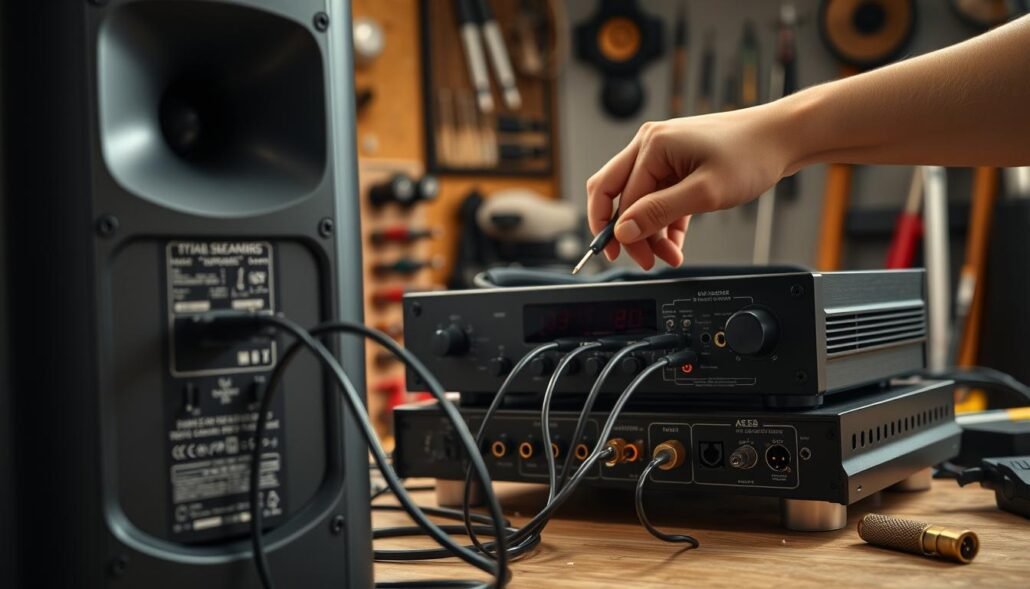
Best-case: use pre-outs or line outs
Use the receiver’s pre-out or line-out RCA/TRS jacks for the cleanest stereo signal path. Connect those jacks directly into the powered speakers’ line inputs using RCA or TRS cables.
Tape/record out when it’s the only option
Tape/record outs often supply a fixed line-level feed. In that case, set speaker or interface volume low and control listening level downstream.
Using an audio interface as a hub
Route receiver out RCA into an interface with RCA→1/4″ TS adapters, then send the interface main outs to the powered speakers. Start all levels at zero, raise input gain for a clear signal, then set speaker volume for comfort.
Quick gain-staging tips
- Begin with interface and speaker levels down.
- Raise input gain until you see a healthy read without clipping.
- Set final listening level on the speakers or interface, not the amplified speaker terminal.
Warning: never feed amplified speaker terminals into a powered speaker input. Always test a known source and take time to confirm how your receivers route outputs.
Cables, Connectors, and Signal Quality Tips
Good cable choices and neat connections keep noise low and preserve clarity in any stereo setup.
Match cable type to the jack: use RCA‑to‑RCA for line outs and RCA‑to‑1/4″ TS when feeding many audio interfaces. Avoid extra adapters; each join can add noise and reduce quality.
Speaker wire vs. line cables
Use speaker wire only when the receiver drives passive speaker terminals. Use line cables when sending a line‑level feed into active speakers or an interface.
Connector best practices
Banana plugs and spade terminals give a reliable connection at binding posts. They reduce stray strands and speed maintenance.
- Don’t leave bare wire under posts unless you trim stray strands first.
- Tighten spades firmly — finger‑tight can loosen over time.
- Check European gear for plastic inserts in banana sockets and remove them before use.
Prevent shorts and phase issues
Bare wire can cause a dead short if stray strands touch adjacent posts and can damage an amplifier or trip protection circuits.
Always wire red‑to‑red and black‑to‑black end‑to‑end. Out‑of‑phase connections make the sound hollow and collapse stereo imaging.
| Situation | Best cable | Why it matters |
|---|---|---|
| Receiver line out → active monitors | RCA‑to‑RCA or balanced TRS | Maintains low noise and correct level |
| Receiver → passive speakers | Speaker wire with banana or spade | Handles amplified current safely |
| Receiver → audio interface | RCA‑to‑1/4″ TS or RCA to balanced input | Provides proper interface input levels |
Strain relief tip: route cables so connectors aren’t pulled by gravity and avoid sharp bends at the shell. Fewer adapters and shorter runs are often the cleanest option in a home rack.
Common Problems and Safe Fixes
A calm, stepwise check will often reveal the cause of missing sound or odd noise.
No sound or very low volume
Start here: make sure powered units are on and set to the correct input.
Confirm the receiver is sending a true line-level output, not a muted zone. Check left/right RCA or TRS connections; a loose plug can kill one channel.
Hum, buzz, or interference
Keep audio wire runs away from power bricks and mains cables. Try different wall outlets and use the shortest signal path.
Ground loops cause hum; isolate components or use a ground-lifted DI if needed.
Distortion or clipping
Distortion usually means levels are stacked or the wrong output type is used. Turn volumes to zero, then rebuild gain staging slowly.
Receiver output behavior
Some outputs (common with tape/record out) stay active at all times. Others follow source selection or menus. Check the receiver manual if behavior is unclear.
- Reset procedure: power down, confirm jack types, reconnect firmly, raise levels in small steps.
- For low volume, use speaker or interface gain rather than driving an amplified terminal.
- Clean routing and conservative gain deliver the best stereo quality.
| Output | Behavior | Where to control level |
|---|---|---|
| Pre-out | Often variable | Receiver or speaker gain |
| Tape/Record | Often fixed, always-on | Speaker or interface |
| Speaker terminals | Amplified | Do not feed active inputs |
Conclusion
, Key takeaway: feed powered speakers with a line‑level out (pre‑out, line‑out or tape/record out) and never use amplified speaker terminals on the receiver. This protects inputs and preserves sound and music fidelity.
Best practice: use pre‑out first, tape/record out as a workaround, or route through an audio interface when you need flexible control. Always power down and unplug gear before changing any wire or post connections.
For best quality, set gain stages conservatively, use solid connectors instead of bare strands, and keep cable runs tidy in your home rack. Check the receiver manual, label cables, and run a quick test if something sounds off—most fixes come back to output type and level control.
FAQ
Why can receiver speaker terminals damage powered speakers?
Receiver speaker outputs send amplified, high-power signals meant for passive speakers. Feeding that amplified signal into the internal amplifier of active models can overload and fry their electronics. Always use a line-level source such as a pre-out, tape/record out, or an external preamplifier when linking powered monitors with a home stereo.
What is the difference between line-level and amplified signals in a home audio system?
A line-level signal is a low-voltage, preamplified output suitable for inputs on powered speakers or audio interfaces. An amplified signal is high-power and drives passive speaker drivers directly. Using the wrong type causes poor sound or damage, so match outputs and inputs carefully.
Which receiver outputs should I look for when planning a safe connection?
Check for pre-out, tape out, record out, or labeled “line out” jacks. These provide the proper low-level signal for active speakers. Some modern receivers also include dedicated sub or zone pre-outs that work for powered monitors—consult brand manuals like Denon, Yamaha, Onkyo, or Marantz for exact labeling.
What’s the correct power-down procedure before making connections?
Turn off and unplug all components, then wait 30–60 seconds for residual charge to discharge. This reduces risk of pops, shorts, and damaging surges when you connect or disconnect cables. After wiring, power up the receiver first, then the powered speakers, and set volumes low initially.
How do I use pre-outs or line outs for a clean stereo signal?
Run RCA or balanced connections from the receiver’s pre-out/line out jacks to the powered speaker inputs. Use left and right channels separately for stereo. If your speakers accept balanced XLR or TRS, use those for lower noise over long runs; otherwise, quality RCA cables work well for short distances.
Can I use tape out/record out RCA jacks if no pre-outs are available?
Yes. Tape/record out jacks output a line-level signal that typically mirrors the source. They often work fine for powered speakers, though some are fixed-level and won’t follow the receiver’s volume control. Test first and use the speaker or monitor volume knobs for final adjustments.
Is an audio interface a good hub between receiver and powered speakers?
An audio interface can serve as a flexible hub, offering balanced outputs, gain control, and digital options. It’s ideal for combining computer audio, turntables (with preamp), and receiver sources. Ensure the interface accepts the receiver’s output type and set its output to line level.
How should I set gain and volume to protect speakers and get the best sound?
Start with all volume controls at low. Raise the receiver/source to a moderate level, then adjust the powered speaker gain until the sound is clear without clipping. Avoid maximizing both input and speaker gain. Use the receiver’s tone controls sparingly to prevent distortion.
Which cables and adapters are best for this setup?
Use quality RCA cables for short runs and shielded TRS or XLR for balanced connections and longer runs. Avoid cheap, poorly shielded cables that introduce noise. Keep cable lengths neat and separate power cords from audio runs to reduce hum and interference.
When is speaker wire appropriate versus line-level cables?
Speaker wire carries amplified power and belongs only between an amplifier or receiver speaker terminals and passive speakers. Line-level cables (RCA, TRS, XLR) carry low-voltage signals and connect pre-outs, tape outs, or interfaces to powered speakers. Never use speaker wire into an active speaker’s line input.
Should I use banana plugs or spade connectors on binding posts?
Banana plugs and spades give secure, consistent connections on binding posts and reduce wire fraying. Bare wire works but risks shorting if strands touch adjacent posts. For passive speakers, prefer well-crimped connectors; for powered speakers using line inputs, use appropriate RCA/TRS/XLR plugs.
How can I prevent shorts and hollow sound from poor polarity or loose fits?
Confirm positive/negative polarity on both channels when using any wiring. Tighten connectors and use strain relief to keep plugs secure. If sound lacks bass or seems hollow, check phase and swap left-right or invert polarity to identify wiring issues.
What if there’s no sound or very low volume from the powered speakers?
Check source selection, cable integrity, and that you used a line-level output rather than speaker terminals. Verify speaker input selection and power status. Swap cables and try another source or input on the speakers to isolate the fault.
How do I eliminate hum, buzz, or interference in the system?
Common fixes include using balanced connections, checking ground loops, relocating power and data cables, and trying a different outlet or ground-lift on isolation transformers or DI boxes. Ferrite cores on cables and better shielding often reduce persistent noise.
What causes distortion or clipping, and how do I fix it?
Distortion comes from overloaded inputs or mismatched output types. Reduce receiver output level, lower speaker gain, and ensure you’re using pre-outs or line outs. If clipping persists, test with another source and consult the speaker’s manual for input sensitivity settings.
Are some receiver outputs always on while others follow the source?
Yes. Tape/record outs and some fixed pre-outs are often always-on and independent of front-panel volume. Zone or subwoofer pre-outs may be source-dependent. Check your receiver’s manual for output behavior so you can plan volume control and input routing correctly.