Nothing ruins a listening session faster than hearing faint, distant music from your speakers. Many vinyl enthusiasts face frustrating audio challenges when spinning records. If you struggle with quiet playback, you are not alone in dealing with these common turntable volume issues.
This guide provides a clear path toward a successful low volume turntable fix. We explore technical reasons ranging from simple connection errors to complex hardware mismatches. By following this systematic approach, you can identify root causes and restore your system to its intended performance.
Effective turntable audio troubleshooting helps you navigate these technical hurdles safely. Whether you use a vintage deck or a modern setup, these steps ensure your records sound rich and vibrant again. Let us begin restoring your high-fidelity experience today.
Understanding Why is the volume level on my turntable/phono input too low
If you are wondering why is the volume level on my turntable/phono input too low, you are likely dealing with a fundamental signal mismatch. Many users assume that all audio cables carry the same strength, but this is rarely the case in analog systems. Proper audio signal amplification is the bridge between a silent record and a room filled with music.
The Difference Between Phono and Line Level Signals
The primary reason for quiet audio is the distinction between line level vs phono level signals. A turntable cartridge produces a tiny, raw electrical signal that is far too weak for a standard amplifier to process directly. Without the necessary phono preamp gain, the sound will remain faint, thin, and lacking in bass.
Most modern devices like CD players or streaming boxes output a strong “line level” signal. When you plug a turntable directly into these inputs, the system fails to boost the signal to an audible level. You must use a dedicated phono stage to bring that delicate signal up to a usable standard.
Common Impedance Mismatches in Audio Systems
Beyond simple volume issues, a turntable impedance mismatch can significantly degrade your listening experience. Impedance refers to the electrical resistance the cartridge faces when connected to your preamp. If these values do not align, you may experience frequency roll-off, where the high notes sound dull or the low end feels hollow.
Matching your equipment correctly ensures that the electrical load is balanced. When the impedance is off, the signal loses energy, which contributes to the perception of low volume. Use the following table to understand the requirements for different audio connections.
| Signal Type | Voltage Level | Amplification Needed |
|---|---|---|
| Phono (Moving Magnet) | Very Low (mV) | High (Phono Preamp) |
| Line Level | Standard (V) | None (Direct Input) |
| Microphone | Extremely Low | Very High (Mic Preamp) |
Checking Your Phono Preamp and Signal Chain
Troubleshooting vinyl audio starts with a careful look at your phono stage setup. A broken or improperly configured turntable signal chain is a frequent culprit in audio volume degradation. By systematically inspecting each link, you can restore the rich, full sound your records deserve.
Verifying the Phono Preamp Connection
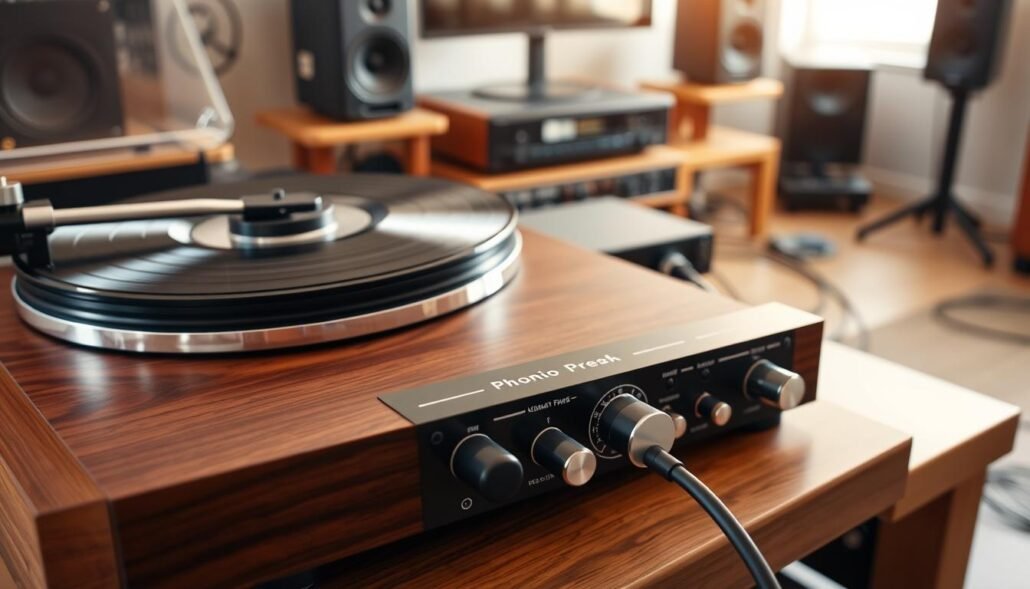
The phono preamp is responsible for boosting the tiny signal from your cartridge to a level your amplifier can process. If this stage is bypassed or incorrectly connected, your output will be extremely quiet and lack bass. Always ensure your turntable is plugged into a dedicated “Phono” input or an external preamp.
External Preamp vs. Built-in Phono Stages
Many modern turntables include a built-in phono stage, which allows for a direct connection to standard line-level inputs. If you are using an external preamp, make sure the internal switch on your turntable is set to “Line” or “Off” to avoid double-amplification or signal distortion. Using the wrong setting is a common cause of turntable audio troubleshooting headaches.
Testing Cables and Interconnects for Signal Loss
Even the best equipment will fail if the physical connection is compromised. Cables are often the weakest link in your audio path, and they can degrade over time due to stress or environmental factors.
Identifying Faulty RCA Cables
RCA cable signal loss often occurs when internal wires fray or connectors become loose. Try swapping your current cables with a known working pair to see if the volume levels return to normal. If the sound improves, your old cables are likely the source of the interference.
Cleaning Oxidation from Connection Points
Over time, metal contacts can develop a layer of oxidation that blocks the electrical signal. You can easily clean these points using a small amount of isopropyl alcohol on a cotton swab. This simple maintenance step ensures a clean, high-fidelity path for your music.
| Component | Common Issue | Recommended Fix |
|---|---|---|
| RCA Cables | Signal loss | Replace or clean plugs |
| Phono Preamp | Gain mismatch | Check input settings |
| Ground Wire | Hum or low volume | Secure connection |
| Input Jacks | Oxidation | Use contact cleaner |
Troubleshooting Cartridge and Stylus Issues
If your audio sounds thin or quiet, the issue might be hiding right at the tip of your tonearm. The cartridge and stylus act as the primary transducers of your system, converting physical grooves into electrical signals. When these components are not functioning correctly, you may need a low volume turntable fix to restore your music’s depth.

Checking Cartridge Alignment and Tracking Force
Proper turntable cartridge alignment is vital for ensuring the stylus sits correctly within the record groove. If the cartridge is misaligned, the stylus cannot track the groove walls accurately, which often leads to a weak or distorted signal. You should use a protractor tool to verify that the cartridge is perfectly square to the headshell.
Additionally, checking your tracking force is essential for optimal performance. If the force is too light, the stylus may skip or fail to make solid contact, resulting in a thin sound. Always consult your manufacturer’s specifications to set the recommended tracking force for your specific model.
Inspecting the Stylus for Wear and Debris
Regular turntable stylus maintenance prevents signal loss and protects your vinyl collection. Over time, dust and debris accumulate on the needle, acting as a barrier that muffles the sound. A quick visual inspection with a magnifying glass can reveal if your stylus is clogged with gunk.
Cleaning the Stylus Safely
To clean your stylus, always use a dedicated stylus brush and cleaning fluid. Gently brush from the back of the stylus toward the front, following the direction of the record rotation. Never brush from side to side, as this can easily damage the delicate cantilever.
When to Replace a Worn Stylus
Even with careful cleaning, a stylus will eventually wear down. If you notice persistent distortion or a significant drop in volume, it is likely time for a replacement. Most manufacturers suggest replacing the stylus after 500 to 1,000 hours of playback to maintain high-fidelity sound.
Evaluating Cartridge Output Voltage
The cartridge output voltage is a critical factor in how loud your system sounds before it reaches the amplifier. Different cartridges produce varying levels of signal strength, which directly impacts your gain staging. Understanding these differences helps you determine if your current setup is compatible with your phono preamp.
Moving Magnet vs. Moving Coil Sensitivity
The type of cartridge you use dictates the required gain settings for your system. Consider the following comparison of output characteristics:
- Moving Magnet (MM): Typically features higher moving magnet cartridge sensitivity, usually between 3mV and 5mV.
- Moving Coil (MC): Often provides a much lower moving coil cartridge output, frequently below 1mV.
- System Impact: MC cartridges require a specialized high-gain phono stage to reach the same volume levels as MM cartridges.
If you are using a low-output MC cartridge with an MM-only input, the volume will be extremely quiet. Always ensure your phono stage matches the specific output requirements of your cartridge to avoid signal loss.
Adjusting Receiver and Amplifier Settings
Fine-tuning your audio system involves more than just plugging in cables; it requires careful calibration of gain levels. Once your physical connections are secure, you must focus on the internal settings of your audio equipment to ensure the signal is not being attenuated prematurely.
Configuring Input Sensitivity on Modern Receivers
Many modern home theater receivers allow you to adjust the receiver input sensitivity for each source. If your turntable is connected to an analog input, check the menu settings for an “Input Level” or “Input Trim” feature. Increasing this value can provide a significant boost to your overall volume without requiring a new hardware purchase.
This adjustment ensures that the receiver recognizes the incoming signal at a higher baseline. By optimizing this setting, you allow the internal pre-amplification stages to work more efficiently. Always start with small increments to avoid sudden jumps in volume.
Managing Gain Staging in Your Audio Setup
Effective audio gain staging is the process of managing the signal level at every point in your chain. The goal is to keep the signal strong enough to overcome noise while remaining low enough to prevent clipping. Proper audio signal amplification relies on a balanced flow from the cartridge to the speakers.
Avoiding Distortion While Boosting Volume
When you increase gain, you run the risk of introducing unwanted distortion. If you hear crackling or harshness, you have likely pushed the signal beyond the capacity of your components. Always prioritize clarity over raw volume to maintain the integrity of your vinyl records.
Utilizing External Phono Stage Gain Controls
If you use a dedicated phono stage setup, you may have access to physical gain switches or knobs. Many high-quality units feature DIP switches on the bottom or back panel that allow you to adjust the phono preamp gain to match your specific cartridge output. Matching these settings correctly is a vital part of achieving professional-grade sound.
| Setting Type | Primary Function | Adjustment Impact |
|---|---|---|
| Input Trim | Receiver Level | Boosts signal baseline |
| Phono Gain | Preamp Level | Matches cartridge output |
| Master Volume | Output Level | Controls final speaker loudness |
Conclusion
Achieving the perfect balance in your home audio setup transforms how you experience your favorite records. Resolving persistent turntable volume issues requires patience and a methodical approach to your signal path.
You can elevate your turntable sound quality by verifying each connection point from the cartridge to the speakers. Small adjustments to gain staging or stylus maintenance often yield significant improvements in clarity and depth.
Mastering the art of troubleshooting vinyl audio empowers you to maintain your equipment with confidence. Brands like Audio-Technica, Pro-Ject, and Ortofon provide high-quality components that perform best when calibrated correctly.
Take your time when adjusting sensitive hardware to prevent accidental damage to your gear. Consistent care ensures your vinyl collection sounds rich and vibrant for years to come.
Share your experiences with these adjustments in the space below. Your insights help other enthusiasts refine their own listening setups for better performance.
FAQ
Why is the volume level on my turntable so much lower than my CD player or streaming device?
This is typically due to the difference between phono and line level signals. A turntable produces a very weak electrical signal that requires specific audio signal amplification through a phono preamp before it reaches the amplifier’s line-level inputs. If your turntable is plugged into a standard “Aux” or “CD” input without a preamp, the volume will be significantly lower and lack bass response.
Do I need an external phono preamp if my receiver has a dedicated “Phono” input?
Generally, no. Modern receivers from brands like Yamaha or Denon often include a built-in phono stage. However, if you are using a high-end Moving Coil (MC) cartridge with a standard Moving Magnet (MM) input, you may still experience low volume due to a turntable impedance mismatch. In these cases, an external preamp like the Schiit Mani 2 can provide the necessary gain controls to boost the signal correctly.
How can I tell if my RCA cables are causing signal loss?
Inspect your RCA cables for physical damage or kinks. Identifying faulty RCA cables often involves “wiggling” the connectors to see if the volume cuts in or out. Additionally, look for oxidation (a dull or greenish film) on the plugs. Cleaning these connection points with a solution like DeoxIT can restore the signal chain and prevent unnecessary signal loss.
Can an incorrectly balanced tonearm affect the output volume?
Yes. Proper cartridge alignment and tracking force are essential for the stylus to make full contact with the record grooves. If the tracking force is too light—such as on a Fluance RT85 set below its recommended vertical tracking force—the stylus may not vibrate sufficiently within the groove, leading to thin, quiet, or distorted sound.
What is the difference between Moving Magnet (MM) and Moving Coil (MC) sensitivity?
Moving Magnet cartridges, like the Ortofon 2M Red, typically have a higher output voltage (around 5mV). In contrast, Moving Coil cartridges, such as the Denon DL-103, have much lower sensitivity and output (often 0.3mV). If your equipment is set to an MM setting while using an MC cartridge, the perceived loudness will be extremely low because the audio signal amplification is insufficient for the cartridge type.
How do I adjust the input sensitivity on my modern AV receiver?
Many modern receivers from Marantz or Sony allow you to adjust “Input Trim” or input sensitivity within the setup menu. This allows you to boost the specific volume of the phono input to match the levels of your other components. This is a key step in managing gain staging to ensure you aren’t constantly cranking the master volume to hear your vinyl.
Is it safe to clean my stylus if the volume sounds muffled and quiet?
Absolutely. A buildup of debris or dust on the stylus acts as a physical barrier between the record and the transducer, causing muffled sound and low output. Use a specialized stylus brush or a cleaning solution like Onzow Labo ZeroDust to clean the stylus safely. If the volume remains low after cleaning, it may be time to replace a worn stylus to protect your records and restore turntable sound quality.