This guide explains why a phono source can sound much quieter than digital gear and how to fix that mismatch without harming sound quality.
Many listeners report a new setup playing about 20–25 dB down from a CD player. A Pro‑Ject Debut Carbon Evolution with a Sumiko Rainier into a Cambridge AXR85 and Klipsch speakers can feel dead while a matching AXC35 CD player seems lively.
This article shows how equalization and gain stages must raise tiny cartridge output to line input. It also covers quick checks: confirm correct amp input, clean or inspect stylus, and verify cartridge wiring.
We’ll explain differences between moving magnet and moving coil cartridges, how phono stage gain affects final level, and safe ways to boost loudness if everything upstream checks out.
Follow the step‑by‑step path here to isolate the issue fast and get engaging music back to your system.
At a glance: symptoms and what “too low” sounds like today
Quick check: many users notice records play about 20–25 dB down compared with a CD or streaming player. That gap forces much higher volume control to match other sources.
Common descriptions include “low,” “flat,” or dead. Those words usually point to insufficient gain ahead of the line stage rather than weak speakers or amp power.
- A 20–25 dB difference is obvious; you will dial up the knob well past normal listening points.
- Reduced dynamics and weak bass often accompany a low-sounding record even when tonal balance seems OK.
- Consistent quiet across many records narrows likely causes to the cartridge chain, gain staging, or wiring.
- Intermittent channel drop plus low output usually signals contact or headshell wiring troubles, not room acoustics.
Diagnosis tip: treat hearing much lower playback as a clue. It focuses troubleshooting on gain path and contacts before chasing speaker or room fixes.
Quick checks before you dive in
Start by verifying basic connections and settings. A simple mis-set switch or loose lead often causes quiet or uneven playback. Do these checks first to avoid unnecessary tweaks later.
Confirm a dedicated input or an external stage feeding line
First: ensure the vinyl pickup goes into a receiver’s dedicated phono input or into a standalone phono stage that then feeds a line input. If a built‑in stage exists, set its switch to match the target connection.
Verify receiver selection, balance, and speaker wiring
Check the amp input selector and any mute or mono functions. An off‑center balance can mute one channel and make sound feel weak.
- Secure the ground wire to the receiver’s ground post to cut hum and stabilize the signal reference.
- Inspect speaker wiring at both ends for correct polarity; reversed leads make audio thin even at normal gain.
- Swap cables and try a different line input to rule out a faulty jack or intermittent RCA plugs.
| Check | What to do | Expected result |
|---|---|---|
| Input type | Use phono input or external stage → line | Proper equalization and gain |
| Ground | Attach ground wire firmly | Less hum, clearer signal |
| Speaker wiring | Confirm polarity and tight connections | Full bass and correct imaging |
| Cables | Swap interconnects to test | Eliminate intermittent loss |
Quick note: keep the stage away from power bricks and Wi‑Fi gear to avoid interference. After these top checks, if the problem persists, move to cartridge and gain diagnostics or consult a guide about optimal setup such as how to set up a home.
Stylus and cartridge health: rule out the mechanical basics
A dirty or damaged stylus often explains weak playback and is the easiest problem to confirm.
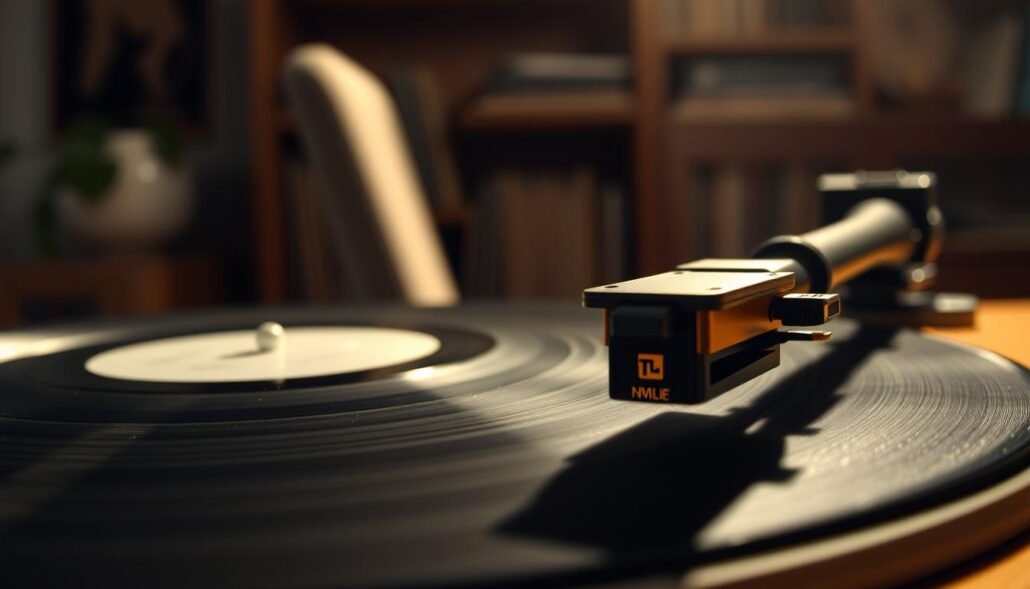
Start with a jeweler’s loupe and inspect the tip for caked dust, fibers, or a bent cantilever. Even a tiny clump can reduce groove contact and make sound thin and dull.
Clean carefully using a specialist brush or gel cleaner, and follow the cartridge manual. Avoid harsh fluids that can wick into the suspension and cause lasting damage.
Reseat leads and check contacts
Gently remove and reseat the four headshell leads. Oxidized or loose push-on connectors raise resistance and can cause a persistent drop in output.
Confirm pins are straight and clips are tight. A poor contact often causes intermittent dropouts or a muffled sound that feels like an electronics issue.
Try a known-good cartridge
If possible, mount a spare cartridge to see if the problem follows the pickup or stays with the rest of your setup.
Shipping damage can collapse suspension and produce near-silent results. In one real case, a Grado arrived compromised and swapping to a Pickering XV15 restored normal performance quickly.
| Check | Action | Expected result |
|---|---|---|
| Stylus condition | Inspect with loupe; clean per manual | Improved crispness and dynamics |
| Headshell leads | Reseat pins; replace corroded clips | Stable channels; no intermittent loss |
| Tracking setup | Set tracking force and anti-skate to spec | Accurate contact, fuller bass |
| Spare cartridge | Swap and test with a familiar record | Confirms pickup fault or rules it out |
Is your phono preamp stage the bottleneck?
A weak preamp can make lively vinyl sound underpowered compared with modern sources.
Quick idea: many moving magnet cartridges produce only a few millivolts. A stage that offers about 35 dB of gain (for example, a Behringer PP400) often leaves output behind CD or streamer sources.
Understanding MM gain needs: why ~35 dB can sound too quiet
MM cartridges usually need roughly 43–45 dB to match line sensitivity in most receivers. At 35 dB the signal stays near noise floor and dynamics feel muted.
When 43–45 dB hits the sweet spot
Units like the ART DJPRE II (~45 dB) often correct that difference without adding hiss. A balanced gain value lifts signal cleanly for normal listening with modest headroom.
MC gains (60 dB+) and why impedance must match
MC modes require 60 dB or more and low-ohm loading. Some gear (ART Precision) flips input impedance to 25/100 Ω in MC mode, which will harm MM tonal balance. Prefer stages that keep 47 kΩ for MM, such as the iFi ZEN Phono 3 with selectable 36–72 dB while retaining proper loading.
| Preamp | Typical MM gain | MM input impedance |
|---|---|---|
| Behringer PP400 | 35 dB | 47 kΩ* |
| ART DJPRE II | ≈45 dB | 47 kΩ |
| ART Precision | 43 dB (MM) / 63 dB (MC) | 47 kΩ (MM) / 25–100 Ω (MC) |
| iFi ZEN Phono 3 | 36–72 dB | 47 kΩ (MM settings) |
Practical tip: if all wiring and cartridge checks pass but music still needs an unusually high knob setting, your stage output voltage is likely insufficient for downstream line input sensitivity. Match gain to cartridge mV rating for best results.
Choosing the right phono preamp and gain settings
Picking the right preamp and gain setting is the fastest way to restore punch and dynamics to vinyl playback.
Start by checking cartridge output and target gain. MM cartridges rated near 4–6 mV usually need roughly 43–45 dB to sit with modern sources. A budget unit offering only 35 dB often leaves music sounding thin and quiet.
Examples and practical advice
- Behringer PP400 — ~35 dB: affordable but may underwhelm with typical MM cartridges.
- ART DJPRE II — ≈45 dB: brings MM output closer to line sensitivity without excessive hiss.
- iFi ZEN Phono 3 — 36–72 dB: switchable gain with 47 kΩ MM loading for broad cartridge support.
Impedance and gain rules
Keep MM feeding a 47 kΩ input. Low-ohm inputs belong to MC use only; wrong loading changes tonality and may reduce apparent output.
Setting gain to match other sources
Raise gain until vinyl matches a CD or streamer at a similar knob position, but stop before visible clipping on loud passages. If your amp has input trims, use them for small adjustments after you pick a baseline gain.
| Preamp | Typical gain | MM input |
|---|---|---|
| Behringer PP400 | 35 dB | 47 kΩ |
| ART DJPRE II | ≈45 dB | 47 kΩ |
| iFi ZEN Phono 3 | 36–72 dB (switchable) | 47 kΩ (MM) |
The volume level on my turntable/phono input too low: a step-by-step troubleshooting path
Follow a clear troubleshooting path to find whether signal routing, cables, or gain cause the mismatch.
Step 1: Confirm signal chain
Verify connections: cartridge → phono stage → line input of your amp. Avoid sending a line output back into a phono jack.
Step 2: Test alternate inputs and cables
Swap interconnects and try another receiver input to rule out a weak jack or damaged cable. A bad cable can create an inconsistent issue that mimics low output.
Step 3: Compare with another source
Play a familiar vinyl track and a matched digital reference. Note knob positions that give equal loudness to quantify the difference in control settings.
Step 4: Evaluate cartridge output versus preamp gain
Check cartridge mV rating and match it to stage gain. If you use a 35 dB unit and hear a clear mismatch, test a ~43–45 dB stage (ART DJPRE II) or a switchable model like the iFi ZEN Phono 3 (36–72 dB).
| Check | Action | Result |
|---|---|---|
| Signal path | Confirm routing | Correct equalization |
| Cables/inputs | Swap and retest | Eliminate bad link |
| Gain vs output | Match cart mV to gain | Balanced loudness |
Match your cartridge type to the correct preamp mode
A wrong pairing between cartridge and preamp often makes lively records sound dull and quieter than other sources.
MM cartridges expect a 47 kΩ input and moderate gain. MC units need far higher gain plus low‑ohm loading to reach usable output.
Why you shouldn’t use MC impedance settings with MM cartridges
Switching an MC mode that sets input to 25 or 100 Ω will severely load an MM generator. This cuts treble and makes sound dull, even if gain rises.
- Confirm cart type and follow the manual to select mode; many stages have MM/MC labels or obvious switches.
- Avoid using MC impedance with an MM cart — it can worsen perceived loudness and tonal balance.
- Pick a stage that keeps 47 kΩ for MM when you raise gain; designs like iFi ZEN Phono 3 preserve correct loading across MM gain steps.
| Cartridge | Recommended input | Typical gain need |
|---|---|---|
| MM | 47 kΩ | ~43–45 dB |
| MC (low output) | 25–100 Ω | 60 dB+ |
| When unsure | Check maker site or manual | Start with MM mode |
Practical tip: set correct mode, then click expand gain slowly while listening. Match sound to a digital source at similar amp settings before making further tweaks.
When upstream is correct but volume is still low
If wiring, cartridge, and preamp checks pass yet music still plays quieter than a CD or streamer, a small, clean line booster can close the gap.
Using a line-level booster after the phono preamp (pros/cons)
If your phono preamp matches cartridge specs but output sits below other sources, an inline booster can add a few dB without reworking the chain.
Choose units with published noise and distortion specs. Budget boosters may help, but some add hiss or color the audio. Return options matter if sound degrades.
- Place the booster after the phono preamp and before the amp; never amplify the tiny cartridge signal directly.
- Watch cumulative gain to avoid clipping at the preamp, booster, or amp stages.
- Keep cables short and shielded near the booster to reduce introduced interference.
Receiver sensitivity and “hot” CD inputs: normalizing expectations
Some receivers have hotter CD inputs or higher sensitivity. Many digital masters run at louder averages, so a modest difference from vinyl is normal.
| Issue | Practical action | Expected result |
|---|---|---|
| Phono preamp matched but quiet | Add clean line booster after preamp | Closes dB gap without rewiring |
| Booster adds hiss | Test return policy; try higher-spec stage | Lower noise and clearer output |
| Receiver hot inputs | Compare using same reference track | Quantify acceptable difference |
Final checks: use a familiar record to compare settings, note amp knob positions, and avoid leaving controls near extremes for routine listening. When tuned correctly, your chain should deliver engaging sound and balanced output to your speakers.
Common pitfalls, safety notes, and setup tips
Misrouted outputs and shipping damage often explain why a record chain sounds weak. Start with routing and cartridge checks before stacking boosters.
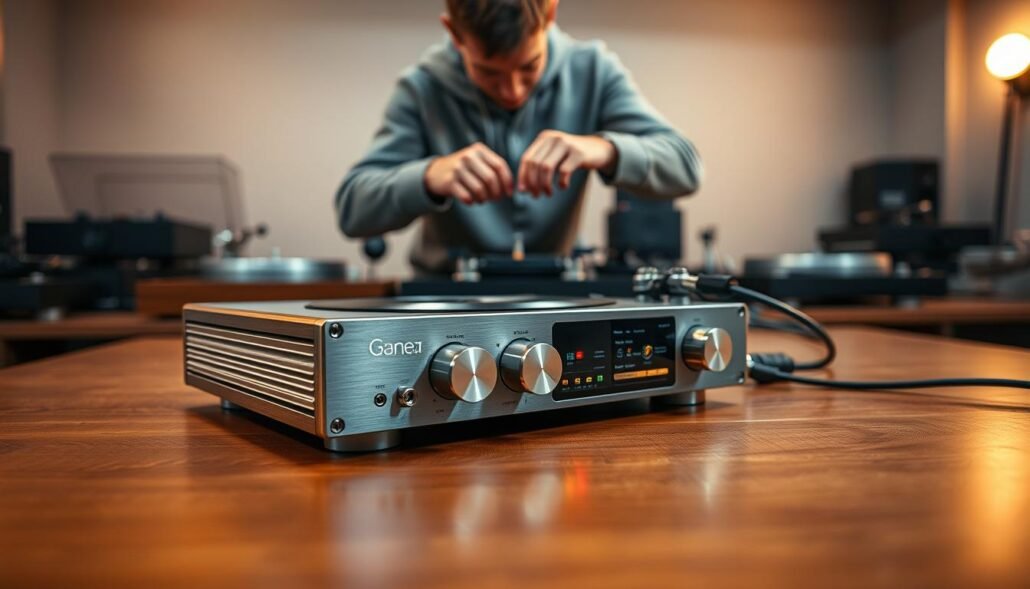
Avoid double‑amping mistakes
Never send a preamp output into a receiver phono jack. That applies RIAA twice, causing odd tonal shifts and unpredictable output.
Tracking force, alignment, and shipping damage
Verify tracking force with a scale and set anti‑skate per the cartridge manual. Poor force or misalignment mutes dynamics.
Shipping damage can collapse suspension or bend a cantilever. A damaged Grado once produced almost no output; swapping to a Pickering XV15 restored normal sound.
- Use PHONO only for raw cartridges; use LINE/AUX for stage outputs.
- Keep speaker wiring tight and in phase to preserve bass and imaging.
- Document each change and test with the same record and seat.
| Pitfall | Quick fix | Result |
|---|---|---|
| Preamp → phono jack | Route preamp output to LINE/AUX | Correct equalization; natural tone |
| Incorrect tracking force | Set with a scale; adjust anti‑skate | Full contact; improved dynamics |
| Shipping damage | Inspect cantilever; swap cartridge if needed | Restored output; normal clarity |
Conclusion
, A quick reset of wiring, cartridge health, and gain often ends a quiet vinyl problem fast.
Key fix: confirm correct routing, clean and inspect the stylus, then match cartridge output to a stage that offers ~43–45 dB for MM rigs. Moving from ~35 dB to that range usually restores natural dynamics without extra hiss.
Practical options: proven units such as ART DJPRE II or iFi ZEN Phono 3 give flexible gain and proper 47 kΩ MM loading. If everything checks out but sound still sits below other sources, consider a modest line booster after a good preamp.
Use the step‑by‑step checklist when an issue recurs. Thanks for tuning your system — a matched chain brings lively records back to life and yields fuller music through your speakers.